
Managing global vSphere permissions
Find out how to manage global vSphere user permissions from the OVHcloud Control Panel
Objective
Global vSphere permissions allow you to define a user's rights on your Hosted Private Cloud service. From the OVHcloud Control Panel, you can enable or disable these options for each user.
This guide explains how to manage these global permissions.
Requirements
- An active Hosted Private Cloud service
- A vSphere user already created on your service
OVHcloud Control Panel Access
- Direct link:
- Navigation path:
Hosted Private Cloud>Managed VMware vSphere> Select your vSphere service
Instructions
Access the user rights management
-
From your vSphere service, go to the
Userstab.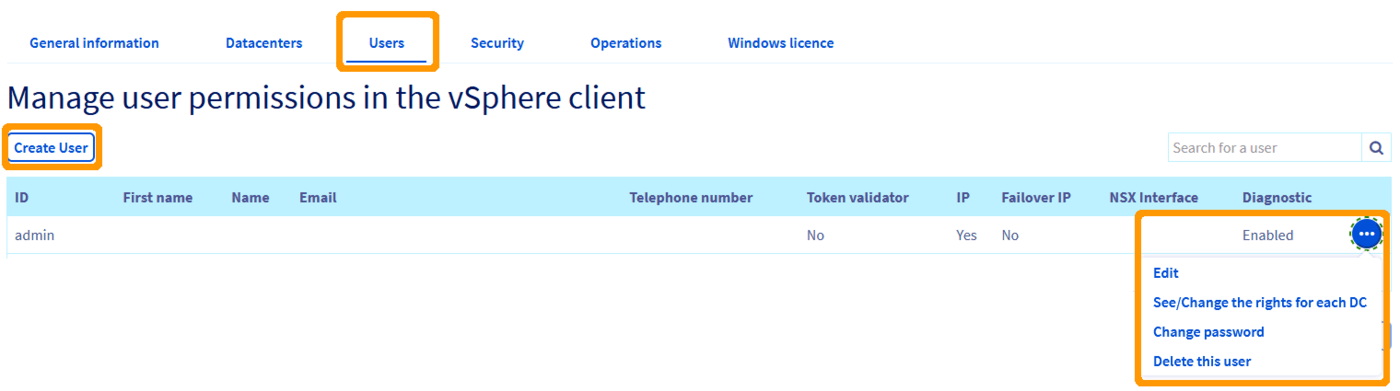
-
On the row of the relevant user, open the
...menu and clickEdit.
Configure global permissions
In the user edit window, several options correspond to the global permissions.
-
Enable or disable the options according to the rights you want to grant to the user.
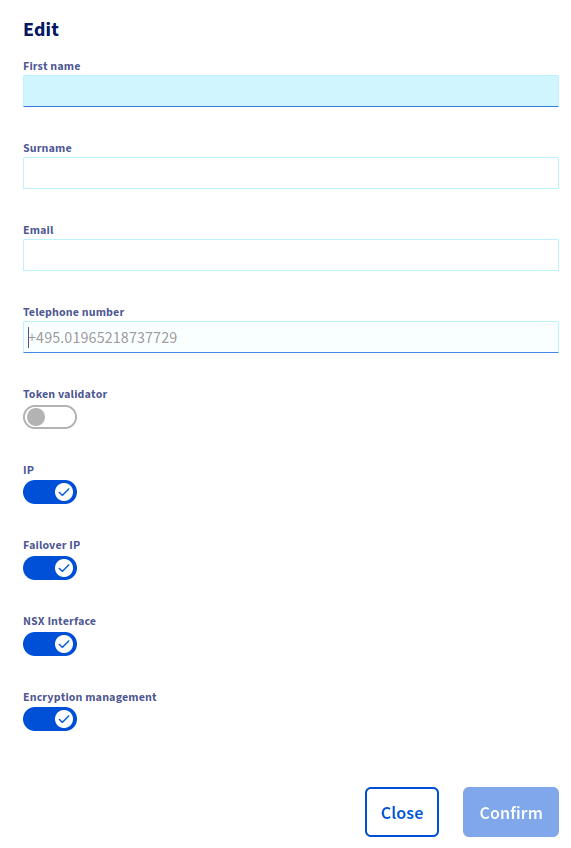
-
Confirm the change.
Available permissions
The user edit window offers the following options:
Manage rights by datacenter
In addition to the global service permissions, you can also define rights for each virtual datacenter in your Hosted Private Cloud.
-
From the
Userstab, on the desired user row, open the...menu and clickView/Edit the rights for each DC.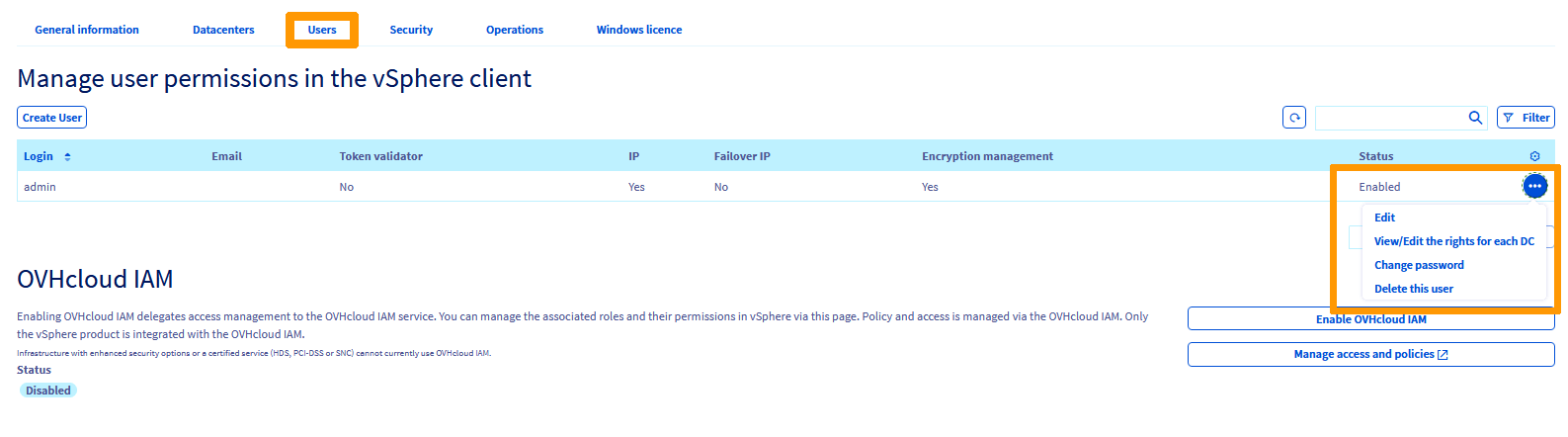
-
On the Manage user rights by datacentre page, locate the datacenter row. Open the
...menu and clickModify rights.
-
In the Editing rights window, set the rights and confirm.
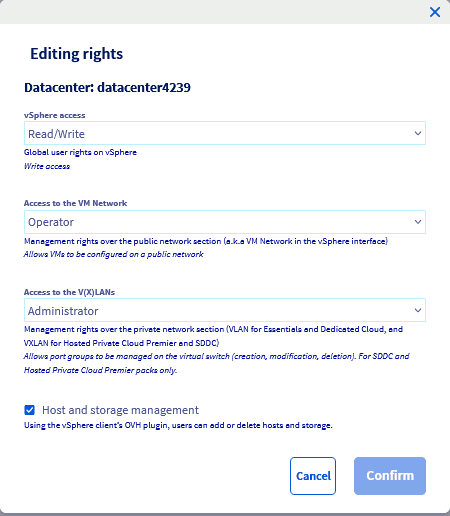
Rights reference
vSphere access — global user rights on vSphere.
Access to the VM Network — management rights over the public network section ("VM Network" in vSphere).
Access to the V(X)LANs — management rights over the private network section (VXLAN for Hosted Private Cloud, VLAN for SDDC).
Host and storage management — when enabled, the user can add or delete hosts and storage via the OVHcloud plugin in the vSphere client.
Restricting access to specific vSphere objects
The permissions above apply to the whole service (vSphere cluster) or to a single virtual datacenter. To restrict a user to specific objects in the vSphere inventory — a virtual machine, a datastore or a folder — use the granular rights on vSphere objects.
Go further
For training or technical assistance implementing our solutions, contact your sales representative or visit our Professional Services page to request a quote and have your project analysed by our experts.
Join our community of users.