
Enterprise File Storage - Hold an automatic snapshot
Hold automatic snapshots from Enterprise File Storage offer using the OVHcloud API
Objective
Automatic snapshots are created by a Snapshot Policy which takes and keeps snapshot copies of a volume as defined by the rules associated with the policy.
Holding an automatic snapshot prevents it from being rotated by the snapshot policy and makes it a manual snapshot.
Learn how to hold an automatic snapshot from your Enterprise File Storage offer using the OVHcloud API.
Requirements
- An active OVHcloud Enterprise File Storage service
- Access to the
- An Enterprise File Storage volume with an
automaticsnapshot
If you are not familiar with using the OVHcloud API, please refer to our guide on Getting started with the OVHcloud API.
Instructions
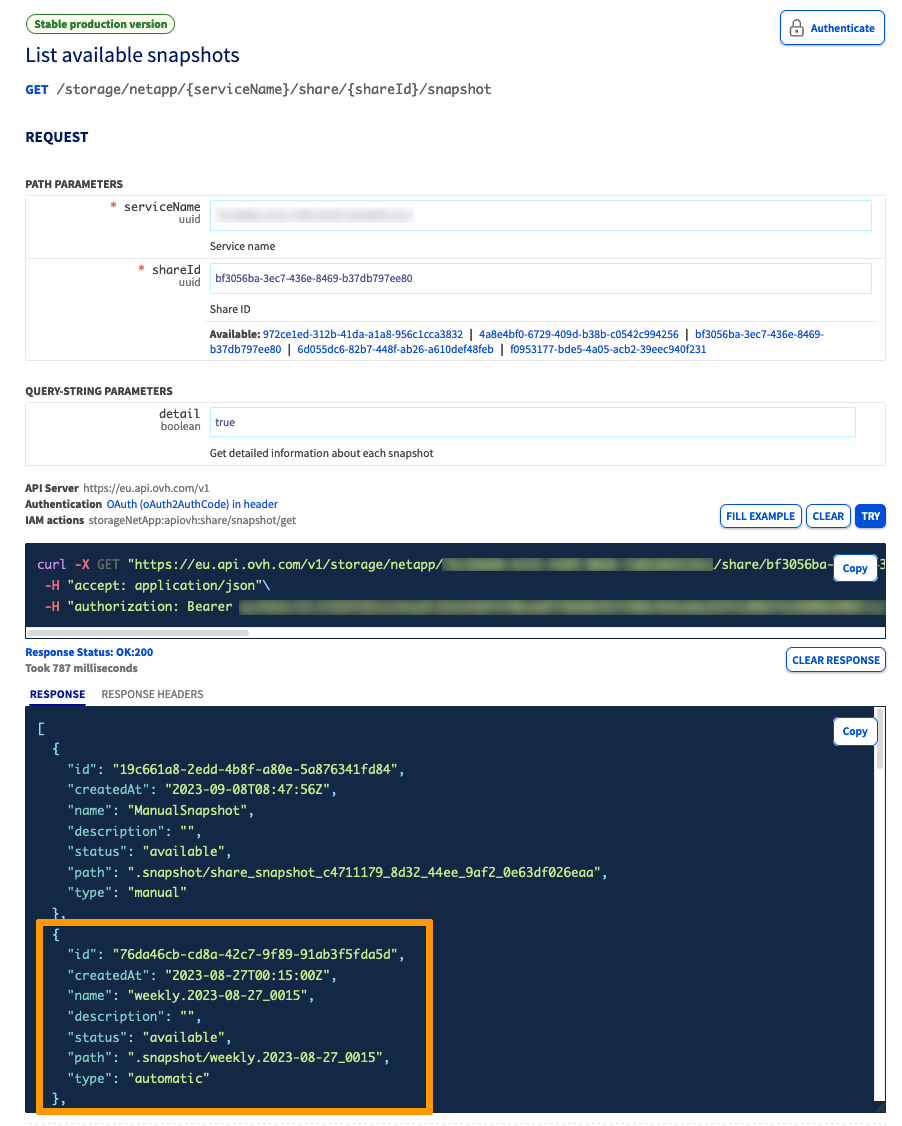
1. Identify the snapshot id using the following API call:
{serviceName}is the service unique ID{shareId}is the share ID to which the snapshot belongs
2. Hold the snapshot using the following API call:
{serviceName}is the service unique ID{shareId}is the share ID to which the snapshot belongs{snapshotID}is the snapshot ID
After the hold operation is performed, the snapshot id and type will change. However, its name, createdAt and path properties will be kept.
Please take note of the new id if you want to perform further operations with the snapshot.
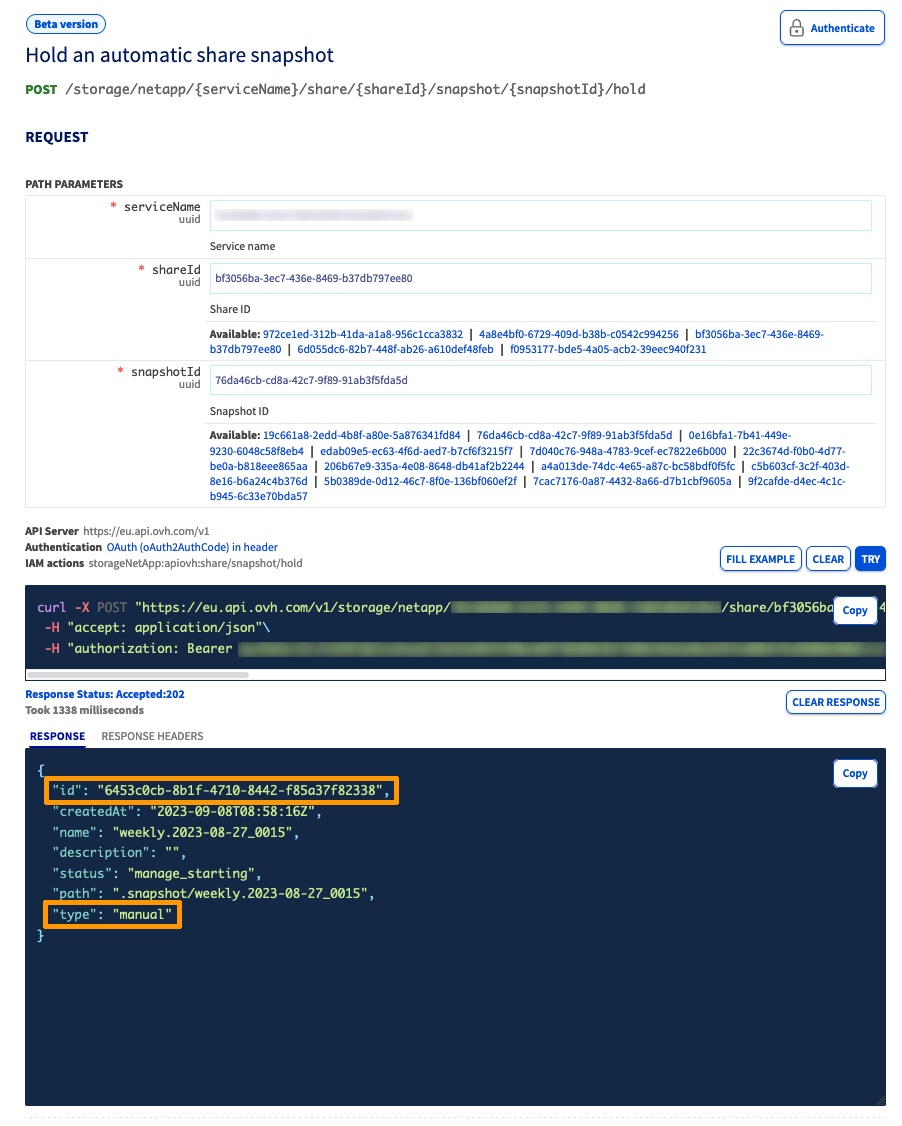
The automatic snapshot has now become a manual snapshot.
Go further
For training or technical assistance implementing our solutions, contact your sales representative or visit our Professional Services page to request a quote and have your project analysed by our experts.
Join our community of users.