
Upgrading Kubernetes version on an OVHcloud Managed Kubernetes cluster
Find out how to upgrade the Kubernetes version on an OVHcloud Managed Kubernetes cluster
Objective
The OVHcloud Managed Kubernetes service provides you Kubernetes clusters without the hassle of installing or operating them. In this guide we cover how you can easily upgrade your cluster to the next minor version of Kubernetes.
On OVHcloud Managed Kubernetes we have deployed a Upgrade to the next minor version of Kubernetes feature to upgrade your cluster from one version to the next (e.g. 1.26 to 1.27).
Requirements
- An OVHcloud Managed Kubernetes cluster
Important information on the upgrading process
Before you launch the upgrade, please back up your cluster’s configuration, and check that your worker tools are compatible with this new version.
The upgrading process will try to do a rolling upgrade. Please ensure that your cluster includes enough worker nodes to allow for a rolling upgrade.
To minimise downtime for your pods and your overall service, we will drain each of your nodes, only moving on to the next node when the current one is functional (i.e. when the status changes to ‘Ready’). Your admin components and server API will also be updated.
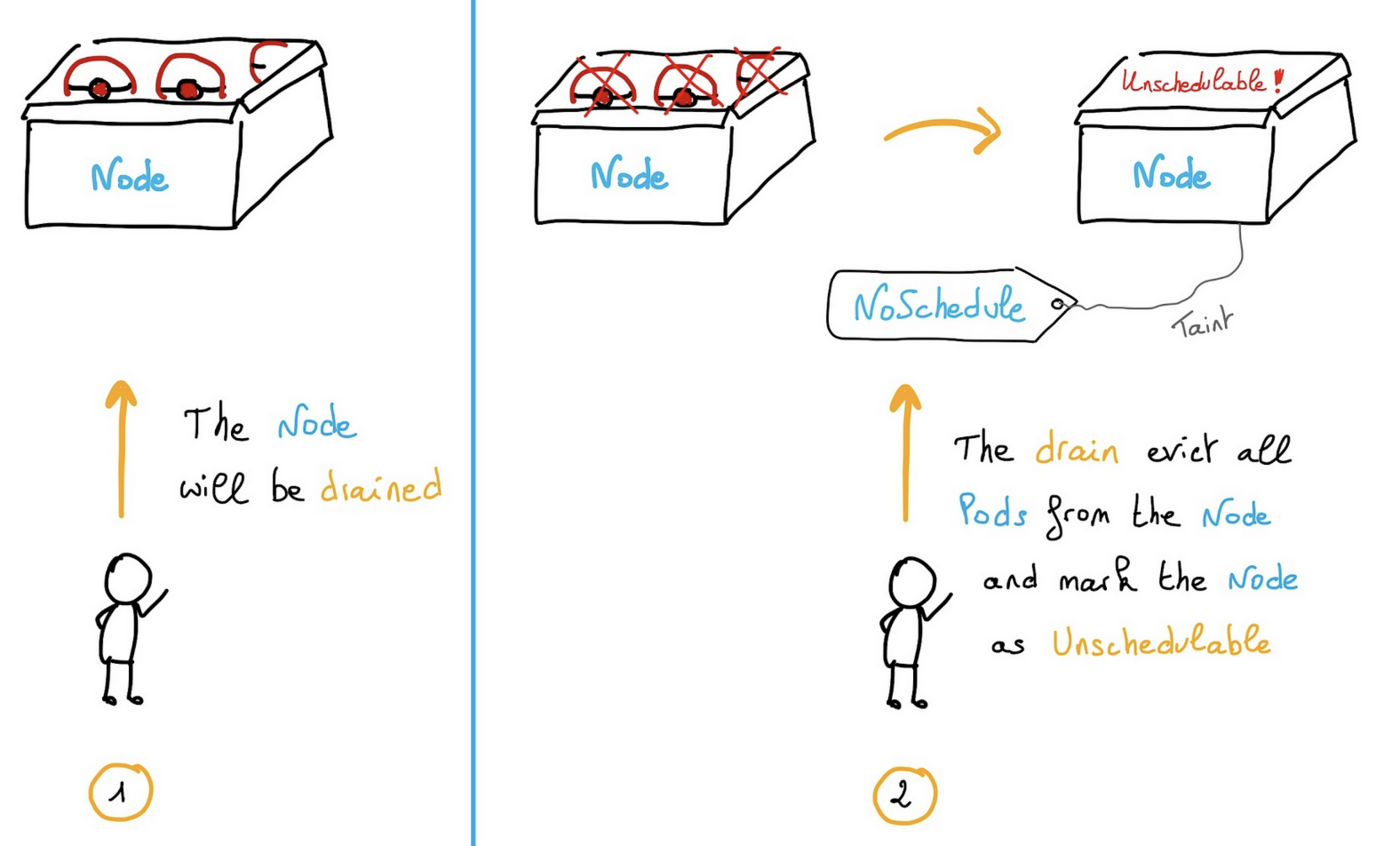
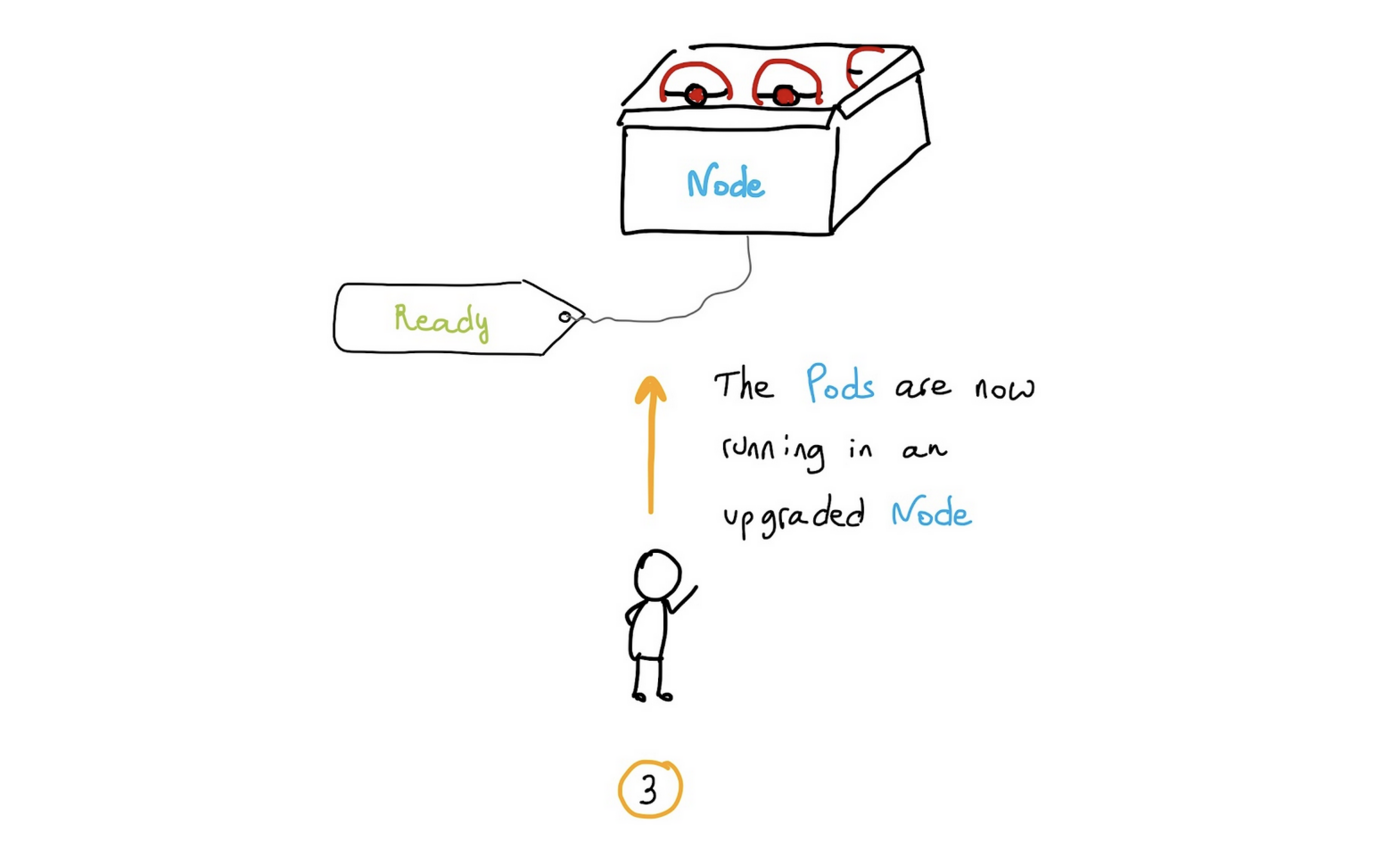
This operation usually takes around 5 minutes per node in your cluster, but that can vary depending on your cluster type and size.
Once the update has been performed, you cannot revert to the previous version.
OVHcloud Control Panel Access
- Direct link:
- Navigation path:
Public Cloud> Select your project >Managed Kubernetes Service
Instructions
Step 1 - Ask for a minor version upgrade on the OVH Cloud Manager
-
Click on the right end button of your Kubernetes cluster and choose
Manage cluster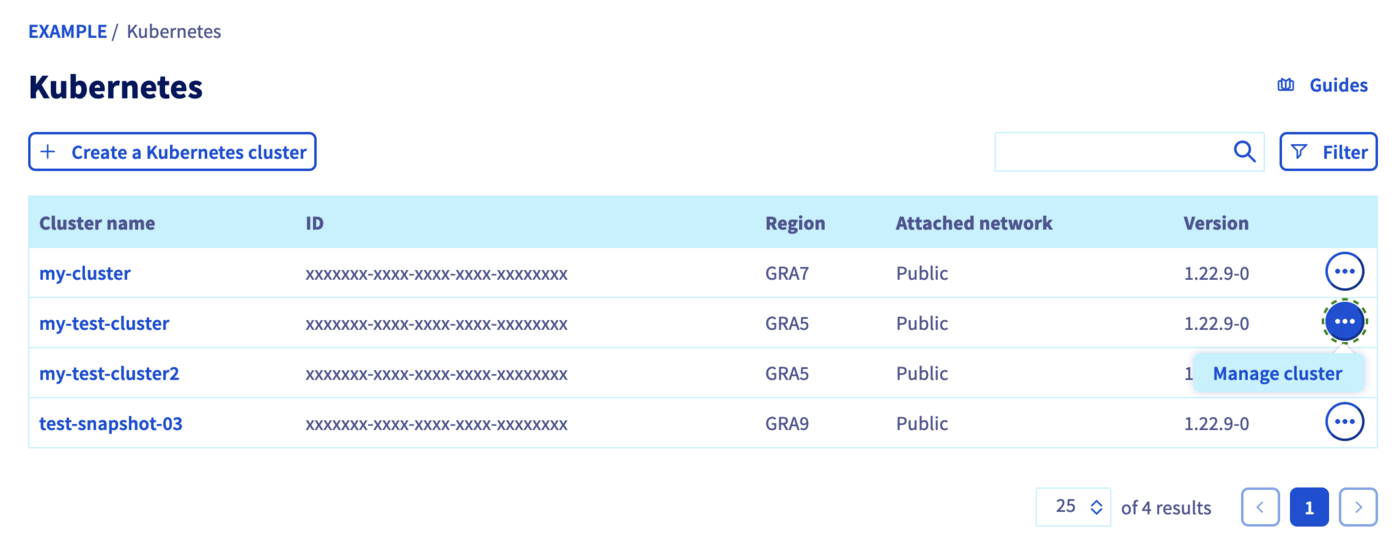
-
On the Management section, click on
Upgrade to the next minor version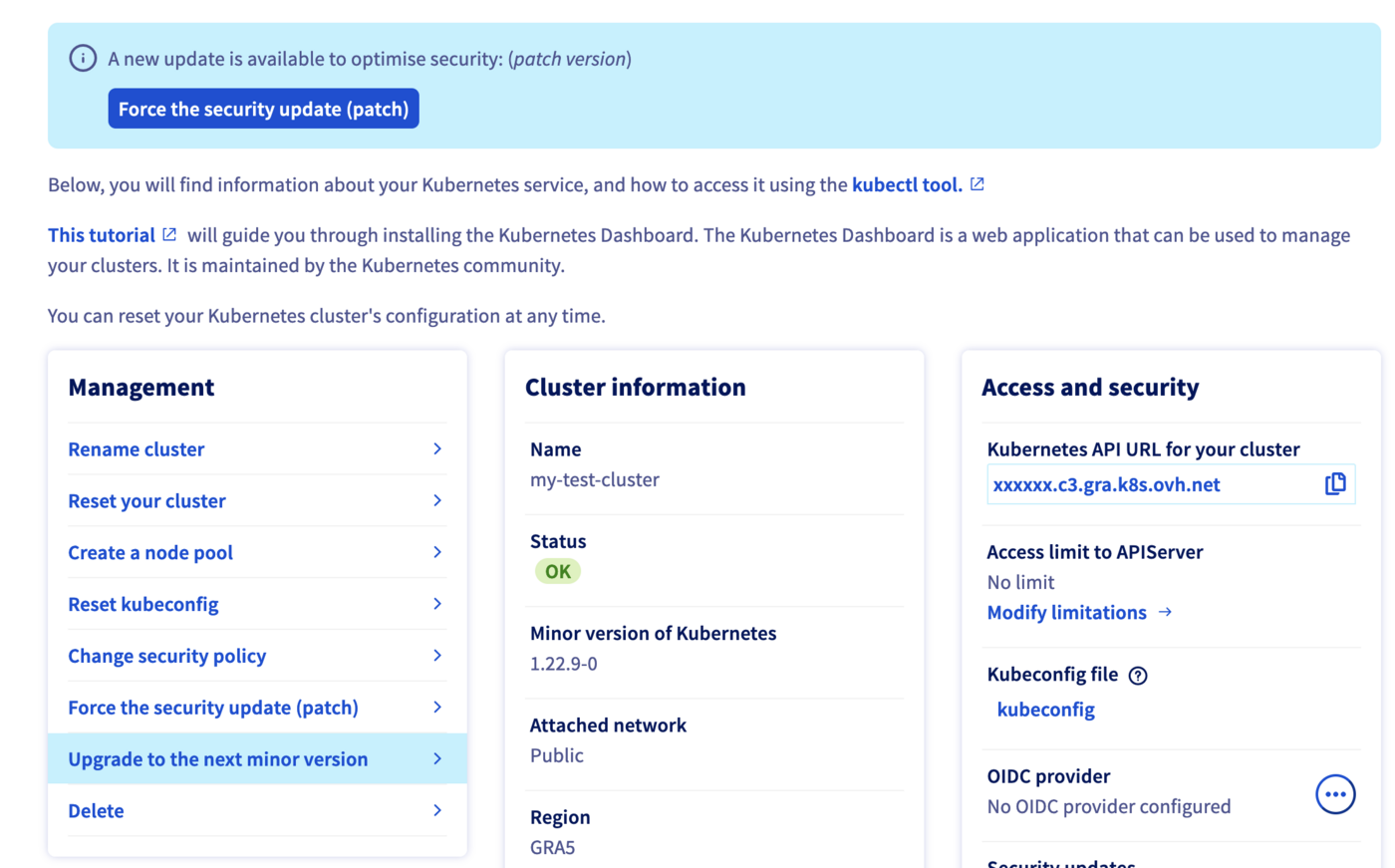
-
Click on
Confirm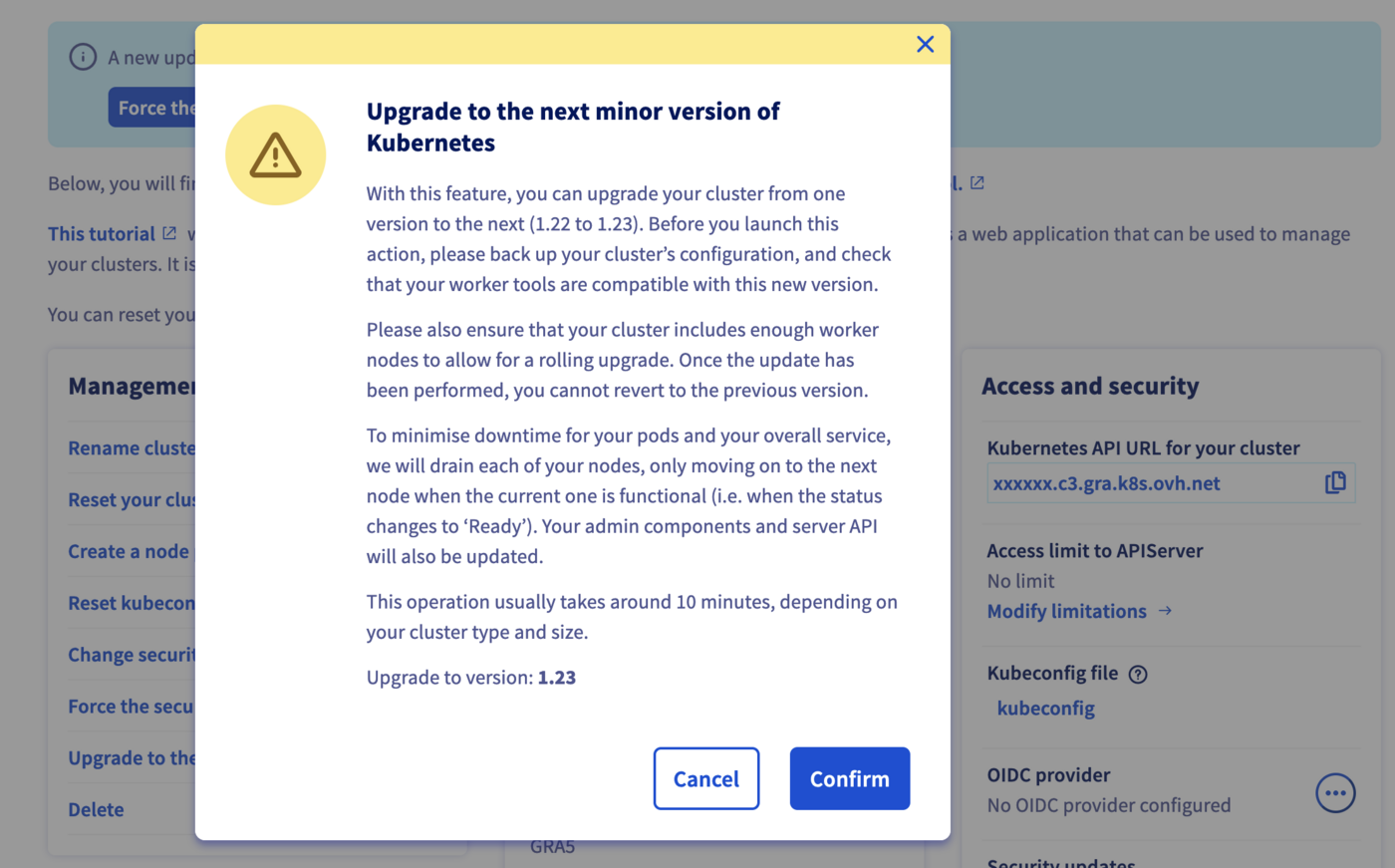
Step 2 - Wait for the upgrading to end
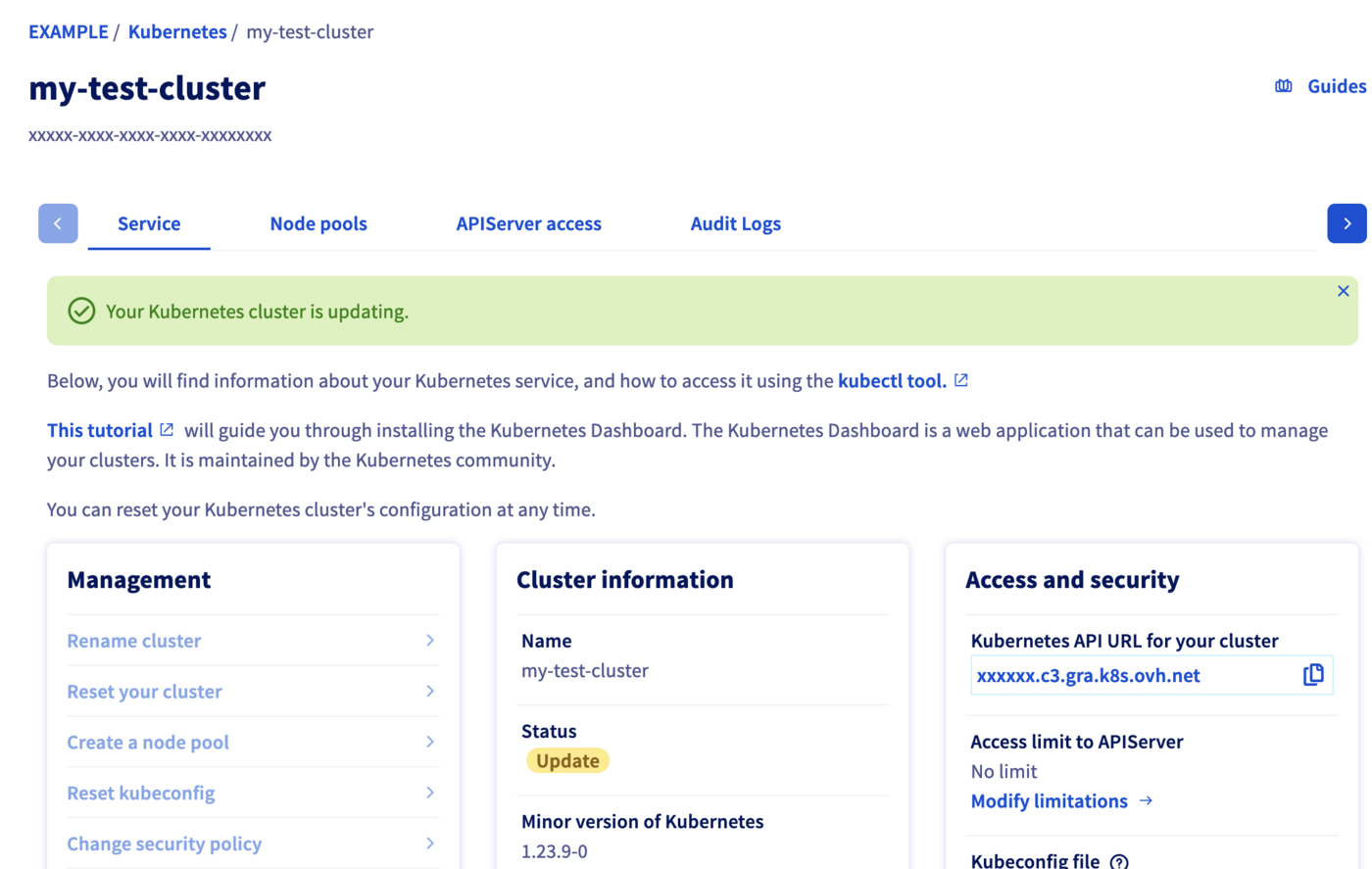
The upgrading process can take several minutes (around 5 minutes per node in your cluster). During that time, a message on the OVHcloud Control Panel warns you that the cluster is being upgraded:
Go further
To have an overview of the OVHcloud Managed Kubernetes service, you can go to the OVHcloud Managed Kubernetes page.
To learn more about how to use your Kubernetes cluster the practical way, we invite you to look at our tutorials.
-
For training or technical assistance implementing our solutions, contact your sales representative or visit our Professional Services page to request a quote and have your project analysed by our experts.
-
Join our community of users.