
Changing an FTP user password
Find out how to change the password for an FTP user created on your OVHcloud Web Hosting plan
Objective
OVHcloud web hosting plans provide access to an online file storage space, which you can use via the FTP protocol: FTP storage space.
You can access this space using an FTP user and its associated password.
This access allows you to put your website online.
This guide explains how to change the password for an FTP user created on your OVHcloud Web Hosting plan.
Information regarding OVHcloud service administration and how to find appropriate assistance
When using OVHcloud guides, please be aware of the following conditions:
- User instructions aim to provide as many details as possible but cannot cover individual use cases. You might need to adapt the pertinent actions to your requirements.
- The OVHcloud ecosystem is built for flexibility and freedom of choice. Customers are therefore responsible for the secure and proper configuration of their services. To prevent data loss, we strongly recommend to apply backup strategies to all your important data.
- Our guides and tutorials may reference third-party software or services in combination with OVHcloud solutions. The technical support provided by OVHcloud does not include the configuration of systems or products outside of our responsibility. This includes but is not limited to:
- Operating systems and user interfaces (Windows, Debian, Plesk, etc.).
- Any other third-party software (FTP clients, email software, etc.).
- Services offered by other providers (DNS, APIs, user interfaces, etc.).
To receive the appropriate assistance for any issues you might experience, follow these guidelines:
- You seek personalized advice or you would like to discuss a topic that is not covered in detail by our documentation?
Join the OVHcloud Community to search for your topic and reach out to other users. - You need to report an incident regarding your OVHcloud service or you are experiencing difficulties in the OVHcloud Control Panel?
Create a support request in our Help Centre. - You require professional assistance for your project or you need help with tasks outside our support scope?
Visit our partner portal to search for experts who are familiar with OVHcloud solutions. - You are looking for more detailed information regarding our support levels and Professional Services?
Please visit our web pages for OVHcloud support levels and OVHcloud Professional Services.
You can participate in improving our documentation:
- You would like to share feedback to improve a guide page or you want to report insufficient information on a specific page?
Use the "Was this page helpful?" buttons at the bottom of the page to let us know. - You would like to propose a specific documentation update?
Use the "Edit this page" function, available at the bottom of the page and in the sidebar.
Requirements
- An OVHcloud Web Hosting plan
OVHcloud Control Panel Access
- Direct link:
- Navigation path:
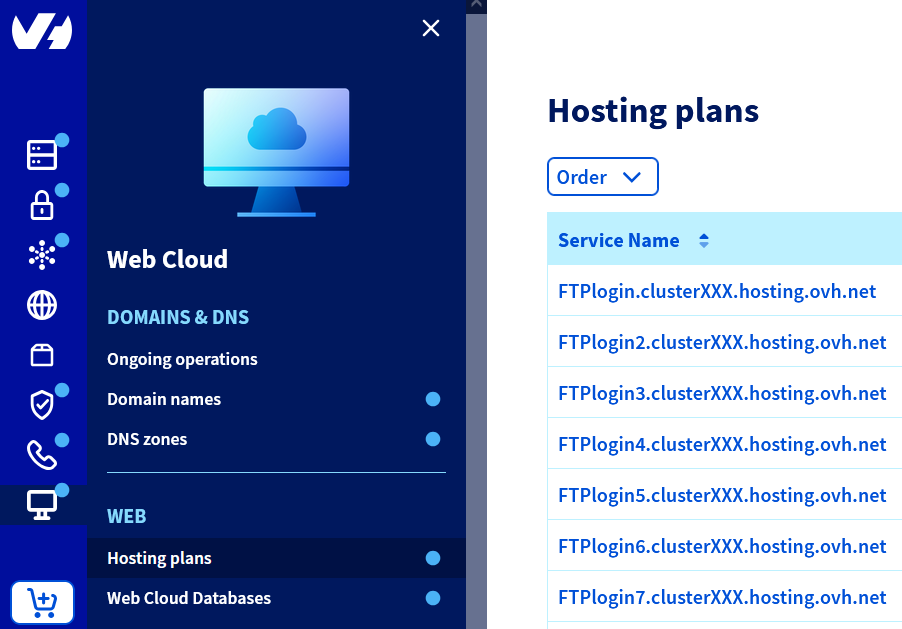
Web Cloud>Hosting plans> Select your web hosting plan
Instructions
Modify the FTP user password
For more information on password management best practices, please refer to the guide "Setting and managing an account password".
Depending on which OVHcloud Web Hosting plan you have, there are two different ways to change your FTP user password.
Click on your plan to view the content.
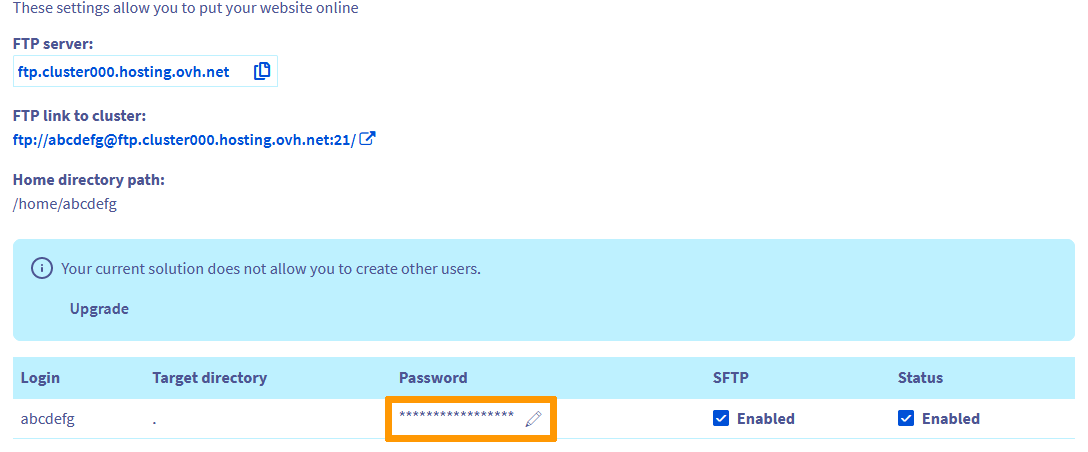
Free hosting, Starter, Personal and Startup plans (single FTP user)
Click on the tabs below to view each of the 3 steps.
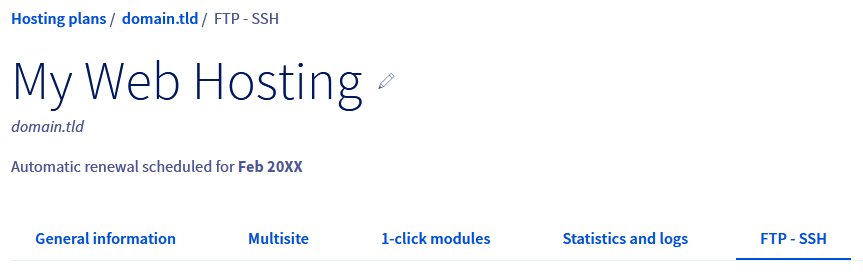
Go to the page, then select the web hosting plan concerned.
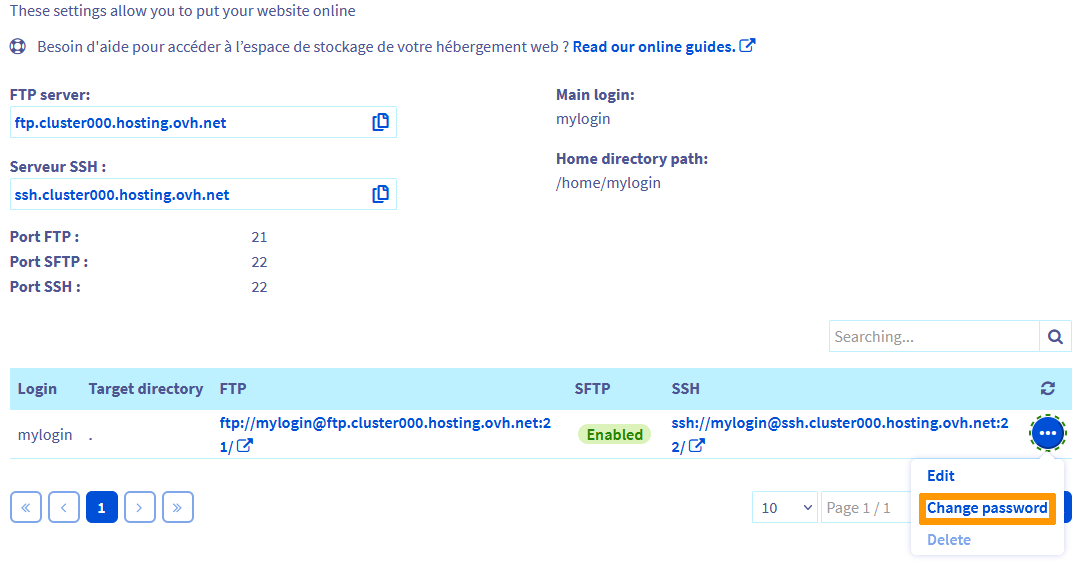
Professional, Performance, Agency, Agency Plus and Agency Max plans (multiple FTP users)
Click on the tabs below to view each of the 3 steps.
Go to the page, then select the web hosting plan concerned.
Your new password must respect the following password policy:
- Minimum 9 characters
- Maximum 30 characters
- At least one capital letter
- At least one lower-case letter
- At least one number
- Be composed only of numbers and letters
Then go to the Ongoing tasks tab and refresh the page regularly. Your change will be effective within a few minutes.
Access your storage space
To access your FTP storage space, please refer to our guide "Logging in to your Web Hosting plan's FTP storage space".
Go further
Setting and managing an account password
Logging in to your Web Hosting plan's FTP storage space
For specialised services (SEO, development, etc.), contact OVHcloud partners.
If you would like assistance using and configuring your OVHcloud solutions, please refer to our support offers.
Join our community of users.