
Domain name - How do I change the holder?
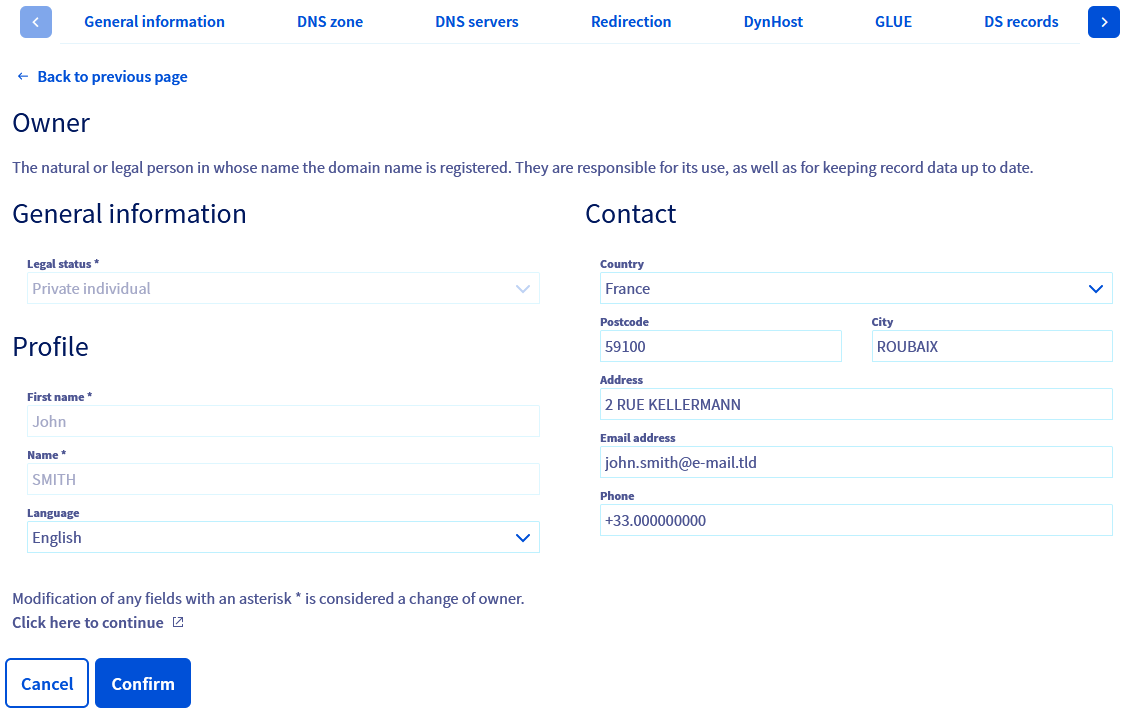
Find out how to change a domain name holder, or update the information associated with it
Objective
In addition to providing contacts, registering a domain name requires you to enter information on the domain name holder. In this context, holder pertains to either a natural person or a legal person (private or public organisation) holding the usage rights to this domain name. A change of holder (domain name trade) refers to the act of modifying this information in a legally binding way i.e. the transfer of usage rights to a new person or company. For example, this process is the mandatory procedure when a company changes its name.
This operation will not move your domain name to another OVHcloud customer account.
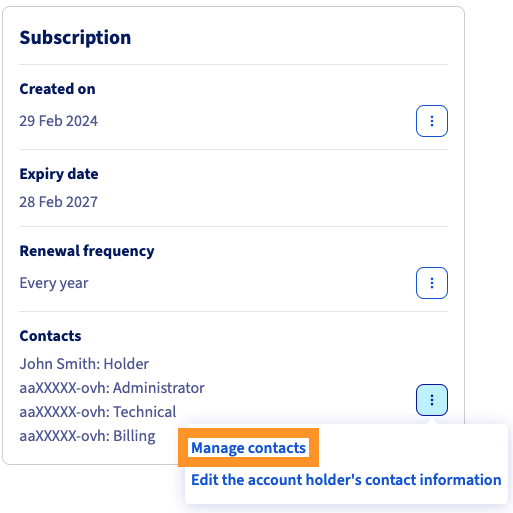
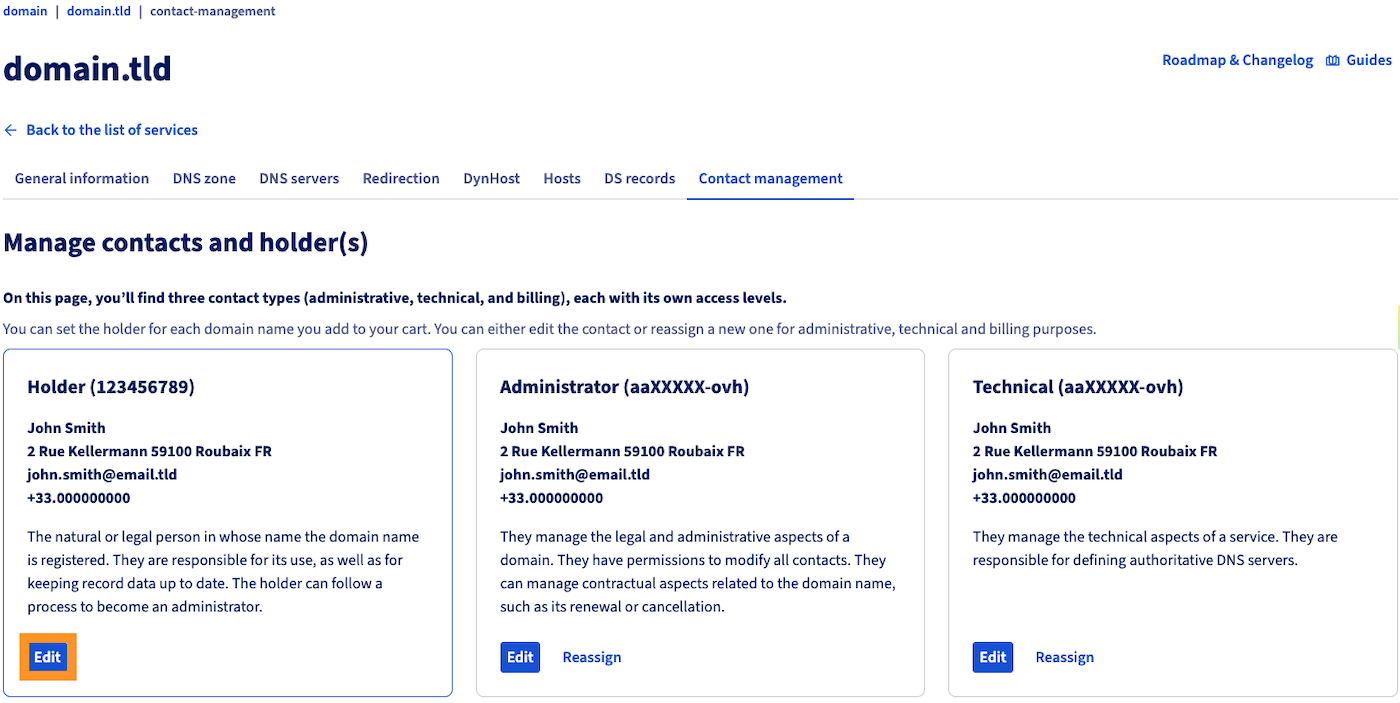
To do this you need to change the domain name's contacts.
If you need to make a change of holder and a change of contact for the same domain name, it is strongly recommended that you change the holder first to ensure an optimal transition. However, it is the administrator contact who is able to initiate these operations. These two changes are therefore made in the Control Panel of the domain name's administrative contact.
The information related to the domain name holder has only of administrative value, and is independent of the information that can be associated with an OVHcloud NIC handle. As a result, an individual or organization (company, association, etc.) solely declared as a domain name holder does not have access to the OVHcloud Control Panel.
This guide explains how to change the holder of a domain name, or update the information associated with it.
Requirements
- A domain name registered with OVHcloud for which no operation (holder change, transfer, creation) is in progress. If an operation has recently been completed on this domain name, there is a mandatory waiting period of 60 calendar days before a new operation can be started.
- Your customer account is the admin and billing contact for the domain name concerned.
- You have permission from the current domain name holder to change holders or edit the holder information.
OVHcloud Control Panel Access
- Direct link:
- Navigation path:
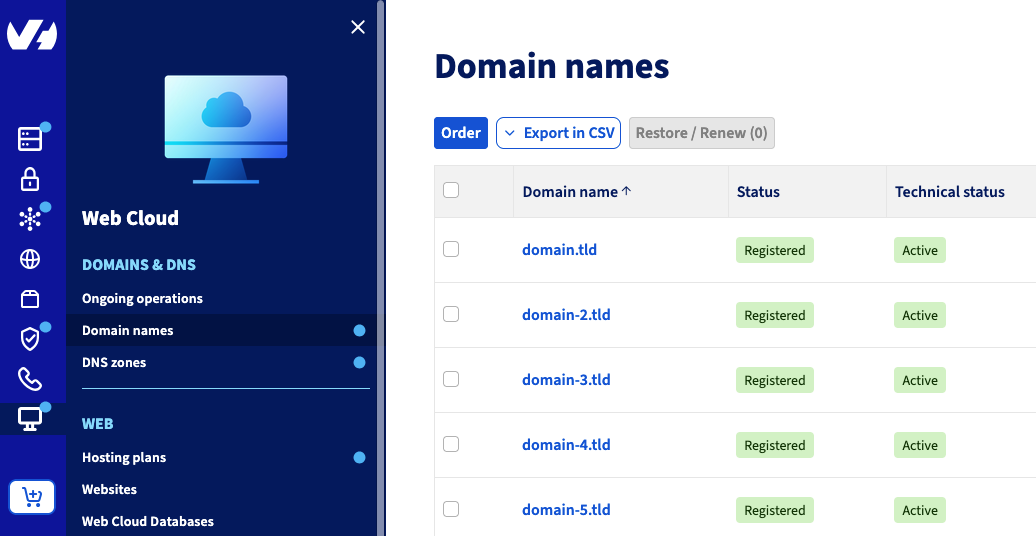
Web Cloud>Domain names> Select your domain name
Instructions
The following instructions describe the most common way to change a domain name holder. They are valid for most Top Level Domains (TLD). The TLD is the domain name extension, i.e. the last part of a domain name, such as .com, .net, .fr, etc.
The specific rules for processes regarding TLDs are defined by the corresponding allocation authority i.e. the registry. Registrars such as OVHcloud must adhere to these rules and have no influence on registry decisions.
There are generally two types of TLD: ccTLD and gTLD. ccTLDs are TLDs for a region or country (.fr, .be, .uk, .de, .paris, etc.) and gTLDs are generic TLDs (.net, .com, .info, .org, etc.).
The exact procedure for domain trades may vary, particularly for some ccTLDs, such as .lu, .hk, .ro, .be, .lt, .dk, .at, .fi, etc. and a few special purpose TLDs (e.g. .am, .fm.). Changing the holder might also be prohibited for various reasons, for example outstanding payments, abuse cases or registry locks.
We recommend to consult the following resources in case of any doubt:
- The website of the respective TLD registry
- The list of TLDs available at OVHcloud
- The domain name status updates. To check this, go to the page.
Initiating the holder change procedure or editing the holder information
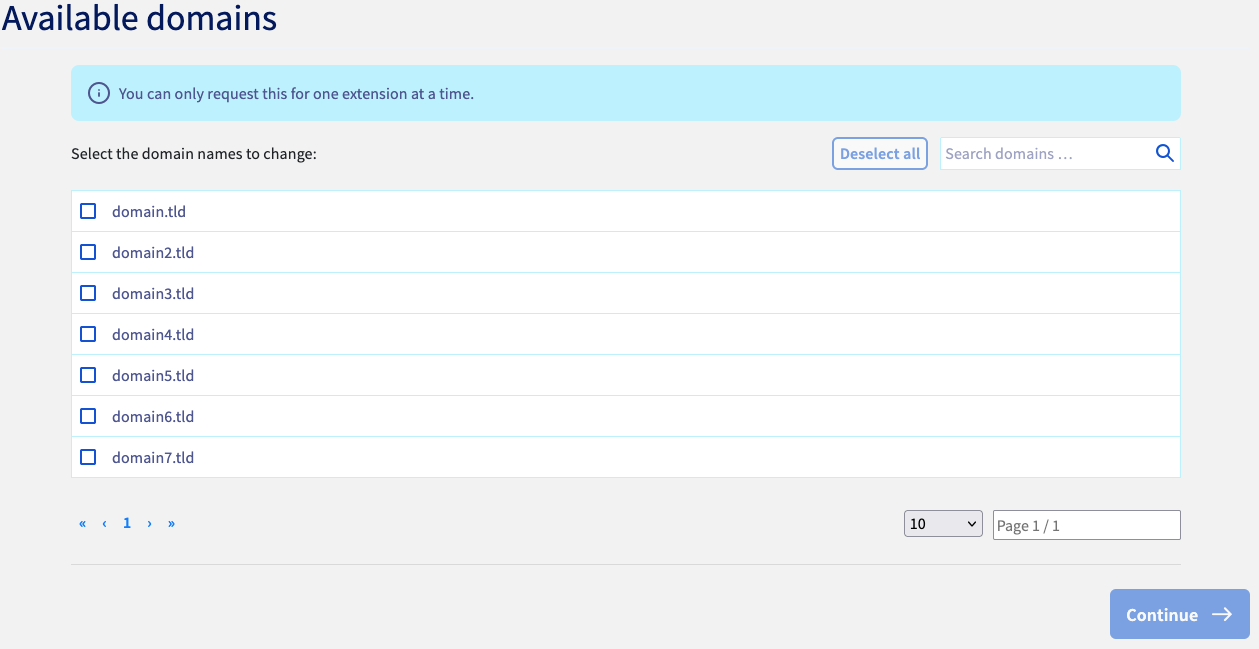
Click on the tabs below to view each of the 6 steps.
Go to the page, then choose the domain name concerned.
-
The procedure must be validated by both parties within a period of 14 days. After this period, the procedure is cancelled.
-
If the change is declined by one of the two parties, the action will be cancelled.
-
If the current holder's email address is obsolete or inaccessible, you can in this case contact our support team by creating a ticket from your OVHcloud Help Centre.
-
If the domain name holder has been successfully modified, the domain name will be blocked from being transferred to another registrar for a period of 60 days.
Go further
Confirming a change of holder or an outgoing transfer
Managing contacts for your services
For specialised services (SEO, development, etc.), contact OVHcloud partners.
If you would like assistance using and configuring your OVHcloud solutions, please refer to our support offers.
Join our community of users.