
Getting started with OVHcloud Key Management Service (KMS)
Discover the steps you need to take to set up your first Key Management Service (KMS), create a key, and authenticate to the data plane API
Objective
The purpose of this guide is to show you the steps you need to take to set up your first Key Management Service (KMS) and create a key. To call the regional data plane API, configure an authentication method as described in the OKMS authentication methods guide.
Requirements
OVHcloud Control Panel Access
- Direct link:
- Navigation path:
Identity, Security & Operations>Key Management Service> Select your OKMS domain
Instructions
Ordering your KMS
Each KMS is associated with a region, so the keys stored in that region are guaranteed to stay in that region.
You can order multiple KMSs, either in different regions or in the same region.
Since the billing for a KMS is based on the number of keys stored on it, ordering a KMS does not generate billing per se.
Click the Order an OKMS domain button.
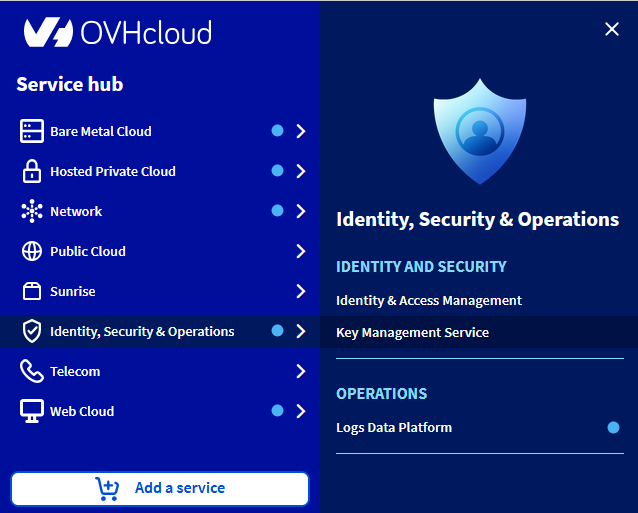
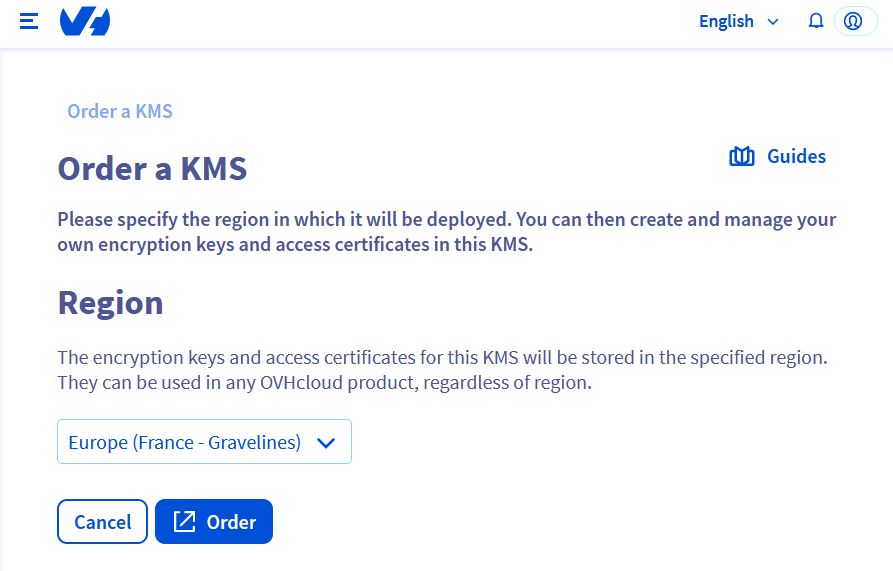
Enter the region of your KMS.
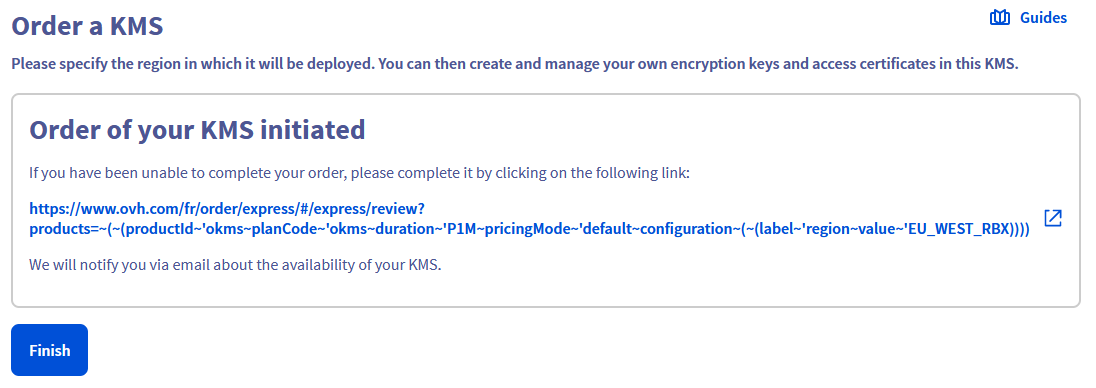
You can then finalize the command in another tab. If it has not opened automatically, the command link is displayed:
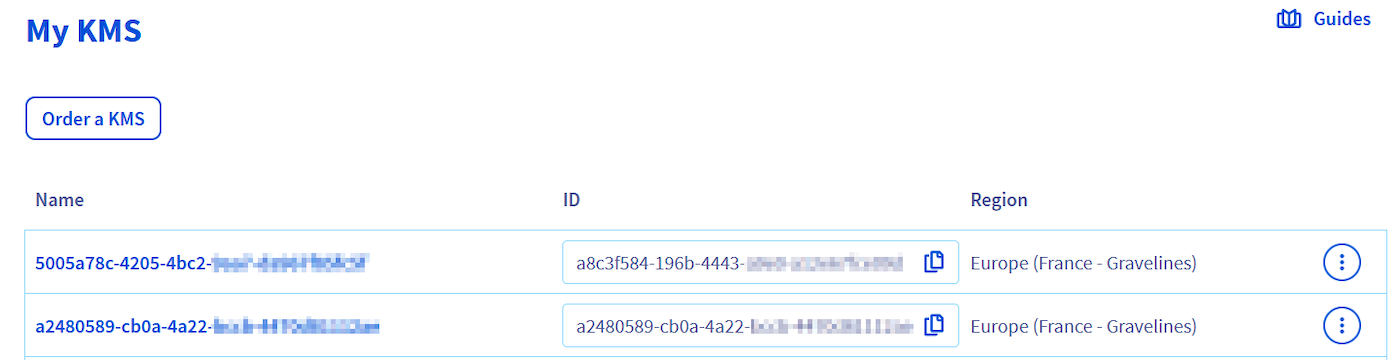
After a few seconds, the KMS will be available in your Control Panel.
Create an encryption key
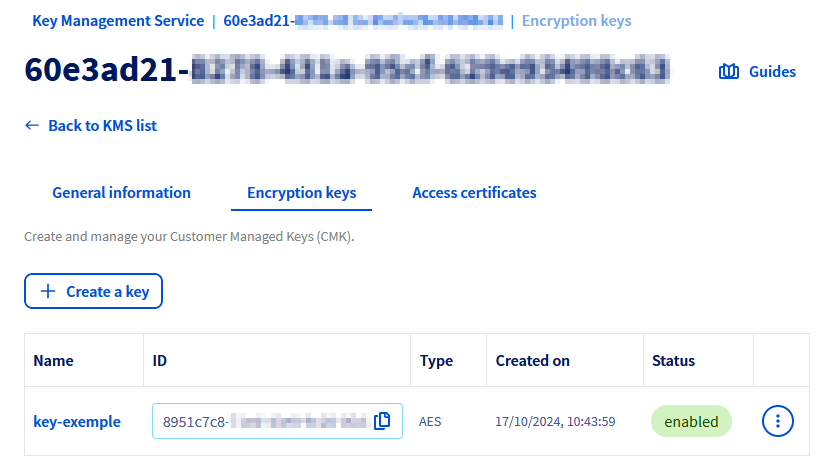
In the Encryption keys tab, click the Create a Service Key button.
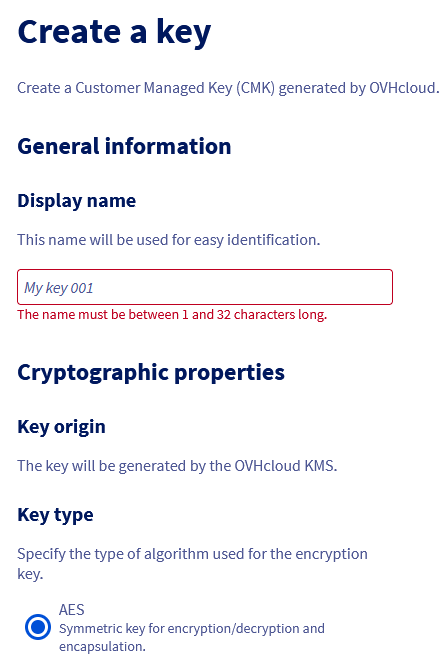
A form allows you to configure the key and select its protection level, type, size and usage.
Only key creation through regionalized APIs is covered by PCI-DSS certifications.
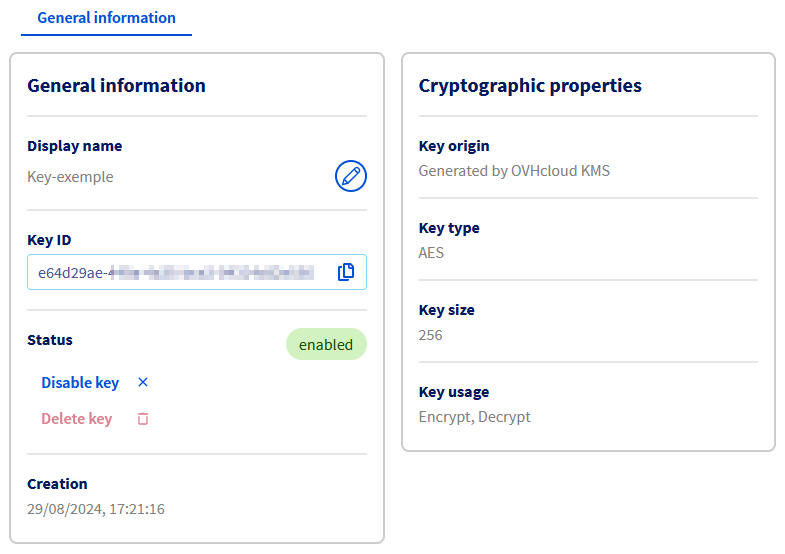
Once the key is created, click it to access its details.
The dashboard displays the cryptographic properties of the key, and the actions for renaming, disabling or deleting it.
To reduce the risks of an unwanted deletion, it is mandatory to disable a key before deleting it.
A deleted key is not recoverable by any means and such deletion involves the loss of any data encrypted with it. Any deletion should be performed with great caution.
Authenticate to the OKMS data plane
Before calling the regional REST API, configure an authentication method (Personal Access Token, service account, or access certificate). See OKMS authentication methods.
For REST API usage, a PAT or service account is recommended. Prefer access certificates for KMIP integrations, which require certificate-based authentication.
Use the OVHcloud KMS
Once your OVHcloud KMS is set up, there are two different ways to use it:
- Using the REST API to encrypt or sign your data (authenticate with a PAT, service account, or certificate).
- Using the KMIP protocol to connect KMIP-compatible products (access certificate required).
Go further
Import and export keys on OVHcloud KMS using BYOK
Using the OVHcloud KMS with your data
Join our community of users.