
Develop your own application
In this advanced step-by-step guide, you will learn how to make your own custom application components, whether charts and dynamic filters
Objective
In this advanced step-by-step guide, you will learn how to make your own custom application components, whether charts and dynamic filters, customize them, embed them in the platform and much more.
Here, you will continue the development of the application you created in the first part of the Getting Started Guide.
The goal? Provide you with all the tools to create custom code based off the API references & boilerplates provided.
This is an advanced guide aimed at developers, front-end engineers, or application architects. We recommend being familiar with basic front-end development concepts.
Below is a quick preview of what we will be able to achieve by the end of this guide. As you can see you'll add a custom map component, more complex filter options & cleaner styling for all other charts.
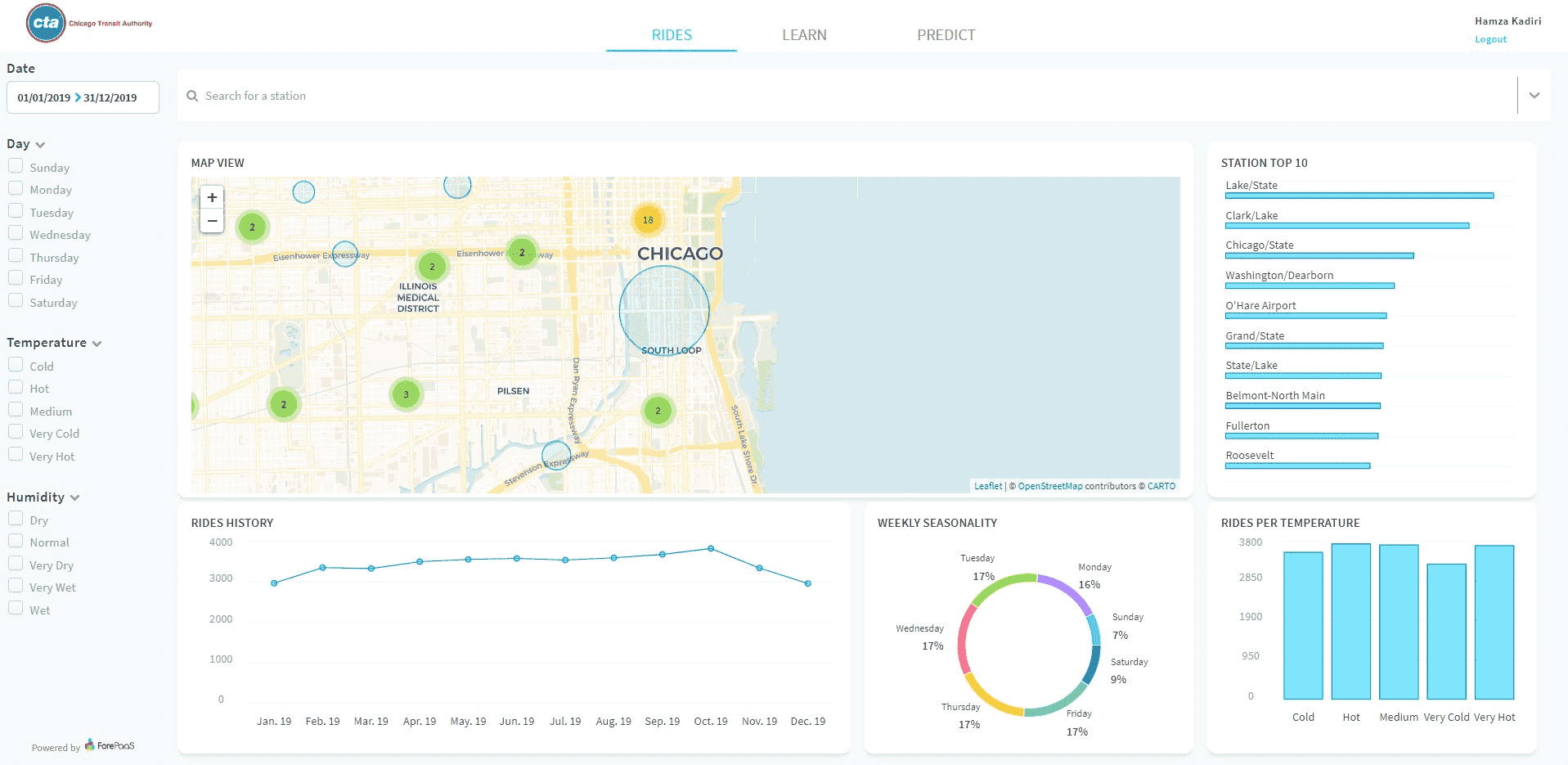
Let's get rolling!
👉Here are the steps that you'll need to follow:
How to build, deploy & manage versions using external code
Build
Understand app architecture and configuration files
Configure
Create, edit and customize charts styles using existing components
Customize
Add custom components (or extensions) as dynamic parameters and charts
Extend
Go further
For training or technical assistance implementing our solutions, contact your sales representative or visit our Professional Services page to request a quote and have your project analysed by our experts.
Ask questions, give your feedback and interact directly with the team building the Data Platform on the dedicated Discord channel.
If you need support with your OVHcloud services, create a request in our Help Centre.
Join our community of users.