For AI agents: the complete documentation index is available at https://docs.ovhcloud.com/en/llms.txt, the full documentation bundle is available at https://docs.ovhcloud.com/en/llms-full.txt, and this page is available as Markdown at https://docs.ovhcloud.com/en/guides/public-cloud/containers-orchestration/managed-kubernetes/runtime-security-falco.md.
Find out how to secure your OVHcloud Managed Kubernetes with Falco, a runtime security tool
Objective
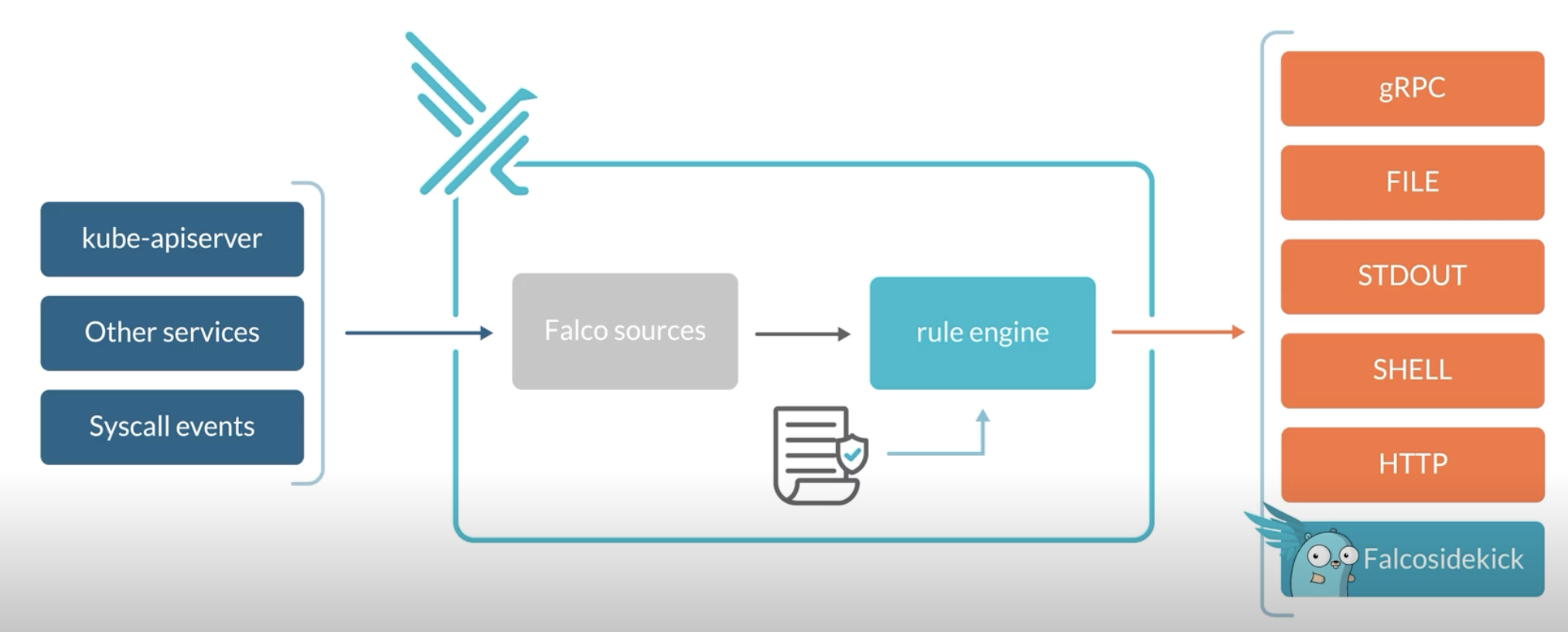
Falco is an Open Source cloud-native runtime security tool. It provides near real-time threat detection for cloud, container, and Kubernetes workloads by leveraging runtime insights. Falco can monitor events from various sources, including the Linux kernel, and enrich them with metadata from the Kubernetes API server, container runtime, and more.
Concretely, Falco:
Receives Events
Compares them to a set of Rules to determine the actions to perform
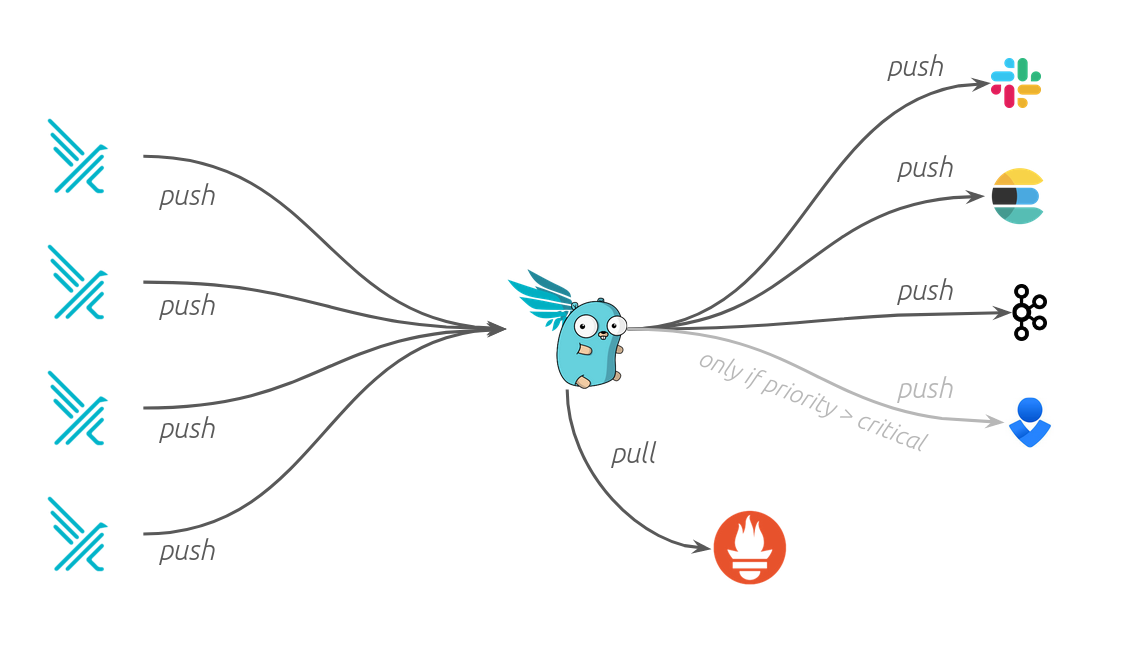
Generates Alerts: you can forward the Falco events to different endpoints (syslog, stdout, https, graph...) or to different apps (slack, discord, elasticsearch, kafka...) through falcosidekick
At OVHcloud, we like to provide you with the best products and services. As for us security is important, we want to help you discover Falco which will help you secure your OVHcloud Managed Kubernetes with a runtime security tool.
In this guide you will:
Install Falco & Falcosidekick
Test the behaviour
Visualize the events in UI
Forward and store the events in an OVHcloud Object Storage bucket
You can use the Reset cluster function in the Public Cloud section of the to reinitialize your cluster before following this tutorial.
Requirements
This tutorial presupposes that you already have a working OVHcloud Managed Kubernetes cluster, and some basic knowledge of how to operate it. If you want to know more on those topics, you can read the deploying a Hello World application documentation.
These commands will add the Falco Helm repository to your local Helm chart repository and update the installed chart repositories:
$ helm repo add falcosecurity https://falcosecurity.github.io/chartshelm repo update"falcosecurity" has been added to your repositoriesHang tight while we grab the latest from your chart repositories.........Successfully got an update from the "falcosecurity" chart repository...Update Complete. ⎈Happy Helming!⎈
Install the latest version of Falco with helm install command:
This command will install the latest version of Falco, with falcosidekick UI and create a new falco namespace:
$ helm install falco \ --version 4.0.0 \ --create-namespace \ --namespace falco \ --set tty=true \ --set falcosidekick.enabled=true \ --set falcosidekick.webui.enabled=true \ --set falcosidekick.webui.user=myuser:mypassword \ --set falcosidekick.webui.service.type=LoadBalancer \ falcosecurity/falcoNAME: falcoLAST DEPLOYED: Wed Apr 3 11:48:42 2024NAMESPACE: falcoSTATUS: deployedREVISION: 1NOTES:Falco agents are spinning up on each node in your cluster. After a fewseconds, they are going to start monitoring your containers looking forsecurity issues.No further action should be required.
As you can see, we also install Falcosidekick thanks to several flags:
--set falcosidekick.enabled=true enables deployment of Falcosidekick aside Falco and configures Falco for sending its events to Falcosidekick
--set falcosidekick.webui.enabled=true enables deployment of Falcosidekick-UI and configures Falcosidekick for using it as output
--set falcosidekick.webui.service.type=LoadBalancer allows to access the UI through an OVHcloud Load Balancer (and an external IP)
Info
Don't forget to change the login and the password in the helm install command, and specifically in the --set falcosidekick.webui.user parameter, so you can access the UI.
The Falco Helm chart installs a DaemonSet to add Falco Pods to all Nodes in the Kubernetes cluster to monitor abnormal behaviour:
$ kubectl logs -l app.kubernetes.io/name=falco -n falco -c falcoWed Apr 3 12:22:26 2024: Falco version: 0.37.0 (x86_64)Wed Apr 3 12:22:26 2024: Falco initialized with configuration file: /etc/falco/falco.yamlWed Apr 3 12:22:26 2024: System info: Linux version 5.15.0-101-generic (buildd@lcy02-amd64-032) (gcc (Ubuntu 11.4.0-1ubuntu1~22.04) 11.4.0, GNU ld (GNU Binutils for Ubuntu) 2.38) #111-Ubuntu SMP Tue Mar 5 20:16:58 UTC 2024Wed Apr 3 12:22:26 2024: Loading rules from file /etc/falco/falco_rules.yamlWed Apr 3 12:22:26 2024: The chosen syscall buffer dimension is: 8388608 bytes (8 MBs)Wed Apr 3 12:22:26 2024: Starting health webserver with threadiness 2, listening on 0.0.0.0:8765Wed Apr 3 12:22:26 2024: Loaded event sources: syscallWed Apr 3 12:22:26 2024: Enabled event sources: syscallWed Apr 3 12:22:26 2024: Opening 'syscall' source with Kernel moduleWed Apr 3 12:21:51 2024: Falco version: 0.37.0 (x86_64)Wed Apr 3 12:21:51 2024: Falco initialized with configuration file: /etc/falco/falco.yamlWed Apr 3 12:21:51 2024: System info: Linux version 5.15.0-101-generic (buildd@lcy02-amd64-032) (gcc (Ubuntu 11.4.0-1ubuntu1~22.04) 11.4.0, GNU ld (GNU Binutils for Ubuntu) 2.38) #111-Ubuntu SMP Tue Mar 5 20:16:58 UTC 2024Wed Apr 3 12:21:51 2024: Loading rules from file /etc/falco/falco_rules.yamlWed Apr 3 12:21:51 2024: The chosen syscall buffer dimension is: 8388608 bytes (8 MBs)Wed Apr 3 12:21:51 2024: Starting health webserver with threadiness 2, listening on 0.0.0.0:8765Wed Apr 3 12:21:51 2024: Loaded event sources: syscallWed Apr 3 12:21:51 2024: Enabled event sources: syscallWed Apr 3 12:21:51 2024: Opening 'syscall' source with Kernel moduleWed Apr 3 12:21:57 2024: Falco version: 0.37.0 (x86_64)Wed Apr 3 12:21:57 2024: Falco initialized with configuration file: /etc/falco/falco.yamlWed Apr 3 12:21:57 2024: System info: Linux version 5.15.0-101-generic (buildd@lcy02-amd64-032) (gcc (Ubuntu 11.4.0-1ubuntu1~22.04) 11.4.0, GNU ld (GNU Binutils for Ubuntu) 2.38) #111-Ubuntu SMP Tue Mar 5 20:16:58 UTC 2024Wed Apr 3 12:21:57 2024: Loading rules from file /etc/falco/falco_rules.yamlWed Apr 3 12:21:57 2024: The chosen syscall buffer dimension is: 8388608 bytes (8 MBs)Wed Apr 3 12:21:57 2024: Starting health webserver with threadiness 2, listening on 0.0.0.0:8765Wed Apr 3 12:21:57 2024: Loaded event sources: syscallWed Apr 3 12:21:57 2024: Enabled event sources: syscallWed Apr 3 12:21:57 2024: Opening 'syscall' source with Kernel module
The logs confirm that Falco and its rules have been loaded correctly.
Testing Falco
Even without adding new rules, Falco contains existing default rules that we can use to test the behaviour.
Follow the steps below to trigger an alert if someone executes a shell into a running container.
Start an Alpine container:
$ kubectl run demo-falco --image alpine -- sh -c "sleep infinity"pod/demo-falco created
$ kubectl logs -c falco -n falco -l app.kubernetes.io/name=falco |\ grep "Notice"{"hostname":"falco-fsvp8","output":"11:36:27.670410771: Notice A shell was spawned in a container with an attached terminal (evt_type=execve user=root user_uid=0 user_loginuid=-1 process=sh proc_exepath=/bin/busybox parent=runc command=sh -c ls -al terminal=34816 exe_flags=EXE_WRITABLE container_id=873807ba3669 container_image=docker.io/library/alpine container_image_tag=latest container_name=alpine k8s_ns=default k8s_pod_name=alpine)","priority":"Notice","rule":"Terminal shell in container","source":"syscall","tags":["T1059","container","maturity_stable","mitre_execution","shell"],"time":"2024-04-03T11:36:27.670410771Z", "output_fields": {"container.id":"873807ba3669","container.image.repository":"docker.io/library/alpine","container.image.tag":"latest","container.name":"alpine","evt.arg.flags":"EXE_WRITABLE","evt.time":1712144187670410771,"evt.type":"execve","k8s.ns.name":"default","k8s.pod.name":"alpine","proc.cmdline":"sh -c ls -al","proc.exepath":"/bin/busybox","proc.name":"sh","proc.pname":"runc","proc.tty":34816,"user.loginuid":-1,"user.name":"root","user.uid":0}}
You should see logs with "Notice A shell was spawned in a container with an attached terminal" message.
Using the Falcosidekick UI
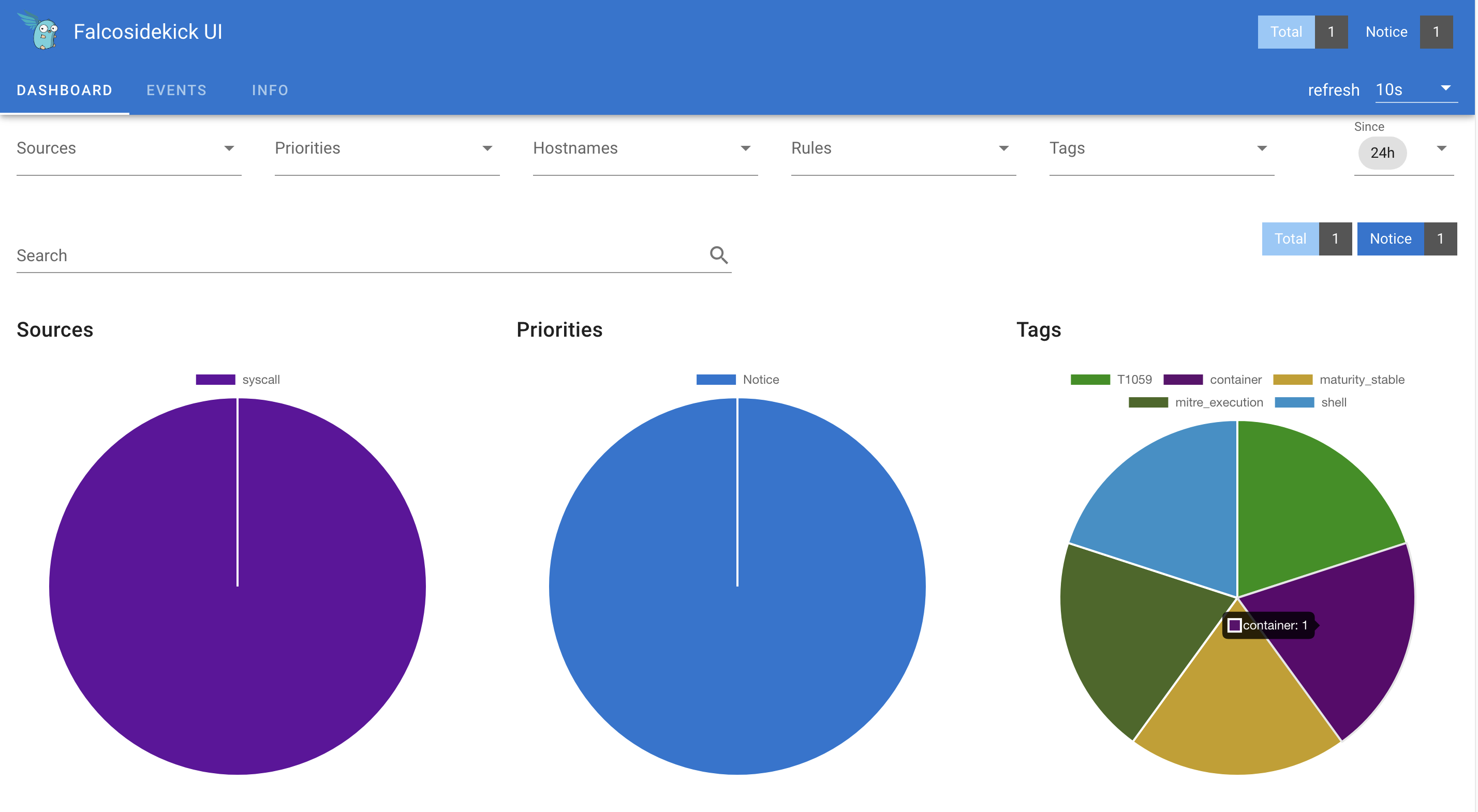
Now we have Falco installed and we test it, we can see the events visually in the Falcosidekick UI.
Display the external IP:
$ kubectl get svc falco-falcosidekick-ui -n falcoNAME TYPE CLUSTER-IP EXTERNAL-IP PORT(S) AGEfalco-falcosidekick-ui LoadBalancer 10.3.198.190 xx.xx.xx.xx 2802:31222/TCP 130m
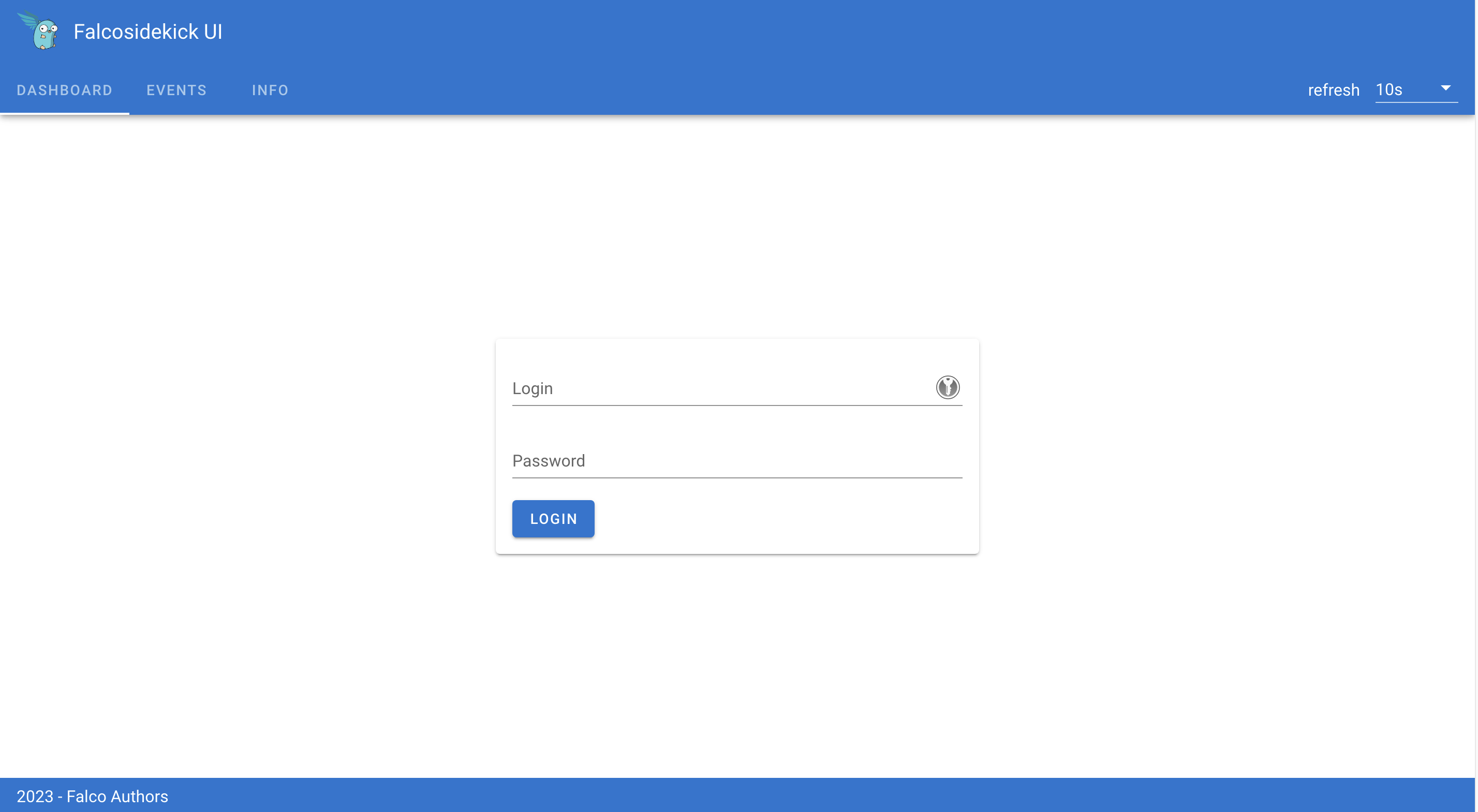
Open your browser and go to http://< EXTERNAL-IP >:2802 using the credentials below:
Login: my-user (or the login you defined in the helm install command)
Password: my-password (or the password you defined in the helm install command)
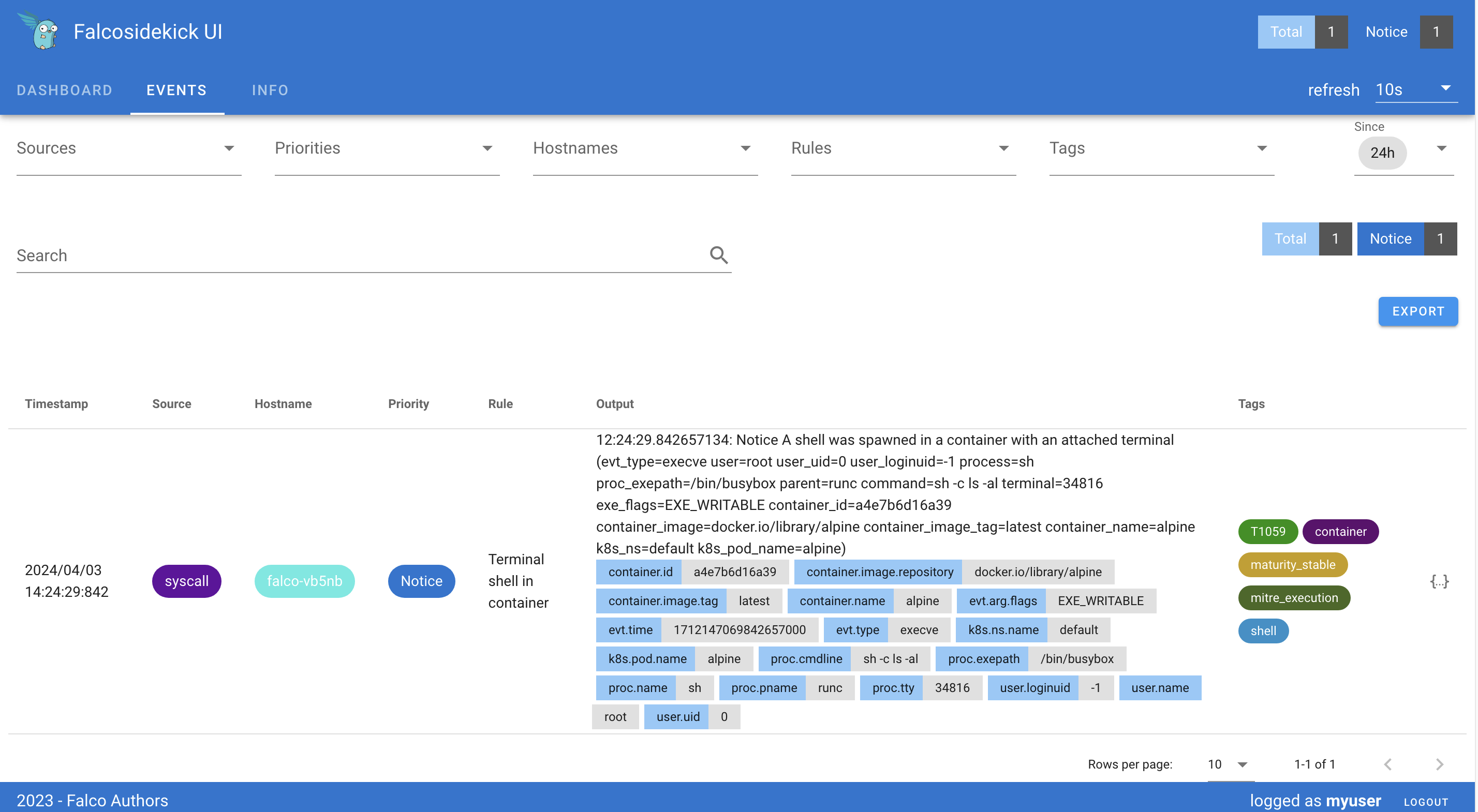
Click the "EVENTS" tab:
You should see the previous events generated thanks to our tests.
Archiving the events to an OVHcloud Object Storage container
You can also save/push the events to an OVHcloud Object Storage bucket (compatible with the S3 * API) to archive the outputs and be able to analyze them later if you want.
To do that, you need to have an Object Storage container. If you don't already had one, you can follow the Creating an Object Storage container guide.
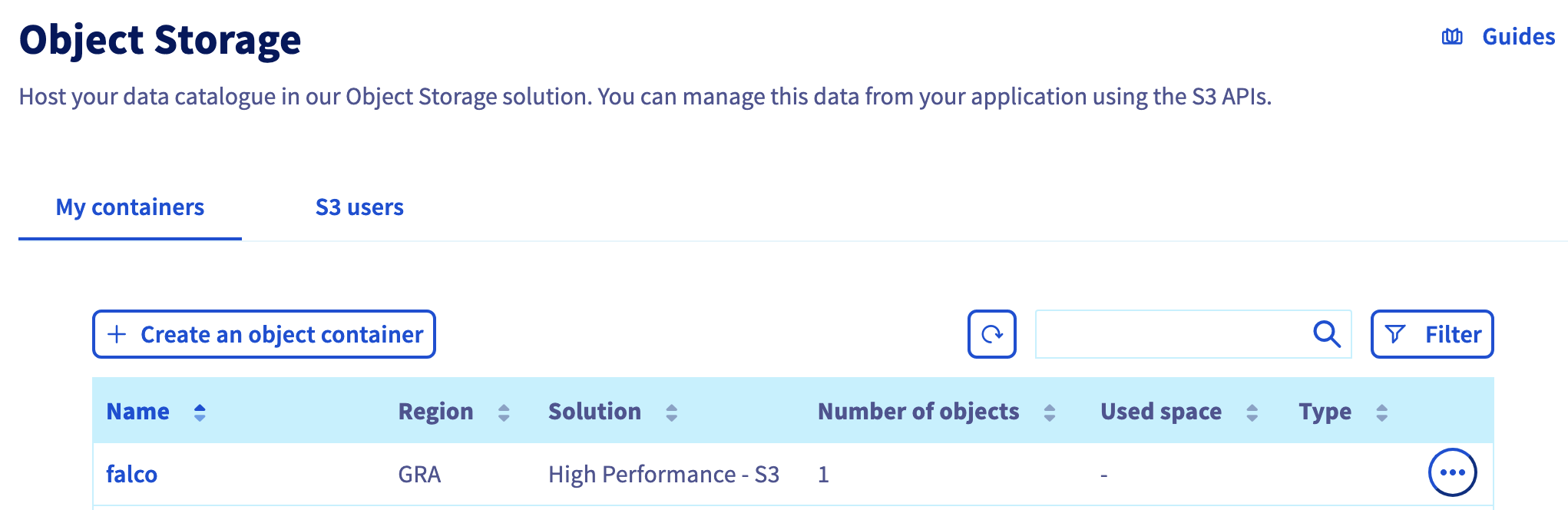
For this guide, our Object Storage container is:
a S3 compatible Object Storage - High Performance
in GRA region
with a newly created user
named falco
Info
Save the Object Storage credentials, you will use the Object Storage access key and the Object Storage secret key in the coming helm install command.
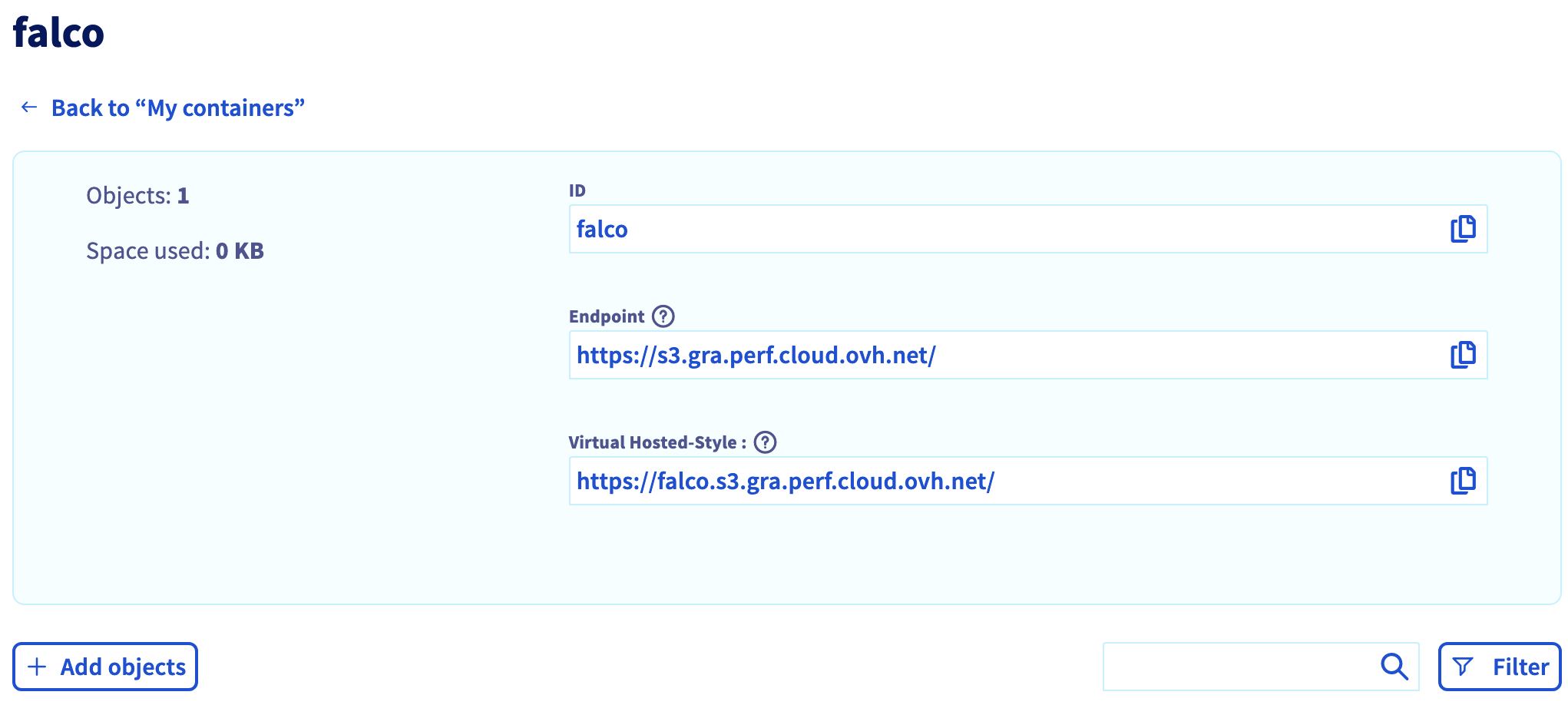
Click on the falco bucket to enter it and display its information, including the useful endpoint.
noglob is necessary if you are in a zsh environment. Indeed, zsh will try to interpret [] chars and noglob will skip it.
This command will upgrade your Falco installation with a new Falcosidekick source to push the outputs to our OVHcloud Object Storage bucket:
$ noglob helm upgrade falco \ --version 4.0.0 \ --create-namespace \ --namespace falco \ --set tty=true \ --set falcosidekick.enabled=true \ --set falcosidekick.image.tag=latest \ --set falcosidekick.webui.enabled=true \ --set falcosidekick.webui.user=myuser:mypassword \ --set falcosidekick.webui.service.type=LoadBalancer \ --set falcosidekick.config.aws.accesskeyid=xxxx \ --set falcosidekick.config.aws.secretaccesskey=yyyy \ --set falcosidekick.config.aws.checkidentity=false \ --set falcosidekick.config.aws.s3.bucket=falco \ --set falcosidekick.config.aws.region=gra \ --set falcosidekick.config.extraEnv[0].name=AWS_S3_ENDPOINT,falcosidekick.config.extraEnv[0].value=https://s3.gra.perf.cloud.ovh.net \ falcosecurity/falcoRelease "falco" has been upgraded. Happy Helming!NAME: falcoLAST DEPLOYED: Fri Apr 5 14:46:36 2024NAMESPACE: falcoSTATUS: deployedREVISION: 3NOTES:Falco agents are spinning up on each node in your cluster. After a fewseconds, they are going to start monitoring your containers looking forsecurity issues.No further action should be required.
Info
Don't forget to replace the AWSAccessKeyID and the AWSSecretAccessKey (in the helm upgrade command, and specifically in the --set falcosidekick.config.aws.accesskeyid and --set falcosidekick.config.aws.secretaccesskey parameters) with the credentials you retrieved during the OVHcloud Object Storage container creation.
Run the command that generates a Falco event that will send the output in the bucket:
$ kubectl logs -l app.kubernetes.io/part-of=falcosidekick --all-containers -n falco -f...2024/04/05 12:46:45 [INFO] : Falcosidekick is up and listening on :28012024/04/05 12:46:45 [INFO] : Enabled Outputs : [AWSS3 WebUI]...2024/04/05 12:58:26 [INFO] : WebUI - Post OK (200)2024/04/05 12:58:27 [INFO] : AWS S3 - Upload payload OK
Great, the logs confirm that the events have been pushed to the UI and also to the OVHcloud Object Storage bucket.
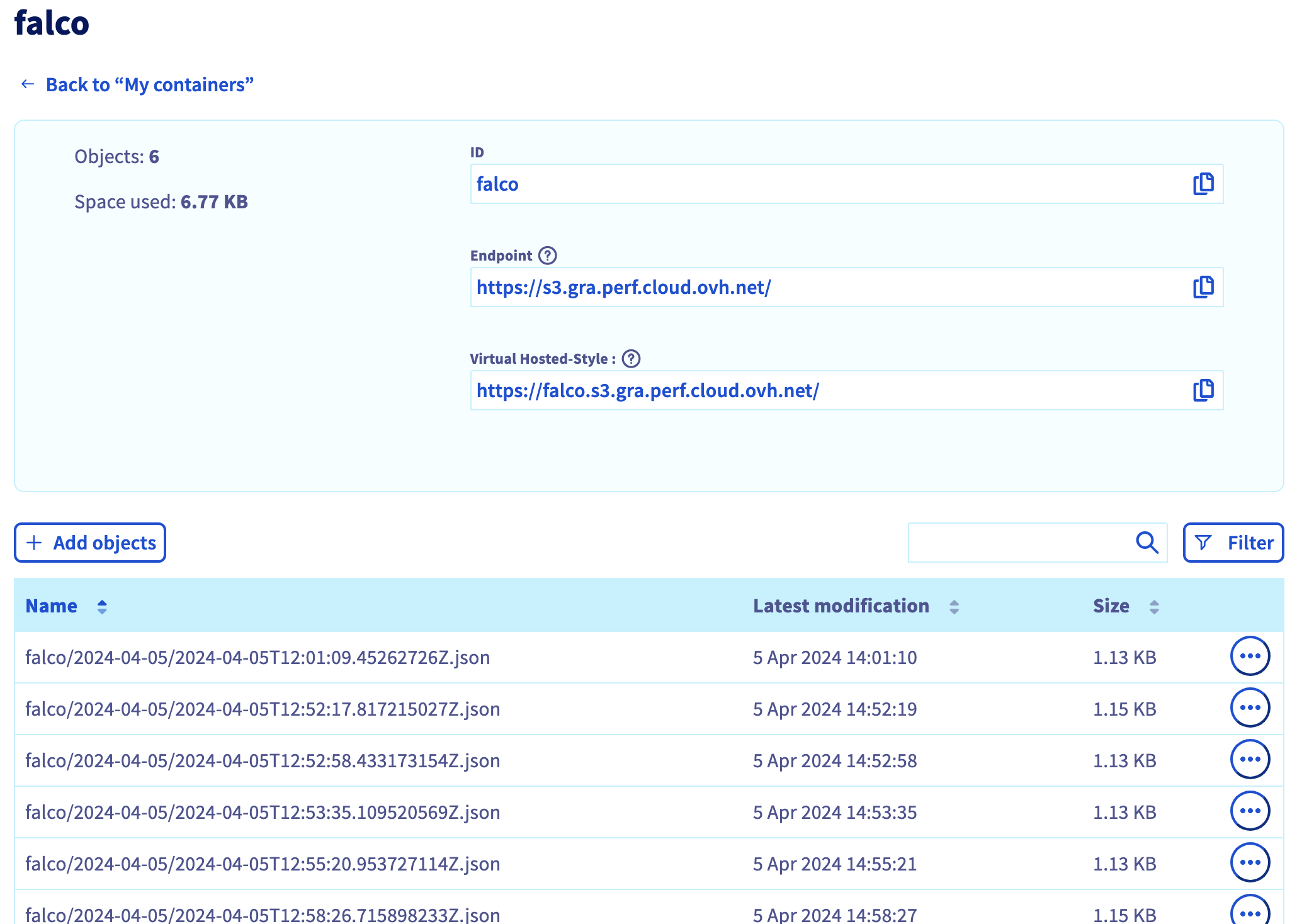
You can check on your OVHcloud Object Storage falco container/bucket that the output has been correctly stored:
What's next?
We installed Falco & falcosidekick, discovered how to test it, visualize the events and how to forward the alerts in a bucket but we didn't see all its features. If you are interested in them, visit the Falco official website.
After receving events we can, for example, forward the alerts to other multiples apps thanks to Falcosidekick:
First, delete the demo-falco pod with the following command:
kubectl delete pod demo-falco
To uninstall Falco, as you installed it through Helm, you can use the helm uninstall command in order to delete the Falco Helm installed chart:
helm uninstall falco -n falco
Go further
For training or technical assistance implementing our solutions, contact your sales representative or visit our Professional Services page to request a quote and have your project analysed by our experts.
*: S3 is a trademark of Amazon Technologies, Inc. OVHcloud’s service is not sponsored by, endorsed by, or otherwise affiliated with Amazon Technologies, Inc.