
Enable the VCDA migration option on Public VCF as-a-Service
Find out how to enable the VMware Cloud Director Availability (VCDA) migration option and manage allowed IP addresses for your organisation
Objective
OVHcloud provides a migration option based on VMware Cloud Director Availability (VCDA) to move your virtual machines to a Public VCF as-a-Service organisation.
This guide explains how to enable this option from your OVHcloud Control Panel, then where to manage allowed IP addresses after activation.
Requirements
- An active Public VCF as-a-Service organisation.
- Access to the with administrator rights on the organisation.
- The public IP address (CIDR
/32) of the server hosting your on-premises VCDA appliance.
The IP entered during activation is used to allow your source environment to communicate with the OVHcloud VCDA service.
OVHcloud Control Panel Access
- Direct link:
- Navigation path:
Hosted Private Cloud>Public VCF as-a-Service> Select your VCF service
Instructions
Step 1: Open the Public VCF as-a-Service service
The landing page shows your organisations list. Select the organisation where you want to enable migration.
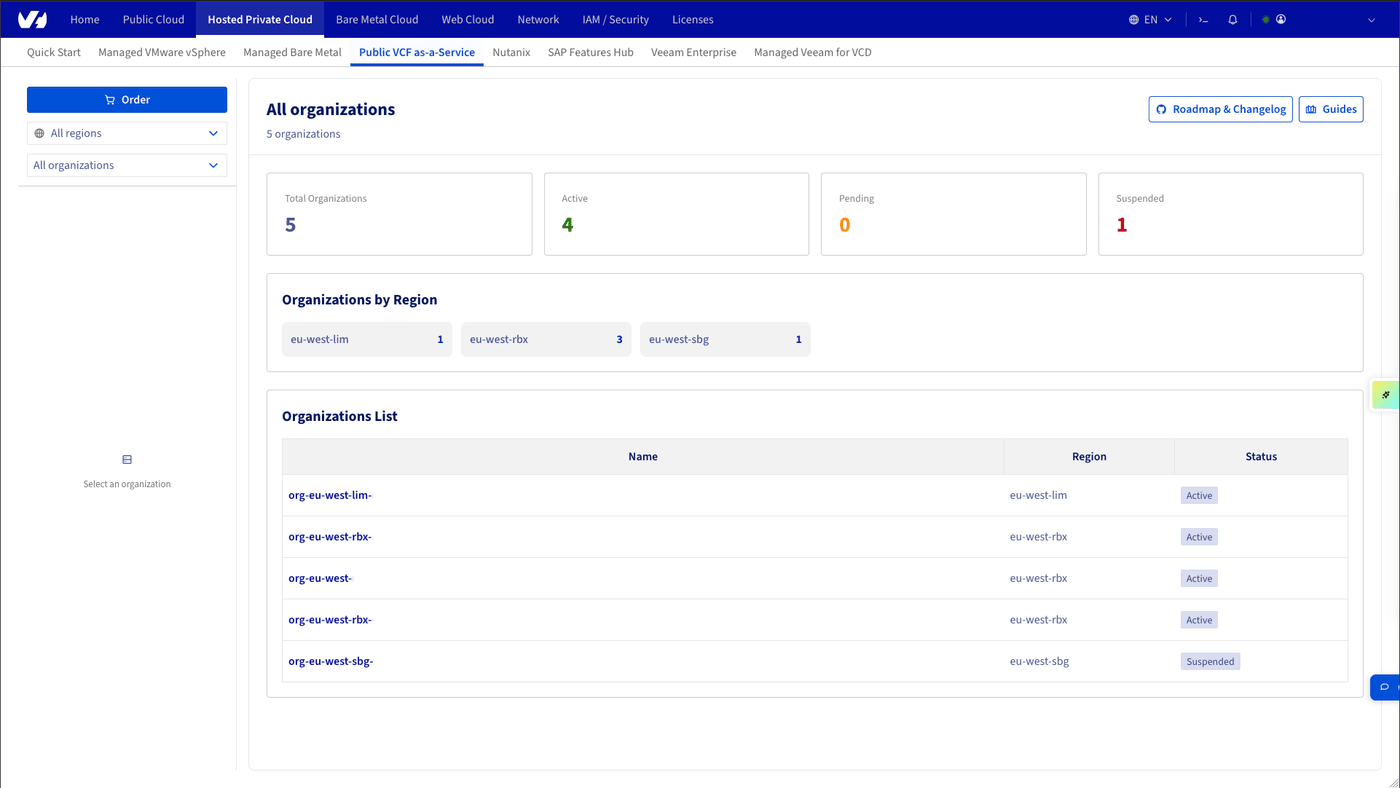
Step 2: Start activation
Once inside the organisation, open the dashboard and click Order in the Migration block.

Step 3: Fill in the first activation form
In the activation form, enter the public IP address of your source server in CIDR /32 format, then click Order.
This operation enables the VCDA migration option on the organisation and adds this IP to the allow list.
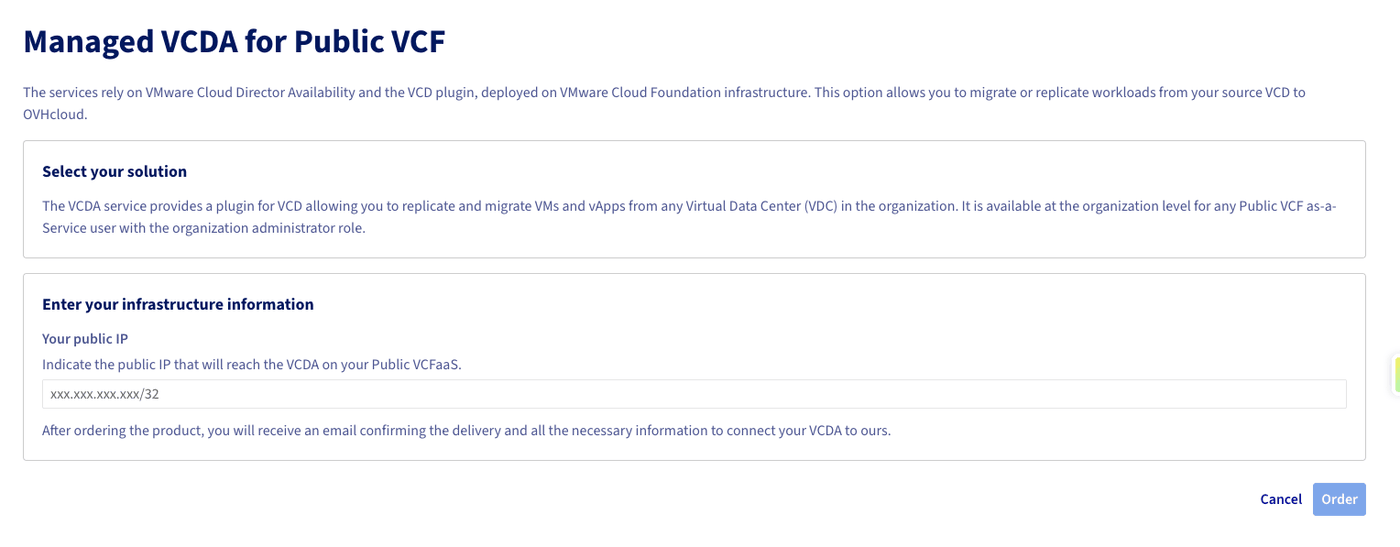
Make sure you enter the actual public egress IP used by your on-premises VCDA appliance. An incorrect IP will prevent pairing with the cloud service.
After validation, a confirmation email is sent to you.
Step 4: Use the Migration tab after activation
Once the option is enabled, a Migration tab appears in the organisation interface.
In this tab, you can view the VCDA service IP deployed on your organisation (useful if you need to allow flows on your source side).

Go further
- Public VCF as-a-Service Migration with VCDA - Getting Started
- Trigger your first VCDA migration to Public VCF as-a-Service
- How to use the Public VCF as-a-Service user interface
For training or technical assistance implementing our solutions, contact your sales representative or visit our Professional Services page to request a quote and have your project analysed by our experts.
Join our community of users.