
Troubleshooting recurring errors when using FTP software
Find out how to resolve the most common FTP software related issues
Objective
Using FTP software when logging in to your Web Hosting plan can cause various anomalies. This guide will help you resolve the most common ones.
Find out how to resolve the most common FTP software related issues.
Information regarding OVHcloud service administration and how to find appropriate assistance
When using OVHcloud guides, please be aware of the following conditions:
- User instructions aim to provide as many details as possible but cannot cover individual use cases. You might need to adapt the pertinent actions to your requirements.
- The OVHcloud ecosystem is built for flexibility and freedom of choice. Customers are therefore responsible for the secure and proper configuration of their services. To prevent data loss, we strongly recommend to apply backup strategies to all your important data.
- Our guides and tutorials may reference third-party software or services in combination with OVHcloud solutions. The technical support provided by OVHcloud does not include the configuration of systems or products outside of our responsibility. This includes but is not limited to:
- Operating systems and user interfaces (Windows, Debian, Plesk, etc.).
- Any other third-party software (FTP clients, email software, etc.).
- Services offered by other providers (DNS, APIs, user interfaces, etc.).
To receive the appropriate assistance for any issues you might experience, follow these guidelines:
- You seek personalized advice or you would like to discuss a topic that is not covered in detail by our documentation?
Join the OVHcloud Community to search for your topic and reach out to other users. - You need to report an incident regarding your OVHcloud service or you are experiencing difficulties in the OVHcloud Control Panel?
Create a support request in our Help Centre. - You require professional assistance for your project or you need help with tasks outside our support scope?
Visit our partner portal to search for experts who are familiar with OVHcloud solutions. - You are looking for more detailed information regarding our support levels and Professional Services?
Please visit our web pages for OVHcloud support levels and OVHcloud Professional Services.
You can participate in improving our documentation:
- You would like to share feedback to improve a guide page or you want to report insufficient information on a specific page?
Use the "Was this page helpful?" buttons at the bottom of the page to let us know. - You would like to propose a specific documentation update?
Use the "Edit this page" function, available at the bottom of the page and in the sidebar.
Requirements
- An OVHcloud Web Hosting plan
OVHcloud Control Panel Access
- Direct link:
- Navigation path:
Web Cloud>Hosting plans> Select your web hosting plan
Instructions
"This server does not support FTP on TLS" (FileZilla)
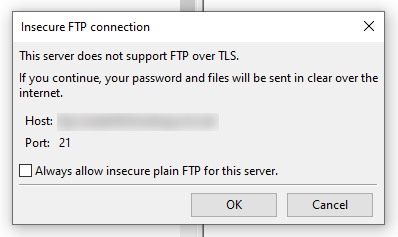
This message coming from FileZilla indicates that you have not enabled the SFTP or SSH option from your . As a result, the information exchanged between your OVHcloud hosting server and your computer will not be encrypted.
If the data you want to exchange via this link is not confidential, click OK.
Otherwise, go to the , go to the Web Cloud section, then Hosting plans. Select the hosting plan concerned, then choose the FTP-SSH tab.
If you have a Starter, Personal or Startup Web Hosting plan, tick the Disabled box in the SFTP column, then wait a few minutes.
If you have a Professional, Performance, Agency, Agency Plus or Agency Max Web Hosting plan, click on the ... button to the right of the FTP user concerned, then on Edit.
Choose SFTP or Enabled (to enable SSH on your hosting), click Next and then click on Confirm. Wait a few minutes.
For any other error messages, see the Troubleshooting section of our Web Hosting guides.
I transferred my files with FTP software, but my website does not appear.
First of all, check that your website's files and folders are in the root folder of your Web Hosting plan.
If you have made a change to your DNS servers or DNS zone less than 48 hours ago, please wait and reboot your devices regularly to clear their cache.
My FTP credentials are not working.
If you are unable to log in, change your FTP password as described in this guide.
I encounter random errors on my website.
A lack of file storage capacity on your Web Hosting plan may cause your site to malfunction when you try to modify or update it.
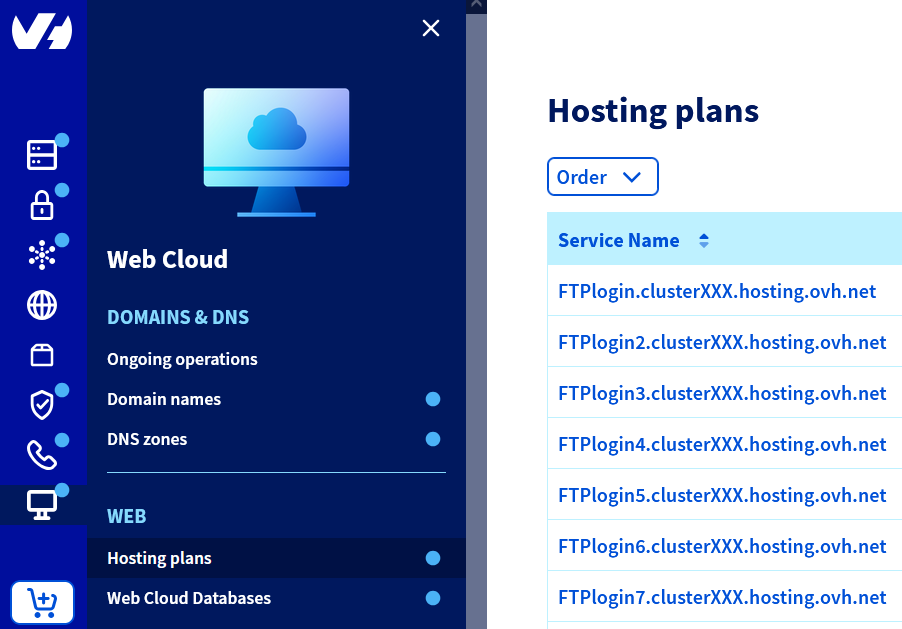
To check the remaining storage space on your hosting, click on the tabs below to view each of the 2 steps.
Go to the page, then select the web hosting plan concerned.
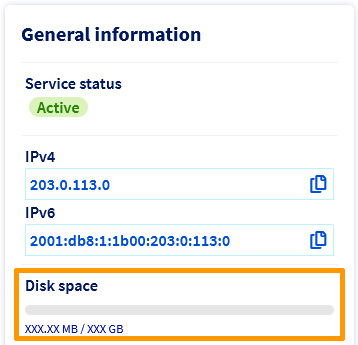
I can't transfer my files to the FTP server.
Check that your FTP software is connected in "Passive mode" (Configuration mode of an FTP server in which the server determines the connection port).
For example, for Filezilla, click on Edit, then on Settings and open the Connection settings. Click on FTP and then choose Passive (recommended).
Also limit the size of your data transfers (you cannot send more than 5000 files and folders on OVHcloud shared servers on a single transfer). Split your imports if necessary and use compressed folders.
If you have a Professional, Performance, Agency, Agency Plus or Agency Max Web Hosting plan, use the SSH protocol to import files on to your file storage space.
I can't delete the symbolic link "index.html" on my FTP space.
This link is installed by default on OVHcloud Web Hosting plans. It displays this image on your web browser:
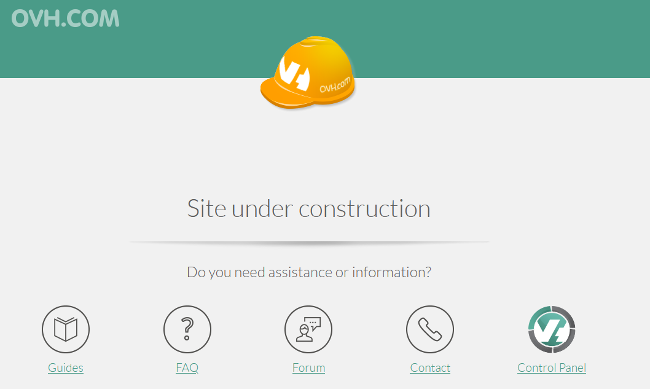
If you have not used the 1-click module feature to create your website, you will need to log in to the FTP storage space on your web hosting plan in order to delete the "Website under construction" page manually.
Go further
Using FileZilla software with your hosting
For specialised services (SEO, development, etc.), contact your OVHcloud partners.
If you would like assistance using and configuring your OVHcloud solutions, please refer to our support offers.
Join our community of users.