
Update the flavor of Public Cloud Databases
Find out how to adjust the flavor of your cluster
Objective
Learn how to adjust the flavor of your cluster according to your needs.
How to upgrade your flavor
This option is available through the OVHcloud and .
Requirements
- A Public Cloud project in your OVHcloud account
- Access to the (optional)
OVHcloud Control Panel Access
- Direct link:
- Navigation path:
Public Cloud> Select your project >Databases
Instructions
Click Databases in the left navigation bar, select your engine instance then click the Configuration tab.
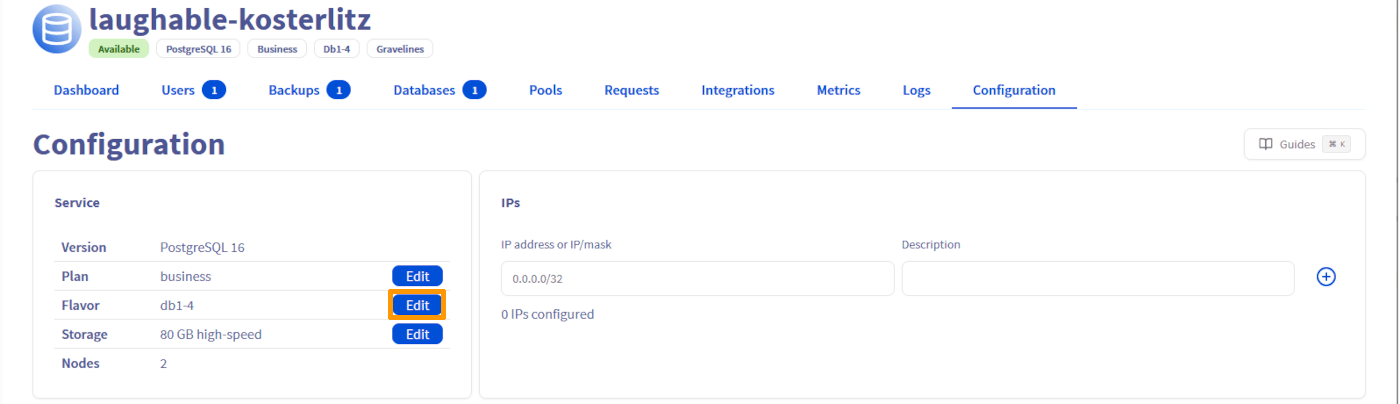
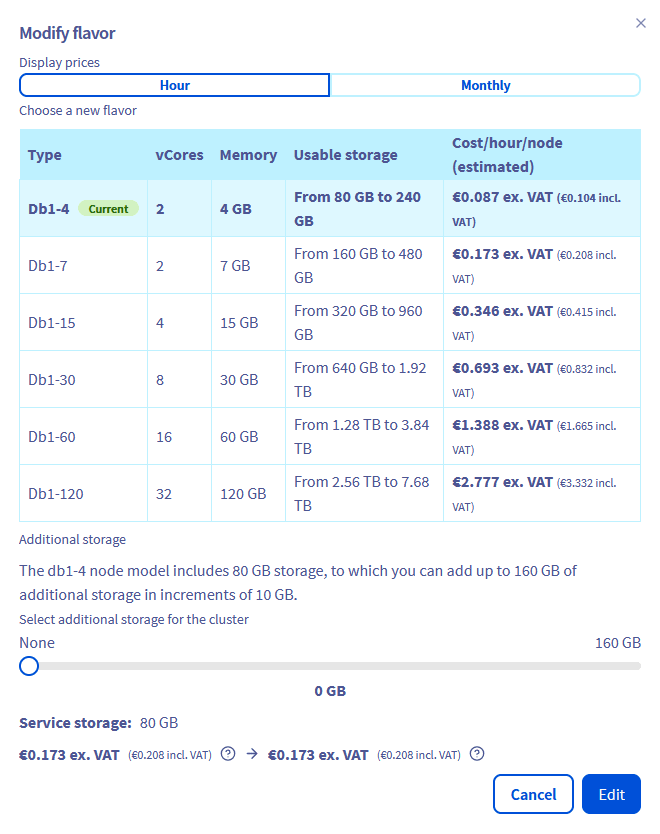
Click Edit on the "Flavor" line and adjust the flavor of your cluster.
How to downgrade your flavor
This option is currently available via the OVHcloud .
Requirements
- Access to the OVHcloud (create your credentials by consulting this guide)
- A Public Cloud project in your OVHcloud account
Instructions
In order to be able to downgrade your flavor, you must have a threshold of 20% between your current disk space used (base storage + additional storage) and the maximum storage space allowed for the flavor.
For instance, if you have a PostgreSQL cluster with db1-15 as flavor and less than 384 GB (80% of 480GB) of disk space used, you can decrease the flavor to db1-7 on that endpoint:
We want your feedback!
We would love to help answer questions and appreciate any feedback you may have.
For training or technical assistance implementing our solutions, contact your sales representative or visit our Professional Services page to request a quote and have your project analysed by our experts.
Are you on Discord? Connect to our channel at https://discord.gg/ovhcloud and interact directly with the team that builds our databases service!