
How to check the 'domain name / website' association
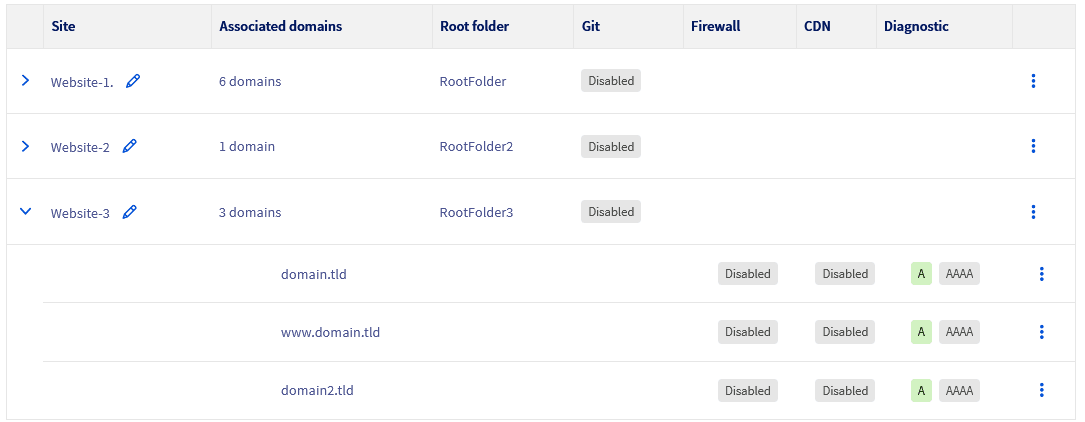
Use our diagnostic tool to verify that your domain name or subdomain is correctly declared with your website on your web hosting
Objective
You can host multiple websites on a single web hosting plan, even if the domain names are not registered with OVHcloud. You can also associate one or more domain names or subdomains with the same website.
Use our diagnostic tool to verify that your domain name or subdomain is correctly declared with your website on your web hosting.
Requirements
- A compatible OVHcloud web hosting plan
- One or more domain names
- Access to modify the configuration of the DNS zones of your domain names
OVHcloud Control Panel Access
- Direct link:
- Navigation path:
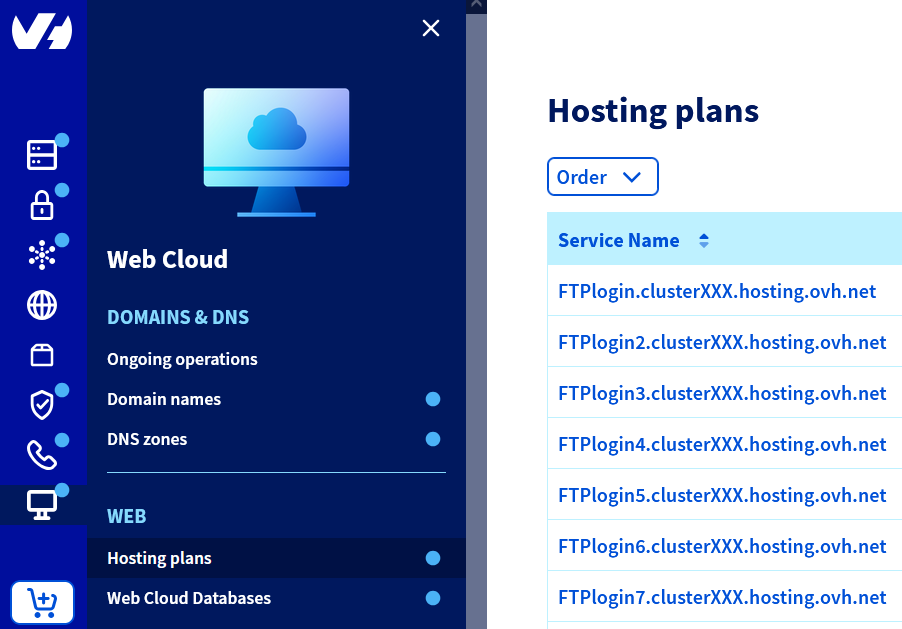
Web Cloud>Hosting plans> Select your web hosting plan
Instructions
Access the diagnostic tool
Click on the tabs below to view each of the 4 steps.
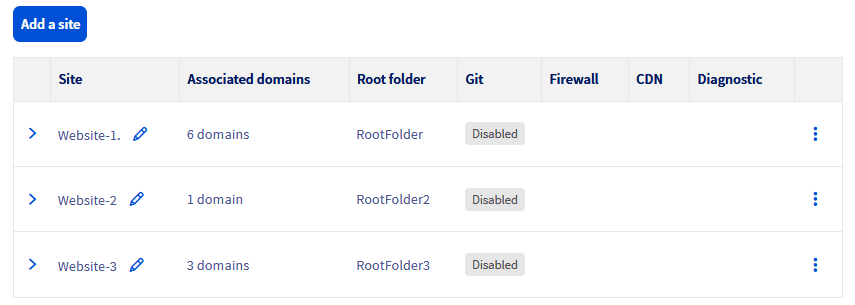
Go to the page, then select the web hosting plan concerned.

Interpretation of the diagnostic tool's colours
Click on the relevant status indicators below to see their explanations.
Green A/AAAA

When the A/AAAA icon is green in the Diagnostic column, it means that the A record (for IPv4 addresses) and/or the AAAA record (for IPv6 addresses) of your domain name is correctly pointing to the IP address of your web hosting. The DNS configuration of your domain name is therefore correct to work with the website on your web hosting.
Yellow A/AAAA

When the A/AAAA icon is yellow in the Diagnostic column, it means that the A record (IPv4) and/or AAAA record (IPv6) of your domain name is pointing to an IP address, but it is not the one of the web hosting from which you are viewing the Diagnostic column.
To resolve DNS issues with your domain name and ensure it correctly points to the desired web hosting, follow the steps described in our guide "Editing an OVHcloud DNS zone".
Grey A/AAAA

When the A/AAAA icon is grey in the Diagnostic column, it means that the domain name is not currently pointing to any IP address and no A (IPv4) or AAAA (IPv6) records are configured for this domain name.
To add the A and/or AAAA records and correctly configure your domain name, follow the steps described in our guide "Editing an OVHcloud DNS zone".
Go further
Publishing a website on your Web Hosting plan
If you would like assistance using and configuring your OVHcloud solutions, please refer to our support offers.
Join our community of users.