
Backup Licenses - How Vaults work
Find out how the Vaults delivered with the Backup Licenses product work, how they are billed, and how to order additional ones
Objective
A Vault is a storage space provided by OVHcloud to which you can send your backup data. With Backup Licenses, a first Vault is delivered automatically with your first licence.
This guide explains how Backup Licenses Vaults work, how they are billed, and how to order additional ones.
Requirements
- A Backup Licenses licence that you have ordered. See our "Ordering and configuring your first licence" guide for more information.
Accessing the OVHcloud Control Panel
Backup Licenses is available in two universes of your Control Panel, with the same interface:
Bare Metal Cloud:
- Direct link:
- Navigation path:
Bare Metal Cloud>Storage and backups>Backup Licenses
Hosted Private Cloud:
- Direct link:
- Navigation path:
Hosted Private Cloud>Storage and backups>Backup Licenses
Instructions
The "bundle" Vault
A "bundle" Vault is delivered by default with your first Backup Licenses licence.
- This Vault is tied to the product subscription: it is deleted if the Backup Licenses product is cancelled.
- It is unique: you only have one "bundle" Vault, regardless of how many licences you hold.
- It is free of charge up to 500 GB. This space can be used for your VBR servers as well as for other storage needs.
Your Vaults are listed in the Vaults tab of the Backup Licenses product, in your OVHcloud Control Panel. The "bundle" Vault carries the Included badge. For each Vault, you can see its region, immutability (enabled, 14 days), encryption (enabled, SSE OMK) and status.
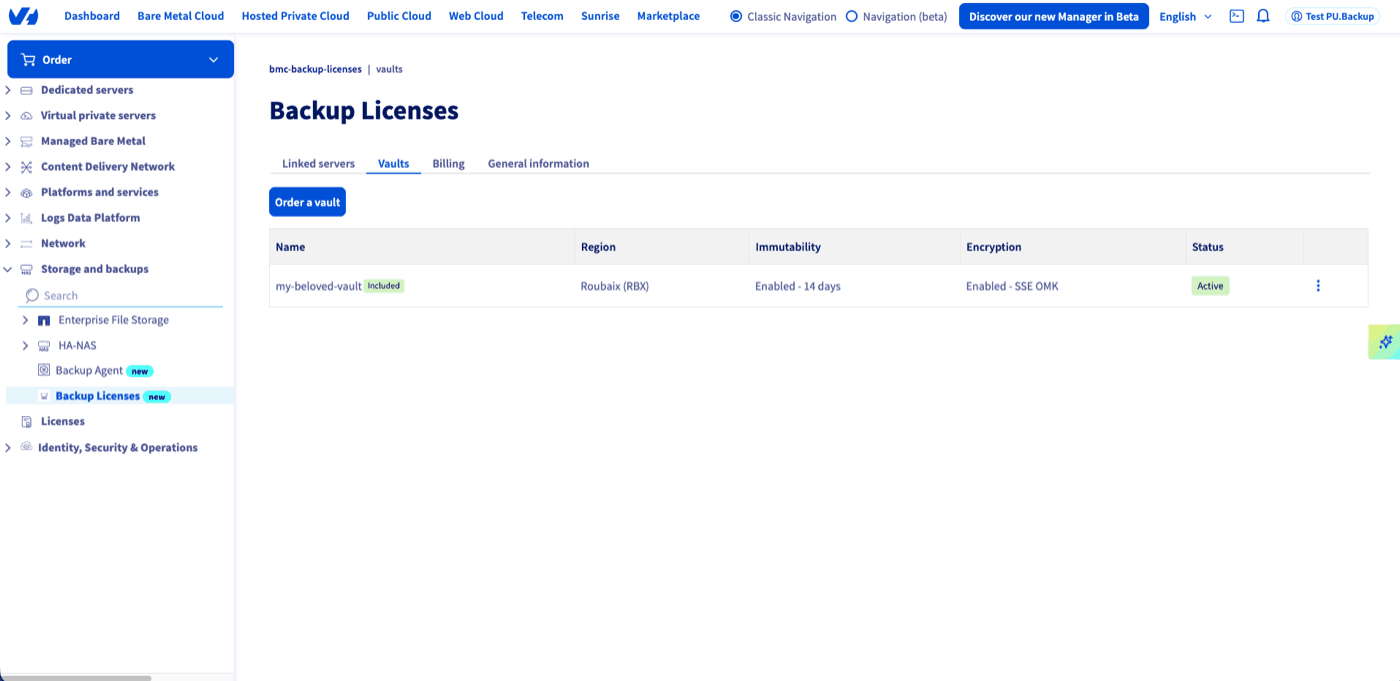
Cancelling the Backup Licenses product results in the deletion of the "bundle" Vault and the data it contains. Make sure you have retrieved your data before cancelling.
Retrieving the Vault connection details
The "bundle" Vault is provided as an S31 bucket. To retrieve its connection details, click the ... menu to the right of the Vault, then click Show credentials.
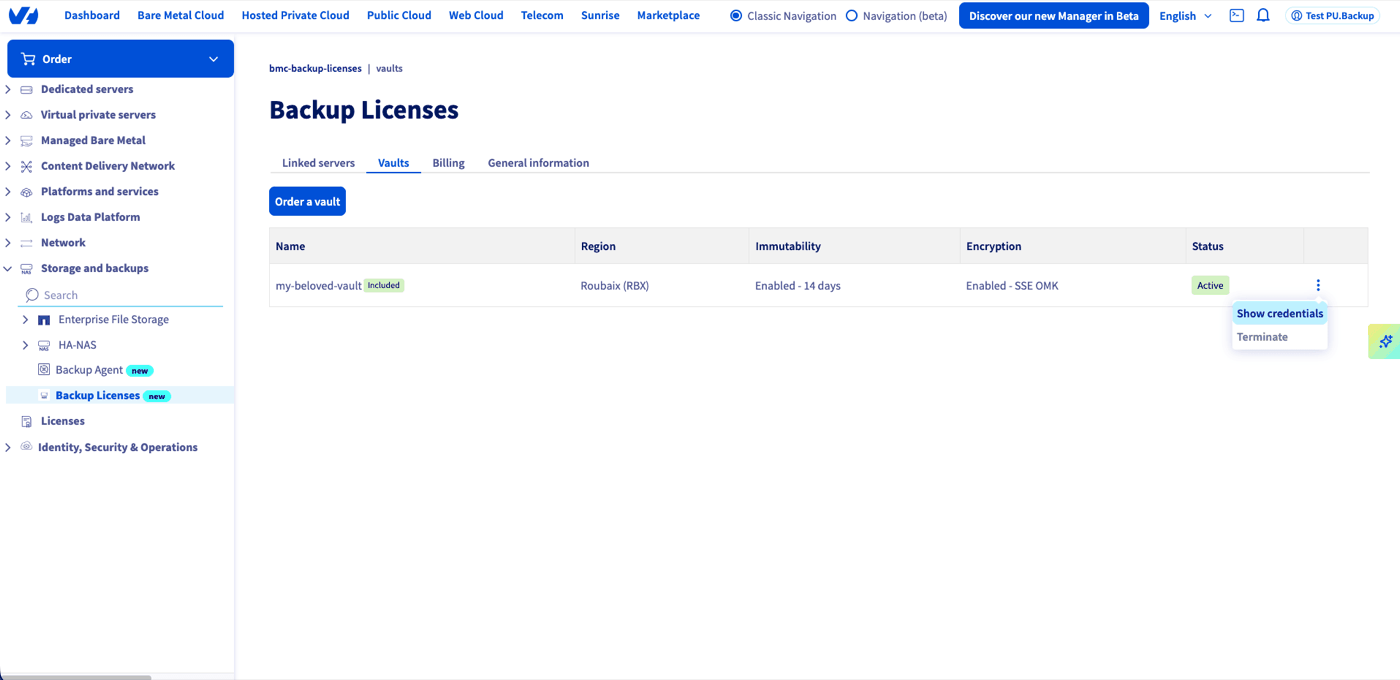
The S3 credentials window then displays everything you need to connect:
- Bucket name
- Region
- S3 Endpoint
- Access key
- Secret key, hidden by default: click
Showto reveal it.
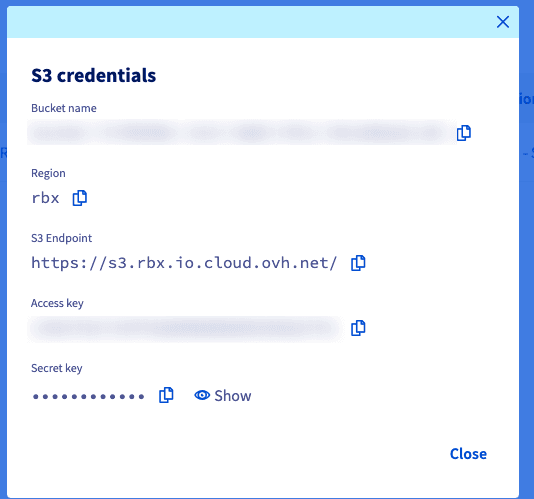
These details let you configure the Vault as an object repository in your Veeam Backup & Replication server, or access it with any S3-compatible client.
Billing of the "bundle" Vault
- The first 500 GB are included in your Backup Licenses subscription, at no extra cost.
- Beyond 500 GB, each additional GB consumed is billed monthly, at the public OVHcloud Object Storage rate.
You can track your consumption for the current billing period in the Billing tab of the Backup Licenses product.
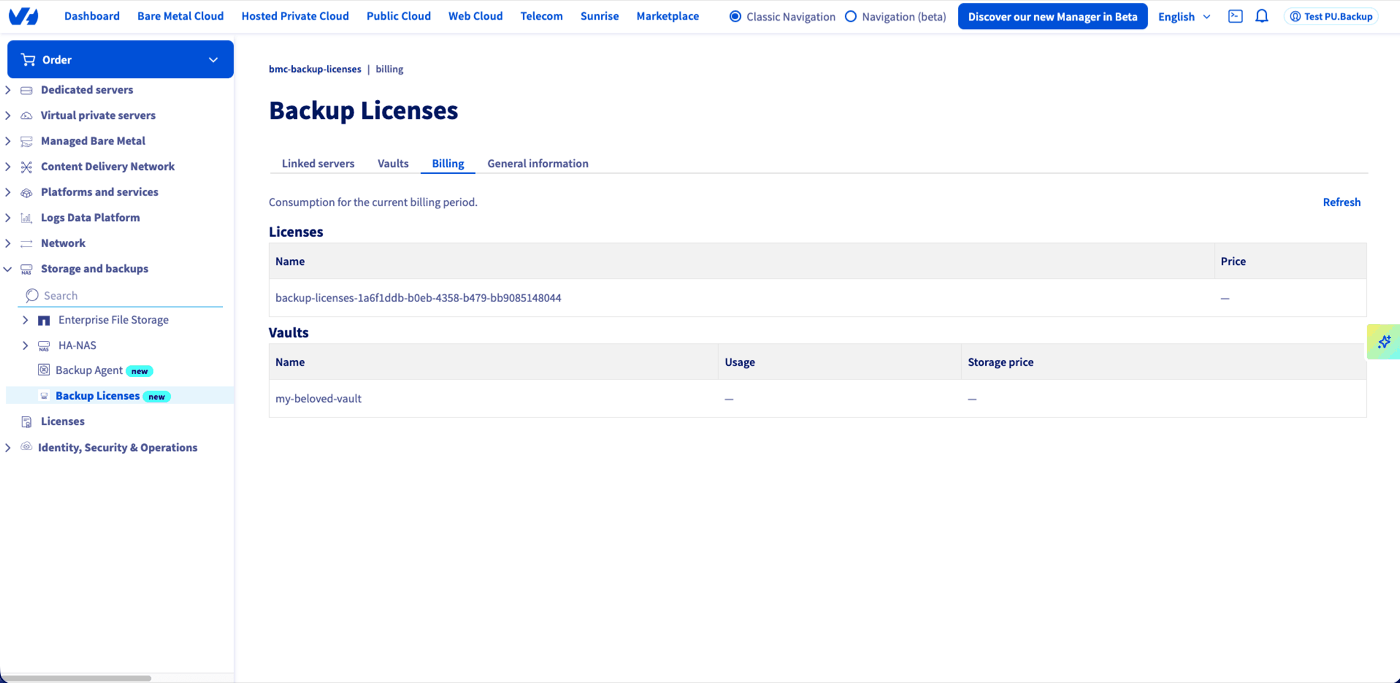
Up-to-date prices are available on the Object Storage pricing page.
Ordering additional Vaults
From the Vaults tab in your OVHcloud Control Panel, click Order a vault to add an additional Vault. Enter its name (1 to 50 characters, alphanumeric characters and hyphens only), the country and the storage region you want, then click Order.
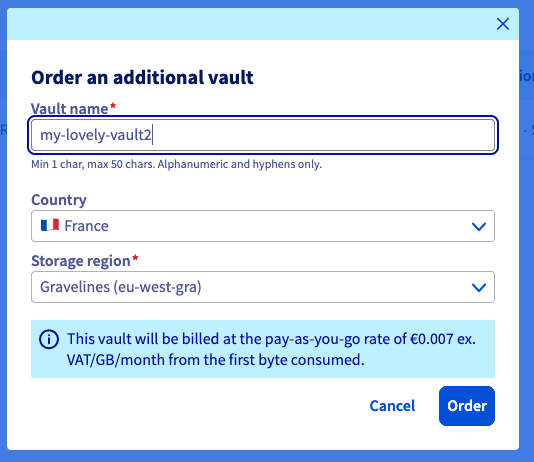
They work exactly like the "bundle" Vault (S3 bucket, same uses, same access methods), with one difference: they are billed from the first GB consumed, at the public OVHcloud Object Storage rate. No free allowance is included.
The table below summarises the differences:
Go further
- Backup Licenses - Ordering and configuring your first licence
- Backup Licenses - Known restrictions
- OVHcloud Object Storage
Join our community of users.
1: S3 is a trademark of Amazon Technologies, Inc. OVHcloud's service is not sponsored by, endorsed by, or otherwise affiliated with Amazon Technologies, Inc.