
How to export the list of your domain names in CSV
Find out how to export the list of your domain names and their associated information in CSV format from the OVHcloud Control Panel
Objective
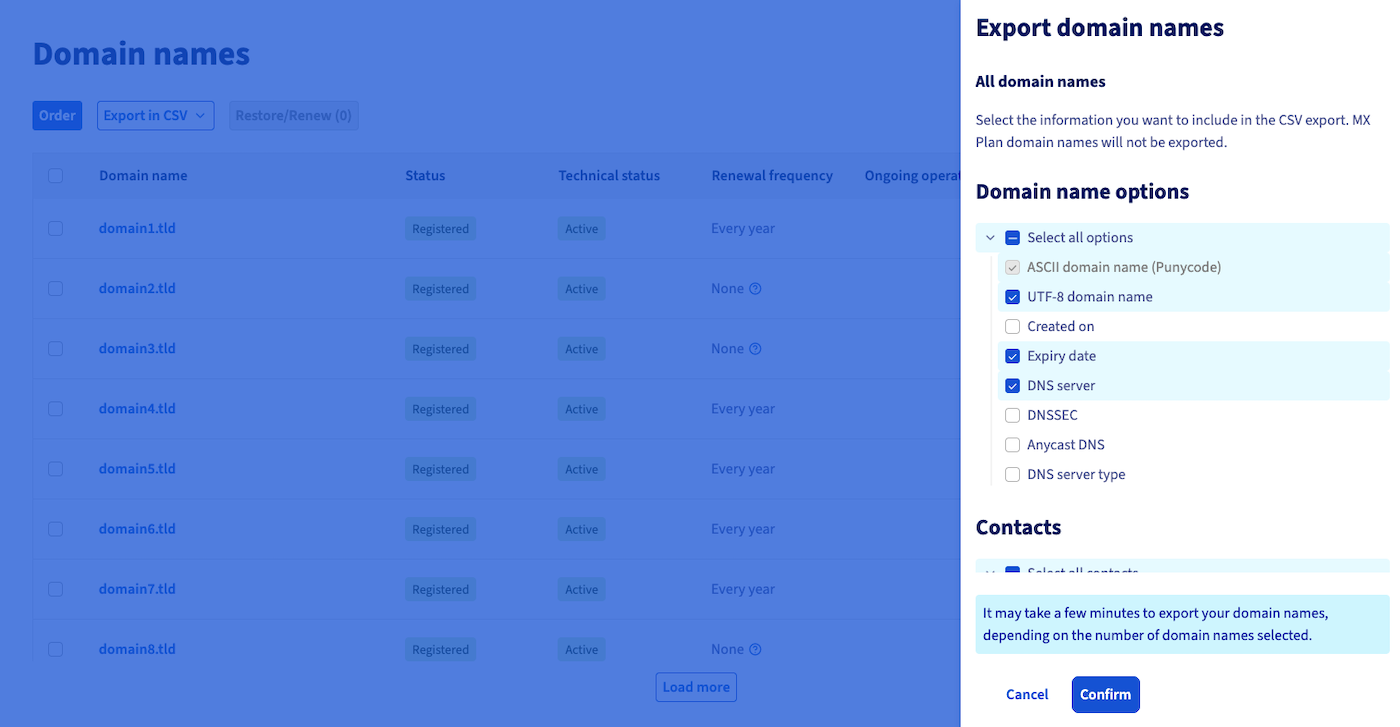
Want to retrieve a list of all the domain names on your OVHcloud customer account? Do you need to retrieve all information related to your domain names (associated contacts, holder, active options, creation and expiry dates, etc.) in one go?
Find out how to export a list of your domain names and their associated information in CSV format from the OVHcloud Control Panel.
Requirements
- A domain name registered with OVHcloud
OVHcloud Control Panel Access
- Direct link:
- Navigation path:
Web Cloud>Domain names> Select your domain name
Instructions
Click on the tabs below to view each of the 3 steps.
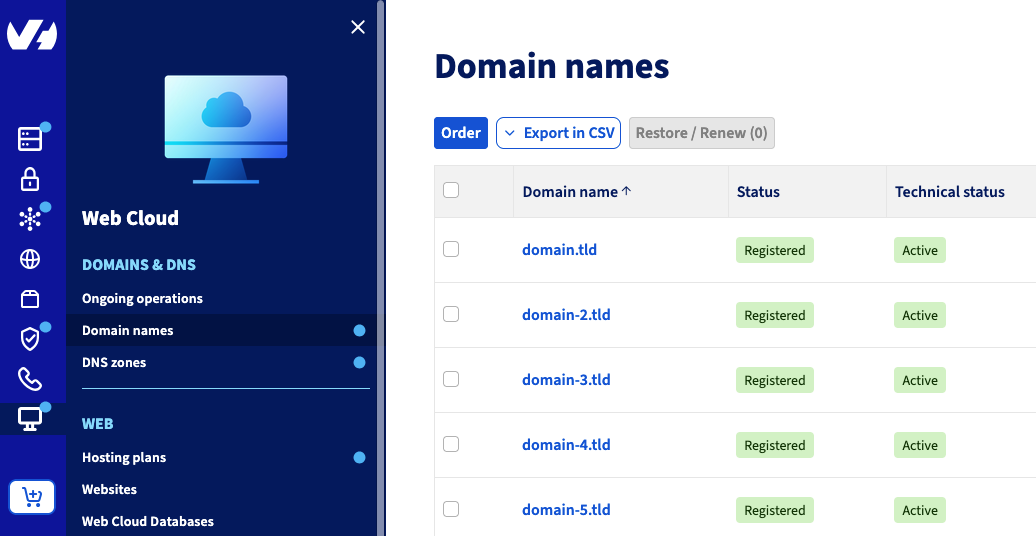
Go to the page. Above the table that appears, click Export in CSV format.


Go further
For specialised services (SEO, development, etc.), contact OVHcloud partners.
If you would like assistance using and configuring your OVHcloud solutions, please refer to our support offers.
Join our community of users.