
Public VCF as-a-Service - Linking a public IP block with vRack
Find out how to link the block of public IP addresses delivered with your Public VCF as-a-Service organization and its vRack
Objective
When you order a new Public VCF as-a-Service organization, a vRack and a block of public IP addresses are delivered to you.
This IP block is not directly linked to your vRack. You will need to link it manually.
Find out how to link the block of public IP addresses delivered with your Public VCF as-a-Service organization and its vRack.
Requirements
- A Public VCF as-a-Service on OVHcloud solution.
- Being the technical administrator of the managed VMware vSphere on OVHcloud infrastructure.
OVHcloud Control Panel Access
- Direct link:
- Navigation path:
Hosted Private Cloud>Public VCF as-a-Service> Select your VCF service
Instructions
-
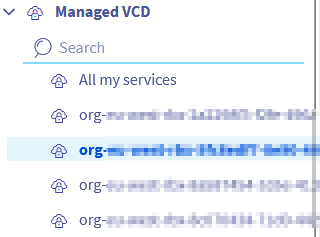
Select your organization.
-
From the
General informationtab, the vRack attached to your organization will appear with an ID in the formpn-xxxxxxx.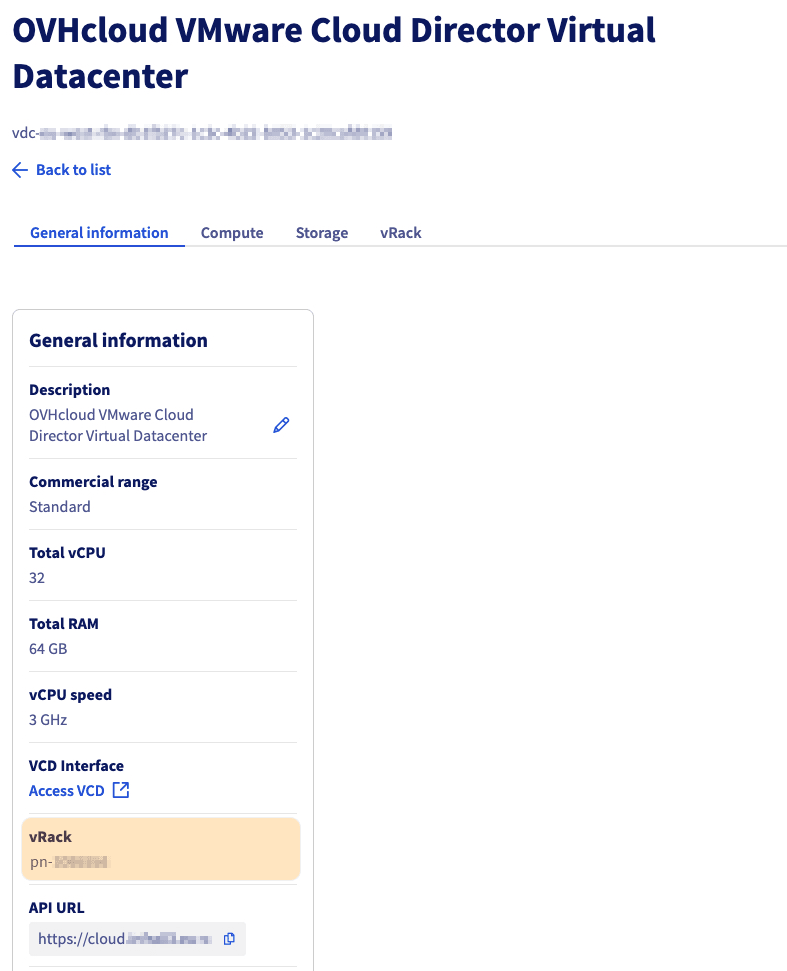
-
Expand the
Networkmenu in the left-hand column, selectvRack private network, then your vRackpn-xxxxxxx.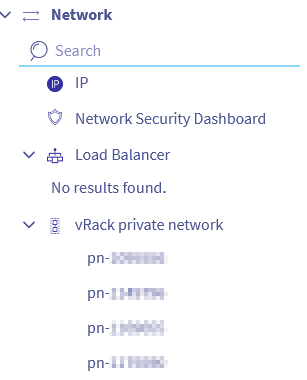
-
Select the IP block to link to your vRack/organization and click
Add.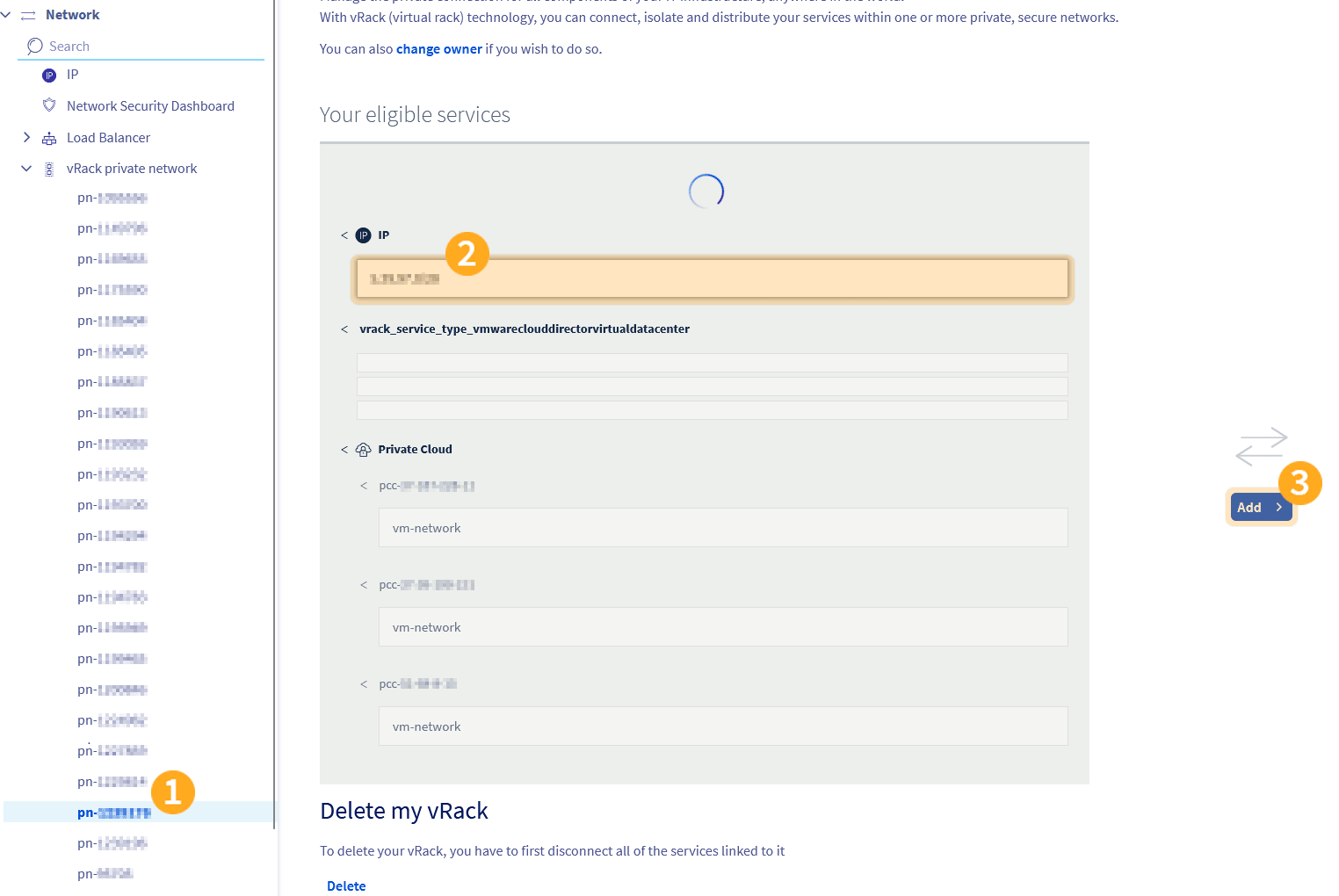
-
The public IP block is now linked to your vRack.
To make these addresses usable inside your Public VCF as-a-Service environment, you also need to declare the public gateway in VMware Cloud Director (VCD).
Follow the guide Public VCF as-a-Service - Declare the public IP gateway in VCD to complete this step.
Go further
For training or technical assistance implementing our solutions, contact your sales representative or visit our Professional Services page to request a quote and have your project analysed by our experts.
Ask questions, give your feedback and interact directly with the team building our Hosted Private Cloud services on the dedicated Discord channel.
Join our community of users.