
Migrating an Additional IP
Find out how to migrate an Additional IP address to another instance
Since October 6th, 2022 our service "Failover IP" is named Additional IP. This renaming has no effect on its technical features.
Objective
Being able to migrate IP addresses generally limits or removes the possibility that your service becomes unavailable. For example, you can effectively update a whole website to a new version or you can keep a replicated server active while running maintenance or installing updates on your production server.
This guide explains how to migrate an Additional IP from one OVHcloud Public Cloud instance to another.
Prerequisites
- At least two Public Cloud instances in your OVHcloud account
- An Additional IP address
This feature is currently not available for Metal instances.
OVHcloud Control Panel Access
- Direct link:
- Navigation path:
Public Cloud> Select your project >Public IPs
Instructions
An Additional IP cannot be moved between different zones. For example, an IP located in the SBG data centre can be moved to GRA or RBX, but cannot be moved to BHS.
In the left-hand menu, open Public IPs under Network, then click on the Additional IP tab.
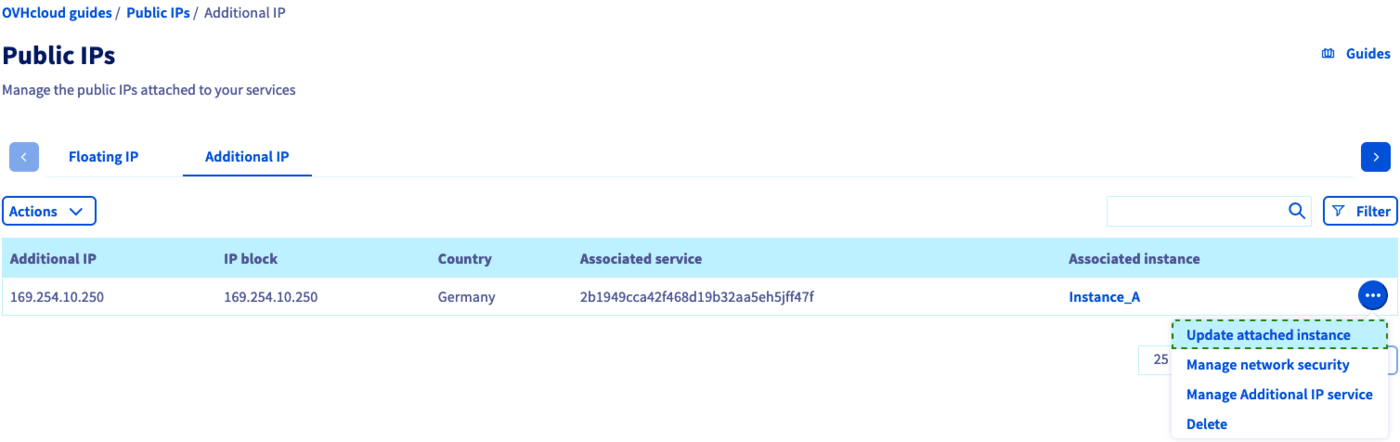
In this example, the Additional IP address routed to "Instance_A" will be migrated to "Instance_B".
Click on ... in the row of the Additional IP and select Update attached instance.
Click on the drop-down menu to choose the destination instance from the list.
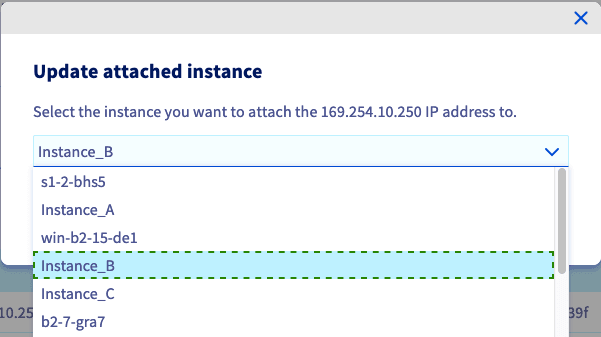
Confirm by clicking on Attach.
After a few seconds, the Control Panel will be updated and a confirmation message will be displayed if the migration was done successfully.
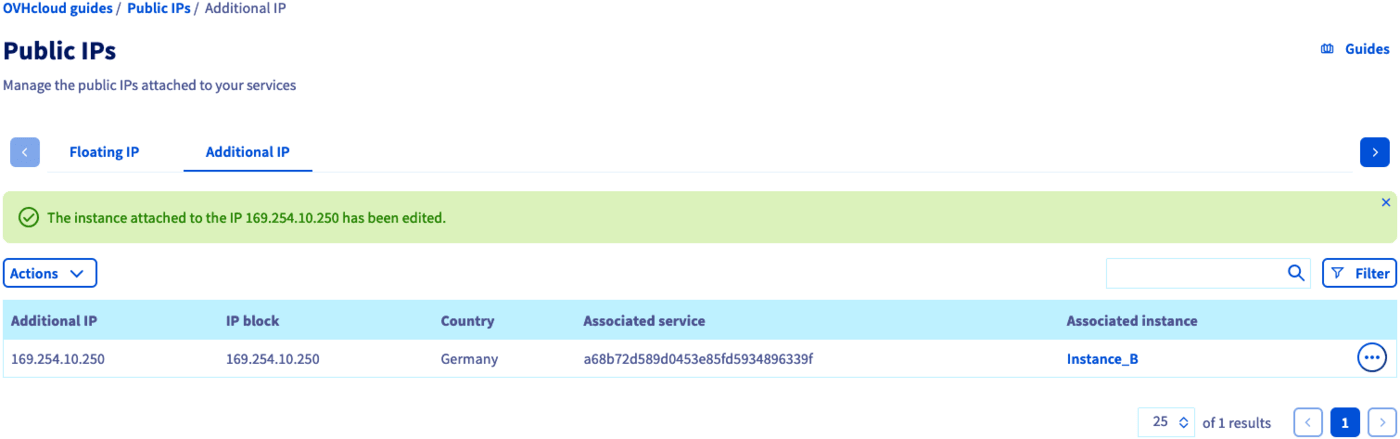
The Additional IP can be configured on the destination server before or after carrying out the migration. If it was preconfigured, it will begin to respond as soon as the routing operation is completed.
Go further
For training or technical assistance implementing our solutions, contact your sales representative or visit our Professional Services page to request a quote and have your project analysed by our experts.
Join our community of users.