
Deleting an email account
Find out how to delete or reset an email account of your email solution
Objective
You want to:
- Delete an email account you no longer use.
- Reset an email account to use it with a new email address.
- Reset an email account to cancel it.
This guide explains how to delete or reset an email account of your email solution.
Requirements
- A preconfigured OVHcloud email solution:
- MX Plan, available with a web hosting plan, included in a free hosting, or ordered separately.
- Be the Admin contact of the email service concerned
- Access details for the email accounts concerned
OVHcloud Control Panel Access
Zimbra Mail:
- Direct link: Zimbra Mail
- Navigation path:
Web Cloud>Zimbra Mail
Email Pro:
- Direct link: Email Pro
- Navigation path:
Web Cloud>Email Pro> Select your platform
MX Plan:
- Direct link:
- Navigation path:
Web Cloud>MX Plan> Select your MX Plan service
Exchange:
- Direct link:
- Navigation path:
Web Cloud>Exchange> Select your platform
Identifying the email technology of your MX Plan solution
To identify your service's technology, log in to your OVHcloud Control Panel, go to the General information tab of your email service: it is shown under Webmail.
Connection
Webmail
ZimbraInstructions
OVHcloud offers 4 email solutions, and the concept of account deletion differs depending on which email solution you choose.
- MX Plan email: This offer is sold as a bundle of email accounts. When you delete or reset an account, you free up an account "slot" of the email service, which you can then reuse for a new email address. The price of your offer remains unchanged: to reduce the number of slots, you need to change your offer or cancel your service.
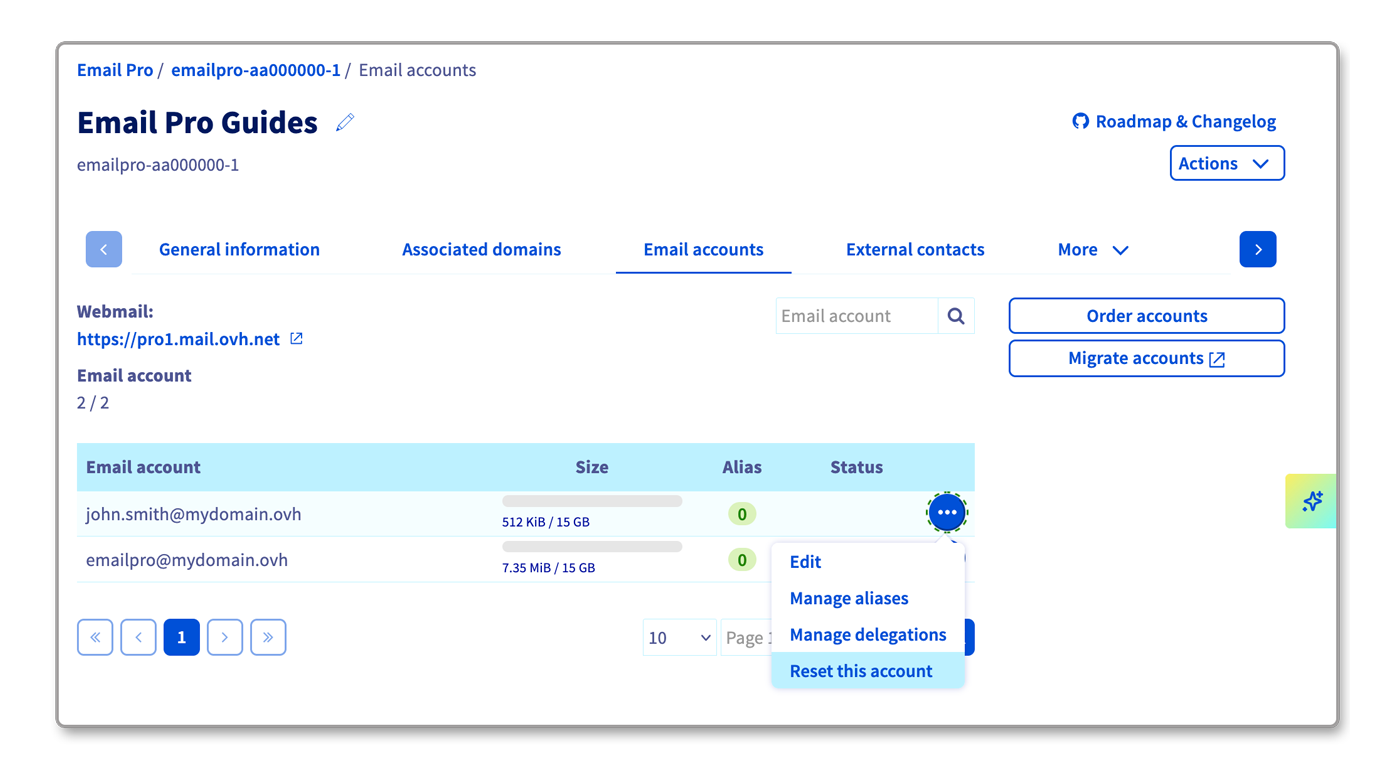
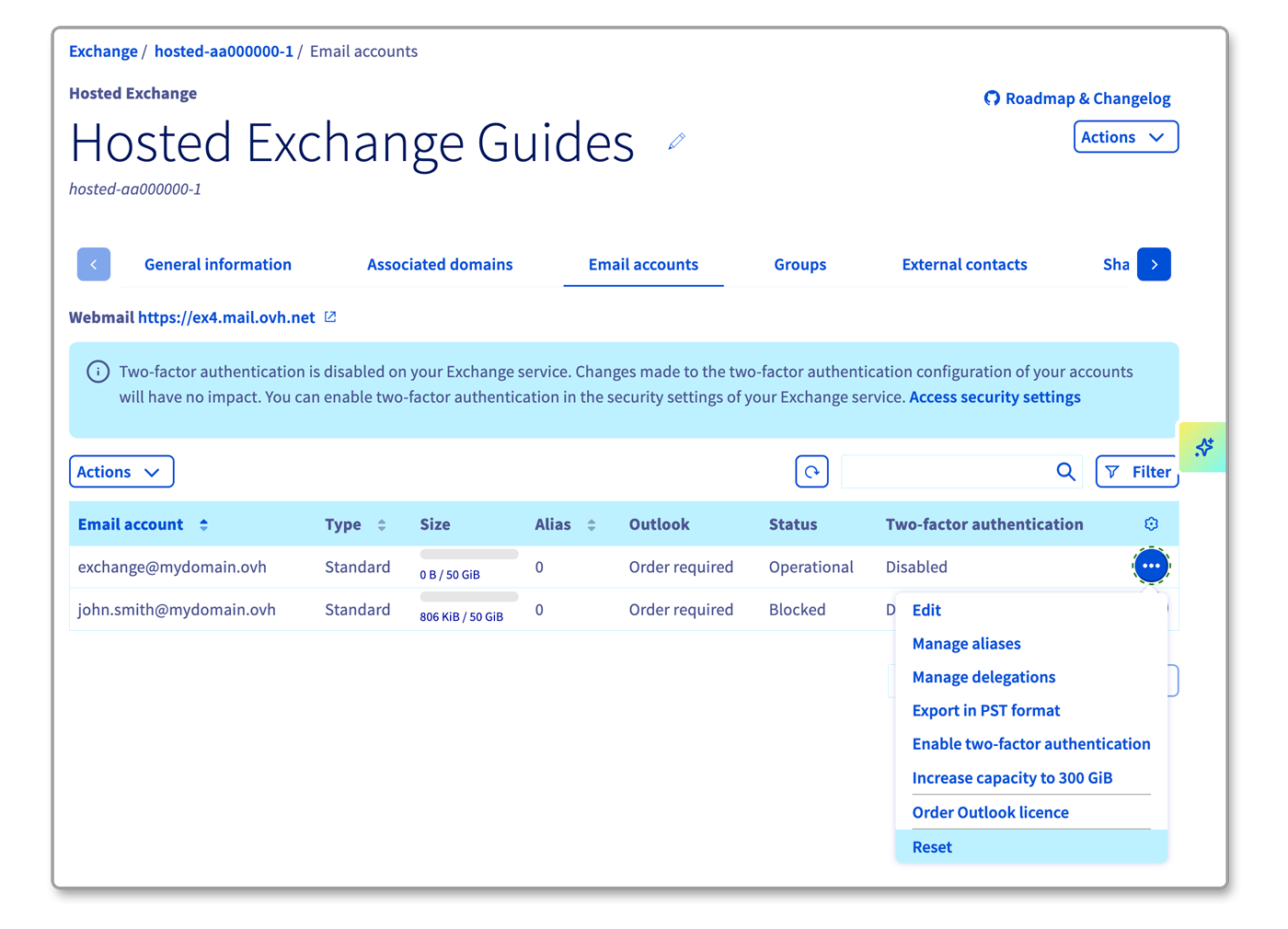
- Email Pro, Hosted Exchange and Zimbra: These offers are on-demand. You order an individual subscription per email account. If you want to delete an email account, you will need to reset it. Once you have reset your email account, you can use this account again to create a new email address. You can also cancel the subscription for this account if you wish to permanently delete it.
Delete or reset an email account
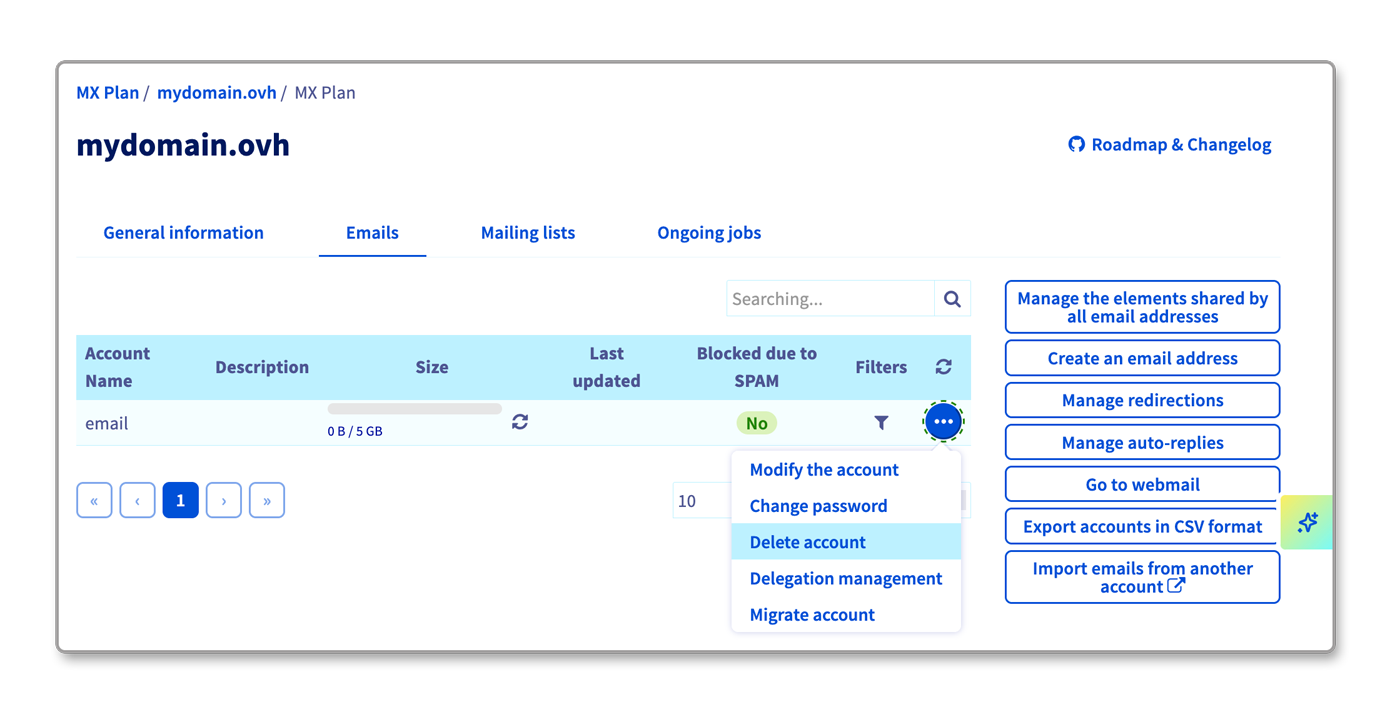
Can't find a Delete action in the OVHcloud Control Panel? Depending on your email solution, this action is named Reset this account. Resetting an account deletes its data and its email address: the slot that is freed up can then be configured for a new email address.
Select the tab corresponding to your email solution:
To identify the email technology associated with your MX Plan service, please refer to the "Identifying the email technology of your MX Plan solution" section of this guide.
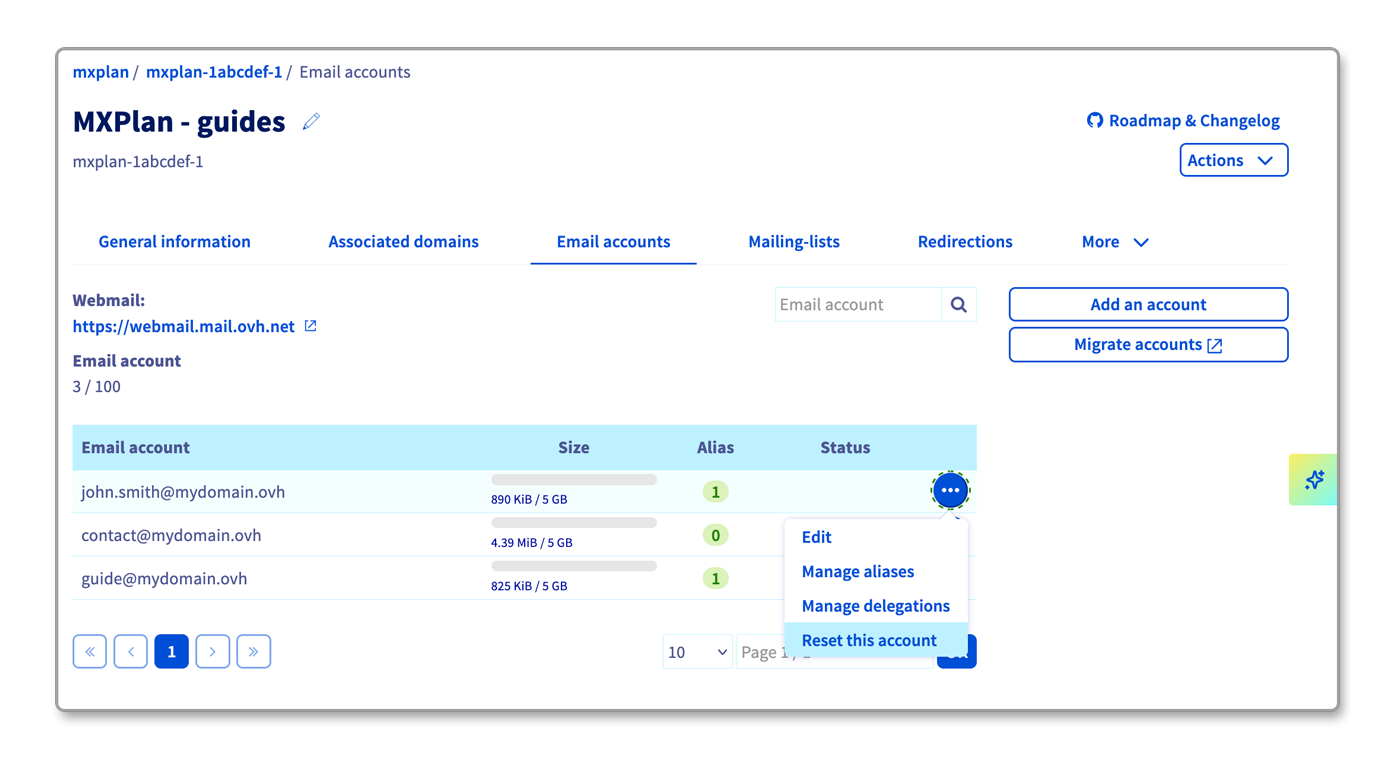
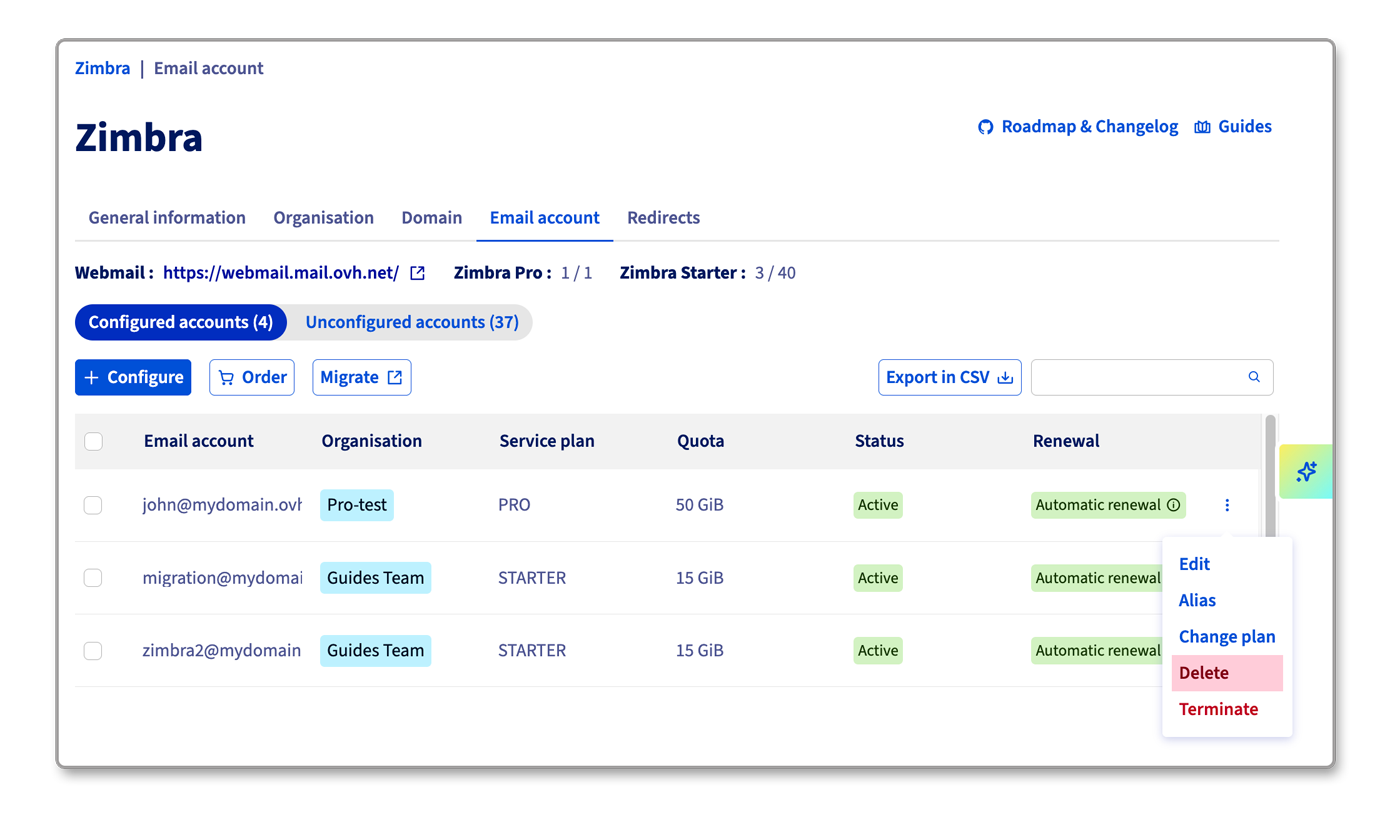
- Go to the
Email accountstab. The tab lists your existing email accounts. - Click the
...button to the right of the account concerned, then clickReset this account. This technology does not offer aDeleteaction: resetting the account deletes its data and its email address, then frees up its slot.
Go further
Getting started with Email Pro
Getting started with Hosted Exchange
Managing the billing of your Email Pro accounts
Managing the billing of your Exchange accounts
If you would like assistance using and configuring your OVHcloud solutions, please refer to our support offers.
Join our community of users.