
Using vRack Private Network
Objective
OVHcloud Managed Kubernetes service provides you Kubernetes clusters without the hassle of installing or operating them.
By default, your Kubernetes clusters will have public IPs. For some uses cases, or for security reasons, you might prefer having your Kubernetes cluster inside a private network.
OVHcloud vRack is a private networking solution that enables our customers to route traffic between OVHcloud dedicated servers as well as other OVHcloud services.
This guide will cover the integration of OVHcloud Managed Kubernetes clusters into vRack private networks.
Requirements
- A Public Cloud project in your OVHcloud account
Instructions
First of all, you will need to set up vRack private network for your Public Cloud. To do it, please follow the Configuring vRack for Public Cloud guide. Once you have created a vRack and added it into a private network, you can continue.
Integrating a cluster into a vRack private network must be done at the third step on cluster creation, when you can choose an existing private network for the cluster:
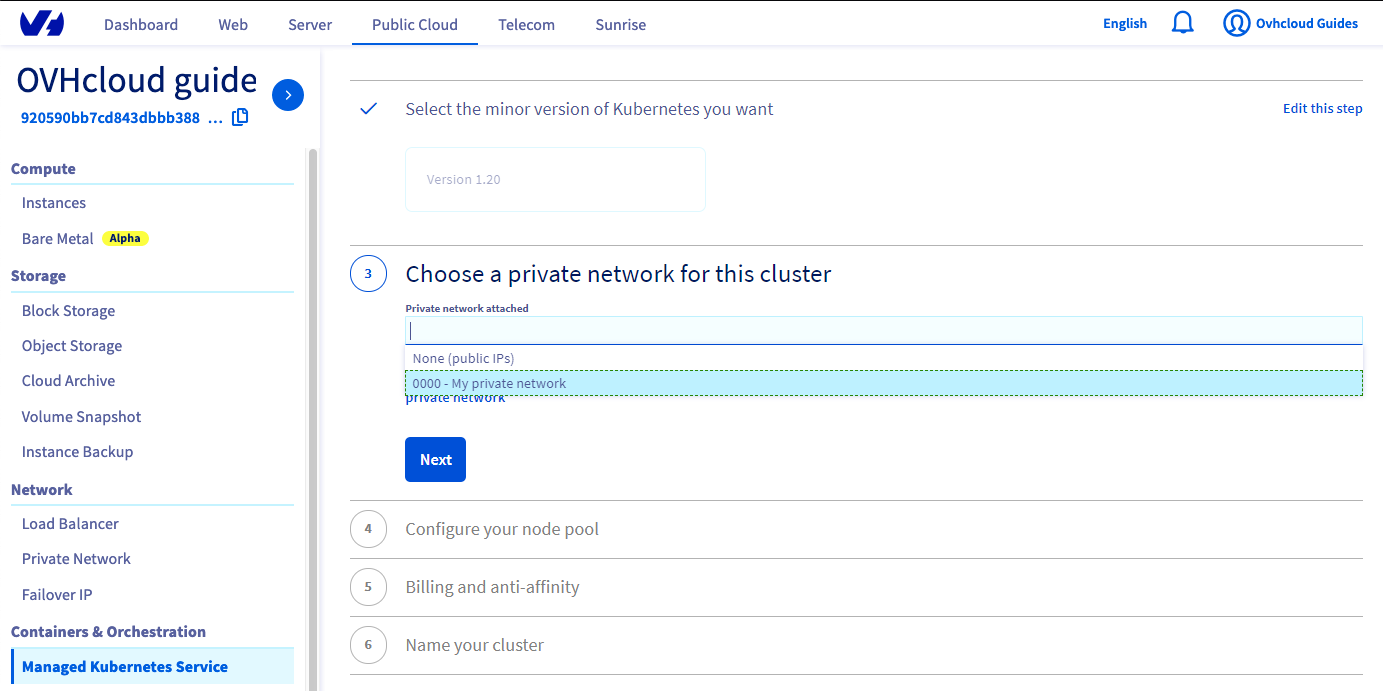
Your new cluster will be created inside the vRack private network you have chosen.
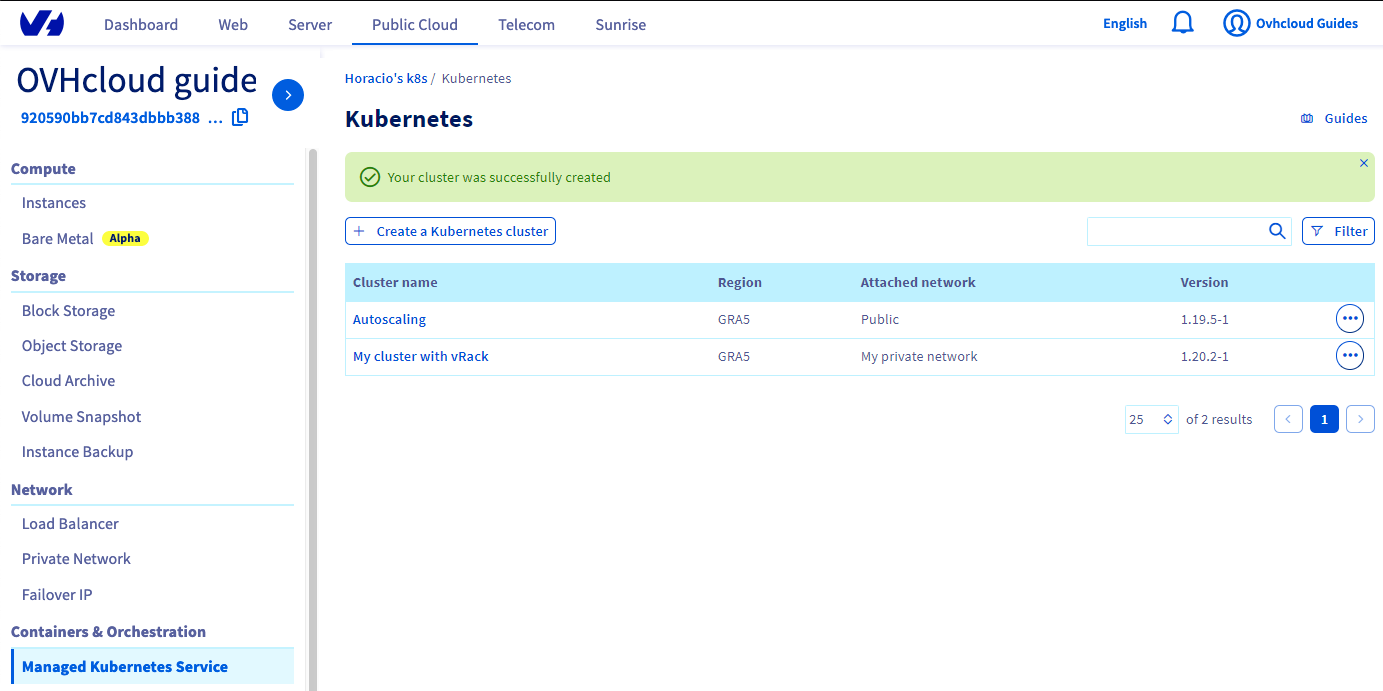
In the Managed Kubernetes service dashboard, you will see the cluster, with the chosen private network in the Attached network column:
Known limits
- All nodes within a Kubernetes cluster with a vRack private network activated are available within that single private network. (No public/private mix, single private network available.)
- To expose some workload on the Internet, you can use the External Load Balancers that are now compatible with nodes in vRack.
- The OVHcloud Public Cloud does not support security groups on vRack.
- You will still see a public IPv4 address on your worker nodes. This IP won't be reachable from the Internet, and used exclusively for the administration of your nodes and its link to the Kubernetes control plane.
- As explained in the Known limits guide, the following subnets are not compliant with the
vRackfeature and can generate some incoherent behaviours with our overlay networks:
Go further
-
For training or technical assistance implementing our solutions, contact your sales representative or visit our Professional Services page to request a quote and have your project analysed by our experts.
-
Join our community of users.