
Deploy an Arma Reforger server on the Game Panel
Deploy an Arma Reforger server on the Game Panel with automated port configuration and real-time installation logs.
Objective
The Game Panel lets you deploy an Arma Reforger server in a few steps. The panel handles the installation automatically, including port configuration.
This guide explains how to deploy and connect to an Arma Reforger server on the Game Panel.
Requirements
- A VPS or a dedicated server in your OVHcloud account with the Game Panel feature enabled.
- Access to the Game Panel. Refer to Log in to the Game Panel.
Our recommendations
Instructions
Step 1 — Access the Game Panel
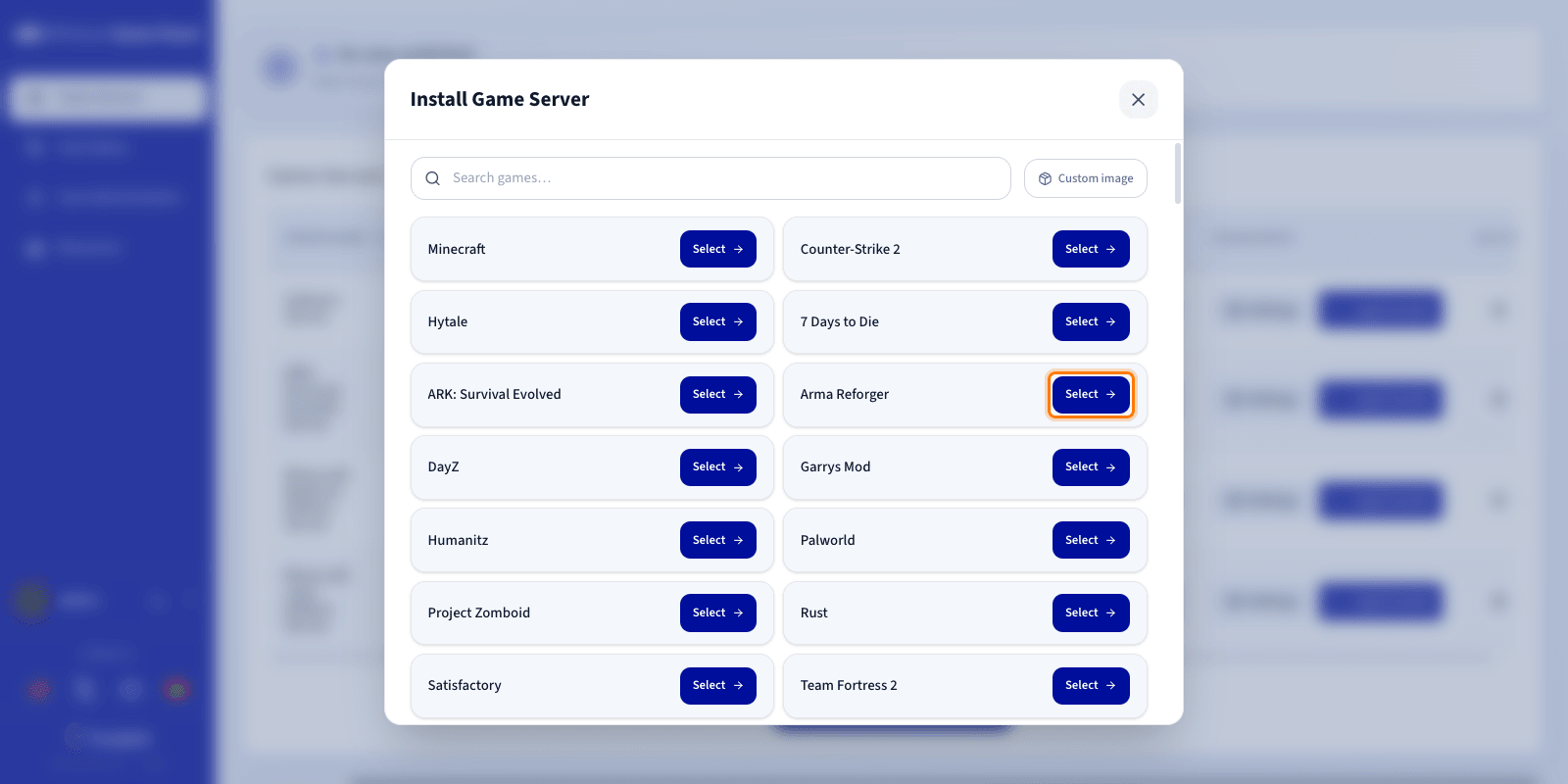
Log in to your Game Panel. From the left-hand menu, go to the Game Servers section and click Add Game Server.
Step 2 — Create an Arma Reforger server
Select Arma Reforger from the game list. A configuration window opens.
Step 3 — Configure the Arma Reforger server
Set the server name and review the configuration before launching the installation.
If this is your first Arma Reforger server on the Game Panel and the default Game Port is available, all required ports will be automatically configured during installation. No manual setup is needed in this case.
You can expand Advanced settings to adjust options such as ports binding and resource limits. The defaults are suitable for most game servers.
Step 4 — Launch the installation
Click Install to launch the deployment.
Step 5 — Monitor the installation
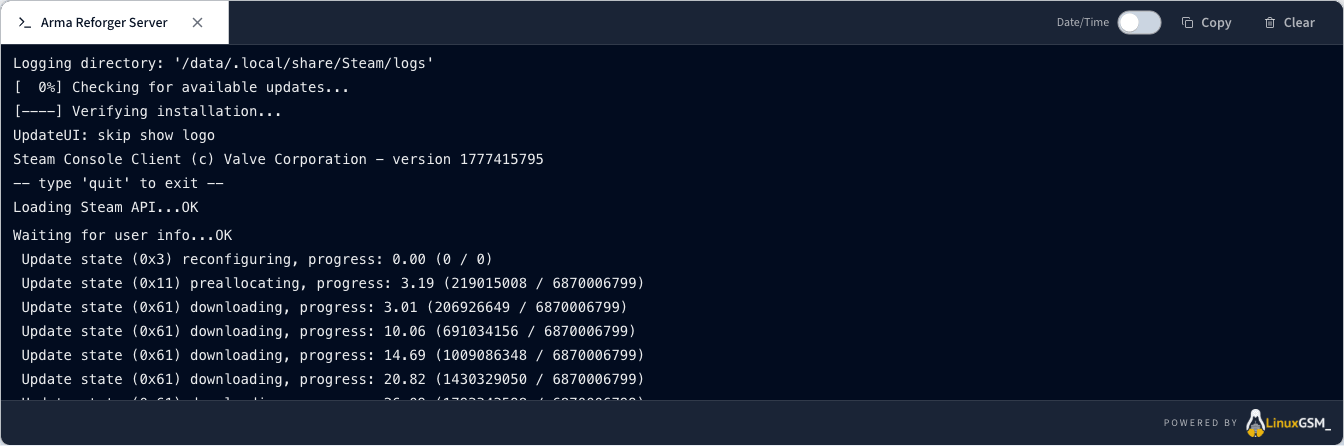
Click Log/Console to follow the installation progress in real time. While the server is installing, the status displays Installing.
Step 6 — Verify the server is running
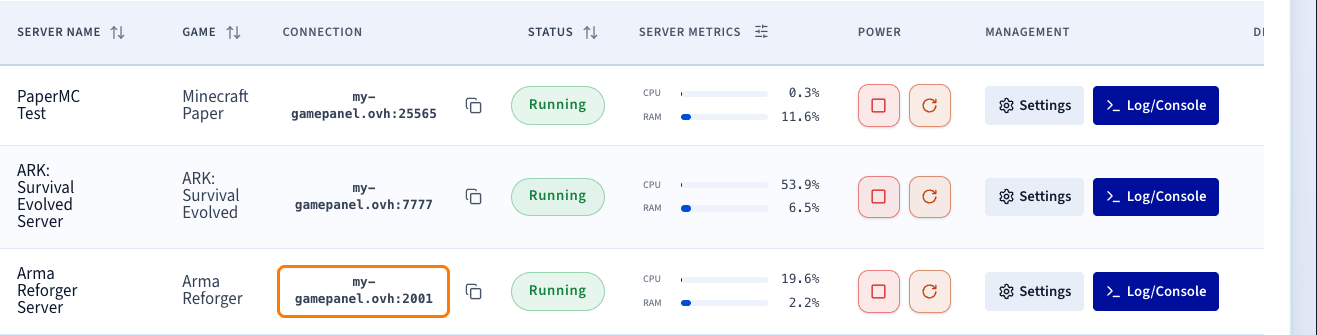
Confirm that the server status is Running. The Log/Console and Settings controls remain available to manage the server.
Step 7 — Confirm installation is complete
Once installation is finished, the server status changes to Running.
Step 8 — Retrieve connection information
Copy the IP address and port from the Connection column of the Game Servers list.
Step 9 — Join your server in Arma Reforger
- Open Arma Reforger and access the main menu.
- Click Multiplayer, then open the Community tab.
- Search for your server name.
- Once found, click it, then click Join.
Go further
- Getting started with the Game Panel
- Manage users on the Game Panel
- How to create and restore backups on the Game Panel
Join our community of users.