
Change your block storage volume type
Find out how to change your volume type using OpenStack
Objective
The purpose of this guide is to show you how to change a block storage volume type from Classic or High speed to High speed gen2.
Requirements
- Access to the Horizon interface
- A Block Storage volume created in your Public Cloud project
OVHcloud Control Panel Access
- Direct link:
- Navigation path:
Public Cloud> Select your project >Block Storage
Instructions
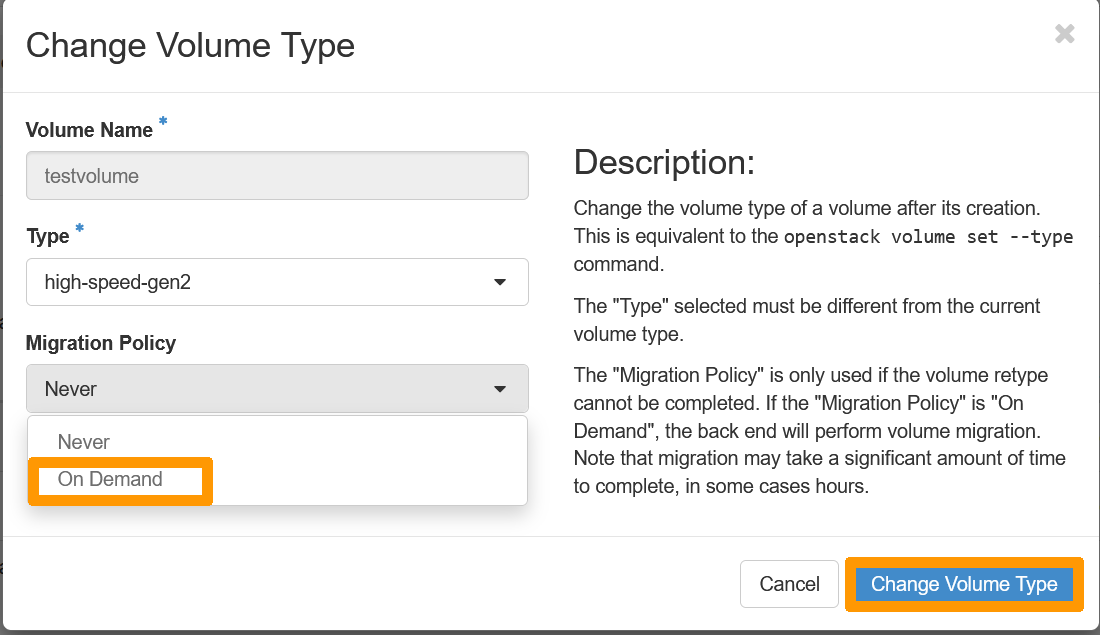
When trying to change a block storage volume type to a "High speed gen2" one, the migration policy will need to be changed from Never to On-demand.
The migration policy is set by default to Never as the volume stays on the same CEPH cluster. However, for the "High speed gen2" type, the volume will need to be migrated to a new cluster.
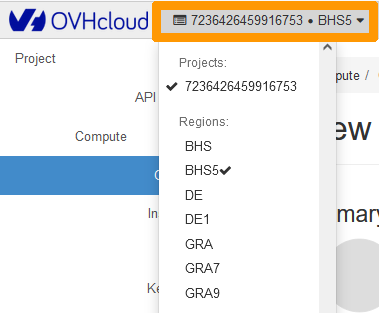
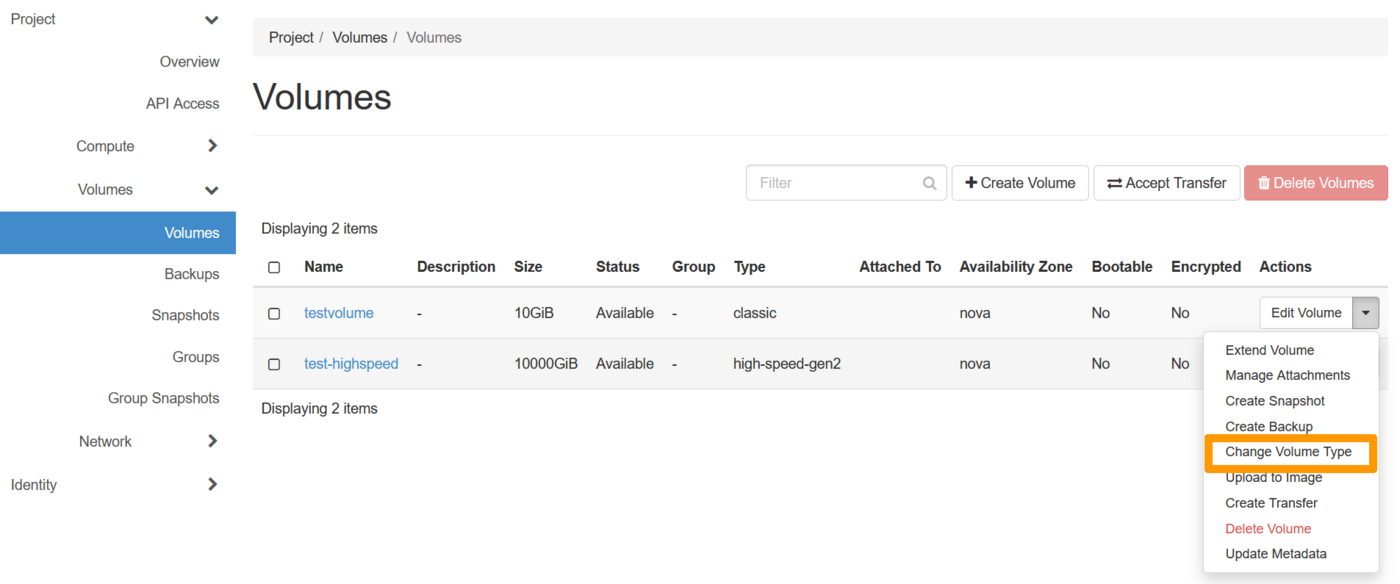
This modification can be made via Horizon or the OpenStack CLI.
If the block storage volume is attached to an instance, you must first detach it before proceeding. For more information, see the Detach a volume section of the guide "How to create and configure an additional disk on an instance".
Changing the volume type (retyping) via the OVHcloud Control Panel or the OVHcloud API is available only for unencrypted volumes. Encrypted volumes of type -LUKS cannot be retyped.
Conversions from -LUKS to non -LUKS (or vice versa) are not supported, including via OpenStack / Horizon.
Click on Block Storage in the left-hand menu under Storage & Backup.
Locate the relevant volume in the list, then click the ... button on the right. Select Change the volume type.
A new window opens, displaying the available volume types. Select the desired type, then confirm by clicking Edit.
Changing the volume type (retyping) may take a few minutes.
Go further
To learn how to migrate a Block Storage volume to an encrypted LUKS volume, check out our dedicated guide: Migrating a Block Storage volume to an encrypted LUKS volume.
For training or technical assistance implementing our solutions, contact your sales representative or visit our Professional Services page to request a quote and have your project analysed by our experts.
Join our community of users.