
Email Pro - Configuring your email address in Outlook for Android
Find out how to configure an Email Pro account on Adroid with the Microsoft Outlook application
Objective
You can configure Email Pro accounts on email clients, if they are compatible. This allows you to use your email address from the device of your choice. The Outlook app from Microsoft on Android is available for free from the Google Play Store.
Find out how to configure an Email Pro account on Android with the Microsoft Outlook application.
Information regarding OVHcloud service administration and how to find appropriate assistance
When using OVHcloud guides, please be aware of the following conditions:
- User instructions aim to provide as many details as possible but cannot cover individual use cases. You might need to adapt the pertinent actions to your requirements.
- The OVHcloud ecosystem is built for flexibility and freedom of choice. Customers are therefore responsible for the secure and proper configuration of their services. To prevent data loss, we strongly recommend to apply backup strategies to all your important data.
- Our guides and tutorials may reference third-party software or services in combination with OVHcloud solutions. The technical support provided by OVHcloud does not include the configuration of systems or products outside of our responsibility. This includes but is not limited to:
- Operating systems and user interfaces (Windows, Debian, Plesk, etc.).
- Any other third-party software (FTP clients, email software, etc.).
- Services offered by other providers (DNS, APIs, user interfaces, etc.).
To receive the appropriate assistance for any issues you might experience, follow these guidelines:
- You seek personalized advice or you would like to discuss a topic that is not covered in detail by our documentation?
Join the OVHcloud Community to search for your topic and reach out to other users. - You need to report an incident regarding your OVHcloud service or you are experiencing difficulties in the OVHcloud Control Panel?
Create a support request in our Help Centre. - You require professional assistance for your project or you need help with tasks outside our support scope?
Visit our partner portal to search for experts who are familiar with OVHcloud solutions. - You are looking for more detailed information regarding our support levels and Professional Services?
Please visit our web pages for OVHcloud support levels and OVHcloud Professional Services.
You can participate in improving our documentation:
- You would like to share feedback to improve a guide page or you want to report insufficient information on a specific page?
Use the "Was this page helpful?" buttons at the bottom of the page to let us know. - You would like to propose a specific documentation update?
Use the "Edit this page" function, available at the bottom of the page and in the sidebar.
Requirements
- An Email Pro solution.
- You need to have the Outlook app on your mobile device Android.
- You must have the login details for the email address you would like to configure.
OVHcloud Control Panel Access
- Direct link: Email Pro
- Navigation path:
Web Cloud>Email Pro> Select your platform
Instructions
Add the account
In our examples, we use the server hint: pro?.mail.ovh.net. You will need to replace the "?" with the number designating the server of your Email Pro service.
Go to the Email Pro section. The server name is visible in the Connection box in the General information tab.
- When you start the application for the first time: A configuration wizard will appear. Tap
Add account.
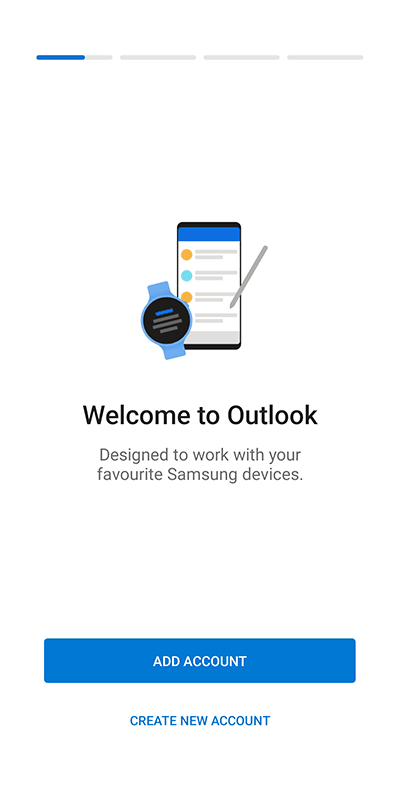
- If an account has already been set up:
- Tap the envelope "✉" at the top left of your screen.
- Then tap the
+' button in the left-hand vertical bar. - Tap
Add Account.
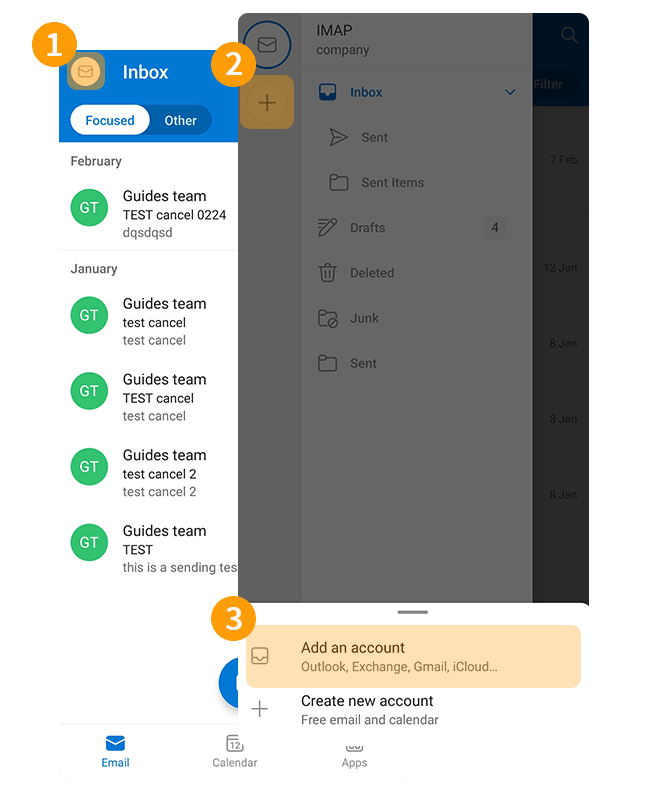
Follow the installation steps by clicking on the tabs below:
Enter your email address and tap Continue.
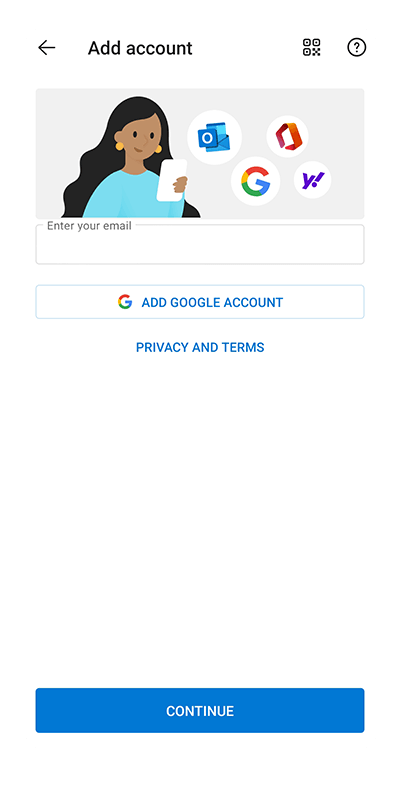
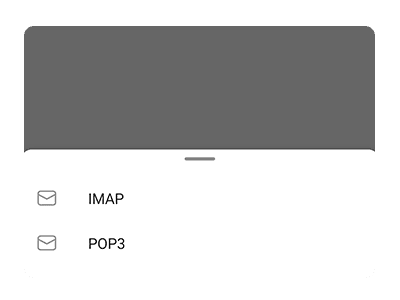
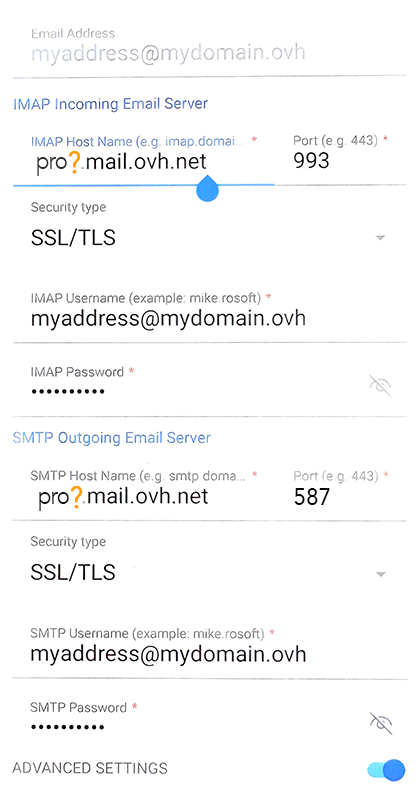
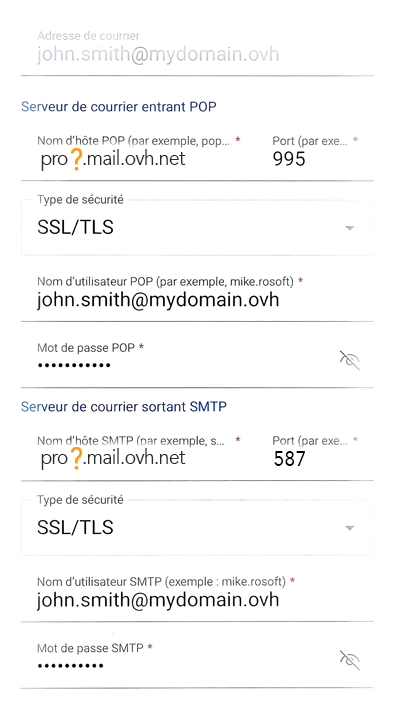
After following the configuration steps above, if you encounter a sending or receiving error, please refer to the topic "Modify existing settings".
Use the email address
Once you have configured your email address, you can start using it! You can now send and receive messages.
OVHcloud also offers a web application that can be used to access your email address from a web browser. You can access it here: Webmail. You can log in using your email credentials. If you have any questions on how to use it, please refer to our guide View your account via the OWA interface.
Modify existing settings
The Outlook application does not allow you to modify the server settings of your email account.
If your email account is already set up and you want to set it up again, you will need to delete and recreate it:
- Tap the envelope "✉" at the top left of your screen.
- Tap the "⛭" adjustment icon at the bottom of the left column.
- In the "General" section, tap
Accountsto view all of the email addresses configured on the application.
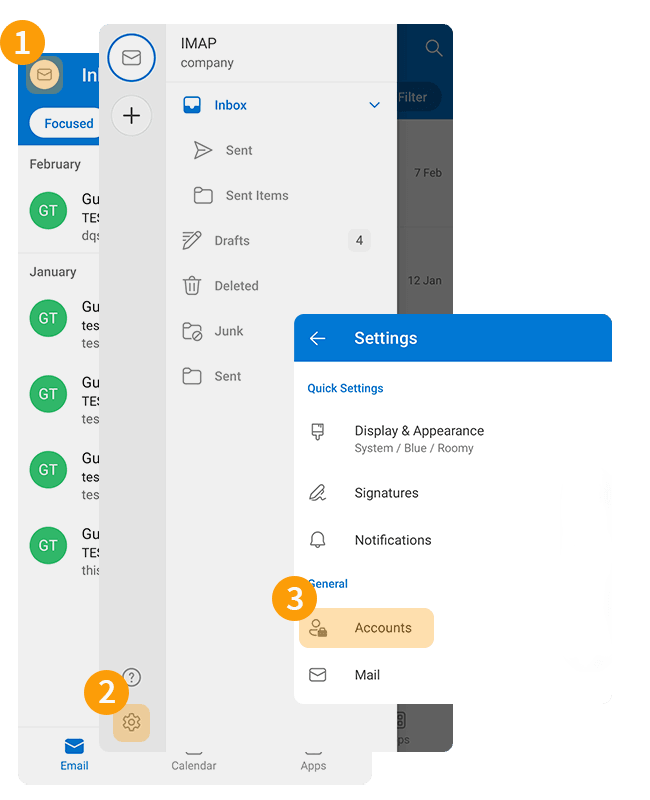
- Select the email account concerned.
- Tap
Delete account. - Tap
Deleteat the question "Do you want to delete the account?".
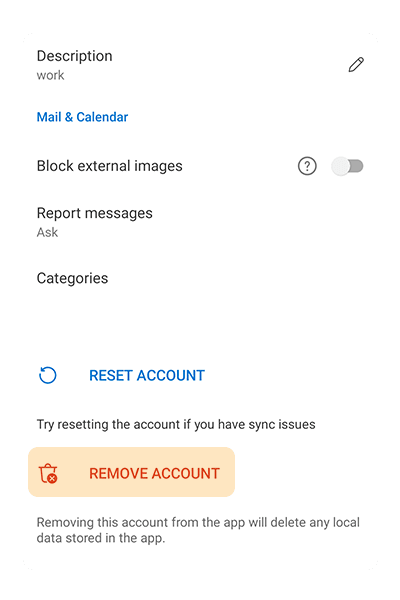
Once you have deleted your email account, follow the instructions in the "Add account" section of this guide.
Reminder of POP, IMAP and SMTP settings
IMAP and POP Receive Settings
When you choose your account type, we recommend using IMAP to receive emails. However, you can select POP.
Click on the tab corresponding to your receive protocol:
- Username: Enter the full email address
- Password: Enter the password for the email address
- Server (incoming): pro?.mail.ovh.net
- Port: 993
- Security type: SSL/TLS
SMTP Send Settings
For sending emails, if you have to enter the SMTP settings manually in your account preferences, you will find the settings below:
SMTP configuration
- Username: Enter the full email address
- Password: Enter the password for the email address
- Server (outgoing): pro?.mail.ovh.net
- Port: 587
- Security type: STARTTLS
Change your configuration
If your email address is configured in IMAP and you want to change this configuration to POP, you will need to delete the account, then recreate it in POP. Refer to the "Modify existing settings" chapter of this guide.
Go further
For more information on configuring an email address from the Outlook app on Android, see Microsoft Help Center.
For specialised services (SEO, development, etc.), contact OVHcloud partners.
If you would like assistance using and configuring your OVHcloud solutions, please refer to our support offers.
Join our community of users.