
Managing OVHcloud service accounts
Find out how to create, manage and use service accounts to connect to OVHcloud APIs via the Control Panel or the API
Objective
Access to OVHcloud products can be configured within access policies, which can be accessed via the OVHcloud Control Panel. This allows you to globally define who can access which product. To configure this access for users, please refer to our guide on How to use IAM policies using the OVHcloud Control Panel.
When API access is required from applications or code, it is necessary to generate specific credentials in order not to link them to a user. You don't want to reset your scripts in production if your user changes their credentials or leaves your company.
This guide explains how to create and manage service accounts from the OVHcloud Control Panel or via the API, and how to use them in your IAM access policies.
These credentials can be used within the different APIs of our products:
- OVHcloud API: How to authenticate on the OVHcloud API with OAuth2.
- OpenStack API: How to use service accounts to connect to OpenStack.
Requirements
- An OVHcloud customer account.
- You know how to configure IAM access policies via the OVHcloud Control Panel.
- You know how to use the OVHcloud APIs.
OVHcloud Control Panel Access
- Direct link:
- Navigation path:
Identity, Security & Operations>Identities>Service account
Instructions
Understanding identities
Service accounts are one of the types of identities that can be set up on your OVHcloud account. Other account types are described in the related documentation.
How service accounts work
OVHcloud service accounts are an identifier/token pair that allows your code to authenticate on the OVHcloud APIs. These credentials follow the OAuth2 protocol by using the client credential authentication mechanism.
This identifier/token pair has no time limit. It is therefore ideal for use within a code deployed in production. Of course, you can revoke the access associated with this service account at any time by modifying the associated access policies or by deleting this service account.
Each identifier is associated with a unique URN, which enables it to be granted fine-grained rights on OVHcloud products by linking it to access policies. These credentials are directly linked to your root account. As a result, they are not affected by user changes.
Like all OVHcloud APIs, the management of these credentials is subject to configurable access rights within the access policies. Refer to our guide on How to use IAM policies using the OVHcloud Control Panel.
Manage service accounts
Go to the Service account page using the direct link above, or select the Service account tab in the Identities section.
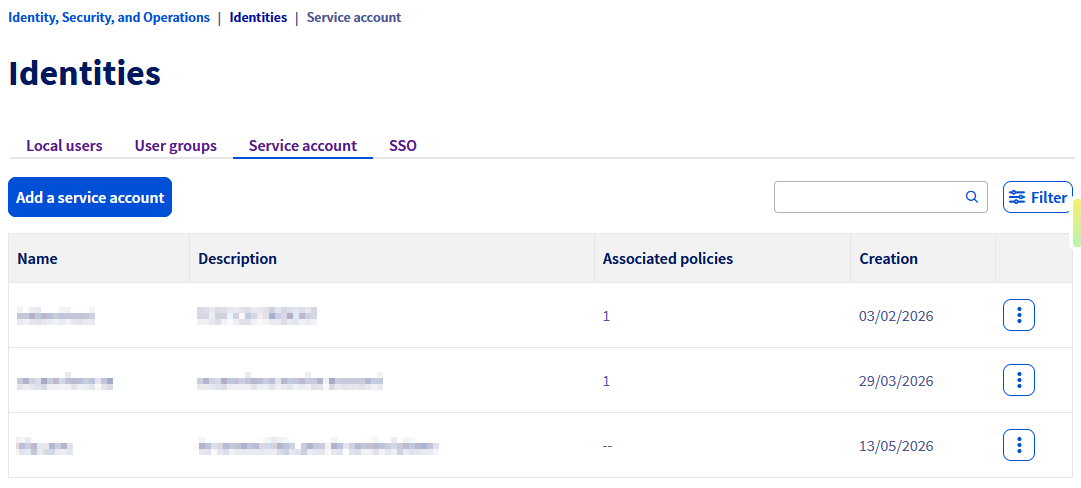
The table displays existing service accounts with the following information:
Create a service account
Click Add a service account.
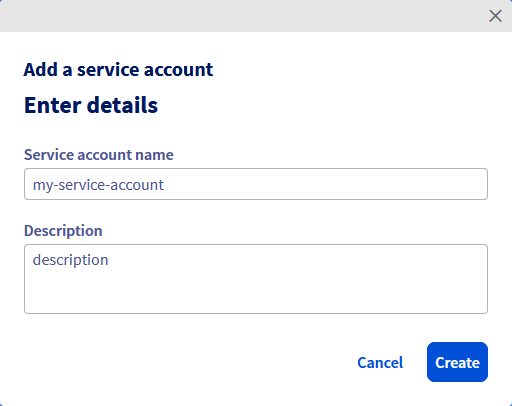
Complete the following fields:
Click Create.
A window then displays the generated credentials:
- Service account name: your service account identifier (
clientId). - Password: secret (
clientSecret) allowing you to authenticate on the OVHcloud APIs.
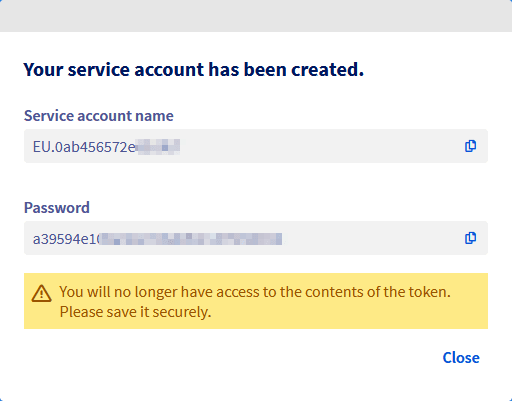
You will no longer have access to the token contents after closing this window. Make sure you save these credentials securely before clicking Close.
Edit a service account
Click the … button to the right of the service account, then click Edit.
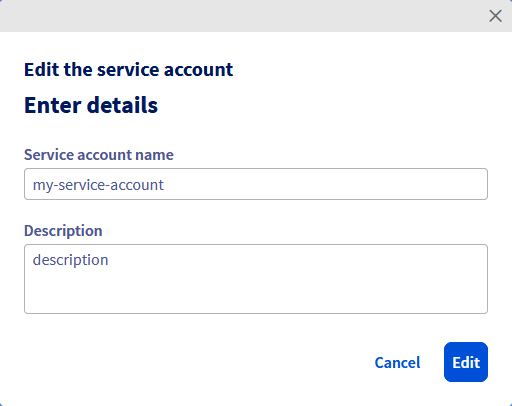
You can update the service account name and description. Click Edit to confirm.
The password of an existing service account cannot be retrieved or regenerated from the Control Panel. If you have lost the secret, you must create a new service account and update your application.
Delete a service account
Click the … button to the right of the service account, then click Delete.
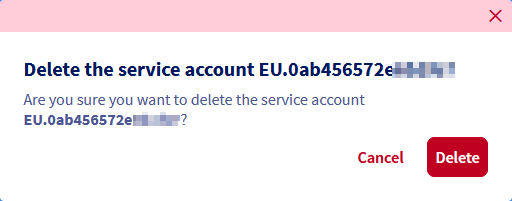
Confirm the deletion by clicking Delete.
Warning: this action is permanent. If you would like to cancel it, you will need to create a new service account and deploy the identifier/token pair within your application.
To delete access, we recommend detaching all access policies from this service account. This action is reversible, and allows you to cancel in case of an error. Once you have ensured that this service account is not used in production, you can delete it without fear.
Link access to a service account
To modify access for a service account, you can associate it with an existing access policy or create a new one.
From the Control Panel, refer to our guide on How to use IAM policies using the OVHcloud Control Panel to create or modify a policy. When selecting identities, add the relevant service account. The Associated policies column on the Service account page shows the number of policies linked to each service account.
To find out more about managing access policies via the API, please read our guide on How to use IAM policies using the OVHcloud API.
For this example, we will use an existing access policy to provide access to the service account management APIs. Below is an example of a policy with the values xx11111-ovh and urn:v1:eu:identity:credential:xx11111-ovh/oauth2-0f0f0f0f0f0f0f0f, which should be adapted to suit your configuration.
This example can be used directly within the following call to create a new policy:
Usage of service accounts
Service accounts are available in several APIs of our products. For each API, there is a guide:
- How to authenticate on the OVHcloud API with OAuth2
- How to use service accounts to connect to OpenStack
Go further
Join our community of users.