
Use OVHcloud Backint Agent with several Object Storage buckets
This guide provides instructions for using OVHcloud Backint Agent for SAP HANA with several Object Storage buckets
Objective
This guide provides the details of using OVHcloud Backint Agent for SAP HANA with several Object Storage buckets.
OVHcloud Backint Agent for SAP HANA allows you to back up and recover your SAP HANA database on one or many OVHcloud Object Storage buckets.
Using several Object Storage buckets can be useful to:
- separate the data backup named
databackupfrom the log backup namedlog_backup; - store into Object Storage buckets with a different retention policy ;
- use different locations.
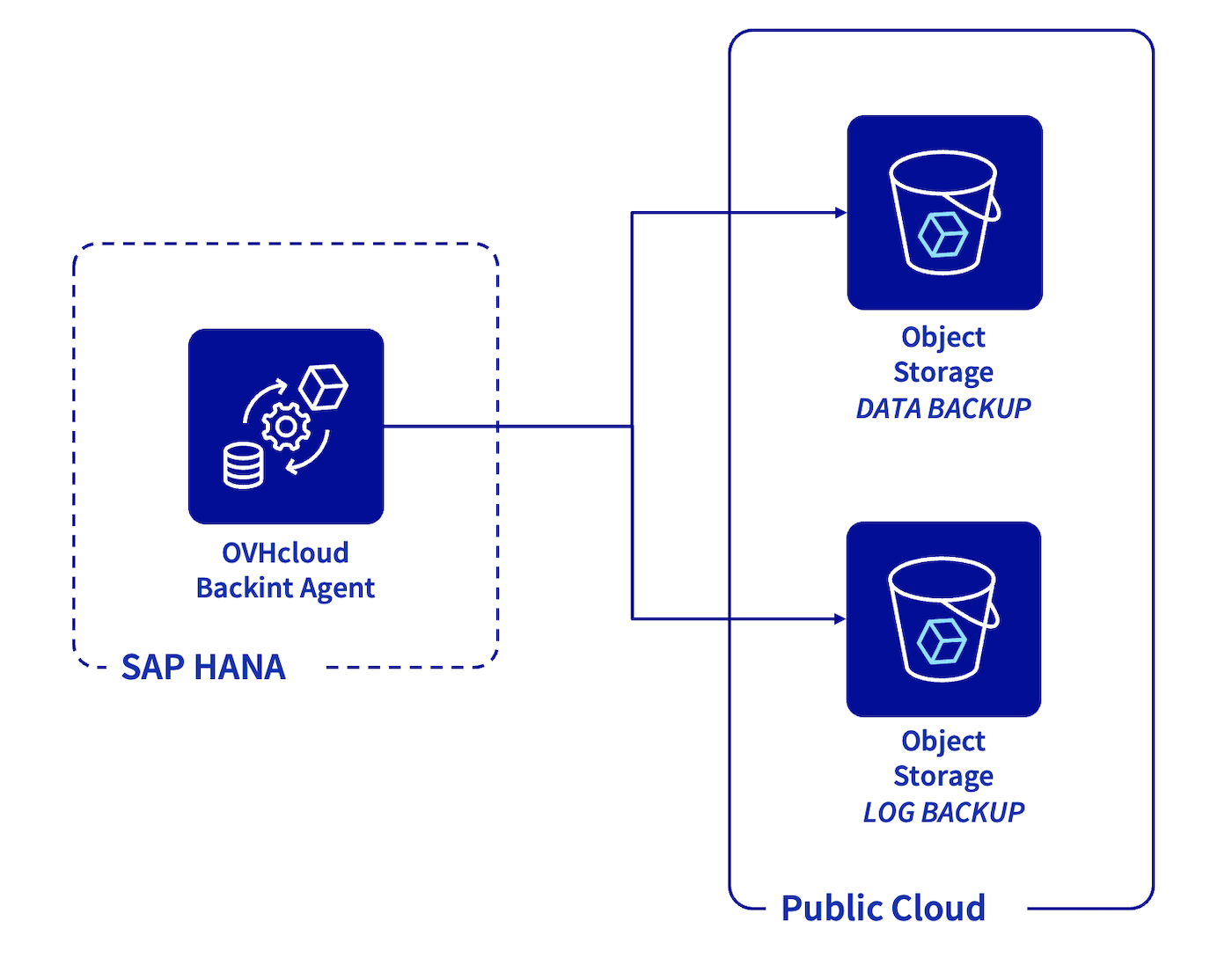
OVHcloud Backint Agent for SAP HANA has been certified by SAP, you can find certification information here:
Requirements
- A Public Cloud project in your OVHcloud account with:
- Two Object Storage buckets and an Object Storage user with the read and write rights.
- A SAP HANA database installed.
- OVHcloud Backint Agent for SAP HANA installed.
OVHcloud Control Panel Access
- Direct link:
- Navigation path:
Public Cloud> Select your project >Object Storage
Instructions
Object Storage
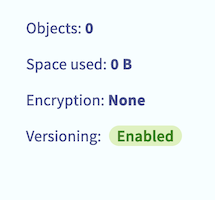
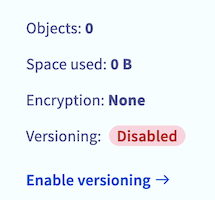
The Object Storage bucket versioning must be enabled to ensure the correct operation of OVHcloud Backint Agent. The versioning allows you to keep several versions of a same object in your Object Storage bucket.
With SAP HANA backups, the versioning allows you to trigger several backups with the same name (for example "COMPLETE_DATA_BACKUP") and keeping the capacity to recover a specific version of the backup named "COMPLETE_DATA_BACKUP". If the versioning is not enabled, only the latest version of the backup named "COMPLETE_DATA_BACKUP" can be recovered.
You can check the versioning status of your Object Storage bucket by following these steps:
- Click on the Object Storage bucket that will host backups of your SAP HANA database.
- Check the value of the
Versioningparameter, it must have the valueEnabled. If the value of this parameter isDisabled, click onEnable versioning.
| Versioning enabled | Versioning disabled |
|---|---|
 |  |
Configuration
Edit the content of the hdbbackint.cfg file and replace all values between chevrons by your first Object Storage bucket information. Below, an example of its content after edition.
The multipart_chunksize and multipart_threshold parameters can be set with values in byte (example: 52428800 equal 50MB), in KB, in GB, or in TB. If the value is set without unit, the default unit is byte.
- The
multipart_thresholdparameter triggers the upload of an object in multipart. - The
multipart_chunksizeparameter sets the size of each part to be uploaded.
The default values for multipart_chunksize and multipart_threshold parameters in the hdbbackint.cfg file offer an optimal performance in many cases, but you can increase or decrease it, depending on your environment.
Create a copy of the hdbbackint.cfg file with another name, for example hdbbackint-log.cfg and replace its values by the details of your second Object Storage bucket.
The following commands modify the backup configuration of your SAP HANA database, please execute these commands with caution.
We recommend triggering a full backup of your SAP HANA database after this operation to validate the configuration.
Execute the following SQL commands to update the backup configuration of your SAP HANA database.
Replace in the following SQL commands the <SID> characters by the SID of your SAP HANA database.
To discover all backup parameters for SAP HANA, we recommend the SAP documentation. In the column "Section", set "Backup".
Backup
To validate the configuration, you can trigger manual backups with the following commands via SSH access:
Replace in the following commands the <SID> characters by the SID of your SAP HANA database and <NI> characters by the instance number of your SAP HANA database.
You also have the possibility to trigger these backups via the SAP HANA Cockpit. Select Backint in the Destination Type category.
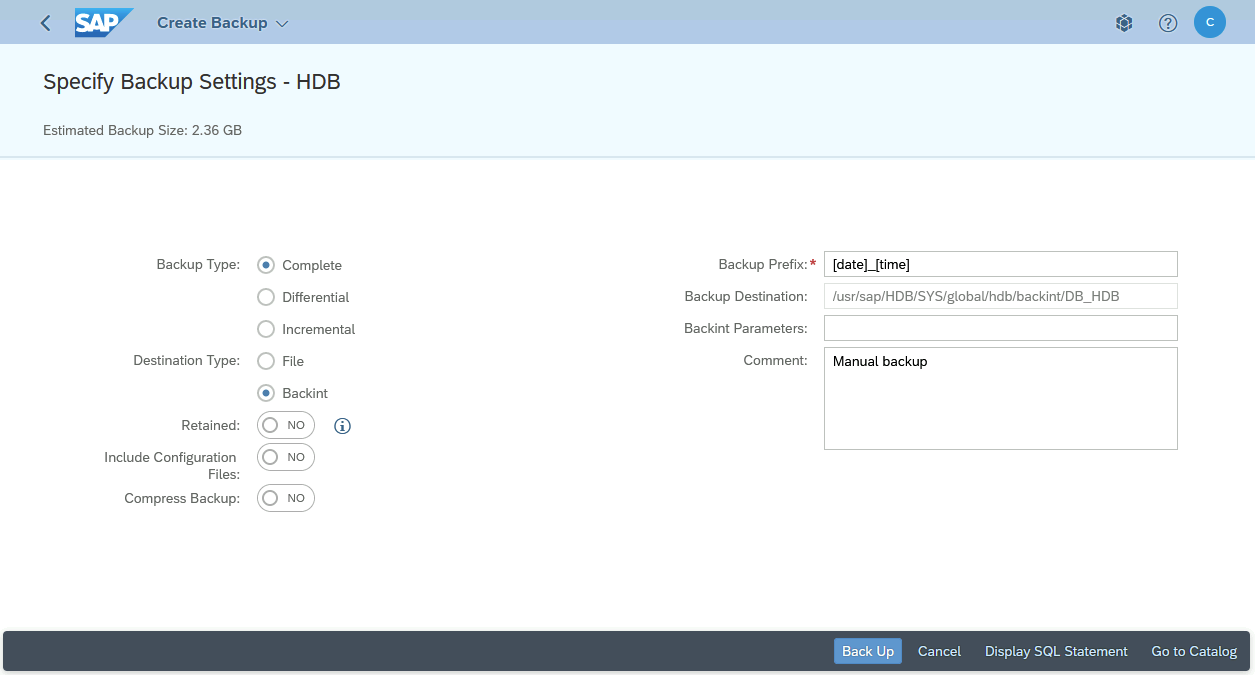
After the execution of these backups, several files named _databackup_ are now present in your first Object Storage bucket, these files correspond to backups of your SAP HANA database via the OVHcloud Backint Agent.
Two files named log_backup_0_0_0_0 and which have DB_<SID> and SYSTEMDB prefixes are also present in your first Object Storage bucket. These files correspond to backups of the SAP HANA backup catalog, allowing you to list backups known by SAP HANA.
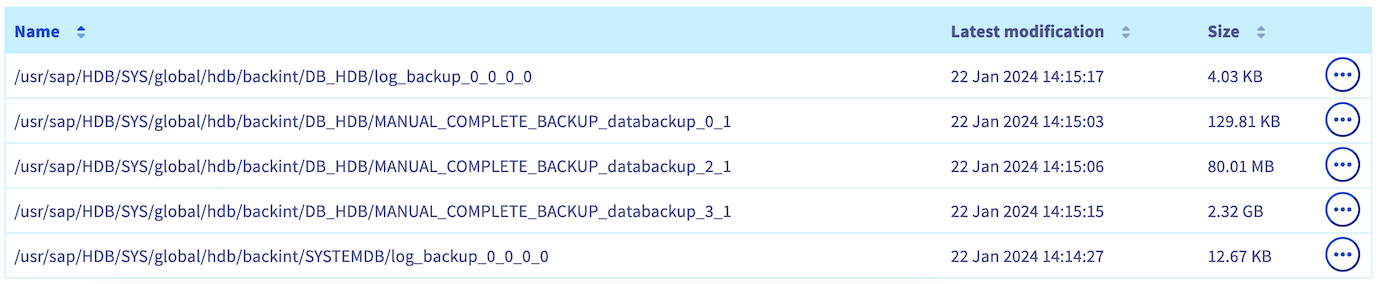
In your second Object Storage bucket, some files named log_backup are present and correspond to logs backups.

If these backups have not been done as expected, check the content of the following files to search for errors:
- backint.log
- backup.log
Both files are present in the repository /usr/sap/<SID>/HDB<NI>/<hostname>/trace for the SYSTEMDB backup and in the repository /usr/sap/<SID>/HDB<NI>/<hostname>/trace/DB_<SID> for the TENANTDB backup.
The backint.log file gives you information about the OVHcloud Backint Agent execution. For example, a permission issue with the Object Storage bucket:
The backup.log file gives you information about the backup execution through SAP HANA, its progress and its encountered errors.
You have the possibility to create more Object Storage buckets and apply on it different parameters as the retention policy or the managing object immutability.
In order to target the right Object Storage bucket, OVHcloud Backint Agent needs the corresponding hdbbackint.cfg file during the backup execution.
Scheduling
About the backups scheduling, please refer to our guide Install and use OVHcloud Backint Agent for SAP HANA.
Recovery
About the recovery of your SAP HANA database, please refer to our guide Install and use OVHcloud Backint Agent for SAP HANA.
The steps are the same, even if you use different Object Storage buckets for your DATA and LOG backups.
Go further
To improve the security of your backups, we advise you to set the object immutability.
For training or technical assistance implementing our solutions, contact your sales representative or visit our Professional Services page to request a quote and have your project analysed by our experts.
Join our community of users.