
Activating the application firewall
Find out how to activate the application firewall on a Web Hosting plan
Objective
ModSecurity is a complementary Apache module that filters all incoming requests on your web server. It increases security against known vulnerabilities by intercepting and filtering requests before they are processed by any scripts.
The preconfigured Core Rule Set (CRS) of our ModSecurity protects your websites against the most common attacks, for example:
- Trojans
- Email injections
- Broken PDF files
- File injections on your hosting system
- SQL or XSS type injections
- etc.
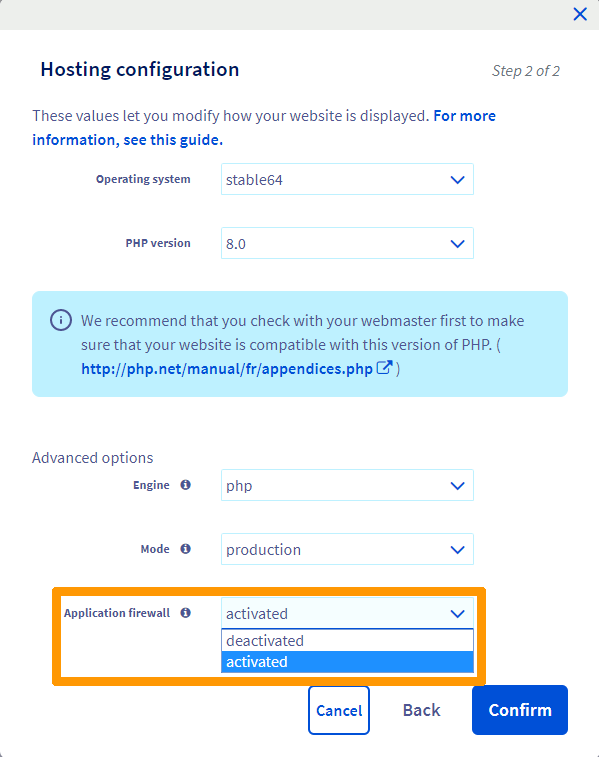
This guide explains how to enable the application firewall from your OVHcloud Control Panel, in order to benefit from enhanced protection.
Since your web hosting plan is hosted on a shared infrastructure, modifying your firewall configuration settings is unavailable.
Requirements
- an OVHcloud Web Hosting plan
- at least one domain name attached to the hosting
OVHcloud Control Panel Access
- Direct link:
- Navigation path:
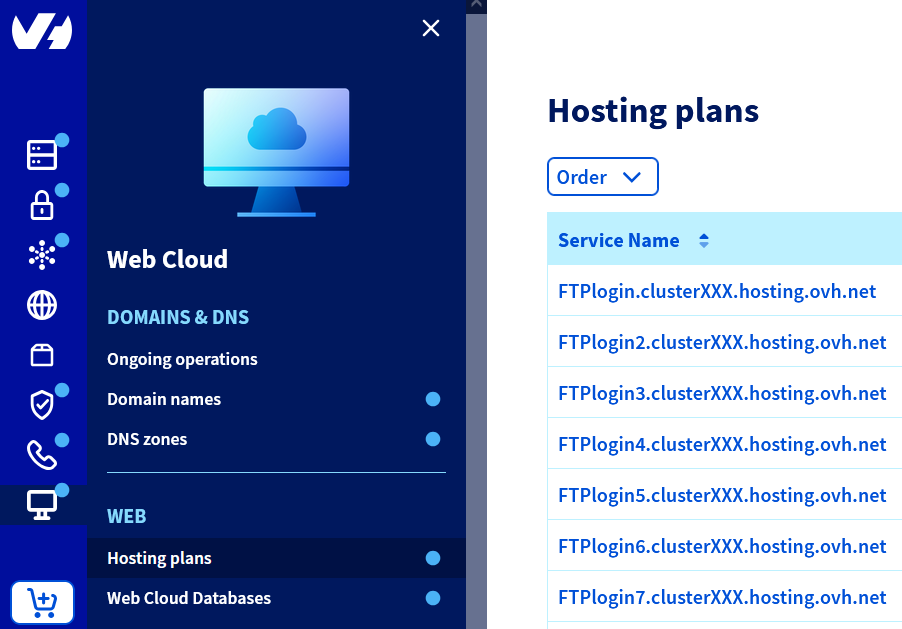
Web Cloud>Hosting plans> Select your web hosting plan
Instructions
Click on the titles below to display the explanations.
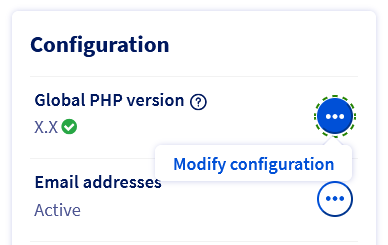
Enable the application firewall on your entire web hosting in the PHP configuration
Click on the tabs below to view each of the 3 steps.
Go to the page, then select the web hosting plan concerned.
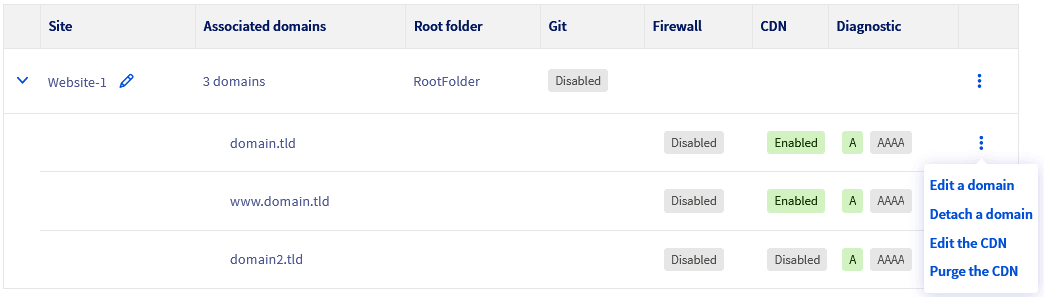
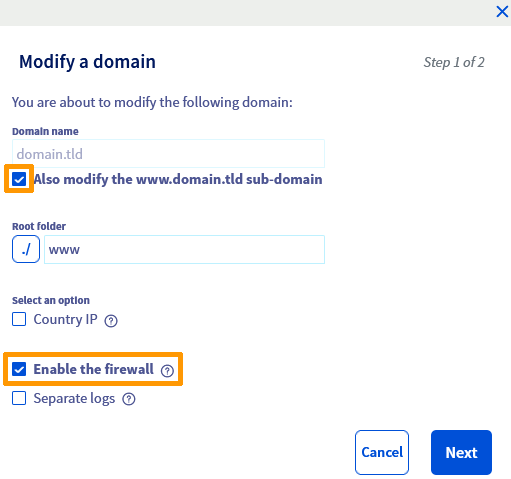
Enable the application firewall only on a specific domain name or subdomain
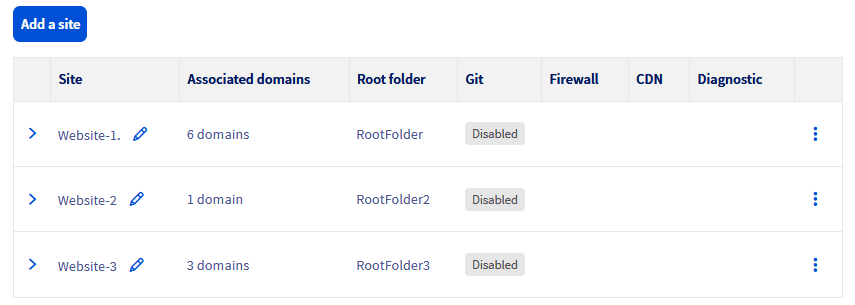
Click on the tabs below to view each of the 4 steps.
Go to the page, then select the web hosting plan concerned.

Go further
For specialised services (SEO, development, etc.), contact OVHcloud partners.
If you would like assistance using and configuring your OVHcloud solutions, please refer to our support offers.
Join our community of users.