
Web Hosting - How to modify a domain name already associated to a hosting plan
Find out how to change the association settings for a domain name or subdomain already declared on your web hosting plan
Objective
When you use your web hosting plan or update your website, you may need to modify settings for your domain name or subdomain already associated with your web hosting plan.
This guide only explains how to modify a domain name or subdomain that has already been declared on an OVHcloud Web Hosting plan.
- To associate a new domain name or subdomain with your website on your web hosting, please refer to our guide "How to associate a domain name with an existing website?".
- To add a new website to your web hosting, please refer to our guide "Hosting multiple websites on your Web Hosting plan".
Find out how to modify the association settings for a domainname or subdomain already declared on your web hosting plan.
Requirements
- An OVHcloud Web Hosting plan
- One or more domain names
- Sufficient rights to all the services concerned, find more information in our guide "Managing contacts for your services"
OVHcloud Control Panel Access
- Direct link:
- Navigation path:
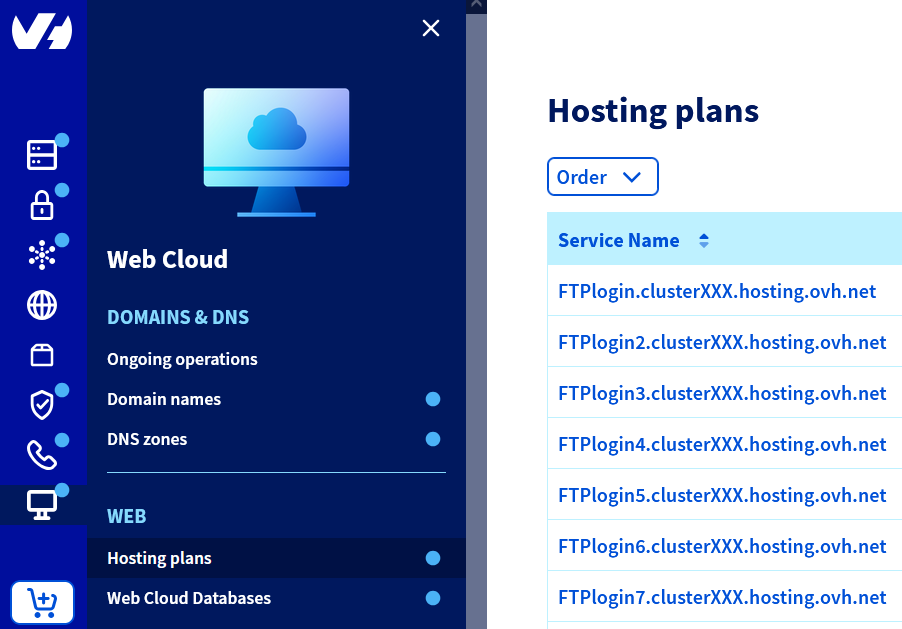
Web Cloud>Hosting plans> Select your web hosting plan
Instructions
Modifying the association settings for a domain name or subdomain can result in access to your services (your website) being interrupted. If you have any doubts about the modifications to be made, do not hesitate to contact a specialist provider.
To modify the association settings of a domain name or subdomain already declared on your web hosting plan, click on the tabs below to view each of the 4 steps.
Go to the page, then select the web hosting plan concerned.

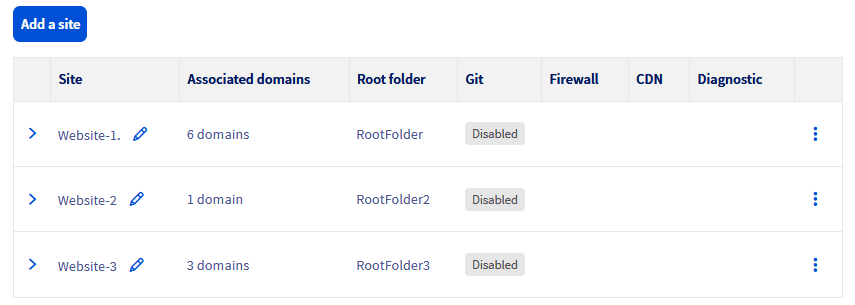
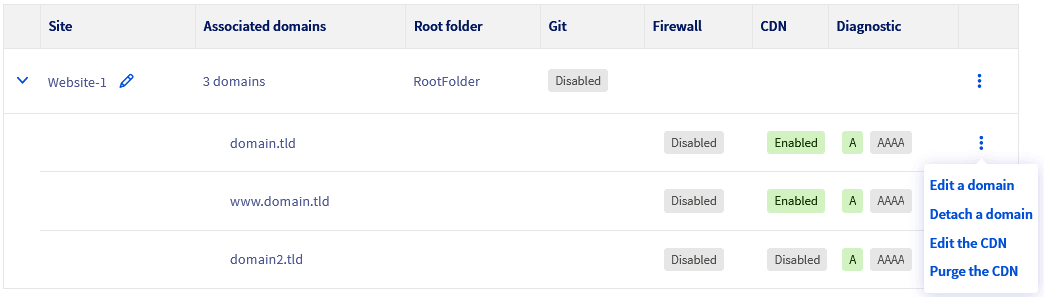
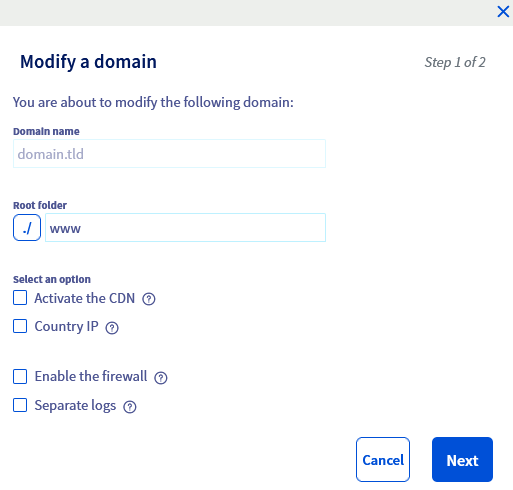
1 - Description of editable parameters
The Domain name and Root folder fields are not modifiable, as they are parameters related to the website on your web hosting plan.
- To associate a new domain name or subdomain with a website on your web hosting plan, please refer to our guide "How to associate a domain name with an existing website?".
- To change the root folder of your website, refer to our guide "How to modify the root folder of an existing website?".
The "Activate the CDN" option
To use this option, you must have already subscribed to an OVHcloud CDN solution, or have a Performance, Agency, Agency Plus or Agency Max web hosting plan.
Tick/untick this box to enable/disable the CDN option for your domain name or subdomain.
You can find more information on the CDN options/offers available in our dedicated documentation "Speeding up your website with CDN".
The "country IP" option
This option is mainly used for websites whose target audience is located in a different country than the web hosting. This will improve the SEO ranking of the website in the chosen country.
You can find more information on this option in our dedicated documentation "Geolocating your website in a specific country".
The "Enable the firewall" option
This option filters incoming requests to protect your web hosting plan against the most common attacks.
You can find more information on this option in our dedicated documentation "Activating the application firewall".
The "Separate logs" option
Tick/untick this option only if you want to separate your domain name logs from other domain names declared on your web hosting plan.
Find out more about this option in our detailed statistics page.
Once you have made your changes, click the Next button in the bottom right-hand corner of the window to go to Part 2.
2 - Summary of changes
Once you have clicked the Next button, you will see a summary of the settings you are about to apply to your domain name:
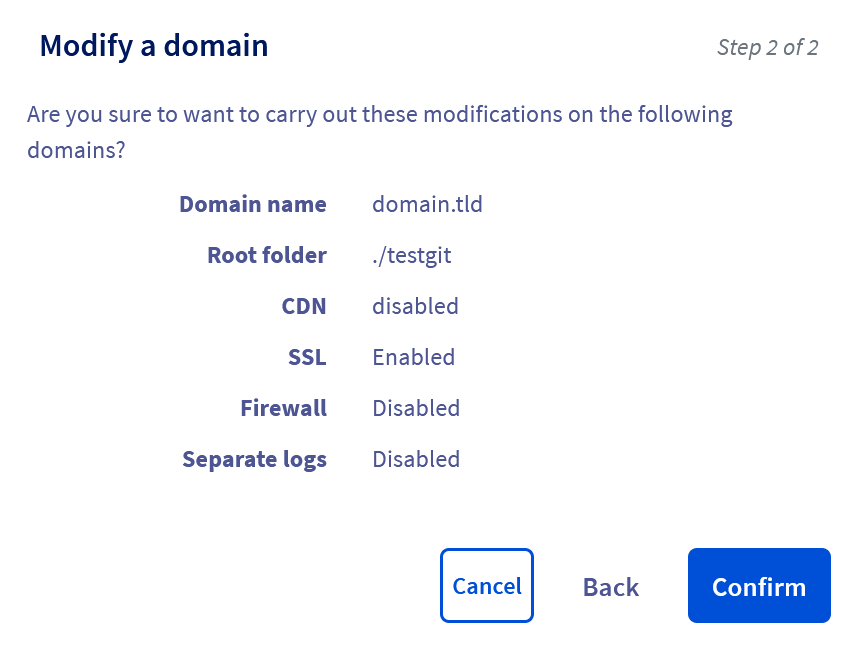
If all the settings are configured as you want, click the Confirm button.
Depending on the options you have selected, the changes may take between a few minutes and a few hours to be applied.
If modifications of the CDN, Country IP and separate logs options are not taken into account after 24 hours, please refer to the respective resources listed for all of the options described in Part 1, in order to check that all of the required conditions have been met.
Go further
Hosting multiple websites on your Web Hosting plan
Managing SSL certificates on a web hosting plan
Speeding up your website with CDN
Geolocating your website in a specific country
Activating the application firewall
For specialised services (SEO, development, etc.), contact OVHcloud partners.
If you would like assistance using and configuring your OVHcloud solutions, please refer to our support offers.
Join our community of users.