
Backup Agent - Managing your backups
Learn how to back up your data on your Bare Metal servers with Backup Agent
Objective
Learn how to back up your data on your Bare Metal servers with Backup Agent.
Need to restore your data? File-level restore is the primary and most common method; full server restore (Bare Metal Recovery) is reserved for disaster recovery scenarios. See the "Triggering restores" guide.
Find more information on the Backup Agent product on this page.
Requirements
- A Bare Metal server with the Backup Agent installed on it. Read our guide "How to configure your first backup for more information".
OVHcloud Control Panel Access
- Direct link:
- Navigation path:
Bare Metal Cloud>Backup Agent
Instructions
Backup
You have two options for making backups: Automatic Backup and Manual Backup.
Automatic backup
Automatic backup is included in the backup policy that we apply to your Backup Agent.
This backup will make a full backup of your server, which will be sent to your remote storage point.
This will trigger between 10 p.m. and 6 a.m. (CET time zone for Europe - EST time zone for Canada and Asia).
You cannot change or disable this automatic backup. Currently, you cannot modify the policy that backs up your entire server. We are working to improve this configuration in the future.
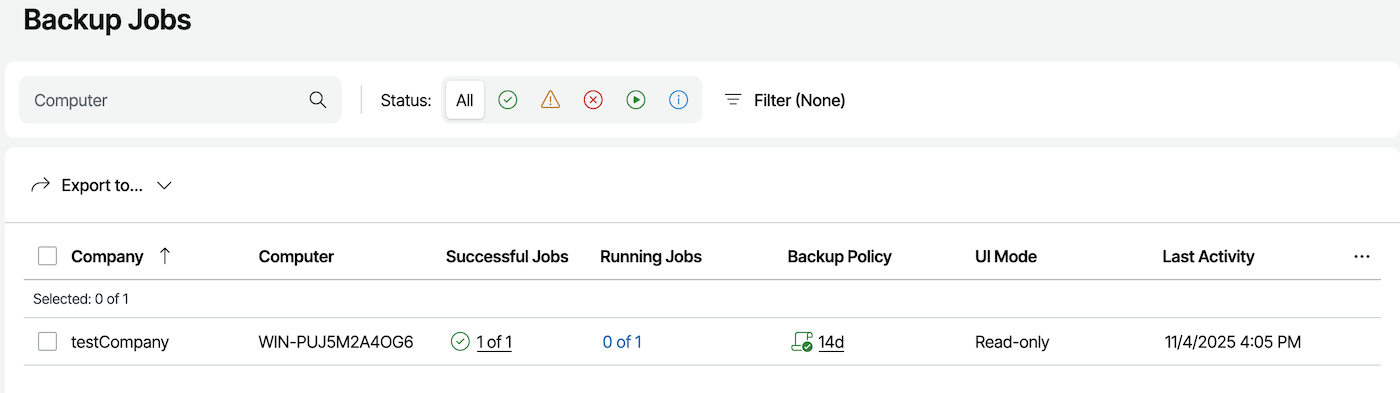
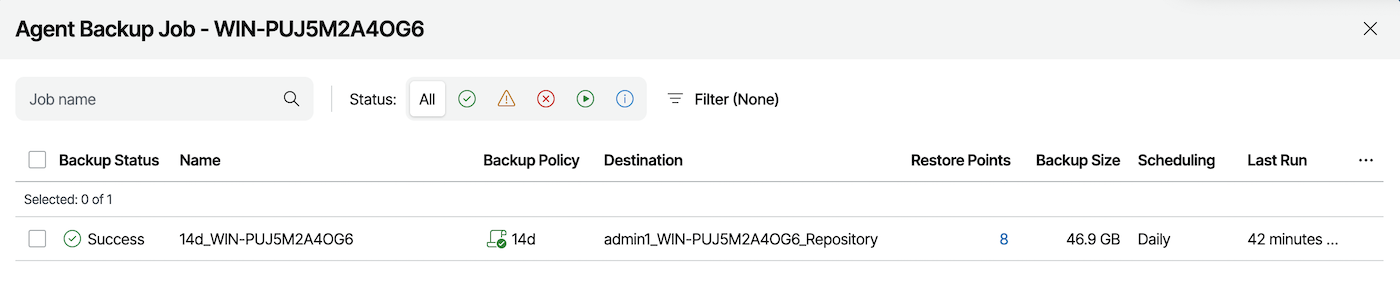
You can view the success of this backup via:
- The daily report of backups.
- The "Backup Jobs" dashboard of the Veeam Service Provider Console.
Manual backup
If necessary, you can trigger a manual backup.
It will also create a full backup of your server and will always be sent to your remote storage point.
To create a manual backup, click on the tab corresponding to your Operating System:
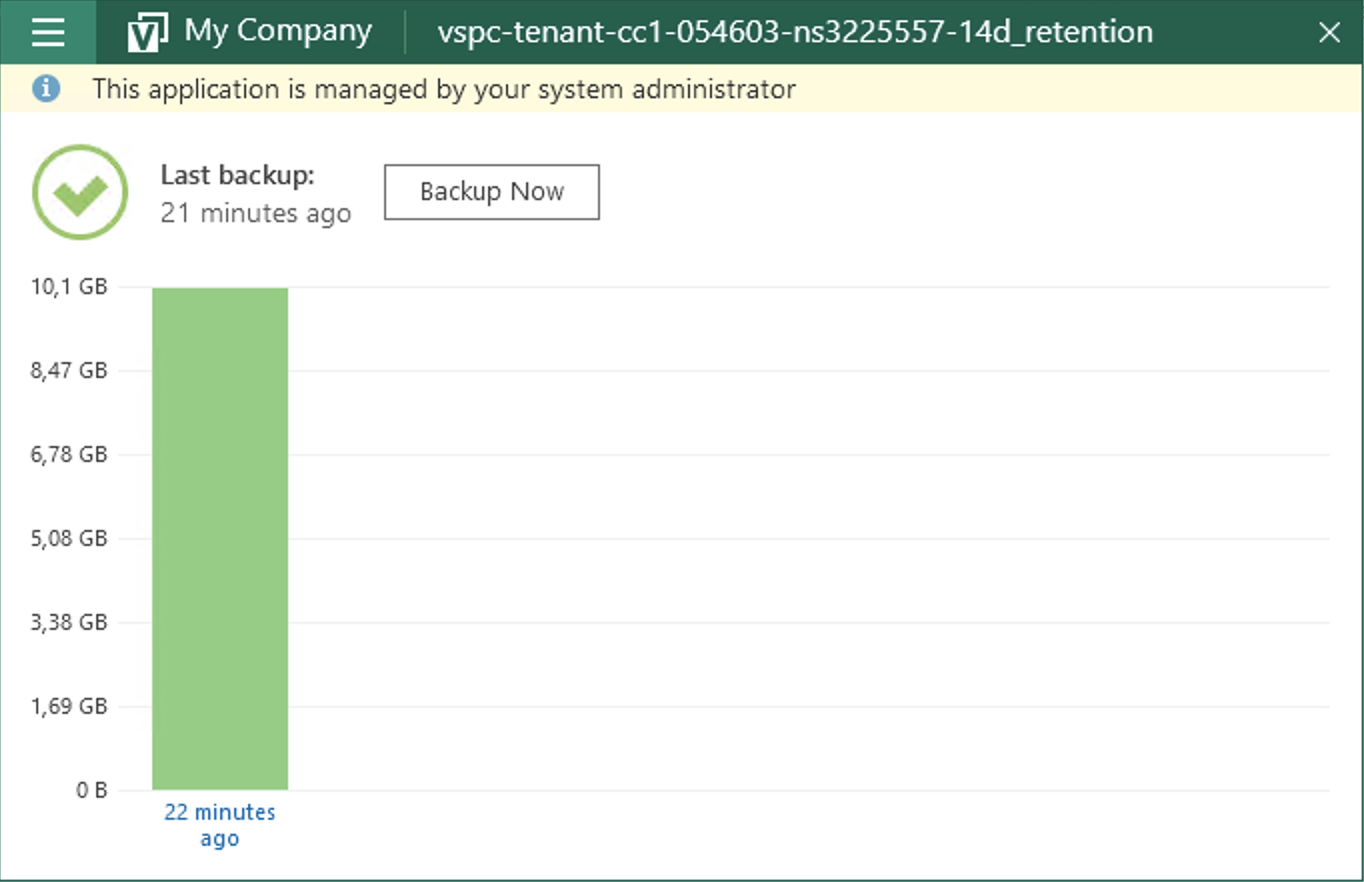
Open the "Veeam Agent" application on your Bare Metal server:

Click the Backup Now button to launch a backup:
Go further
See our "Triggering restores" guide to restore your files or your entire server.
Join our community of users.