
How to add a DNS A record for a domain name
Find out how to add an A record to an OVHcloud DNS zone for your domain name
Objective
Want your website to be accessible via your domain name? To do this, your domain name must point to the IP address of the service your website is located on (web hosting plan, dedicated server, VPS, etc.). You will then need to configure your domain name's active DNS zone using a type A DNS record.
Find out how to add a DNS A record to an OVHcloud DNS zone for your domain name.
To modify or delete an A record of an OVHcloud DNS zone, follow this guide.
Requirements
- A domain name
- A DNS zone associated with this domain name at OVHcloud
OVHcloud Control Panel Access
- Direct link:
- Navigation path:
Web Cloud>Domain names> select your domain name >DNS zonetab
Instructions
Adding, modifying or deleting DNS records in an active DNS zone can cause service interruptions. If in doubt, contact a specialist provider.
Add a DNS A record for a domain name
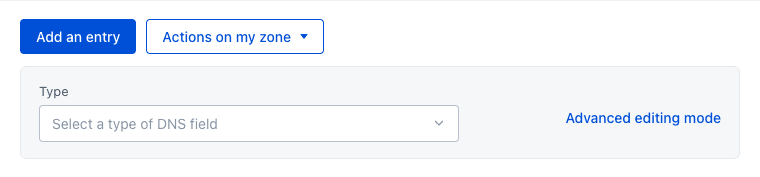
Click Add an entry above the table and select the A type. In the Target field, enter the IP address (e.g. 203.0.113.0) of the service your website is hosted on (web hosting plan, dedicated server, VPS, etc.), then click Add.
It takes up to 24 hours for the change to propagate fully over the DNS network.
Click here for more information.
See our detailed guides:
Add a DNS A record for a domain name subdomain
Follow the same steps as above and, in the Subdomain field, enter the subdomain (e.g. www for www.domain.tld) before setting the Target to the IP address (e.g. 203.0.113.0) of the service your website is hosted on. Then click Add.
Click here for more information.
See our detailed guides:
Go further
Everything you need to know about DNS zones.
Everything you need to know about DNS records
For specialised services (SEO, development, etc.), contact OVHcloud partners.
If you would like assistance using and configuring your OVHcloud solutions, please refer to our support offers.
Join our community of users.