
Dashboards - Tutorial - How to use the Grafana® API
Learn how to use the Grafana® API
Objective
Using the Grafana® API is not obvious and not already clearly documented. This tutorial explains how to configure Grafana® to use the API and how make calls to the exposed API.
Requirements
- A Public Cloud project in your OVHcloud account
- A Dashboards service running on your OVHcloud Public Cloud project (see this guide to create a managed Dashboards service)
Instructions
Create a Grafana® service account
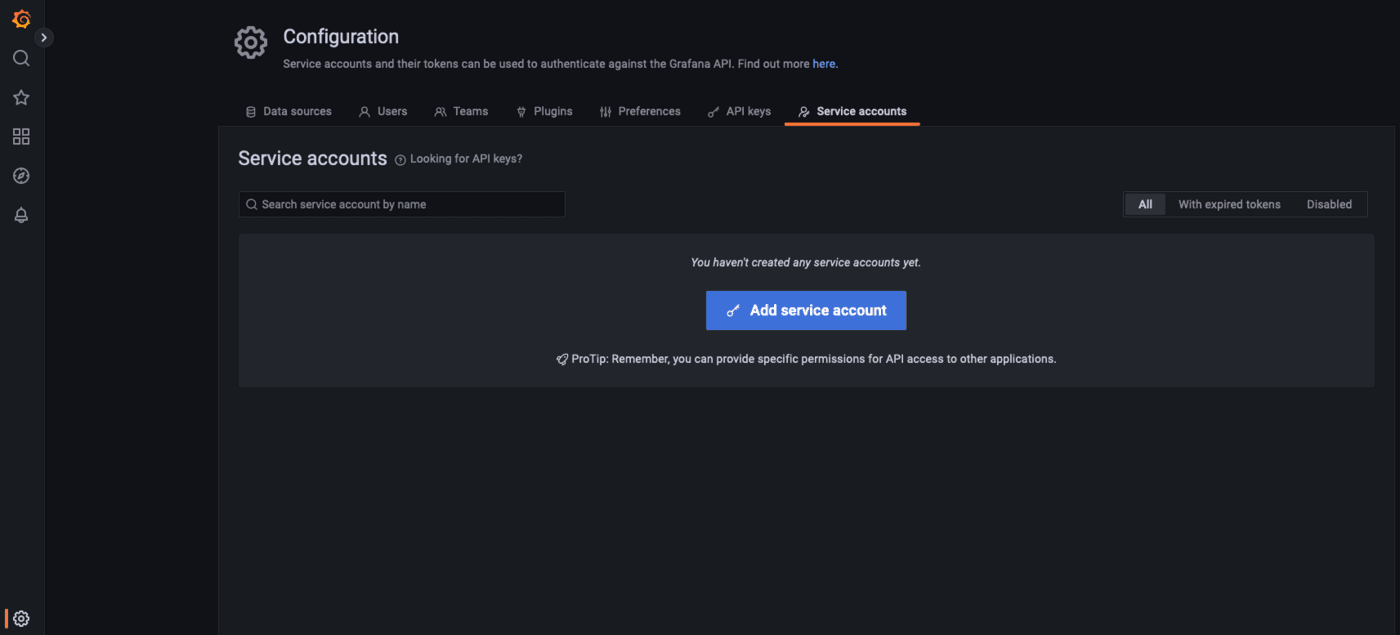
In the configuration menu, display the Service accounts tab:
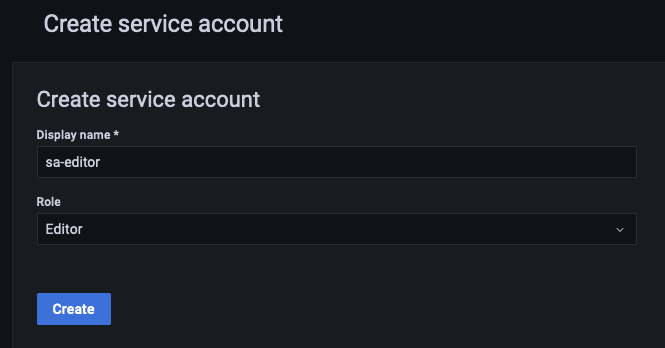
Create a new service account sa-editor with the role Editor:
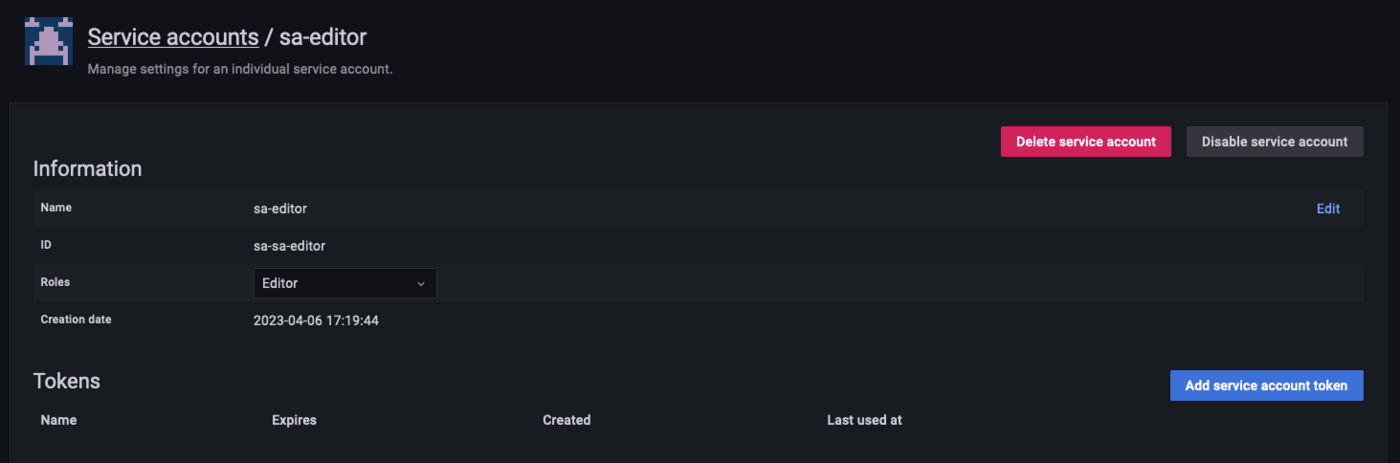
Click on Add service account token:
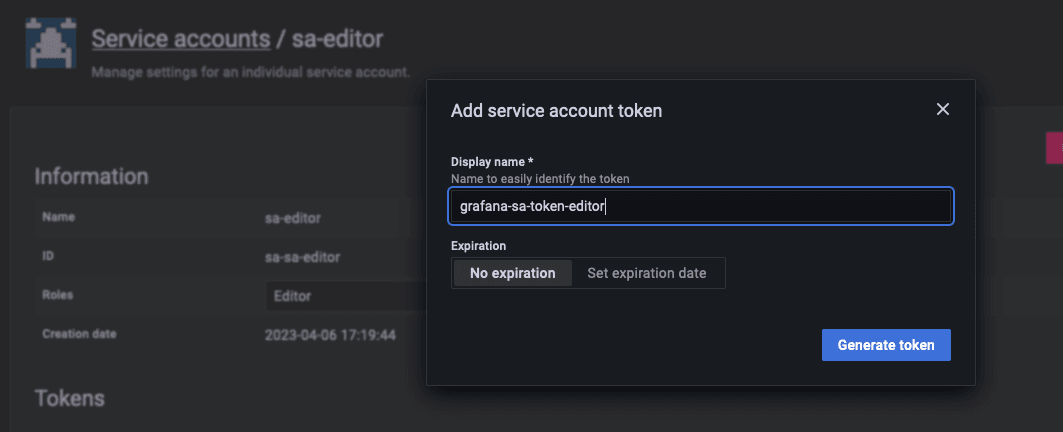
Enter the name of the desired token, grafana-sa-token-editor, and click on Generate token:
Copy the generated token:
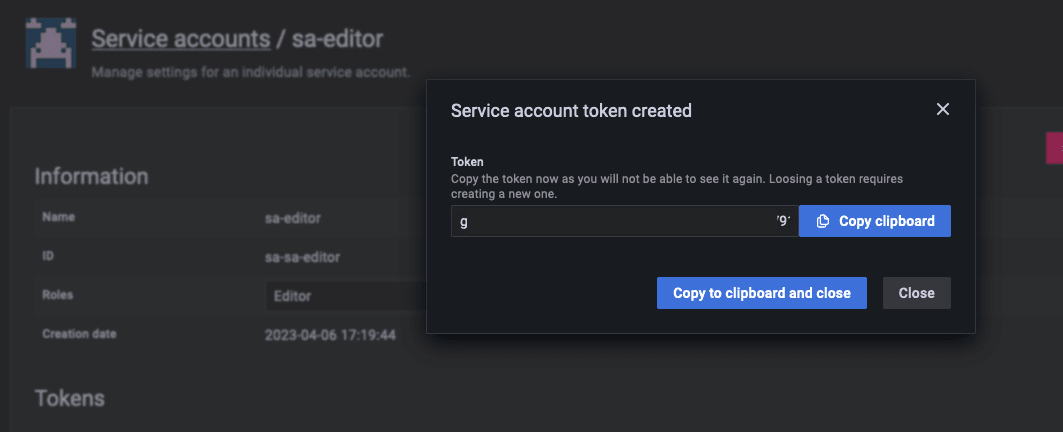
After closing the pop-up, you will no longer be able to display the token!
The created token appears in the tokens list:
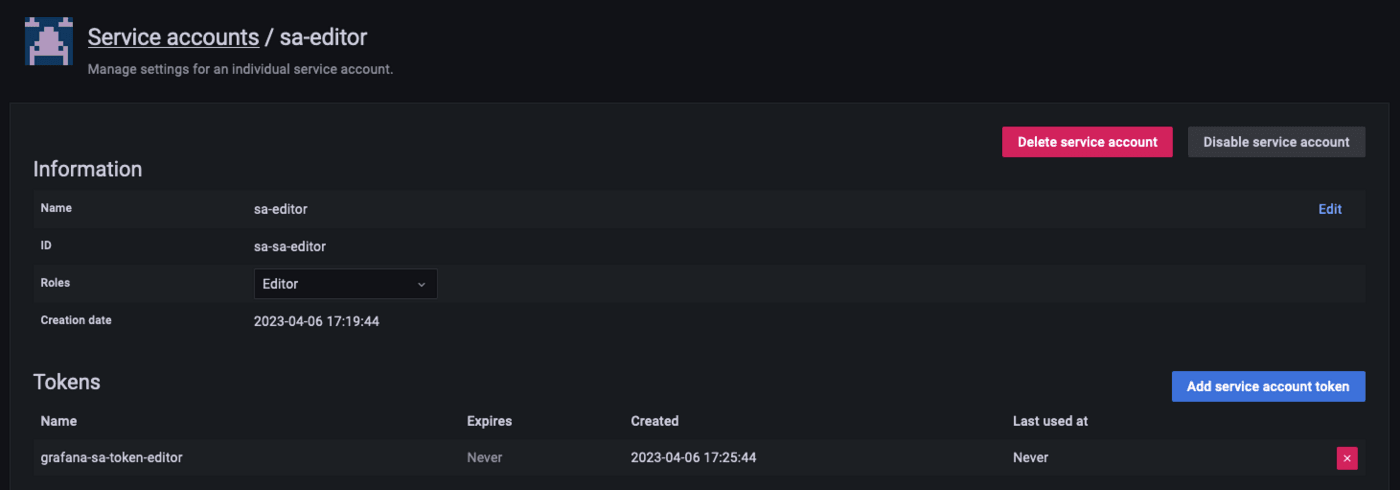
You are ready to use this token with the Grafana® API.
Use the Grafana® API
Detailed instructions on how to use the API and the possible actions can be found in the official documentation: https://grafana.com/docs/grafana/latest/developers/http_api/
Don't forget to set the Authorised IP addresses in the Dashboards configuration. See our guide on Configuring your Grafana instance to accept incoming connections for more details.
To send a request to the API you must use the previously created token and set it in the request header as a "Bearer token":
Here it is, you can now use all the power of the Grafana® API.
We want your feedback!
We would love to help answer questions and appreciate any feedback you may have.
For training or technical assistance implementing our solutions, contact your sales representative or visit our Professional Services page to request a quote and have your project analysed by our experts.
Are you on Discord? Connect to our channel at https://discord.gg/ovhcloud and interact directly with the team that builds our databases service!