
Importing ISO images
Managing ISO images from Prism Central
Objective
You can add ISO images to the Nutanix system for later use when installing an operating system.
This guide details how to import ISO images from Prism Central.
OVHcloud provides services for which you are responsible, with regard to their configuration and management. It is therefore your responsibility to ensure that they work properly.
This guide is designed to assist you as much as possible with common tasks. Nevertheless, we recommend contacting a specialist provider if you experience any difficulties or doubts when it comes to managing, using or setting up a service on a server.
Some softwares require a licence such as Microsoft products, so make sure that all installed systems and software have these licences.
Requirements
- a Nutanix cluster in your OVHcloud account
- access to the
- You must be connected to Prism Central on the cluster
Overview of the image system in Nutanix
Images are imported files of various formats, such as ISO images, but it is also possible to import most images of existing virtual machines (vhdx, qcow2, etc.).
Images are imported from Prism Central or Prism Element. This documentation describes how to import an image from Prism Central.
You can import images from a local file or a URL link.
For more information on creating images, see the Go further section of this guide.
Instructions
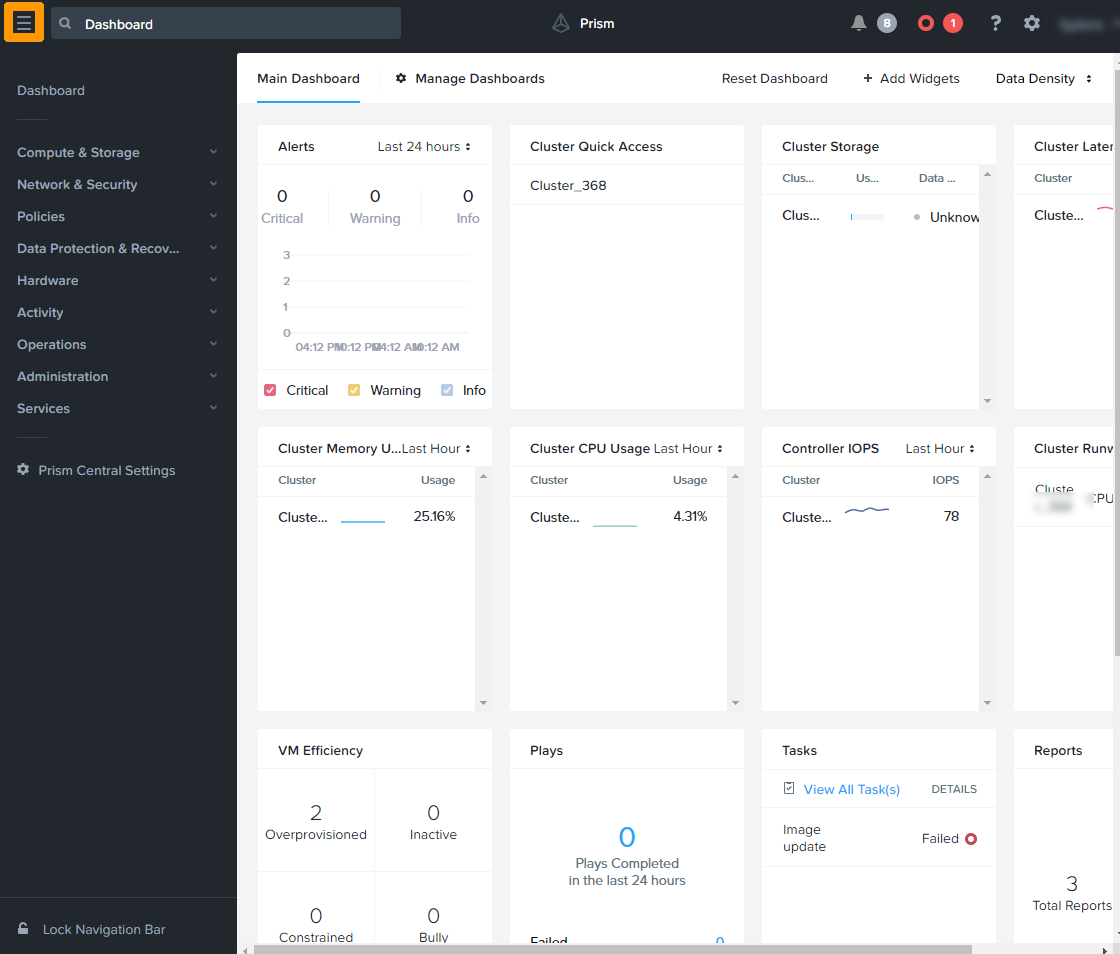
From Prism Central, open the main menu via the top left button.
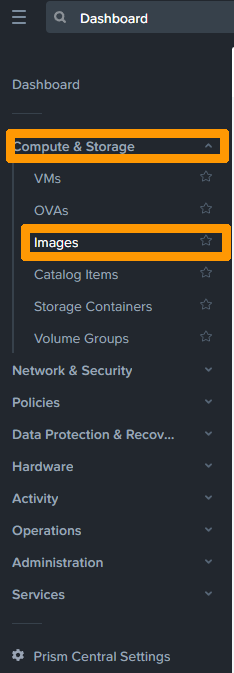
Unfold Compute & Storage and click Images.
 .
.
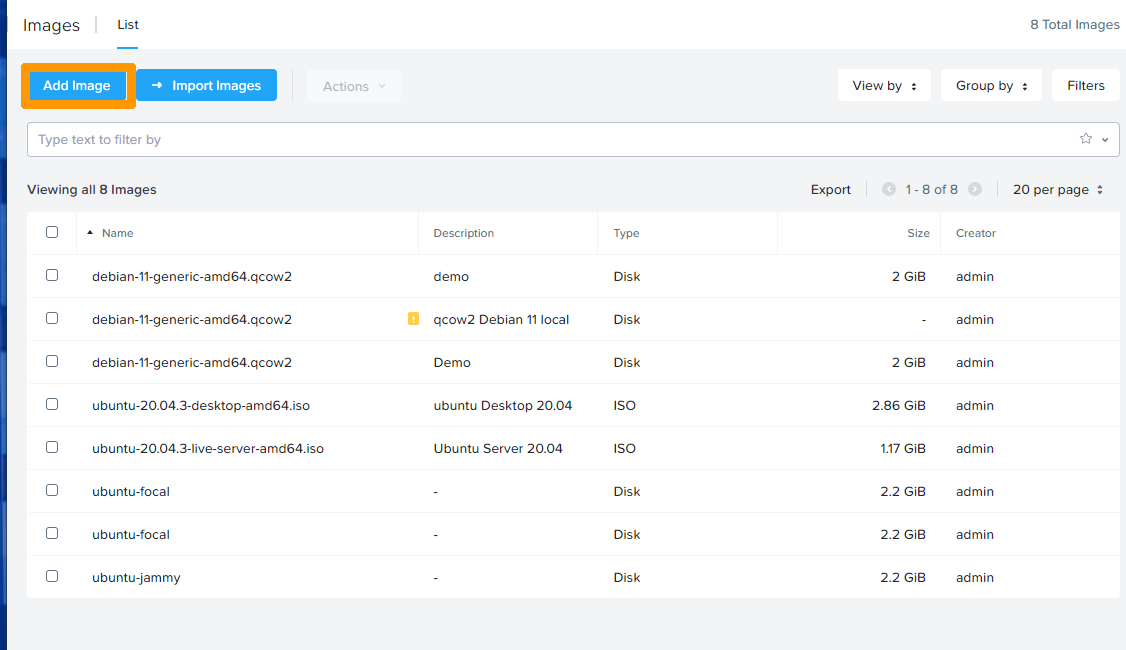
Click Add Image.
Click the Add File button.
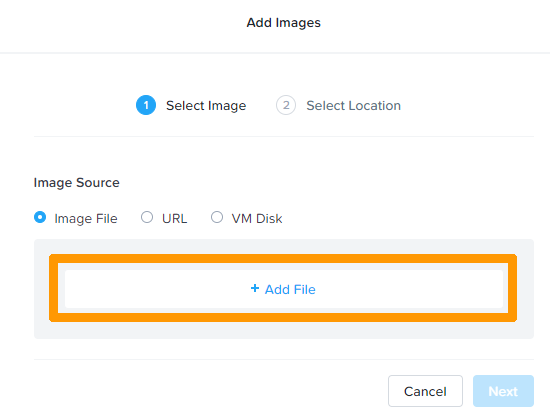
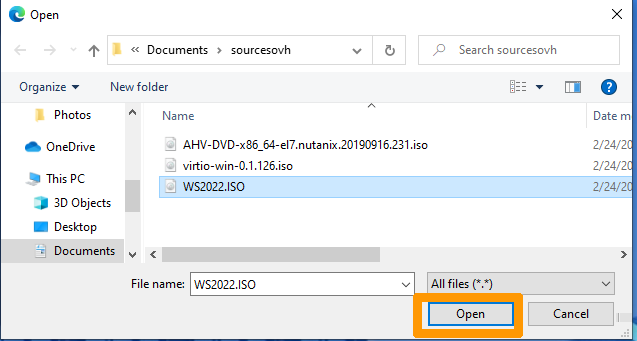
Select the image file and click Open.
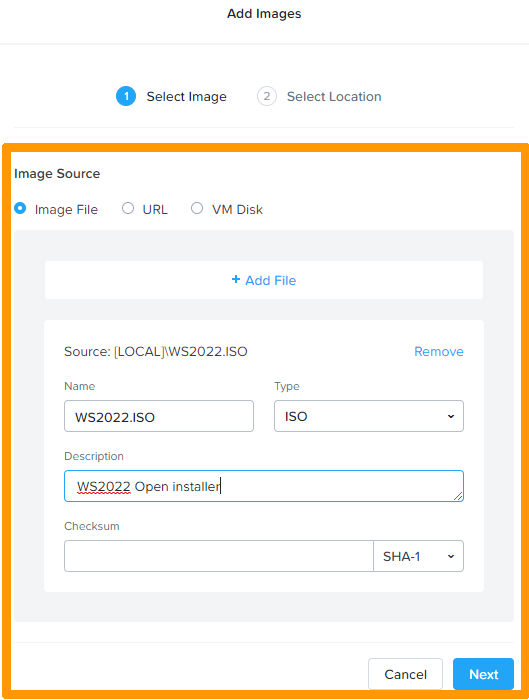
Type the file name, add a description, and then click Next.
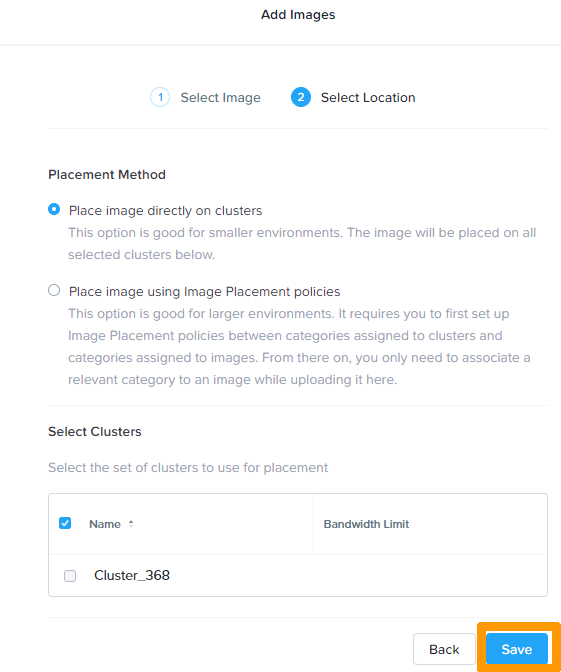
Leave the default options and click Save.
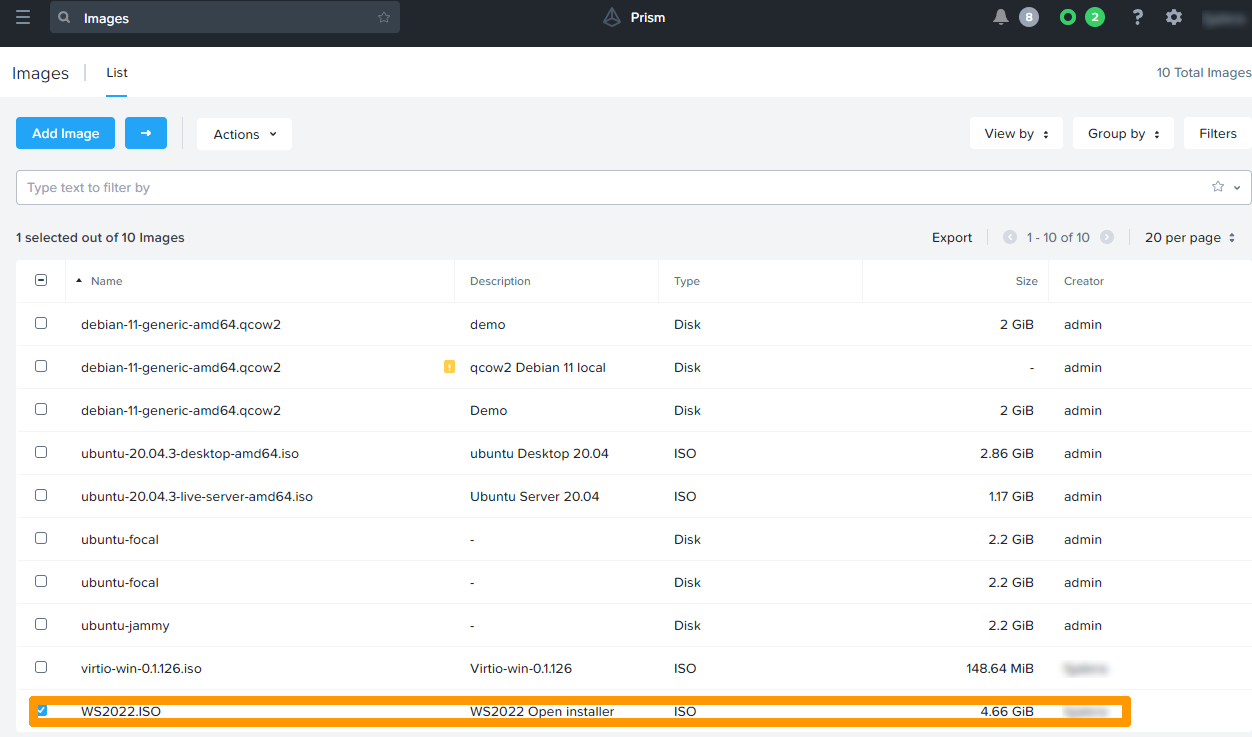
The imported image appears in the images dashboard in Prism Central.
Go further
Presentation of a Nutanix cluster
Nutanix documentation for importing images from Prism Central
Nutanix documentation for importing images from Prism Element
For training or technical assistance implementing our solutions, contact your sales representative or visit our Professional Services page to request a quote and have your project analysed by our experts.
Join our community of users.