
Installation of OVHcloud Connect Provider from the OVHcloud Control Panel
Find out how to set up your OVHcloud Connect Provider solution via the OVHcloud Control Panel
Objective
With OVHcloud Connect, you can link your company network to your private OVHcloud vRack network, without creating a VPN tunnel through the internet. This will give you a quicker, more stable connection with guaranteed bandwidth.
This guide will show you how to set up the OVHcloud Connect Provider solution via the OVHcloud Control Panel
Requirements
To ensure correct operation of this service, you must be aware of the technical capabilities and limitations of the OVHcloud Connect solution and configure your network devices accordingly.
- An OVHcloud Connect Provider solution
- An OVHcloud vRack
OVHcloud Control Panel Access
- Direct link:
- Navigation path:
Network>OVHcloud Connect> Select your service
Instructions
Step 1: Ordering your solution
Once you have ordered your OVHcloud Connect Provider solution, you will receive an order confirmation via email, along with a service key.
Depending on the provider you have chosen, go to their portal to log in via the link provided in the order confirmation email. Then enter your service key and confirm the order presented to you.
Next, check the activation status of your solution in the . Your solution's status should have changed to “Active”.
Step 2: Associating a vRack
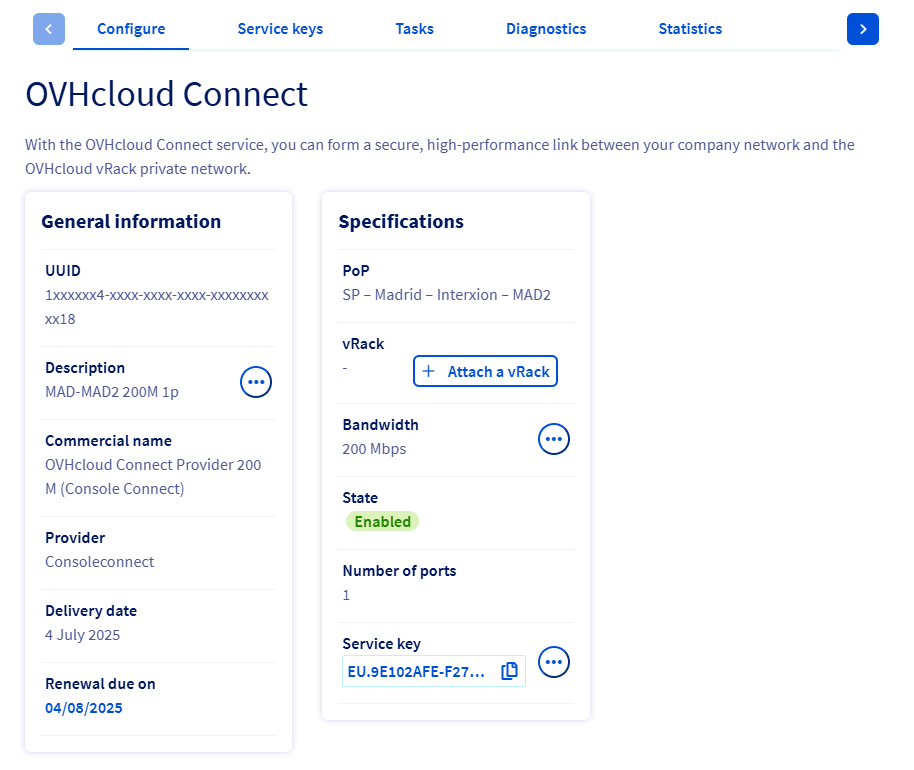
You will need to link a vRack to your solution first. Click the Attach a vRack button and select an existing vRack from the drop-down menu.
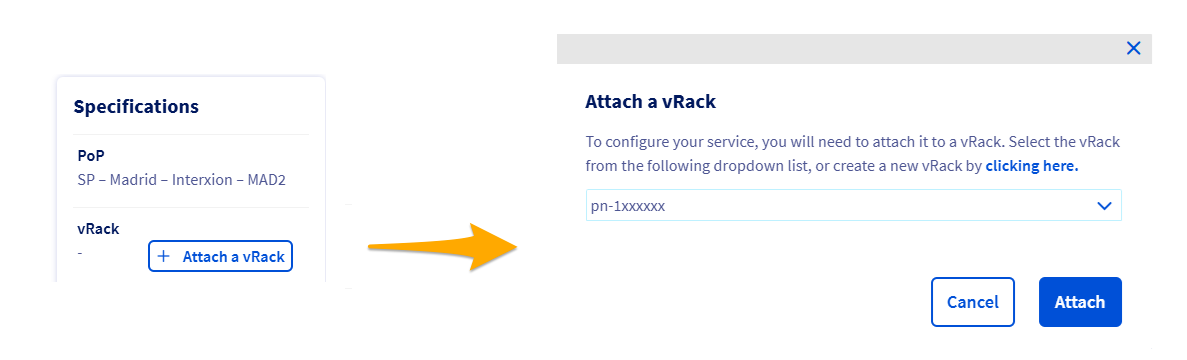
A message will confirm the vRack association.

Step 3: Adding a PoP configuration
The OVHcloud Connect Provider solution requires an L3 level configuration.
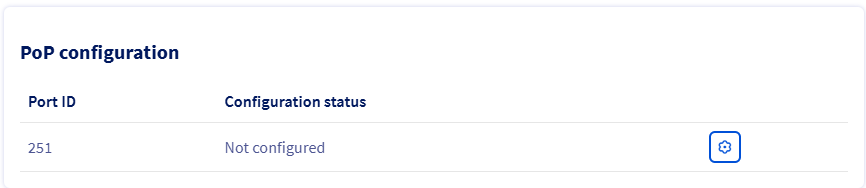
Once you have connected your vRack, click the cogwheel button in the PoP configuration section and select the L3 configuration from the drop-down menu.
You will then need to enter the following:
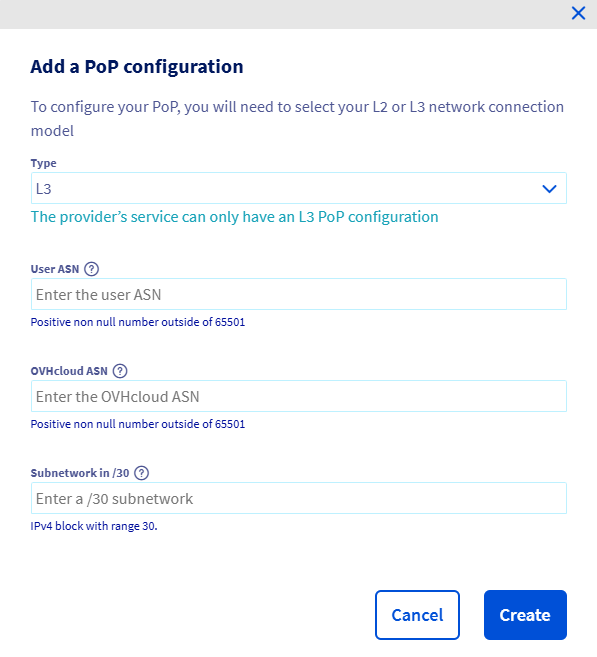
The PoP configuration menu will then appear.
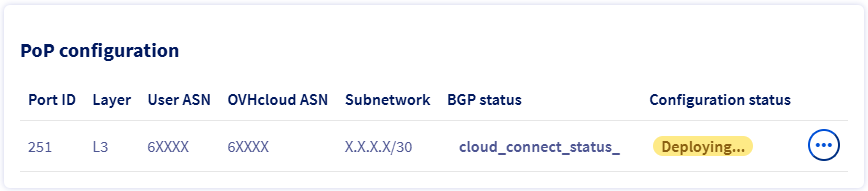
Step 4: Adding an availability zone configuration
When your PoP configuration has been set, click Add a configuration under the AZ configuration menu.

Select an availability zone from the dropdown menu, then enter the information required.
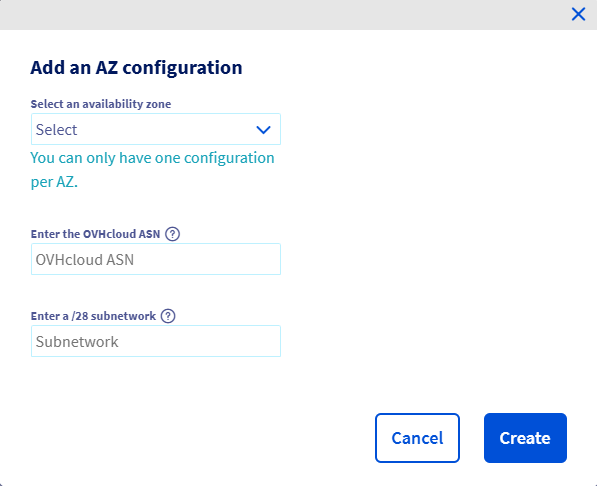
You can add additional availability zone configurations by clicking on the + Add a configuration button.
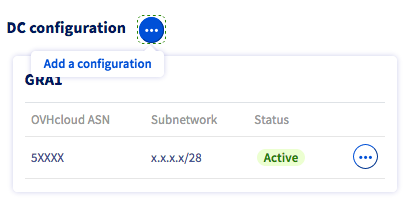
You must also add a routing configuration.
Adding a routing configuration
Click on the ... button on the desired availability zone then on Add routing configuration.
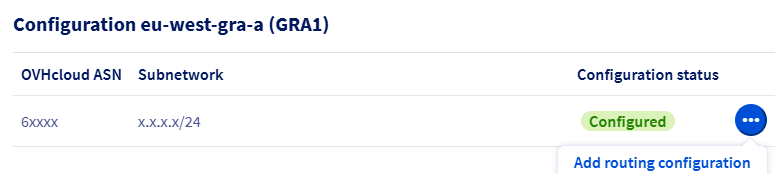
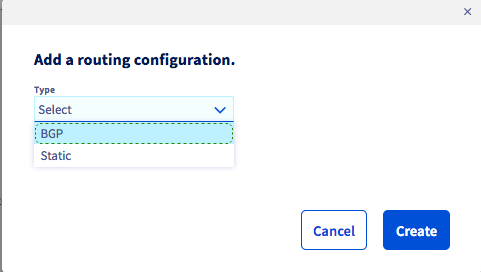
Then choose the routing type between Static and BGP.
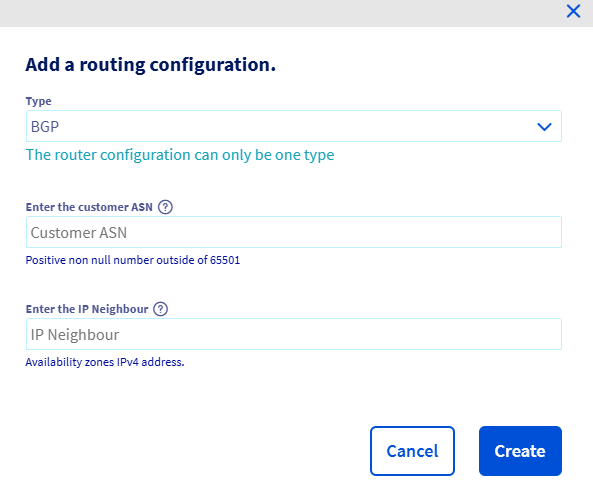
If you choose the BGP type, then enter the required information:
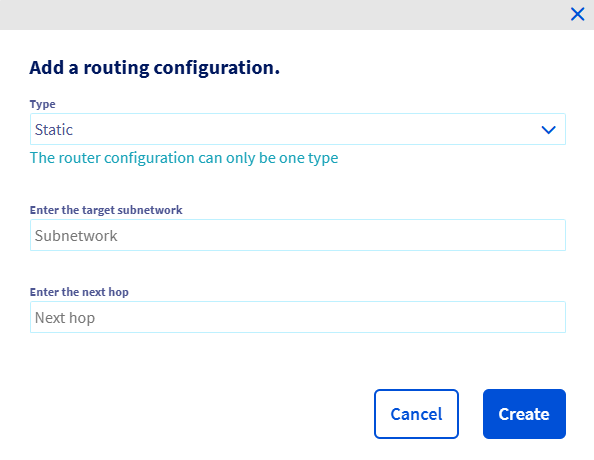
If you choose the Static type, enter the required information:
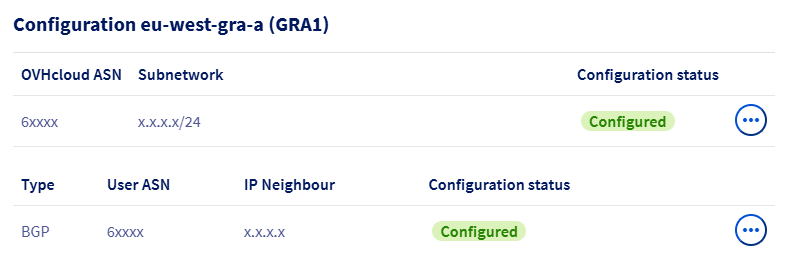
You can add multiple routing configurations within the same availability zone. The configuration type (BGP or Static) chosen for your first configuration will then apply to the next configuration in the same availability zone.
Deletion of vCenter resources
Each resource (PoP or AZ) can be deleted individually, but deleting a parent resource such as AZ or POP will automatically delete all the subresources.
Recursive removal is slower than sequential removal of each resource.
If a AZ configuration is shared between two or more OVHcloud Connect services, removing the PoP configuration from a single OVHcloud Connect service will not affect the AZ resource.
Deleting a Routing Configuration
To delete a routing configuration, click the ... button on the routing configuration to delete, then click Delete.

Deleting a AZ configuration
To delete a AZ configuration, click the ... button on the AZ configuration to delete, then click Delete.
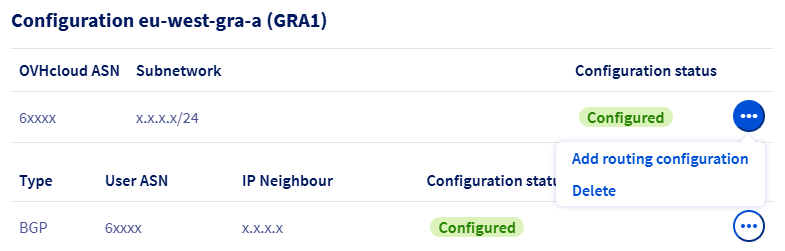
Deleting an AZ configuration will delete the related routing configurations.
Deleting a PoP configuration
To delete a PoP configuration, click the ... button on the PoP configuration, then click Delete configuration.

Deleting a PoP configuration will delete the AZ and routing configurations.
Go further
For training or technical assistance implementing our solutions, contact your sales representative or visit our Professional Services page to request a quote and have your project analysed by our experts.
Join our community of users.