
Cómo utilizar un nombre de dominio de OVHcloud con iCloud Mail
Descubra cómo configurar su nombre de dominio de OVHcloud con iCloud para crear direcciones de correo electrónico personalizadas
Información sobre la administración de los servicios de OVHcloud y cómo encontrar la asistencia adecuada
Al utilizar las guías de OVHcloud, tenga en cuenta las siguientes condiciones:
- Las instrucciones pretenden ofrecer el mayor detalle posible, pero no pueden cubrir todos los casos de uso individuales. Es posible que deba adaptar las acciones descritas a sus necesidades.
- El ecosistema de OVHcloud está diseñado para ofrecer flexibilidad y libertad de elección. Por lo tanto, los clientes son responsables de la configuración correcta y segura de sus servicios. Para evitar la pérdida de datos, recomendamos encarecidamente aplicar estrategias de copia de seguridad a todos sus datos importantes.
- Nuestras guías y tutoriales pueden hacer referencia a software o servicios de terceros en combinación con las soluciones de OVHcloud. El soporte técnico de OVHcloud no incluye la configuración de sistemas o productos fuera de nuestra responsabilidad. Esto incluye, entre otros:
- Sistemas operativos e interfaces de usuario (Windows, Debian, Plesk, etc.).
- Cualquier otro software de terceros (clientes FTP, software de correo electrónico, etc.).
- Servicios ofrecidos por otros proveedores (DNS, API, interfaces de usuario, etc.).
Para recibir la asistencia adecuada ante cualquier problema, siga estas recomendaciones:
- ¿Busca asesoramiento personalizado o desea tratar un tema que no se aborda en detalle en nuestra documentación?
Únase a la comunidad de OVHcloud para buscar su tema y contactar con otros usuarios. - ¿Necesita informar de un incidente relacionado con su servicio de OVHcloud o tiene dificultades en el área de cliente de OVHcloud?
Cree una solicitud de soporte en nuestro centro de ayuda. - ¿Necesita asistencia profesional para su proyecto o ayuda con tareas fuera de nuestro ámbito de soporte?
Visite nuestro portal de partners para encontrar expertos familiarizados con las soluciones de OVHcloud. - ¿Busca información más detallada sobre nuestros niveles de soporte y Professional Services?
Visite nuestras páginas web sobre los niveles de soporte de OVHcloud y los OVHcloud Professional Services.
Puede participar en la mejora de nuestra documentación:
- ¿Desea enviar comentarios para mejorar una guía o informar de información insuficiente en una página concreta?
Utilice los botones «¿Le ha resultado útil esta página?» al final de la página para hacérnoslo saber. - ¿Desea proponer una actualización concreta de la documentación?
Utilice la función «Editar esta página», disponible al final de la página y en la barra lateral.
Objetivo
Esta guía le explica cómo utilizar un nombre de dominio registrado en OVHcloud con el servicio iCloud Mail de Apple. De este modo, podrá crear direcciones de correo electrónico personalizadas (john.smith@mydomain.ovh), gestionadas y alojadas íntegramente por Apple.
Requisitos
- Un nombre de dominio registrado en OVHcloud.
- Un identificador de Apple con una suscripción iCloud+.
Acceso al área de cliente de OVHcloud
- Enlace directo:
- Ruta de navegación:
Web Cloud>Zonas DNS> Seleccione su nombre de dominio
Procedimiento
1 - Activar el nombre de dominio en iCloud
Para activar su nombre de dominio en iCloud, siga las instrucciones de la página "Add a domain you own to iCloud Mail on iCloud.com" de la documentación oficial de Apple. Céntrese en la sección "Step 3: Update the records with your domain registrar" (Actualizar los registros en su agente registrador de dominios), para anotar los registros DNS que deberá añadir a su zona DNS de OVHcloud.
Al final de esta etapa, Apple le comunica la lista de registros DNS (MX, CNAME, TXT) que debe configurar en su zona DNS de OVHcloud. Consérvela para la siguiente etapa.
2 - Configurar los registros DNS en su área de cliente de OVHcloud
Haga clic en las pestañas siguientes para mostrar cada una de las 2 etapas.
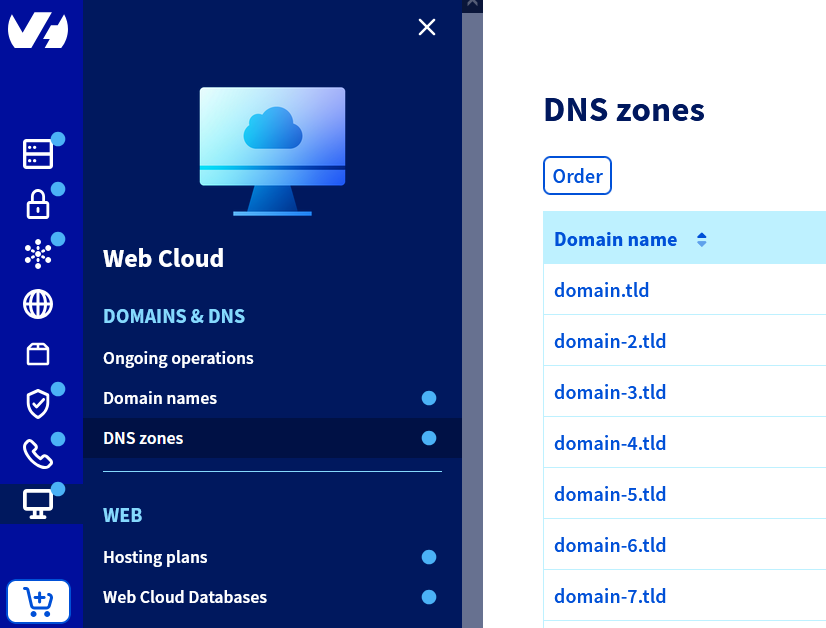
En la sección Zonas DNS, seleccione el nombre de dominio correspondiente.
3 - Añadir un registro DMARC (opcional)
Para mejorar la entregabilidad de sus correos electrónicos y evitar que se clasifiquen como spam, añada un registro DMARC.
Para saber cómo crear un registro DMARC en su área de cliente de OVHcloud, consulte nuestra guía "Mejorar la seguridad del correo electrónico mediante el registro DMARC".
4 - Verificar y activar el dominio en iCloud
Una vez añadidos correctamente los registros DNS (MX, CNAME, TXT, DMARC) a su zona DNS de OVHcloud, vuelva a iCloud.com.
Siga las instrucciones de la página "Add a domain you own to iCloud Mail on iCloud.com" de la documentación oficial de Apple. Céntrese en la sección "Step 4: Finish setting up the domain" (Terminar la configuración del dominio).
Una vez finalizada esta etapa, su nombre de dominio personalizado estará totalmente activado y podrá crear hasta 3 direcciones por miembro de su familia.
La validación puede fallar si sus registros DNS todavía no se han propagado. Esta propagación puede tardar varias horas.
Resolución de problemas frecuentes
Comprobar dónde se gestiona la zona DNS
Si su nombre de dominio utiliza servidores DNS externos a OVHcloud (Wix, Squarespace, Cloudflare, etc.), configure los registros en la interfaz de gestión de dichos servidores DNS, y no en el área de cliente de OVHcloud.
CNAME ya existente
- Un registro CNAME no puede coexistir con un registro A, AAAA o TXT configurado en el mismo dominio o subdominio.
- Elimine el antiguo registro antes de crear el CNAME solicitado por Apple.
SPF duplicado
- Solo puede existir un único registro SPF por nombre de dominio. Si ya existe un registro SPF de OVHcloud (ej.:
v=spf1 include:mx.ovh.com ~all), fusiónelo con el proporcionado por Apple (ej.:v=spf1 include:mx.ovh.com include:icloud.com ~all).
DKIM incompleto
- Apple le pide que añada varias claves DKIM (
sig1,sig2, etc.) en su zona DNS: añádalas todas.
Plazo de propagación
- Las modificaciones DNS pueden tardar varias horas (hasta 24 h) en ser tenidas en cuenta por Apple.
Más información
Para servicios especializados (posicionamiento web, desarrollo, etc.), contacte con los partners de OVHcloud.
Si quiere disfrutar de ayuda en el uso y la configuración de sus soluciones de OVHcloud, consulte nuestras distintas ofertas de soporte.
Interactúe con nuestra comunidad de usuarios.