
Securing Prism Central Web access
Find out how to restrict Prism Central Web access
Objective
After delivery, Prism Central is accessible on the public Internet. Access restriction to one or more IP addresses can be achieved through the OVHcloud Load Balancer.
This guide explains how to secure access to Prism Central.
OVHcloud is providing you with services for which you are responsible, with regard to their configuration and management. You are therefore responsible for ensuring they function correctly.
This guide is designed to assist you in common tasks as much as possible. Nevertheless, we recommend that you contact the OVHcloud Professional Services team or a specialist service provider if you have difficulties or doubts concerning the administration, usage or implementation of services on a server.
Requirements
- A Nutanix cluster in your OVHcloud account
OVHcloud Control Panel Access
- Direct link:
- Navigation path:
Hosted Private Cloud>Nutanix> Select your cluster
Instructions
Step 1: Find the relevant Load Balancer
Select your cluster and open its vRack configuration page.
Identify the name of your Load Balancer.
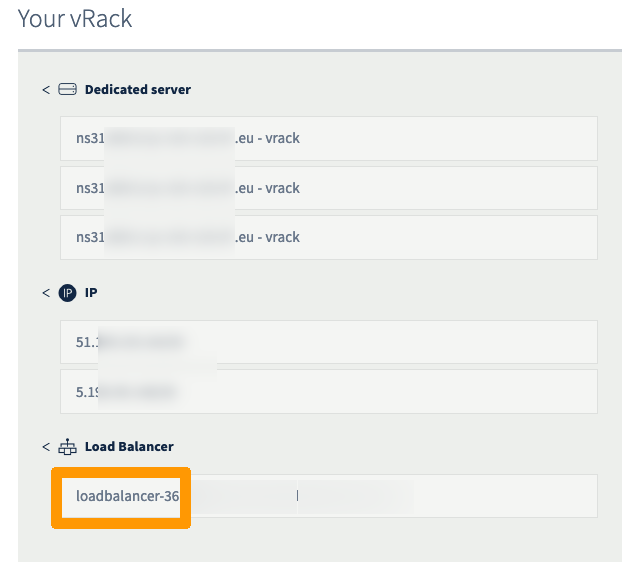
Step 2: Access your Load Balancer front-ends
Select your Load Balancer identified in the previous step.
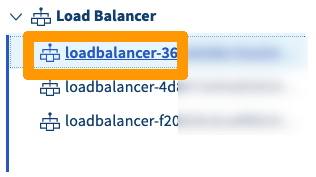
Open the Front-ends tab.
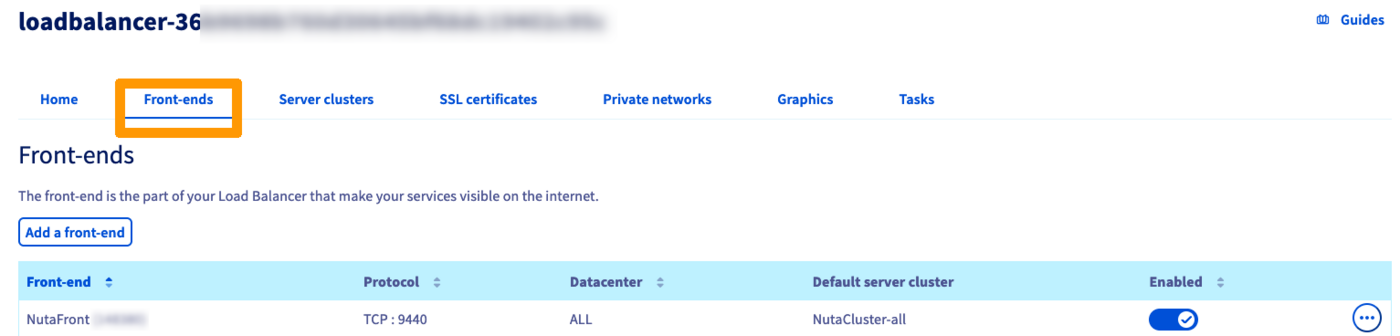
Step 3: Edit the Prism Central front-end
Click on the ... button in the table and select Edit.

Step 4: Add the authorised IPs
In the advanced settings, you can now add your public ISP IP address or any IP addresses from which acesss should be granted to Prism Central Web.
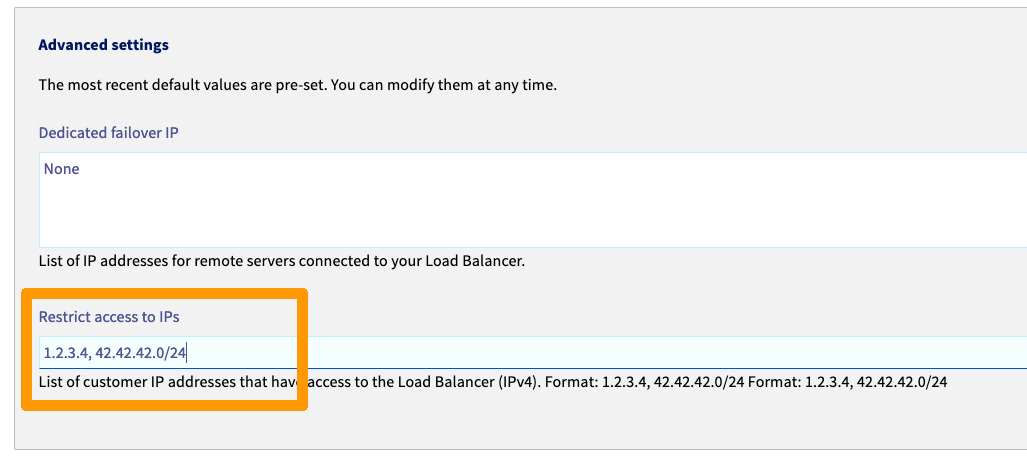
Go further
For training or technical assistance implementing our solutions, contact your sales representative or visit our Professional Services page to request a quote and have your project analysed by our experts.
Join our community of users.