
KMS configuration with Nutanix on OVHcloud
Learn how to configure OVHcloud Key Management System (KMS) with Nutanix to secure your data at rest
Objective
This guide explains how to configure the OVHcloud Key Management System (KMS) with Nutanix on OVHcloud.
Nutanix provides two options for securing data at rest:
- Self-Encrypted Drives (SEDs)
- Software-only encryption which offers key-based access management through either the cluster's native key manager or an external key management system (KMS).
By following this guide, you will learn how to leverage Nutanix's data-at-rest encryption capabilities using the OVHcloud KMS.
Requirements
- Access to your .
- A valid OVHcloud KMS key in your OVHcloud account.
- Find more information in our guide Getting started with OVHcloud Key Management Service (KMS)
- A Nutanix on OVHcloud cluster in your OVHcloud account.
- The cluster must be compatible with Data-At-Rest Encryption. Please confirm this with your OVHcloud sales representative or with the support teams.
- A Nutanix license that supports the Data-At-Rest Encryption feature.
- Access to the Nutanix cluster via Prism Central/Prism Element.
- Compliance with Nutanix’s feature guidelines:
Instructions
Step 1 - Access Prism Central and Prism Element
1. Log in to Prism Central.
2. Navigate to Prism Element.
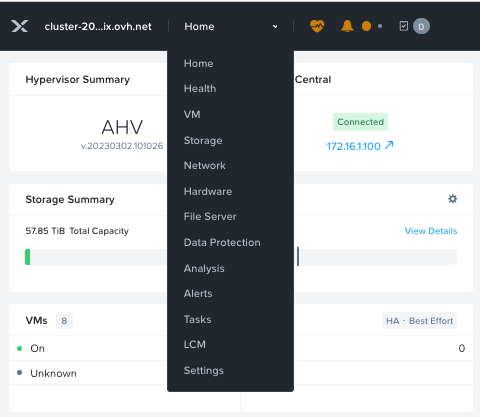
3. Go to Settings.
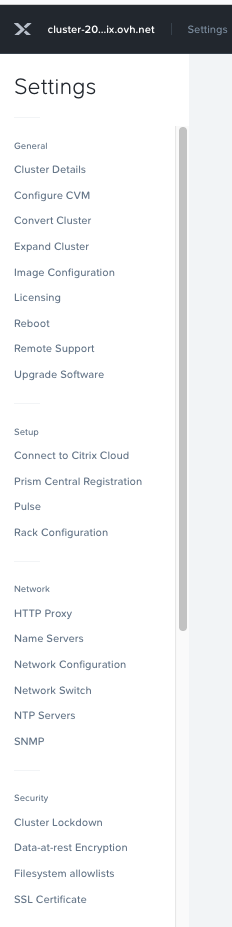
Step 2 - Configure Data-at-Rest Encryption
1. Scroll to Data-at-Rest Encryption in the settings menu.
2. Click on Edit Configuration.
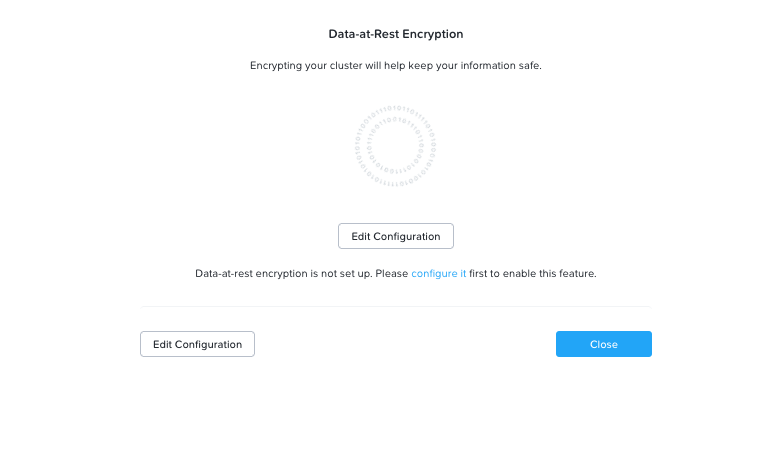
3. Select the Encryption Type and KMS Type.
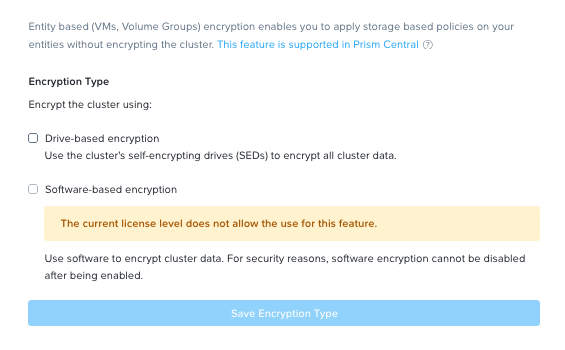
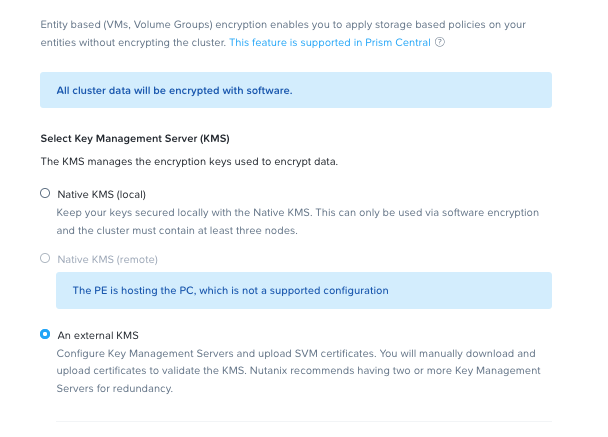
4. Enter your configuration details to generate the Certificate Signing Request (CSR).
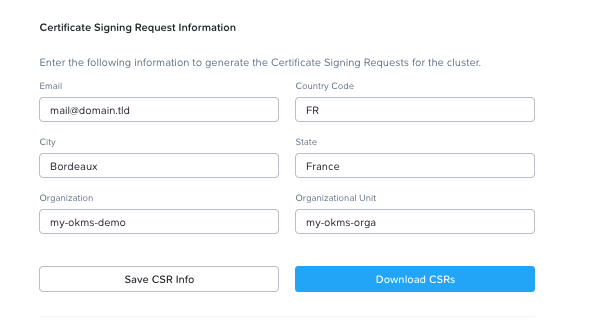
Step 3 - Add and manage Certificates
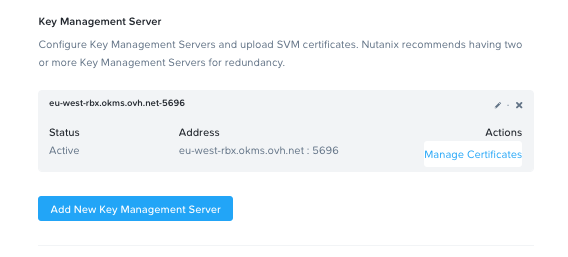
1. Add your Key Management Server (KMS).
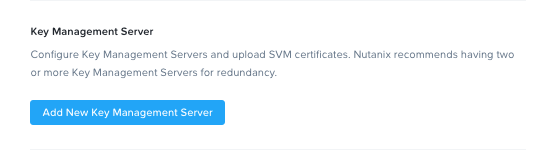
2. Click on Manage Certificates.
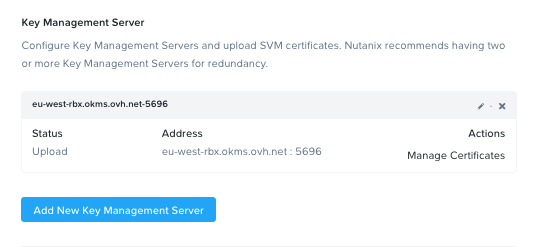
3. Upload your Certificate Authority (CA).
4. Once the CA is uploaded, go back to Key Management Server and click Manage Certificates.
Step 4 - Test and Enable Encryption
1. Test all nodes in the cluster.
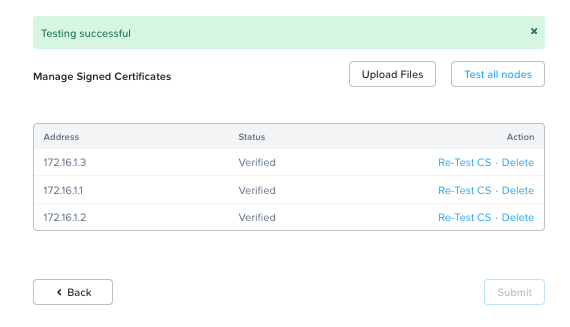
2. If the test is successful, you can now enable encryption for your Nutanix cluster.
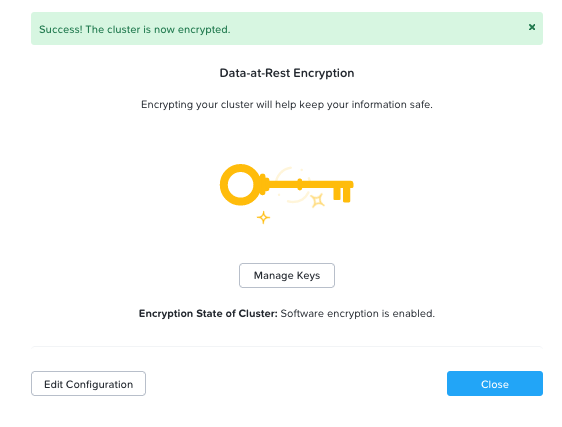
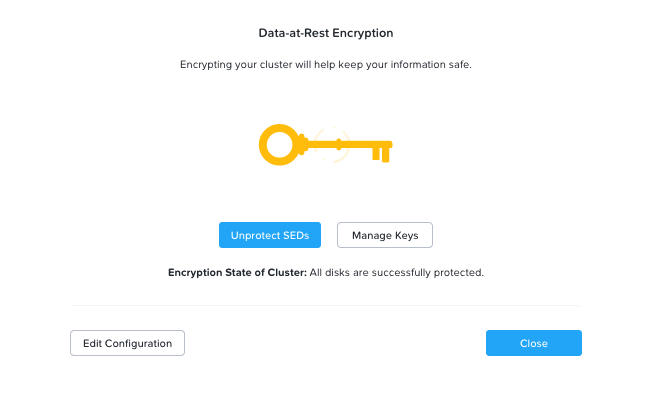
3. You can enable both software encryption and Self-Encrypting Drives (SEDs).
Go Further
- Nutanix Security Guide for Data-at-Rest Encryption
- Getting started with OVHcloud Key Management Service (KMS)
- Nutanix Compatibility Matrix
For training or technical assistance implementing our solutions, contact your sales representative or visit our Professional Services page to request a quote and have your project analysed by our experts.
Join our community of users.