
Audit activity on Data Platform for compliance
Every create, update, delete and administrative action performed on a resource is recorded as an audit event
Objective
Auditing logs, stores and exposes all significant activity happening on Data Platform, so you can meet compliance obligations, enforce internal governance, and provide transparency to your stakeholders.
Every create, update, delete and administrative action performed on a resource is recorded as an audit event. Events are retained and can be filtered, browsed and reviewed by authorized users.
Initial release. Auditing is being rolled out progressively. Additional services and audit event types will be added in upcoming releases. The lists on this page will be kept up to date as coverage expands.
Access levels
Auditing is exposed at two levels:
Organization-level audit events do not include activity that happened inside a Project. To review project activity, open the corresponding Project and use its own Auditing page.
Project-level auditing
In the Control Center of any Project, open the Auditing tab to see every significant event that happened inside that Project.
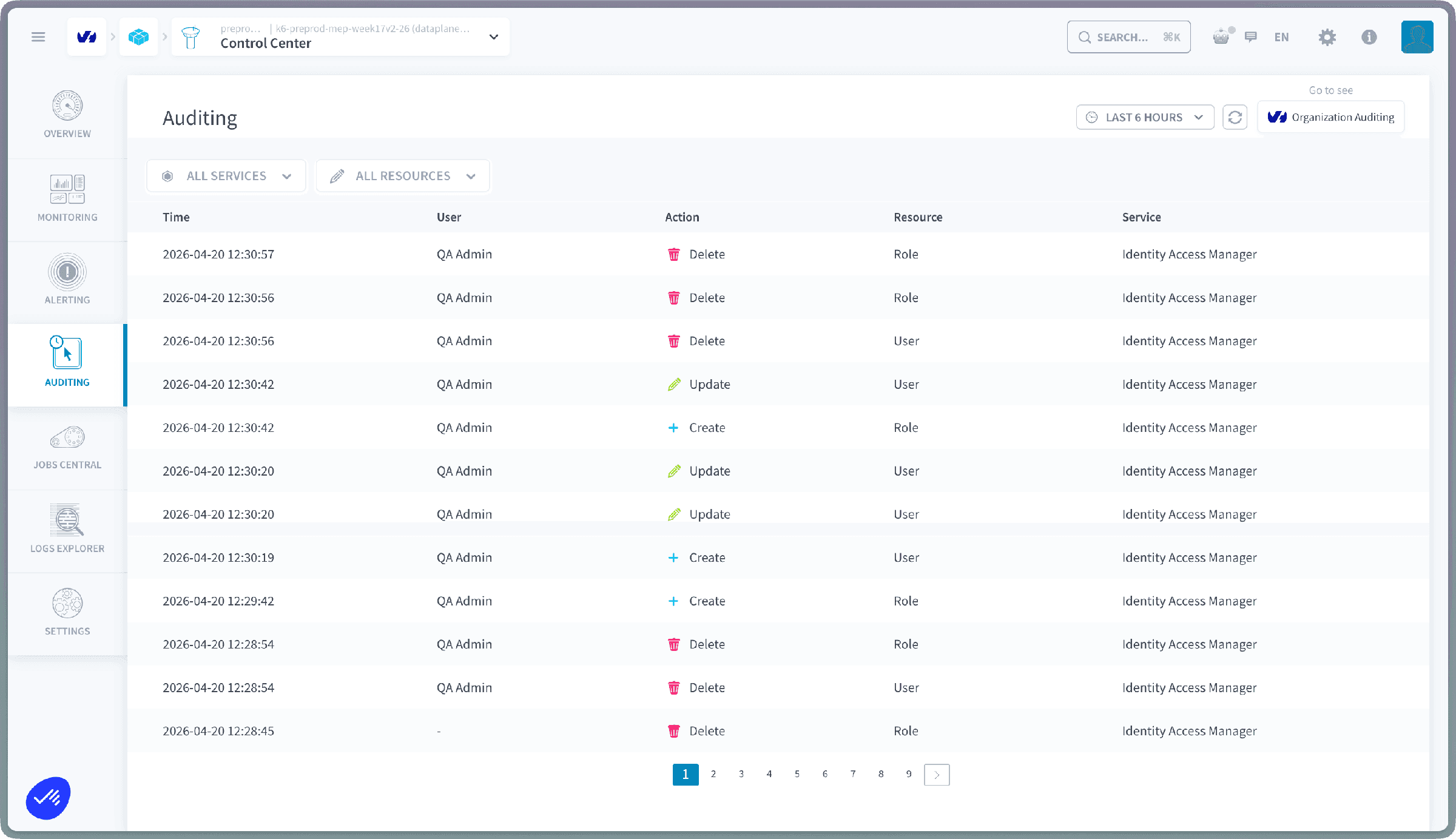
Each event is displayed with the following columns, in order:
You can search the events by text, filter them by service, resource type and a custom time window, export them as a file, open the Security events tab, and switch to the organization-level view at any time from the same page.
Event details
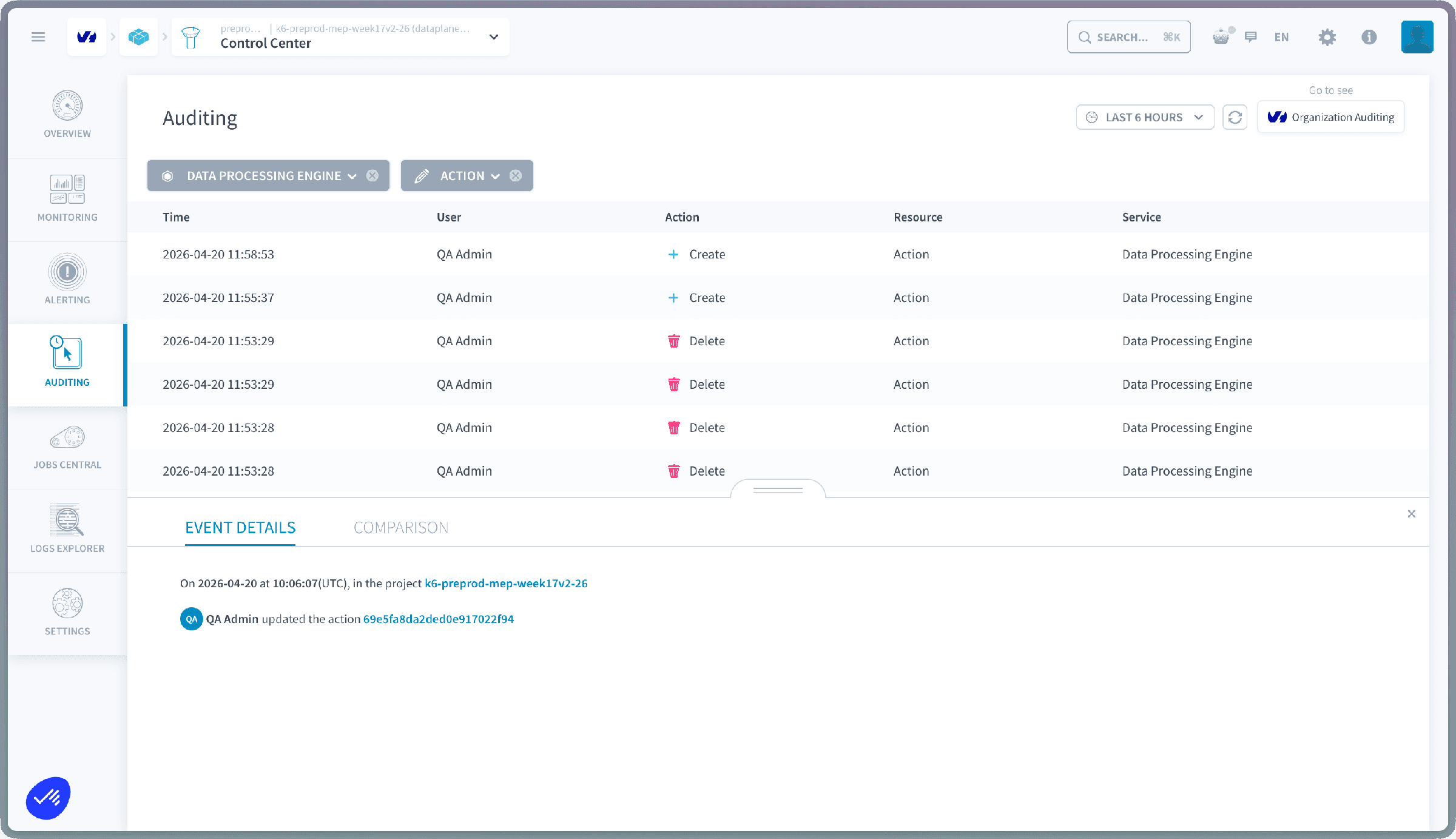
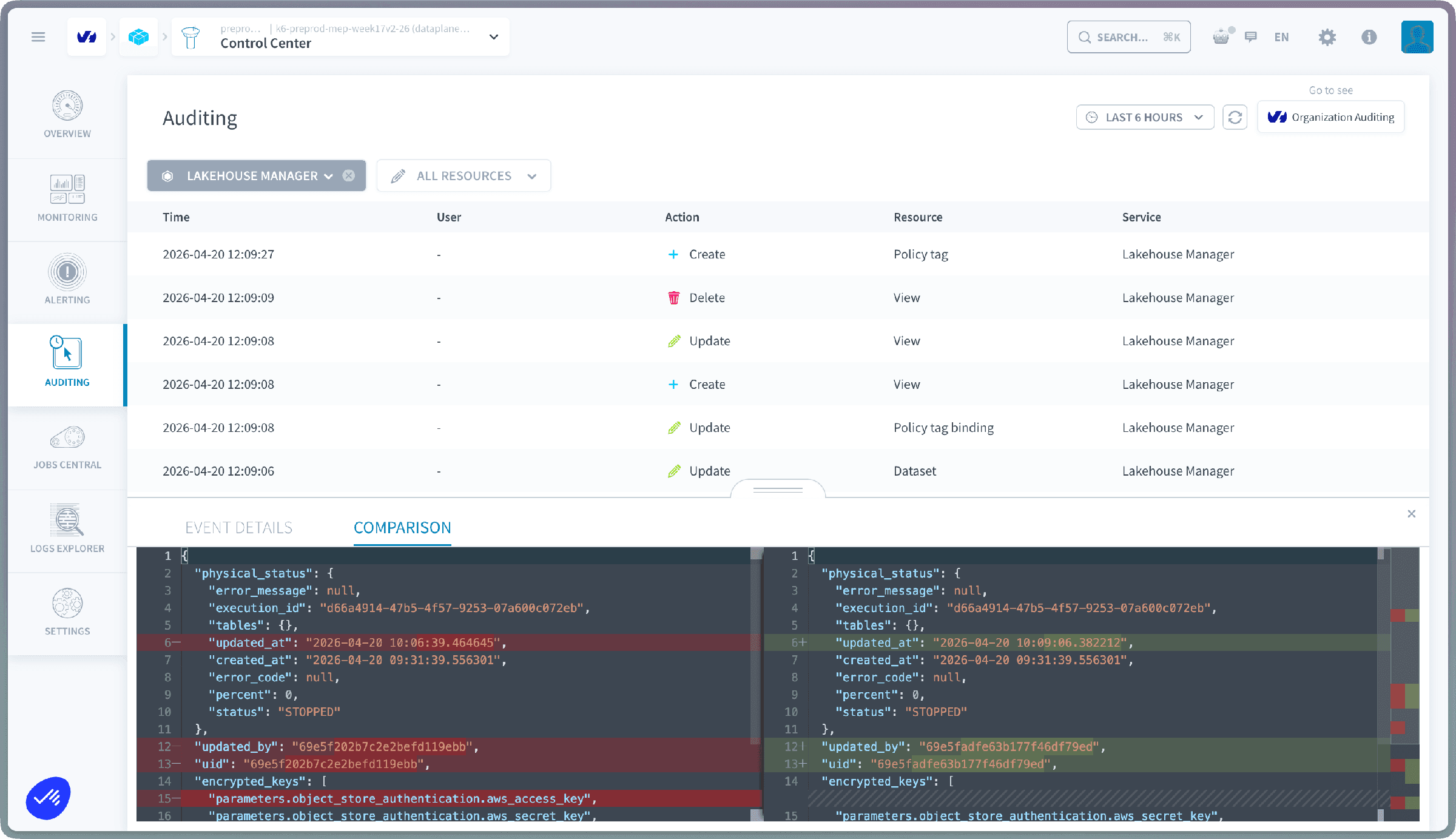
Click the info icon at the end of any row to open the event detail panel. From there, two views are available:
-
Event details: the full payload of the event: actor, action, target resource, timestamps and any metadata recorded with the event.
-
Comparison: a side-by-side diff of the resource before and after the action, so you can see exactly what changed.
Organization-level auditing
From Organization Settings, open the Auditing tab to see organization-level activity.
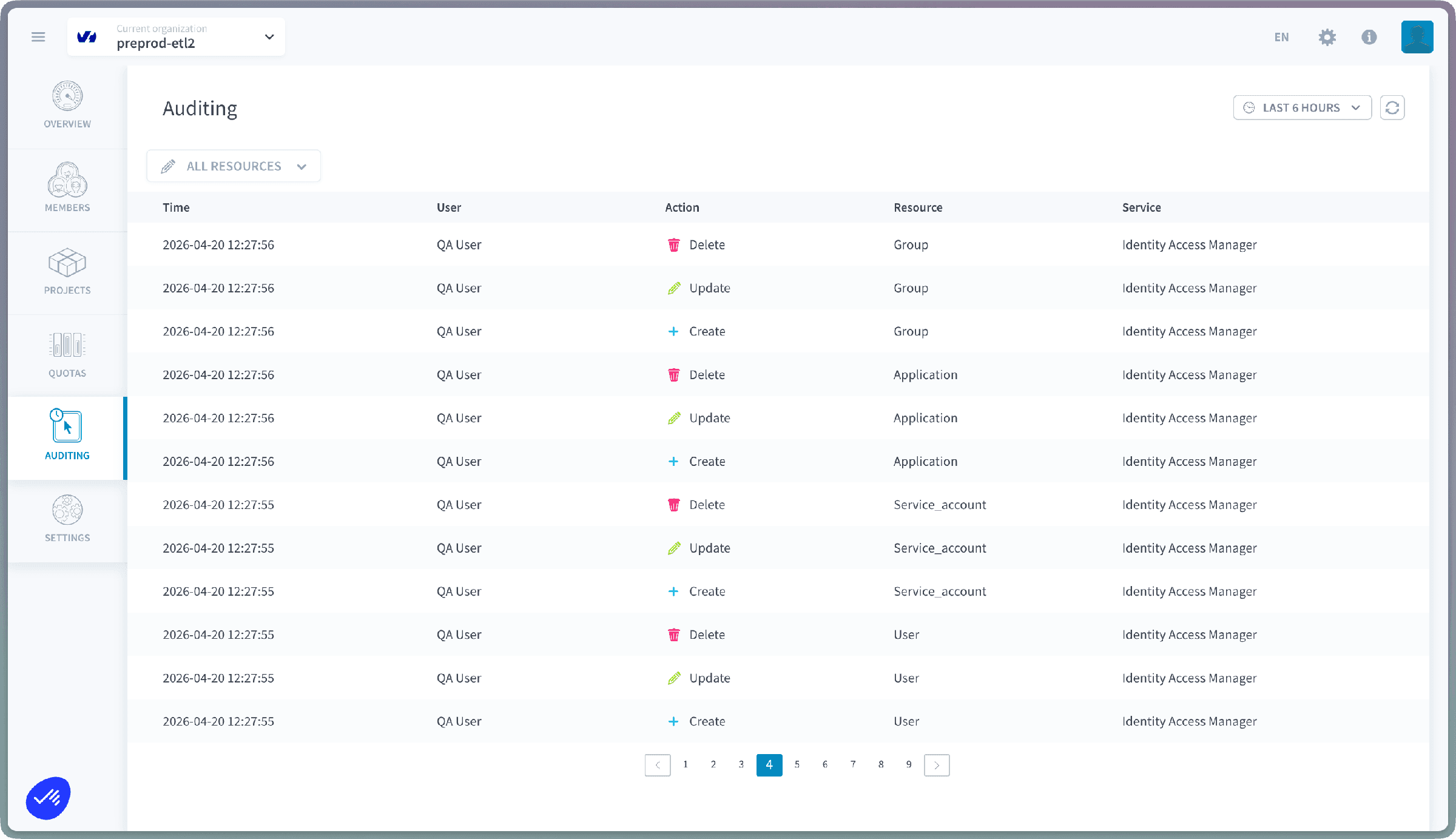
Currently tracked at the organization level:
- Organization IAM (roles, policies, authentication providers)
- Member management (invitations, removals, role assignments)
Coming in upcoming releases:
- Billing activity
- Quotas
- Other organization-level settings
The organization-level view is scoped strictly to organization-level resources. For Project-internal activity, open the Project and use its own Auditing page.
Security events
Both auditing pages have a Security events tab next to the audit trail. It lists the security events recorded at that scope. Click the info icon at the end of a row to open the event detail panel.
Export
Click the export button above the event list to download the events currently listed as a file. The export is available on the audit trail and on the Security events tab, at Project and organization level. If an export fails, the error message tells you why.
Roles
Auditing access is gated by two dedicated roles. The same two role names exist at both levels (organization and Project):
A user needs the organization-level role to see the organization Auditing page, and the project-level role to see a Project's Auditing page. Assign them the same way as any other role from the Users, Roles & Groups page.
Search
Every audit view has a search field above the event list. Type any text to keep only the events that contain it, in any of their fields: a user name, a resource name, an action, or a value recorded in the event payload. The search combines with the filters below, so you can narrow to a service and a time window first, then search within the result.
Filters
Services (project level)
At the Project level, events can be filtered by service:
- Connectors
- Lakehouse Manager
- Data Processing Engine
- Analytics Manager
- Identity Access Manager
Resources
Once a service is selected, the resource filter exposes the resource types available for that service. The full list of audited resource types is:
Time window
Every audit view lets you scope events to a specific time window. You can pick one of the preset ranges or define your own:
- Today
- Yesterday
- Last 1 hour
- Last 6 hours
- Last 24 hours
- Last 7 days
- Last 30 days
- Custom: pick exact From and To dates and times on the calendar, with a selectable timezone.
Go further
For training or technical assistance implementing our solutions, contact your sales representative or visit our Professional Services page to request a quote and have your project analysed by our experts.
Ask questions, give your feedback and interact directly with the team building the Data Platform on the dedicated Discord channel.
If you need support with your OVHcloud services, create a request in our Help Centre.
Join our community of users.