
AI Notebooks - Using a code assistant with AI Endpoints
Learn how to use AI Endpoints in AI Notebooks to get a personalized coding assistant and boost your development productivity
Objective
This tutorial shows how to use AI Endpoints in AI Notebooks to get a coding assistant.
AI Endpoints is a serverless platform that provides easy access to world‑renowned pre‑trained AI models. It is simple, secure and intuitive, with data privacy as a top priority. We do not store user data, making it ideal for developers who want to add AI capabilities while keeping data private.
No extensive AI expertise is required, so AI Endpoints is a convenient and secure choice for integrating AI into your applications.
By default you can use our AI Endpoints solution in all notebooks without a personal token, but you will be rate‑limited.
Requirements
- An AI Notebooks project created inside a Public Cloud project in your OVHcloud account
- An AI Notebooks user
OVHcloud Control Panel Access
- Direct link:
- Navigation path:
Public Cloud> Select your project
Instructions
You can launch a notebook from the or via the ovhai CLI.
If you don’t see this plugin enabled in your current notebook, it’s because you’re not using the latest framework version available from our catalog of images. Please start a new notebook to access this new feature.
Launching a notebook via UI (Control Panel)
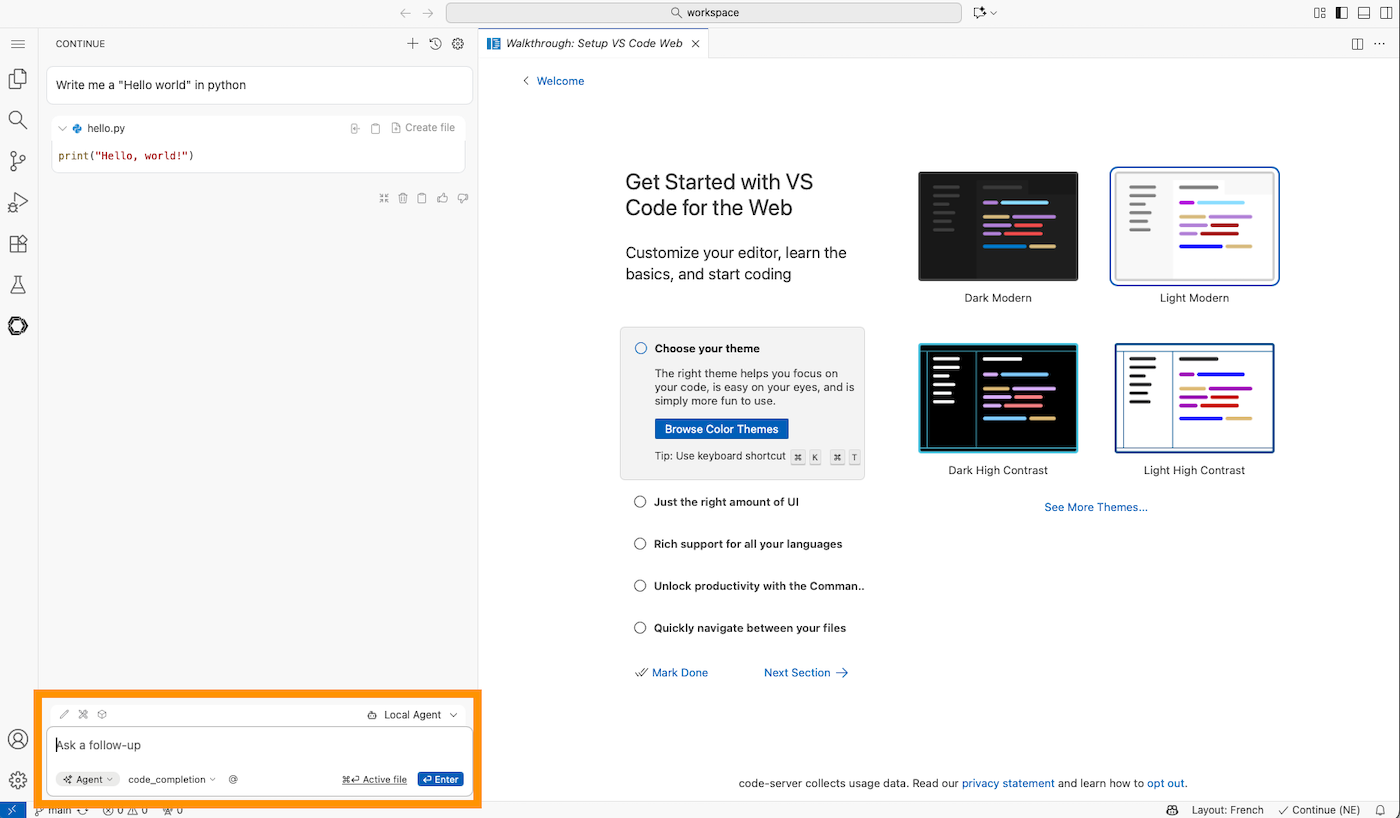
To launch your notebook from the , refer to the following steps. There is a different coding assistant for Jupyter and VS Code notebooks.
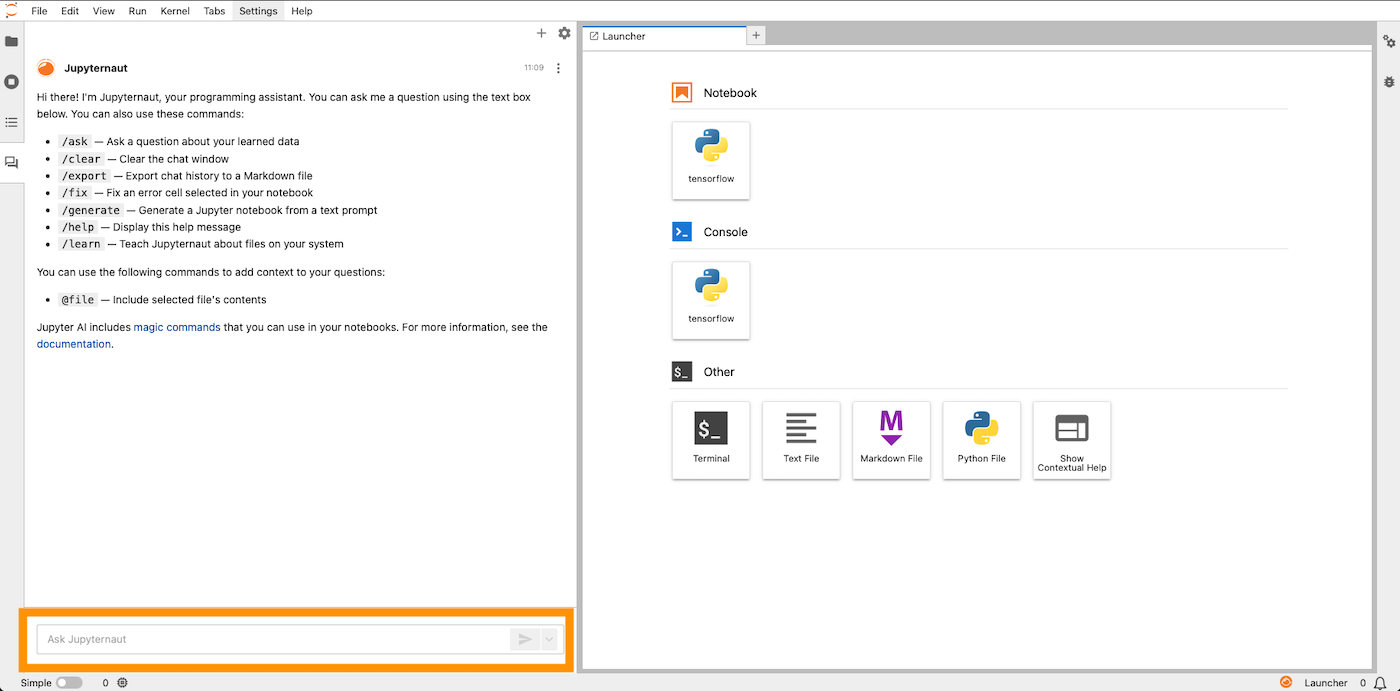
JupyterLab is configured with Jupyter‑AI, which provides a native integration with JupyterLab.
1 - Ask your question
You are ready to go with the default settings; ask your first question about your code!
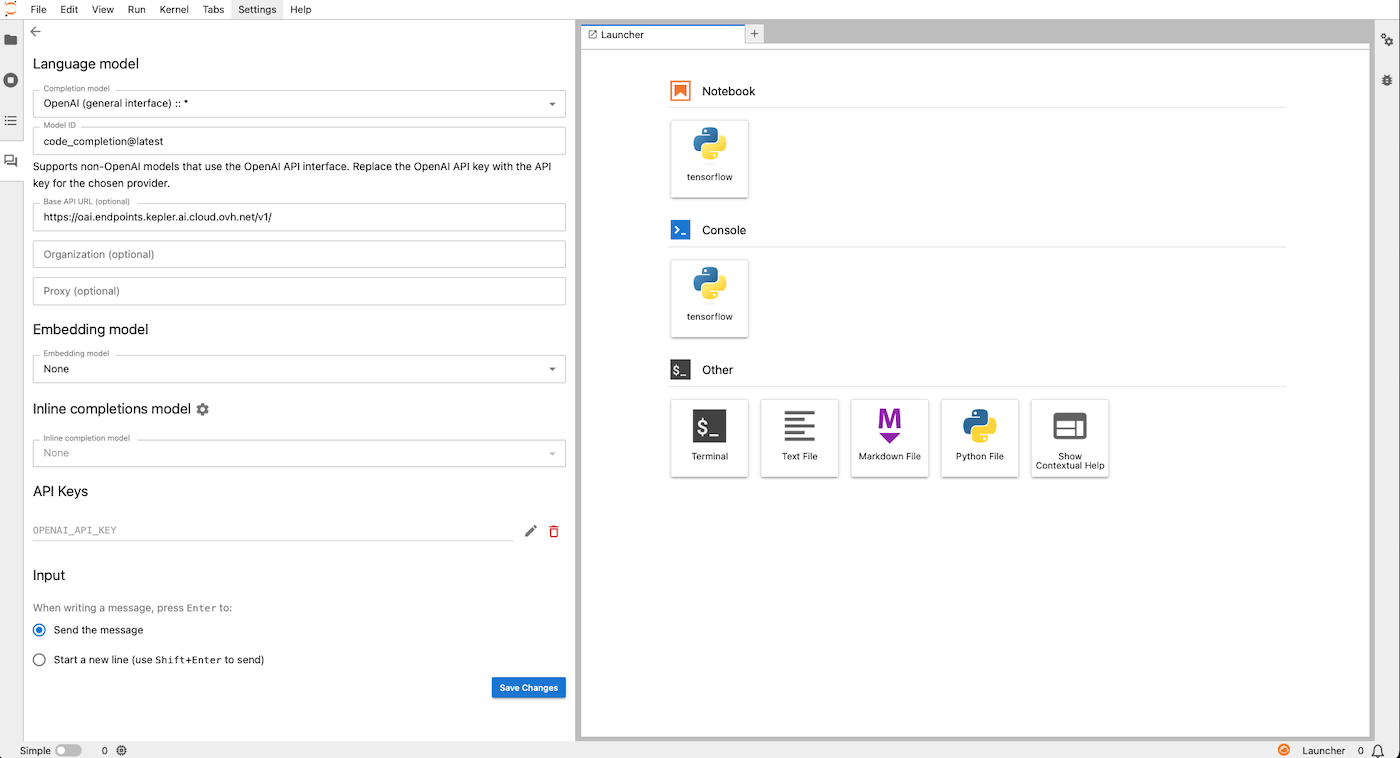
2 - Update your settings
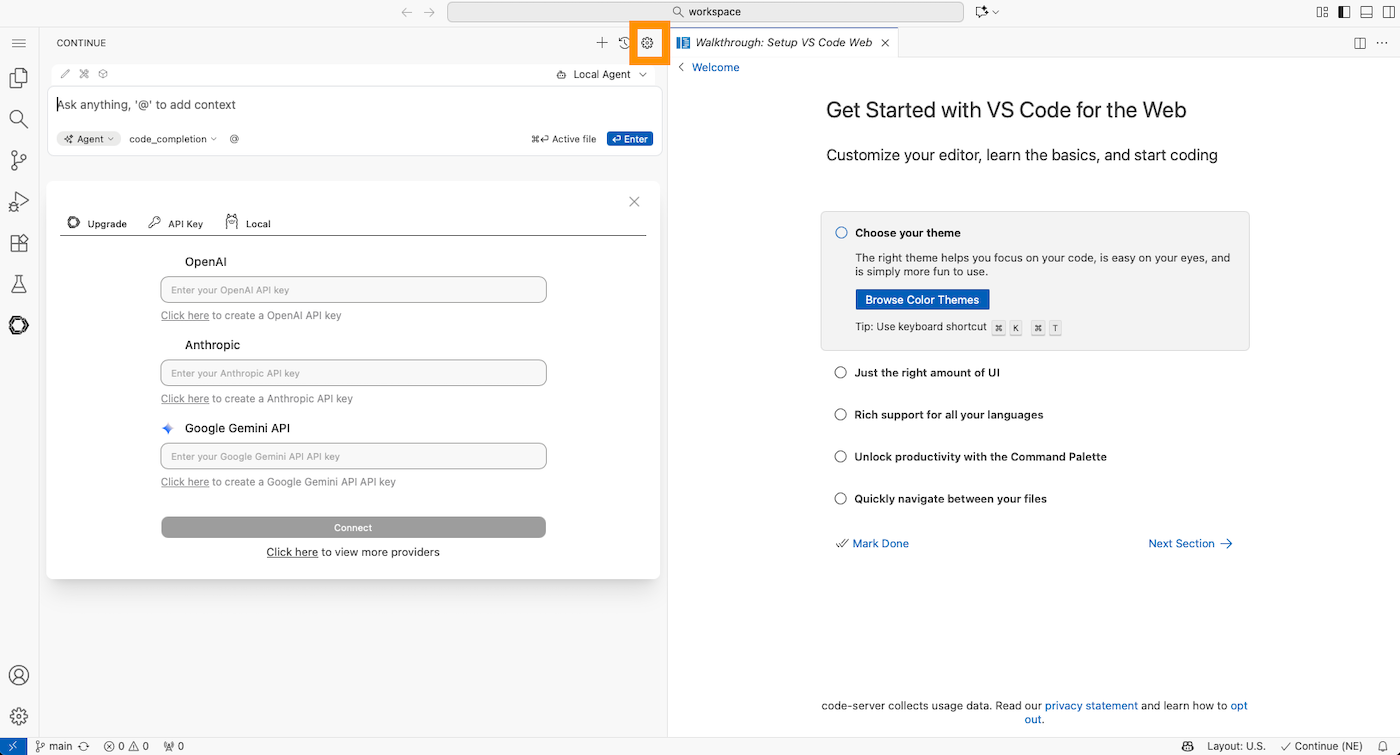
If you need to use your own AI Endpoints token, update your settings. You may also want to use another public AI Endpoint available from the completion model dropdown list.
Go further
For training or technical assistance implementing our solutions, contact your sales representative or visit our Professional Services page to request a quote and have your project analysed by our experts.
Feedback
Please send us your questions, feedback and suggestions to improve the service on the OVHcloud Discord server.