
Backup Agent - Managing your backups and restores
Objective
Learn how to back up and restore your data on your Bare Metal servers with Backup Agent.
Find more information on the Backup Agent product on this page.
Requirements
- A Bare Metal server with the Backup Agent installed on it. Read our guide "How to configure your first backup for more information".
OVHcloud Control Panel Access
- Direct link: Backup Agent
- Navigation path:
Bare Metal Cloud>Backup Agent
Instructions
Backup
You have two options for making backups: Automatic Backup and Manual Backup.
Automatic backup
Automatic backup is included in the backup policy that we apply to your Backup Agent.
This backup will make a full backup of your server, which will be sent to your remote storage point.
This will trigger between 10 p.m. and 6 a.m. (CET time zone for Europe - EST time zone for Canada and Asia).
You cannot change or disable this automatic backup. Currently, you cannot modify the policy that backs up your entire server, we are working to improve this configuration in the future.
You can view the success of this backup via:
- The daily report of backups.
- The "Backup Jobs" dashboard of the Veeam Service Provider Console.
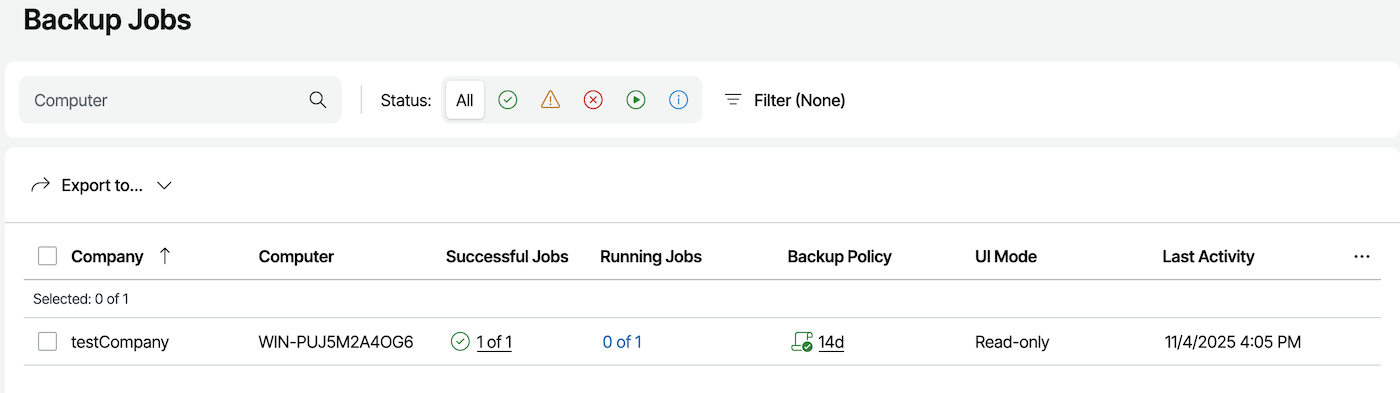
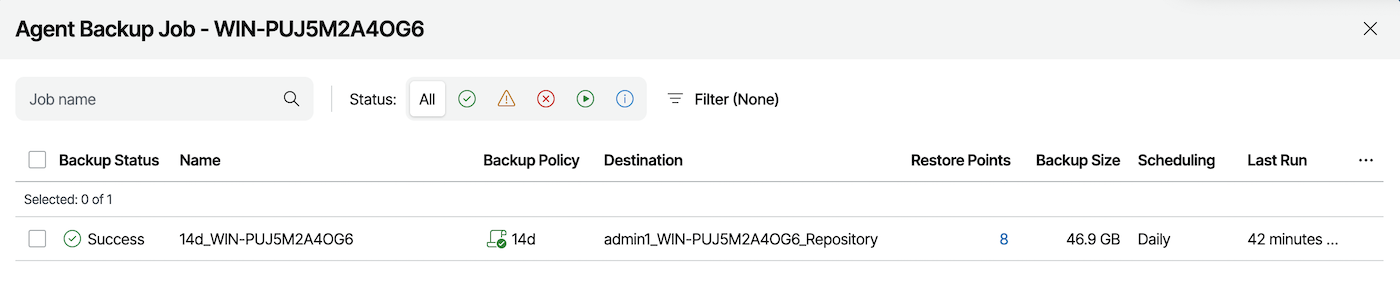
Manual backup
If necessary, you can trigger a manual backup.
It will also create a full backup of your server and will always be sent to your remote storage point.
To create a manual backup, click on the tab corresponding to your Operating System:
Open the "Veeam Agent" application on your Bare Metal server:

Click the Backup Now button to launch a backup:
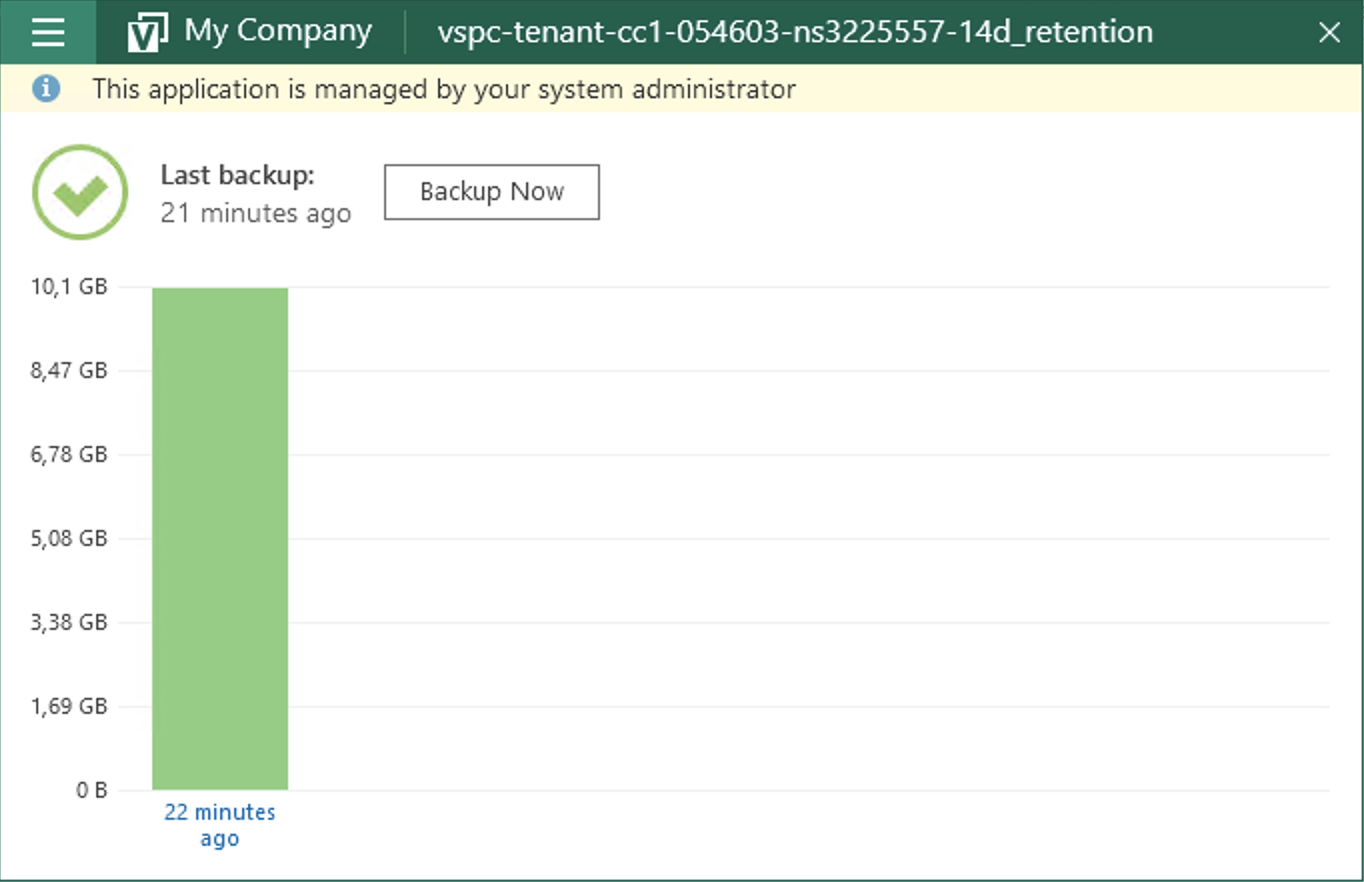
Restoration
If you need to restore data, you have two options:
- Via the File Restore wizard.
- Via the Veeam Bare Metal Recovery ISO.
File Restore Wizard
To restore files and folders, click on the tab corresponding to your Operating System:
Open the "Veeam Agent" application on your Bare Metal server:
Go to the menu and select Restore File:
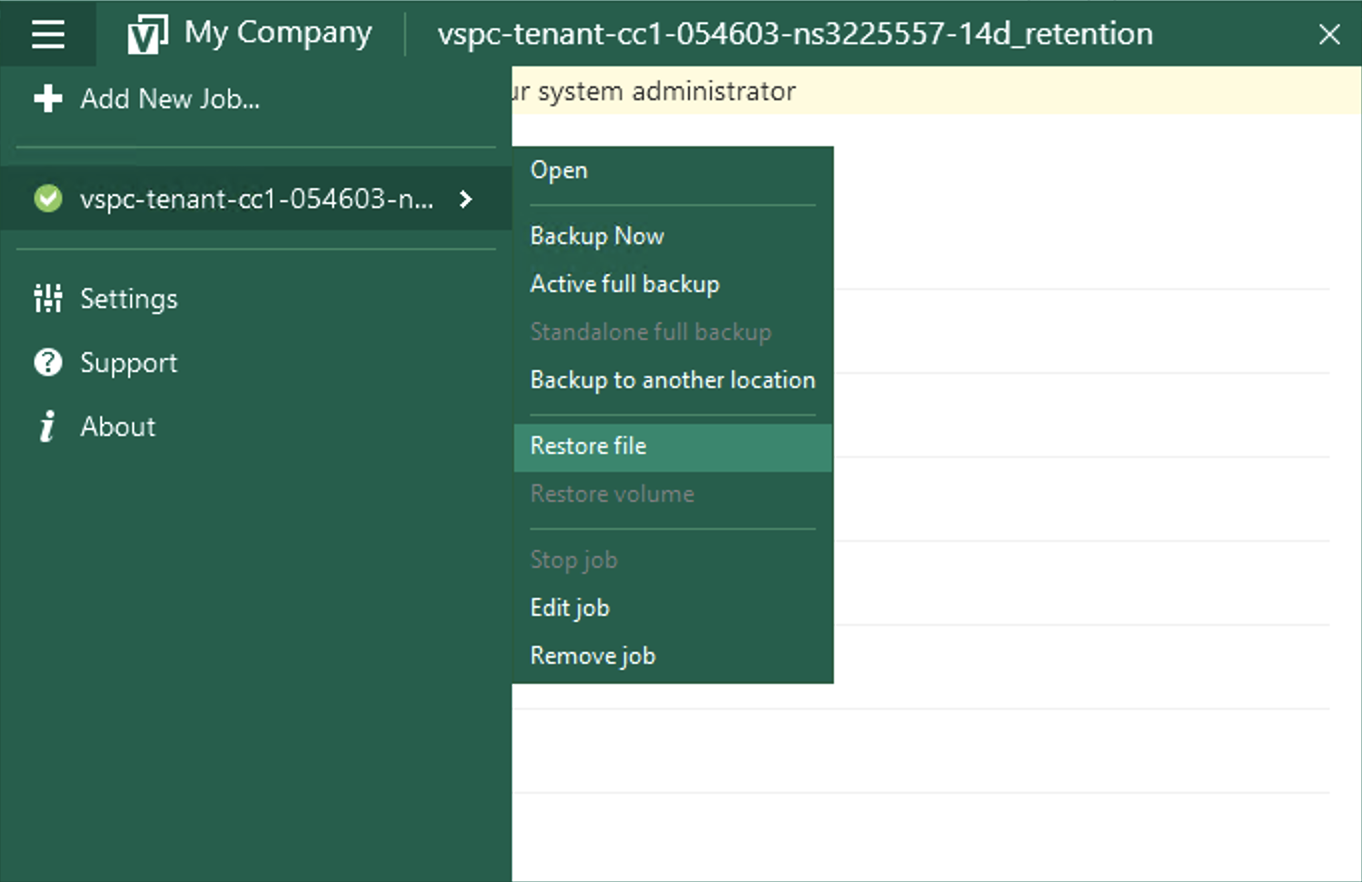
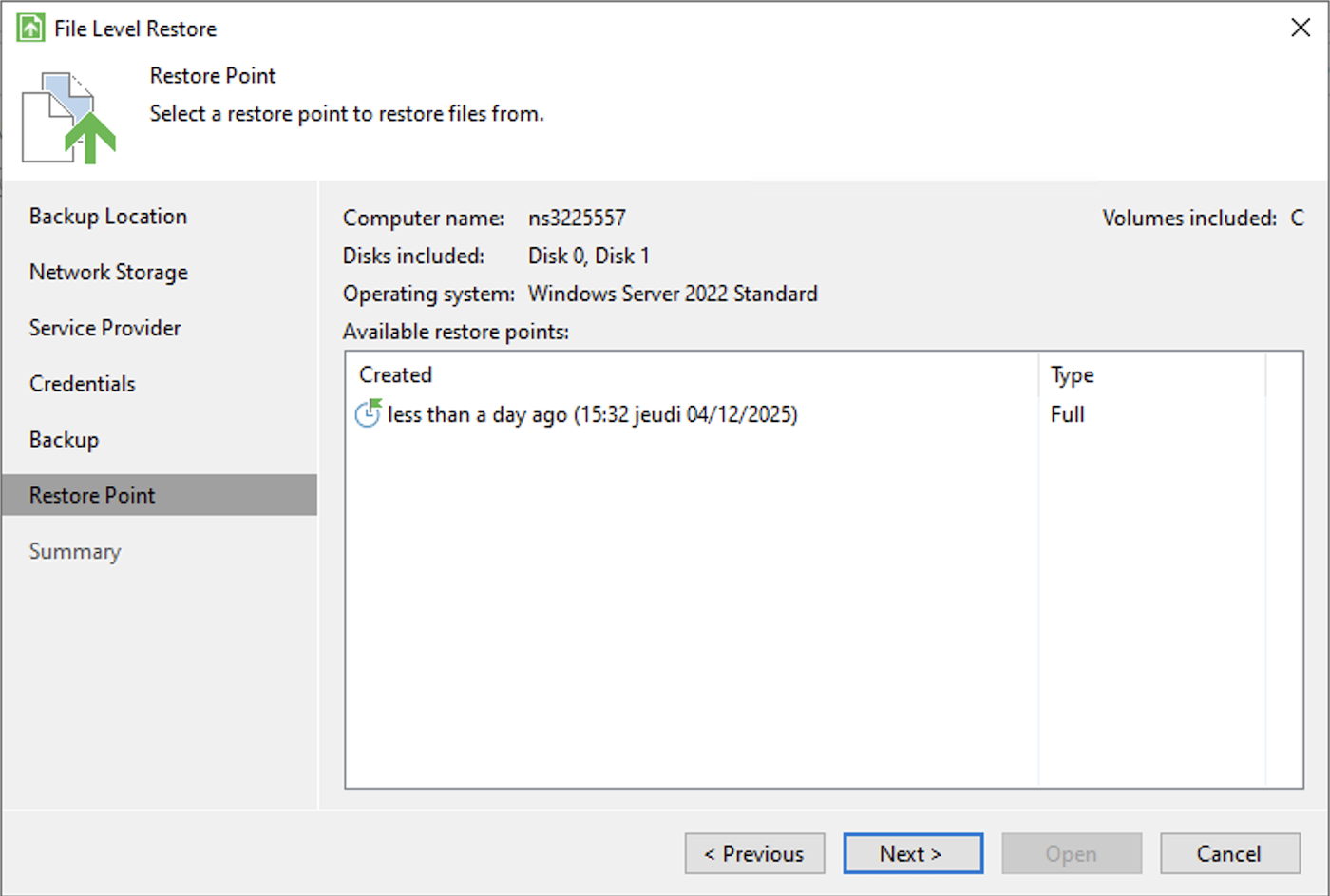
Select the desired restore point in the wizard:
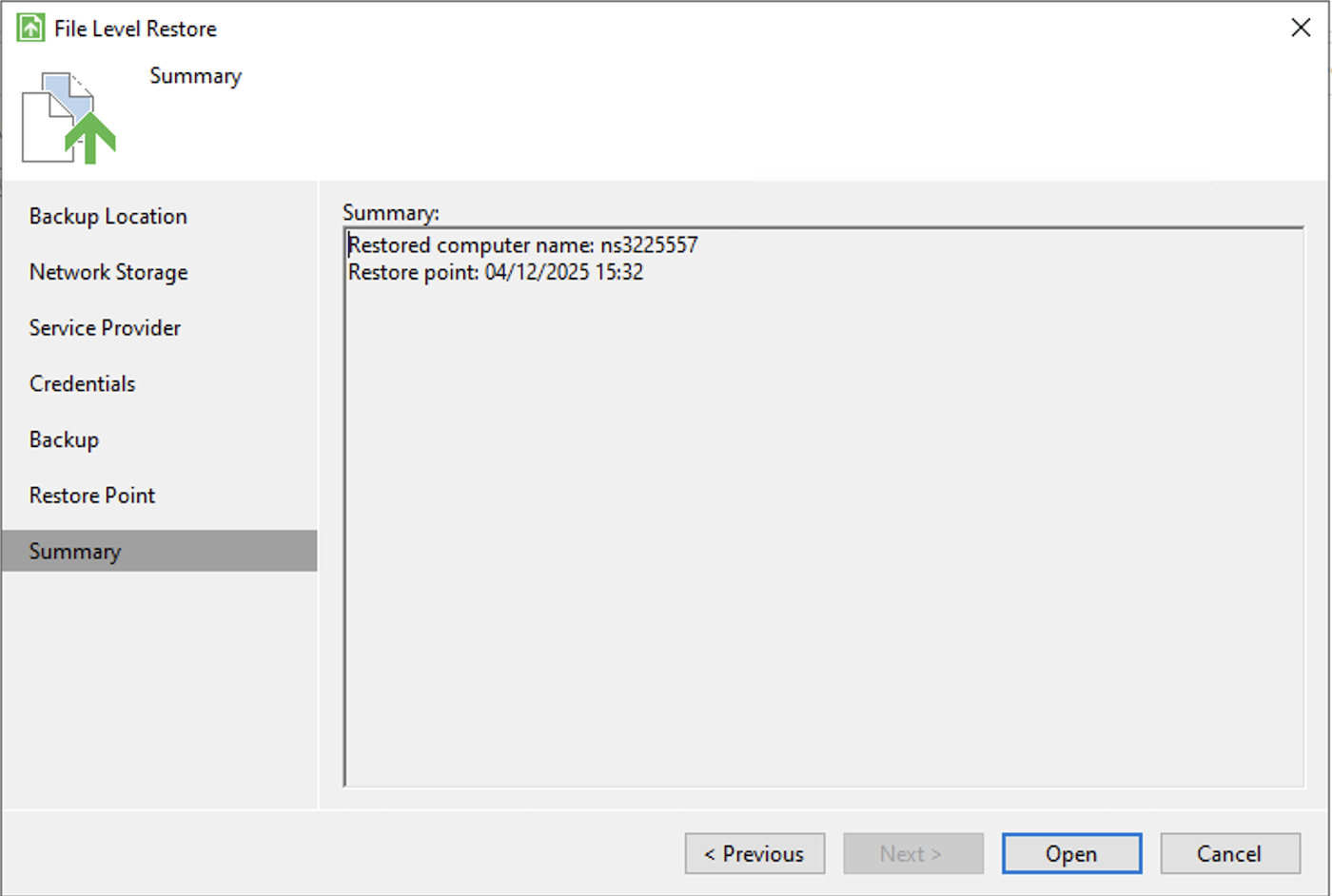
Then confirm:
Finally, search for your file and select an option:
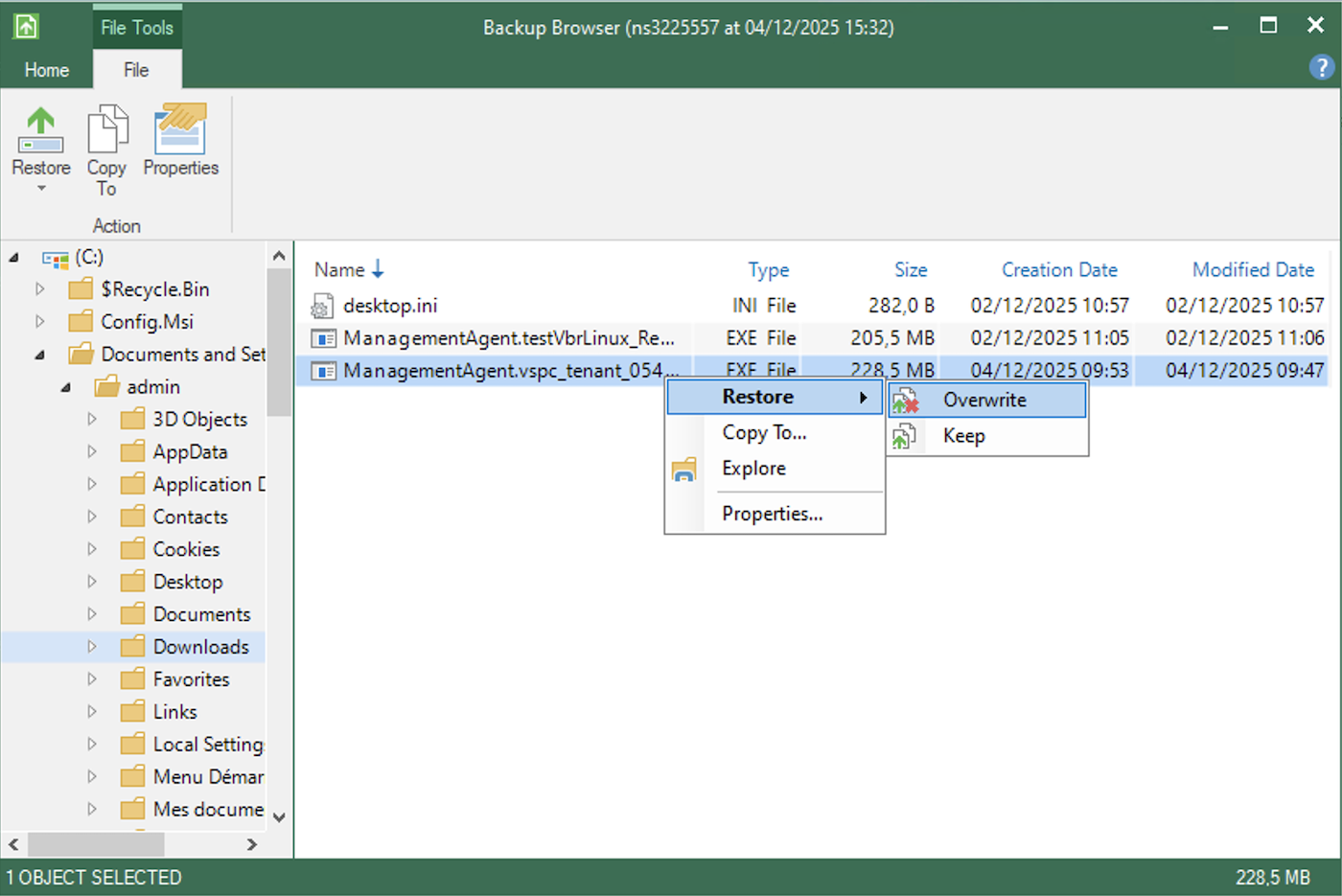
- Restore - Overwrite: Allows you to restore the file while overwriting the one currently on the server.
- Restore - Keep: Allows you to restore the file while keeping the one currently on the server.
- Copy To: Allows you to copy the file to a location on your server.
- Explore: Allows you to explore the backup.
- Properties: Allows you to view the file properties.
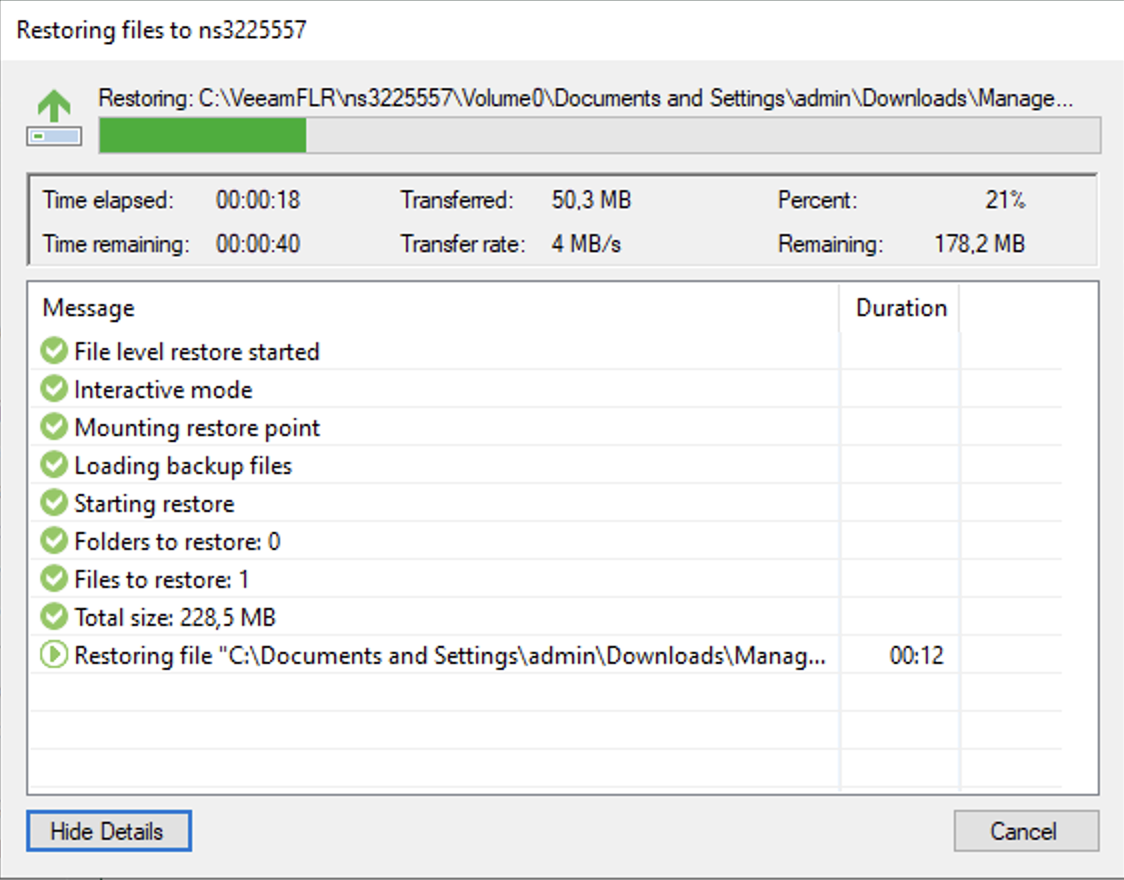
Launching a restore will give you a final window that will show the transfer:
Veeam Baremetal Recovery ISO
Baremetal Recovery is a Veeam feature that involves creating a custom ISO in advance, which can then be used to boot a system and restore it from a backup stored on a different server.
Read this guide for more information: Backup Agent - Bare Metal recovery with Veeam Backup Agent.
You will need to adapt the server and credentials to match the ones we have provided.
Go further
Join our community of users.