
Frankenguide — Format Reference
This guide is a format reference only and is intentionally hidden from the sidebar. It is not meant for end-users.
Objective
Lorem ipsum dolor sit amet, consectetur adipiscing elit. Nullam vehicula augue sit amet libero fringilla, nec auctor magna pretium. This guide compiles every supported format so that a single visual pass can confirm nothing is broken after a theme or build change.
Requirements
- An OVHcloud account with access to the Control Panel
- Basic familiarity with Markdown and MDX
- A browser to verify that all formats render correctly
Instructions
1 — Plain text and inline formatting
Lorem ipsum dolor sit amet, consectetur adipiscing elit. Pellentesque habitant morbi tristique senectus. Use inline code to reference technical terms, file paths like /etc/hosts, or commands like sudo systemctl restart nginx.
You can also combine them: bold code or italic code.
Superscript for footnotes1 and line breaks
between phrases are also supported.
1 This is a simulated footnote rendered with superscript HTML.
Tooltip example: hover over this wordThis is a tooltip with inline code and a link. to see the overlay.
2 — Headings
H4 — Fourth-level heading
H5 — Fifth-level heading (use sparingly)
3 — Images
Image from the shared public folder (referenced by absolute path, shared across all locales):
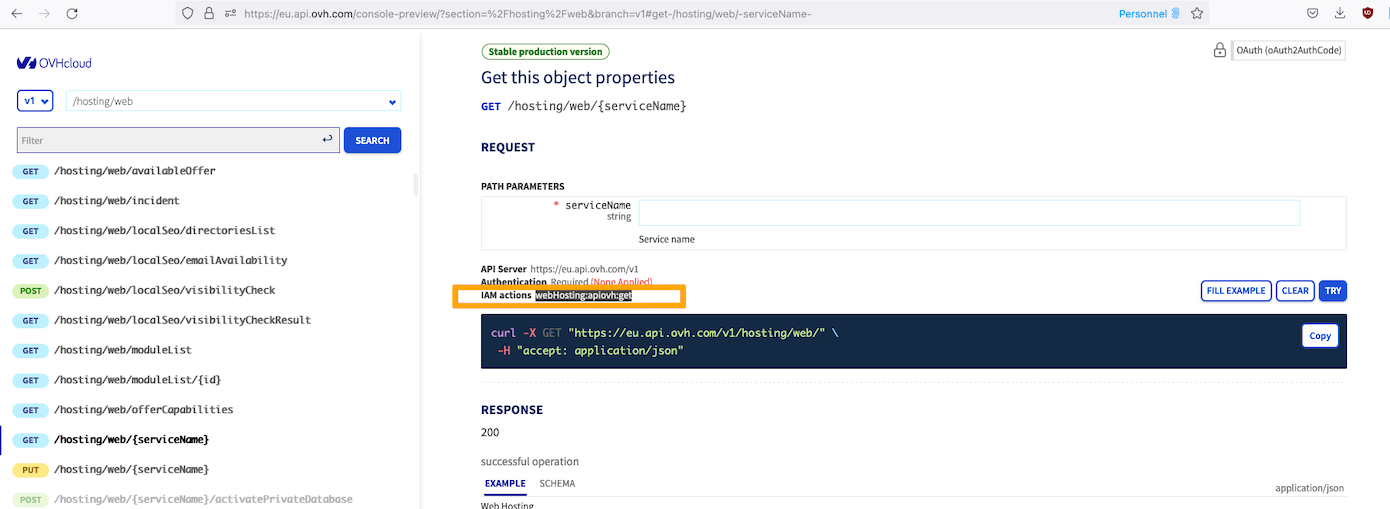
Second image from a different guide folder (still a shared public asset):
4 — Code blocks
Bash:
Console (interactive shell output):
JSON:
YAML:
5 — Callouts
Info callout — Lorem ipsum dolor sit amet, consectetur adipiscing elit. Use this for neutral supplementary information that helps the reader but is not critical.
Tip callout — Pellentesque habitant morbi tristique senectus et netus. Use tips to share best practices or shortcuts.
- This warning has a list item
- And another one
Danger callout — Ut enim ad minim veniam, quis nostrud exercitation. Use danger for irreversible or destructive actions.
Empty blockquote (plain > syntax, no type annotation):
Lorem ipsum dolor sit amet, consectetur adipiscing elit. This is an unstyled blockquote, also known as an "empty" callout.
6 — Details (collapsible sections)
Click to expand — Basic collapsible
Lorem ipsum dolor sit amet, consectetur adipiscing elit. Sed ut perspiciatis unde omnis iste natus error sit voluptatem accusantium doloremque laudantium.
Nemo enim ipsam voluptatem quia voluptas sit aspernatur aut odit aut fugit.
Click to expand — Collapsible with rich content
This collapsible contains multiple content types:
A code block:
A table:
An info callout:
[!INFO] You can nest callouts inside collapsibles.
7 — Tables
Simple table:
Table with HTML line breaks in cells:
8 — Lists
Unordered list:
- Lorem ipsum dolor sit amet
- Consectetur adipiscing elit
- Sed do eiusmod tempor incididunt
Nested unordered list:
- Universe level
- Product level
- Section level
- Guide level (deepest nesting)
- Section level
- Another product
- Its section
- Product level
Numbered list:
- Connect to the OVHcloud Control Panel.
- Navigate to Bare Metal Cloud > Dedicated Servers.
- Select your server from the list.
- Click the
Installbutton to launch the reinstallation wizard. - Confirm your choice in the modal dialog.
Numbered list with a custom start value:
- Review the partition layout proposed by the wizard.
- Click
Confirmto finalize the installation.
9 — Links
Internal link (guide path): All about your OVHcloud username
Internal link (shortcut alias): OVHcloud Control Panel
External link: OVHcloud community forum
Link inside a sentence: To manage your SSH keys, log in to the OVHcloud Control Panel and navigate to My account > SSH keys.
Inline code outside a link:
Use the --force flag only when you are certain the operation is safe.
Inline code inside a link:
See the /me/api/credential endpoint reference for authentication details.
Sentence mixing both: the GET /me call returns your account details, whereas plain text links like the Control Panel do not use code formatting.
10 — API calls
Single GET call:
POST call with a path parameter:
PUT call limited to EU and CA regions:
DELETE call:
11 — Tabs
Basic tabs:
12 — Embedded video
12b — Guided-tour iframe
13 — Russian-doll (nested formats)
The following tabs each contain multiple nested format types.
Use the following API call to retrieve your service information:
This endpoint returns a paginated list. Use the offset and limit query parameters to navigate through results. The maximum page size is 100.
Logs are retained for 90 days only. Archive them regularly if you need a longer audit trail.
14 — Russian-doll: formats inside a Details
Expand — API call, image, callout, code block, table and nested list inside a collapsible
Use this API call to list your active credentials:
The Control Panel shows the same data under Account > API > My credentials:
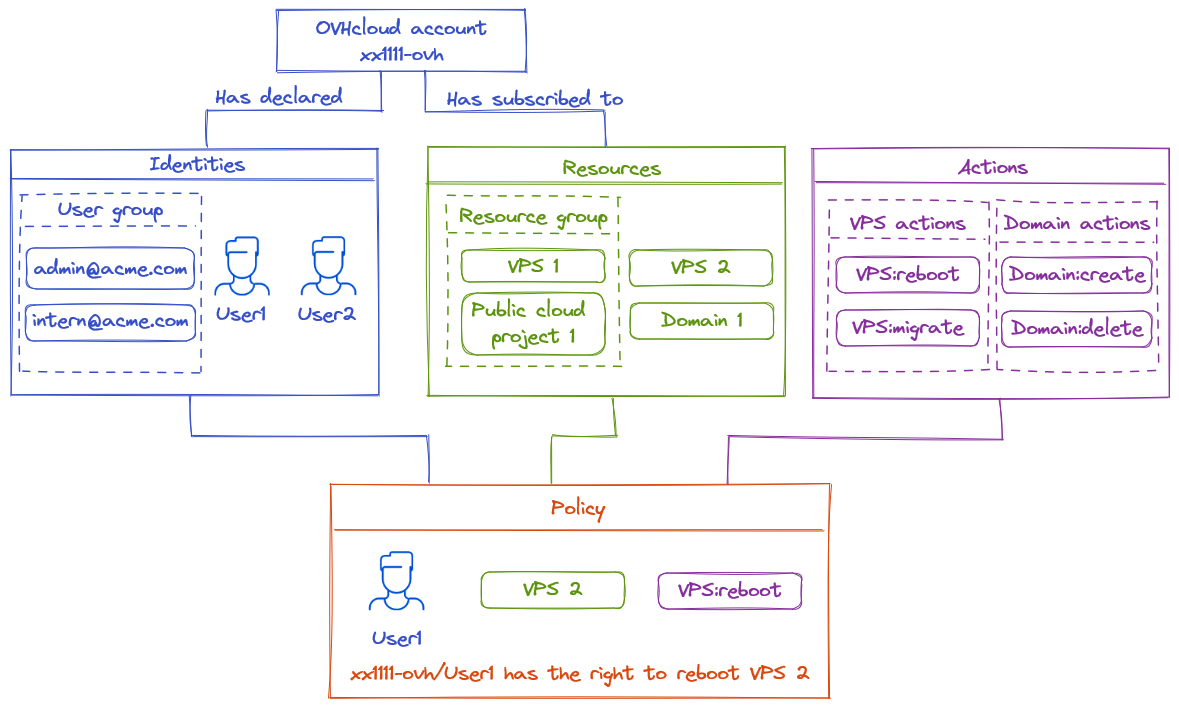
Credentials created via the API and credentials created via the Control Panel are interchangeable — they share the same underlying token store.
If you rotate a credential that is embedded in an automation script, update the script before revoking the old credential, or your automation will fail.
Revoke a credential by its ID with:
Recommended rotation schedule by credential scope:
Steps to rotate safely:
- Create the new credential via the API or Control Panel.
- Update all scripts and CI/CD pipelines that use the old credential:
- Check your
.envfiles and secret stores - Check scheduled jobs and cron tasks
- Look for hardcoded tokens in shell scripts
- Look for tokens injected as environment variables
- Check your
- Validate that the new credential works end-to-end.
- Revoke the old credential.
Go further
Join our community of users.