
Organizations and user profiles
Organizations are the compartmentalized teams that link individual users (or members) and Projects as well as their services together
Objective
Organizations are the compartmentalized teams that link individual users (or members) and Projects as well as their services together. You can have as many teammates in your organization as you want and everyone in the organization must have user profile to use the platform.
Your organization can work on multiple Projects at the same time and you can create as many as you want.
To join an organization, make sure that you already have a User Profile.
OVHcloud Console Access
- Direct link:
- Navigation path:
Public Cloud> Select your project >Analytics>Data Platform
Create an organization
When you open Data Platform from the OVHcloud Console, an organization is automatically created, with the same name as the corresponding Public Cloud Project. To open it, click Data Platform under Analytics in the left-hand menu of your Public Cloud project.
Note: Organizations cannot be created through any other method. Every organization must be linked to a Public Cloud Project.
Join an existing organization
To join an organization that already exists (if your team already has one, for example), you need to ask someone already on there to invite you.
You will receive an email with a clickable link inviting you to join their organization.
Manage your organization settings
You can manage your organization by opening the drop-down menu at the top right and by clicking on Manage organization settings.
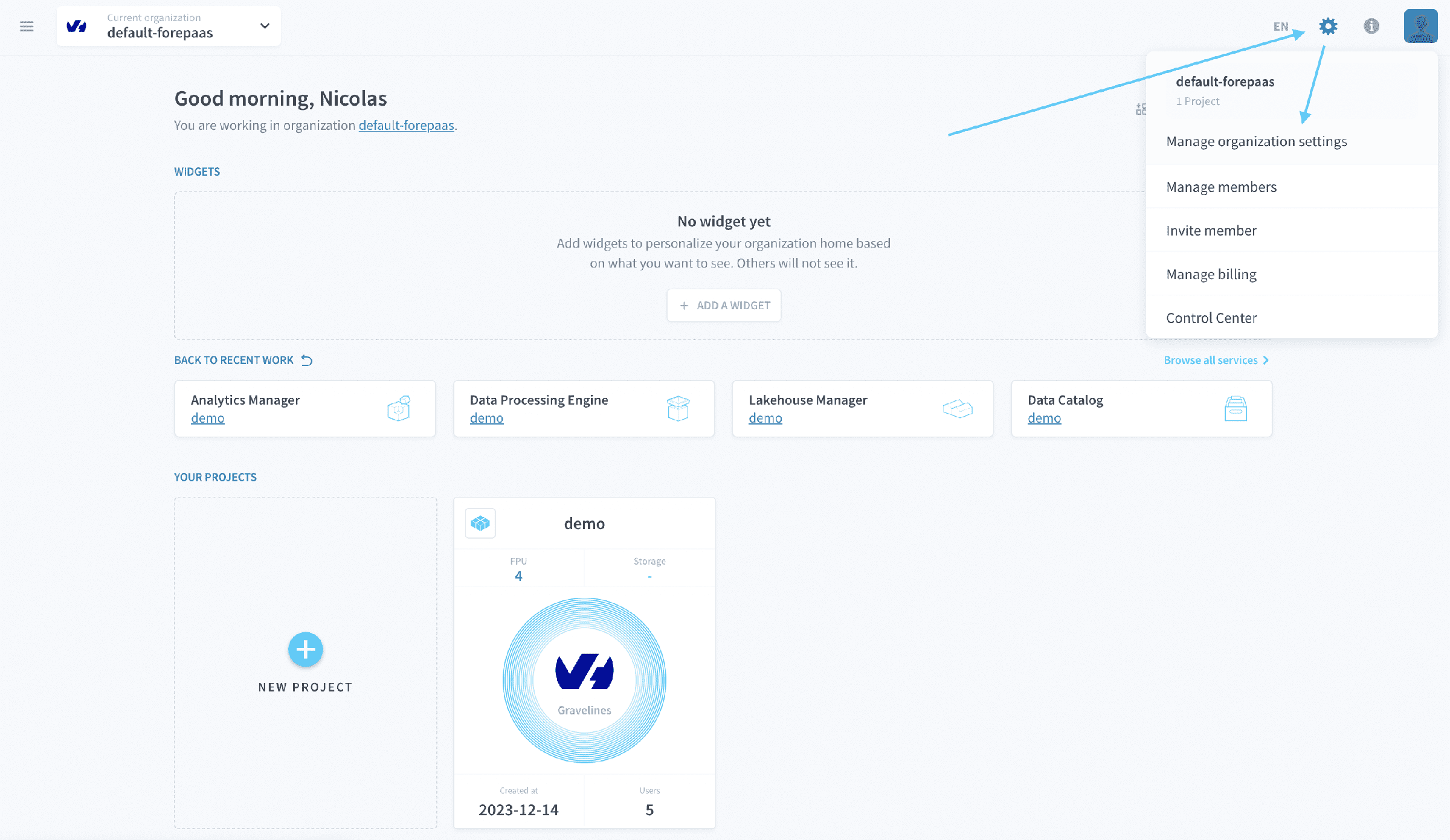
From there, you will be able to configure:
- Your Projects
- Other parameters: Name, description, SSL certificates, domain names, etc.
Learn how to configure an organization
Go further
For training or technical assistance implementing our solutions, contact your sales representative or visit our Professional Services page to request a quote and have your project analysed by our experts.
Ask questions, give your feedback and interact directly with the team building the Data Platform on the dedicated Discord channel.
If you need support with your OVHcloud services, create a request in our Help Centre.
Join our community of users.