
Extract the metadata of a source
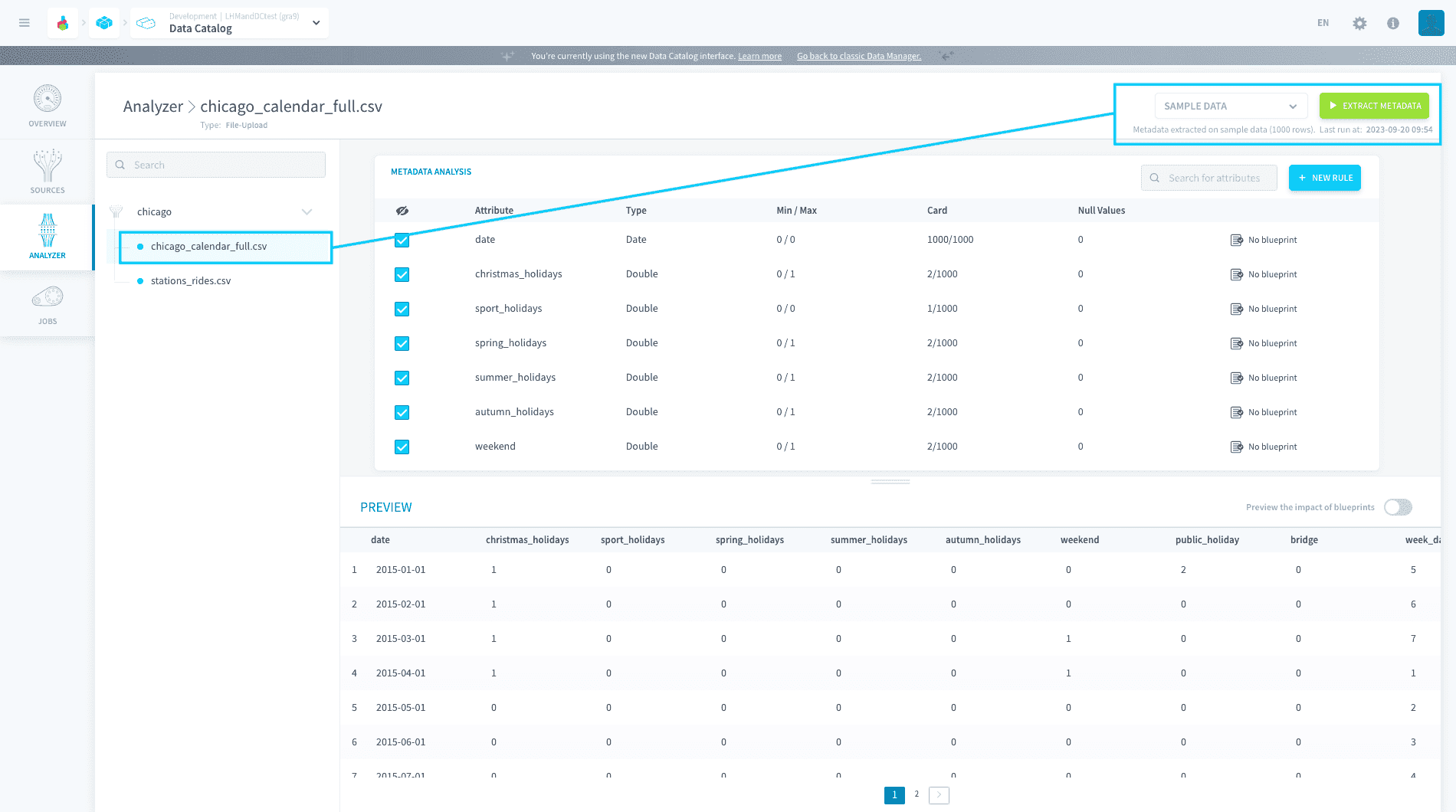
Further, choose Sample data or Complete data to extract on the first 1,000 rows or on the entire table respectively
Objective
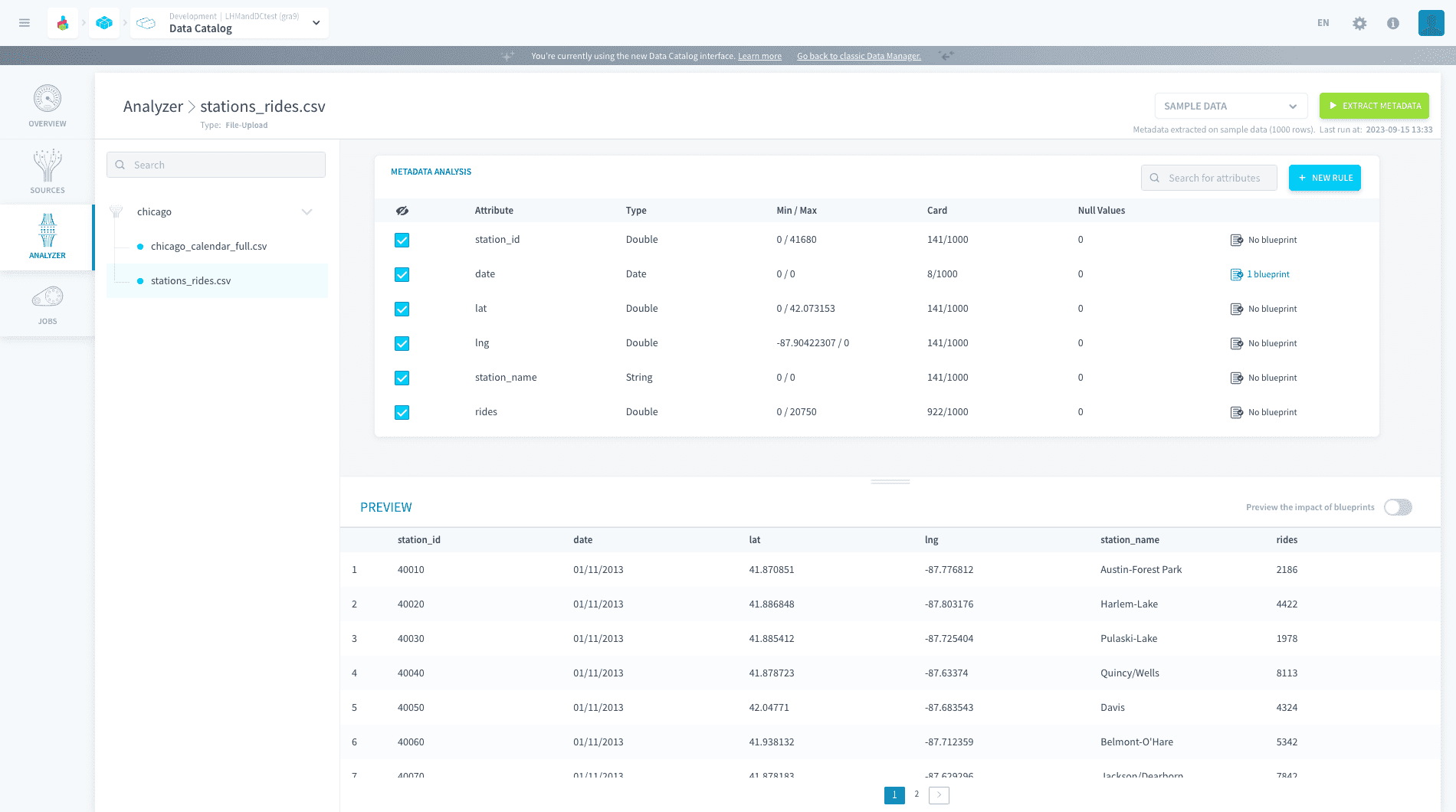
To extract the metadata of a source for the first time, simply select a source object on the left-hand panel. This will parse a sample of 1,000 rows from the source to obtain the following information:
- attribute names
- attribute types
- attribute minimum and maximum values
- attribute card., i.e. the number of unique values in the sample
- attribute null values
To extract the metadata of a source again, you can click on the Extract Metadata button at the top right. Further, choose Sample data or Complete data to extract on the first 1,000 rows or on the entire table respectively.
A complete metadata extraction can take a while depending on the size of the selected table
If your metadata extraction fails, investigate why by checking out the logs in the Jobs tab in the Connectors.
Once the meta are extracted, you can start working to set standard structure formats for your data by adding blueprint rules to any attribute.
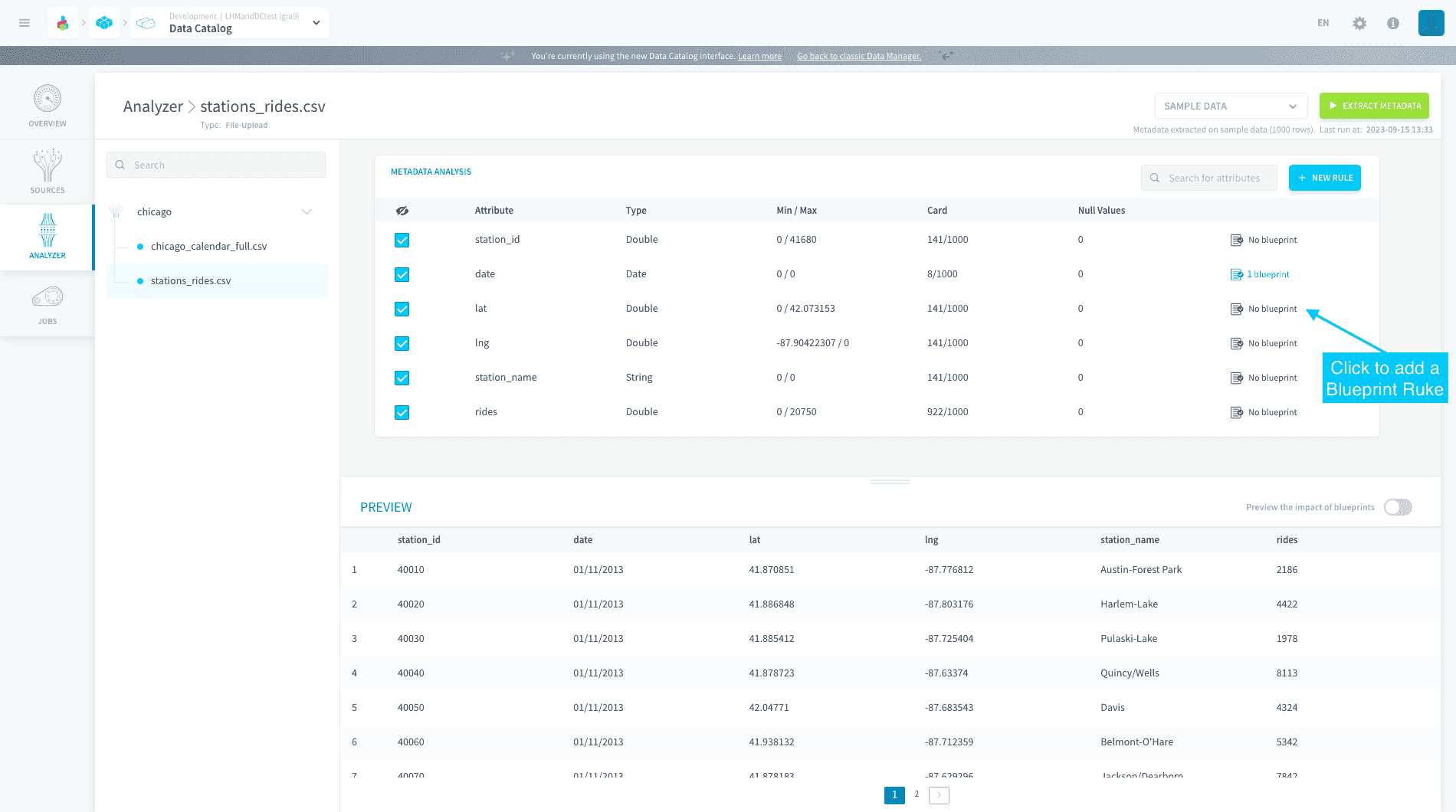
Learn how to add blueprint rules
Go further
For training or technical assistance implementing our solutions, contact your sales representative or visit our Professional Services page to request a quote and have your project analysed by our experts.
Ask questions, give your feedback and interact directly with the team building the Data Platform on the dedicated Discord channel.
If you need support with your OVHcloud services, create a request in our Help Centre.
Join our community of users.