
Review query execution history
The history tab allows you to see the list of the latest query executions such as
Objective
The history tab allows you to see the list of the latest query executions such as:
- queries ran from the Analytics Manager interface
- queries passed on from an API (or an application)
- queries executed on the fly in the Lakehouse Manager Explorer
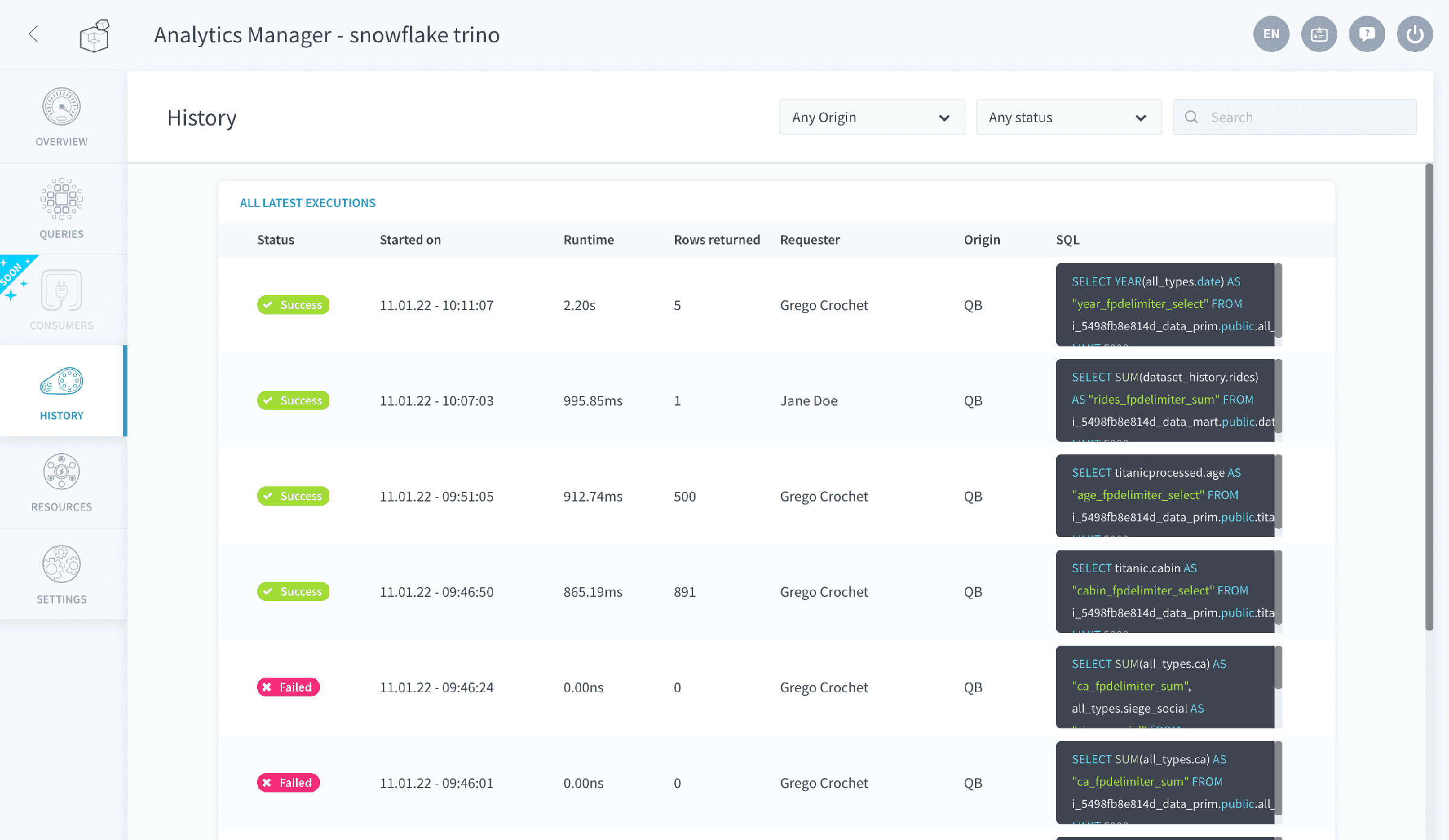
A SQL column is displayed to show the actual query string executed by the Analytics Manager behind the scenes. This query is automatically converted from the original query written by the user (either in SQL or using the visual builder) which usually has a much simpler syntax. Typically, the Analytics Manager will automatically:
- append engine/database/schema information when necessary to route the query to the correct data source
- replace the virtual attributes with their corresponding SQL definition
Go further
For training or technical assistance implementing our solutions, contact your sales representative or visit our Professional Services page to request a quote and have your project analysed by our experts.
Ask questions, give your feedback and interact directly with the team building the Data Platform on the dedicated Discord channel.
If you need support with your OVHcloud services, create a request in our Help Centre.
Join our community of users.