Lakehouse - Restricting network access
Find out how to allow only a list of public IP addresses to reach the SQL endpoint, the Iceberg REST catalog and the S3 keys of your Lakehouse
Lakehouse is in alpha. It is only available to the accounts invited to the alpha programme, and its features, interface and API may change.
Objective
By default, anyone holding a valid credential can reach the endpoints of a Lakehouse from any address. IP filtering limits access to the addresses you list.
This guide explains how to enable IP filtering on a Lakehouse.
Requirements
- A Lakehouse in your Public Cloud project. See Lakehouse - Getting started.
- The public IP addresses of the machines and networks that must reach the Lakehouse.
OVHcloud Console Access
- Direct link:
- Navigation path:
Public Cloud> Select your project >Analytics
Instructions
Click Lakehouse, then click the name of your Lakehouse and open the Network access tab.
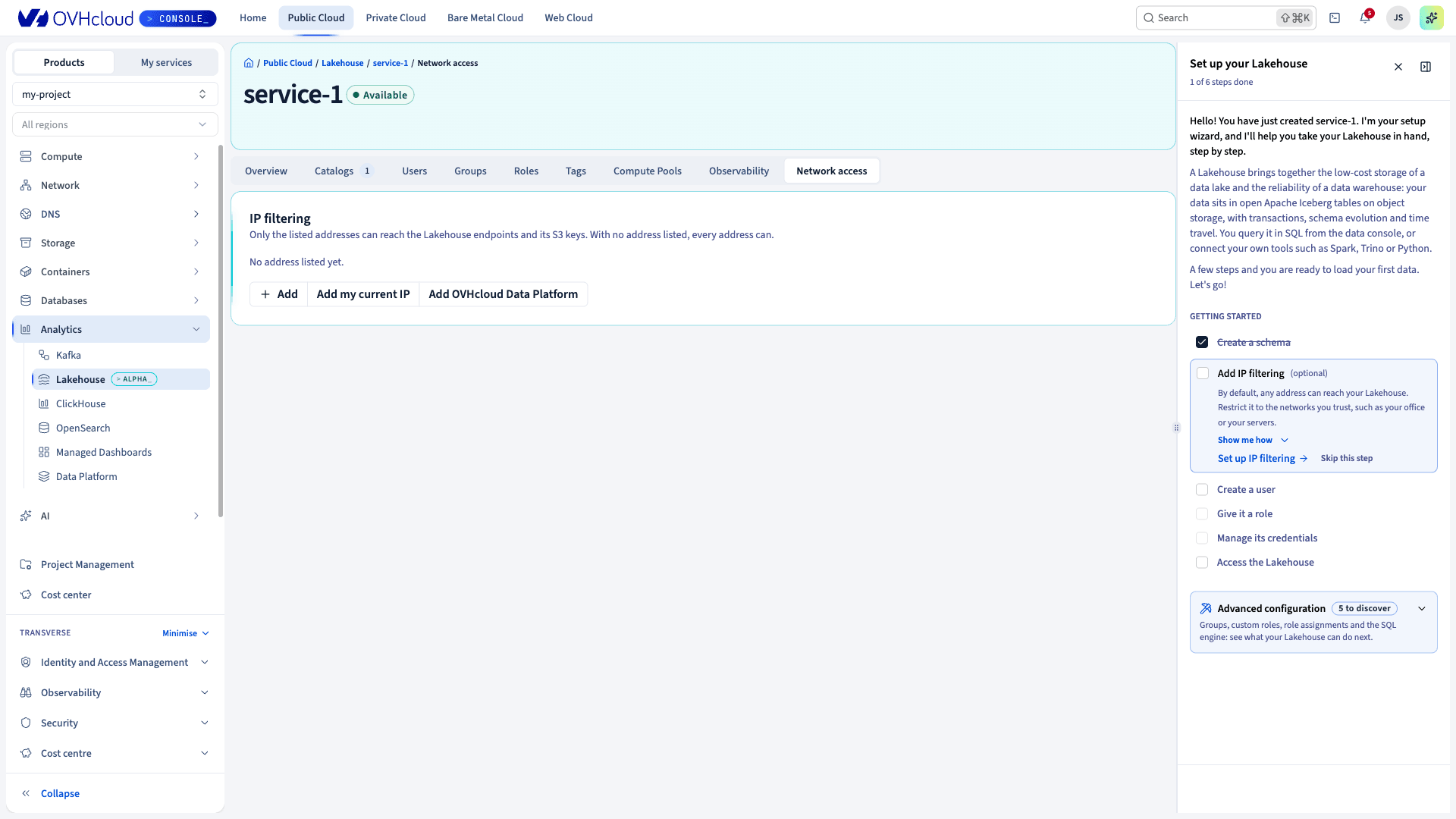
Listing the allowed addresses
Add the address you work from before saving the list. Otherwise your tools lose access to the SQL endpoint, the Iceberg REST catalog and the S31 keys from this address. The Add my current IP option fills in the address you are connected from.
Click Add and enter a public IPv4 or IPv6 address, or a block in CIDR notation (for example 203.0.113.0/24 for a whole network), with an optional description. Repeat for each address, then click Save.
- Private and reserved ranges are refused: only public addresses can be listed.
- The list must hold at least one IPv4 entry; a list of IPv6 entries only would block every IPv4 client.
Enabling the filtering
Saving a list that holds at least one address enables the filtering; saving an empty list disables it.
If the tab says that filtering is off, the listed addresses are stored but not applied: every address can reach the Lakehouse. Click Apply the filtering to enable it.
The filtering applies to the SQL endpoint, the Iceberg REST catalog and the S3 keys of the Lakehouse. It takes effect within about a minute. A request from an address that is not listed is refused with the error 403 and the message Source address not allowed.
To change the list later, edit it and save again: the new list also takes effect within about a minute.
Go further
Lakehouse - Managing access to your data
Join our community of users.
1: S3 is a trademark of Amazon Technologies, Inc. OVHcloud's service is not sponsored by, endorsed by, or otherwise affiliated with Amazon Technologies, Inc.