
Load balancing methods
Discover the various load balancing algorithms available with the OVHcloud Load Balancer
Objective
The OVHcloud Load Balancer service supports a variety of load balancing algorithms for your services. This setting dictates how the Load Balancer distributes incoming client requests among the servers in a farm.
This guide introduces the various load balancing methods and explains how to modify them.
Requirements
- An OVHcloud Load Balancer service in your OVHcloud account.
- Access to the .
- You need to have created a server farm.
Instructions
Available Load Balancing Algorithms
The load balancing setting is applied at the server farm level and defines the method by which client requests are distributed among the servers within that farm.
For an overview of the OVHcloud Load Balancer service components, please refer to the Load Balancer Introduction guide.
Modify a server farm's load balancing method via the OVHcloud Control Panel
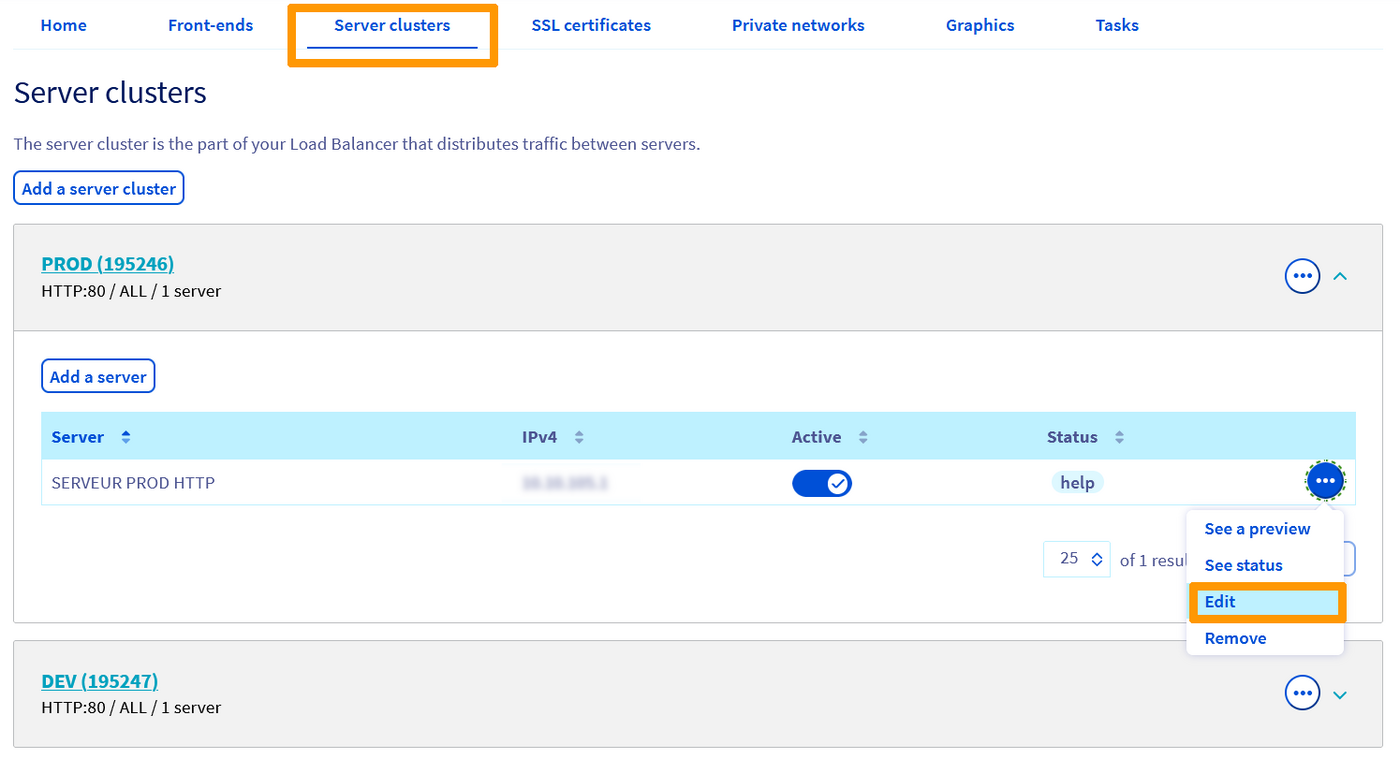
- In the
Server farmssection (1), locate the desired farm. You can edit it by clicking the three dots on the right-hand side (2), then onChange.
In Advanced settings, modify the Load balancing method.
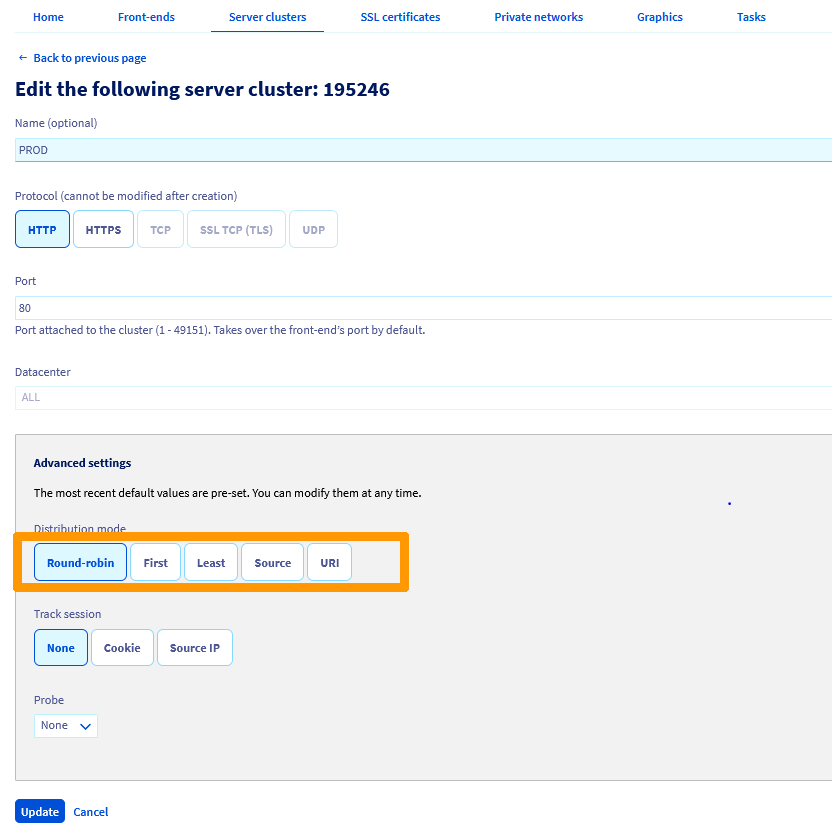
Once your preferred method is selected, click Update, then click Apply configuration in the yellow banner that appears.

Modify a server farm's load balancing method via the OVHcloud API
The load balancing method is changed by updating the corresponding field within the server farm configuration.
View details on a server farm
Use this api call to view the details of a server farm given its ID. In this example, we work with an HTTP farm:
Modify a server farm's load balancing method
Use this api call to edit the settings of a server farm given its ID. In this example, we work with an HTTP farm. To modify the balancing method, update the BackendHttp.balance field with an available algorithm:
Apply the modifications
Go further
Join our community of users.