
Translate your application into multiple languages
Applications created on the Platform are multilingual by nature. The fields to translate as well as the languages available for the application can be
Objective
Applications created on the Platform are multilingual by nature. The fields to translate as well as the languages available for the application can be found in the Translations tab.
This tab allows you to:
- Add languages
- List all the expressions requiring a translation
- Add or edit the translation of these expressions in all added languages
The themes offered in the Marketplace have a number of translations to allow the application to work properly. It will therefore only be necessary to add translations when the expressions used are not included in the theme, such as the name of the data fields. Similarly, if an application is only built from the SDK, the majority of translations will have to be added.
Interface
Figure 1 illustrates the translation editor interface, which allows you to:
- Add a language
- Add a translation key
- Save translations
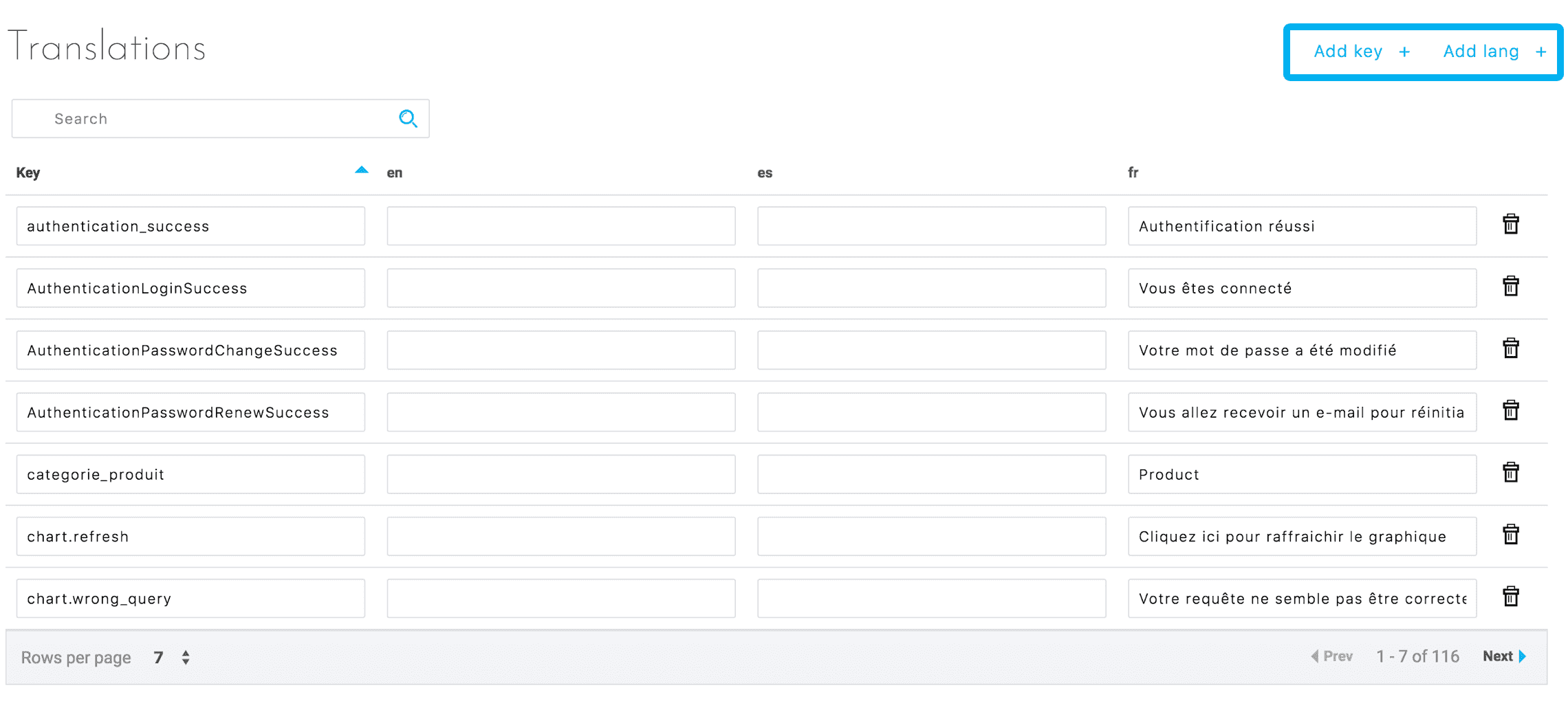
Figure 1 : Main actions
When adding a new translation key, a new line will be created allowing you to enter the translations of these keys in each language (see Figure 2).
Adding a language only requires the language code (fr, en, es, etc.). This will create a new column where the translation can be entered (see Figure 2). Each translation key can then be modified directly or deleted.
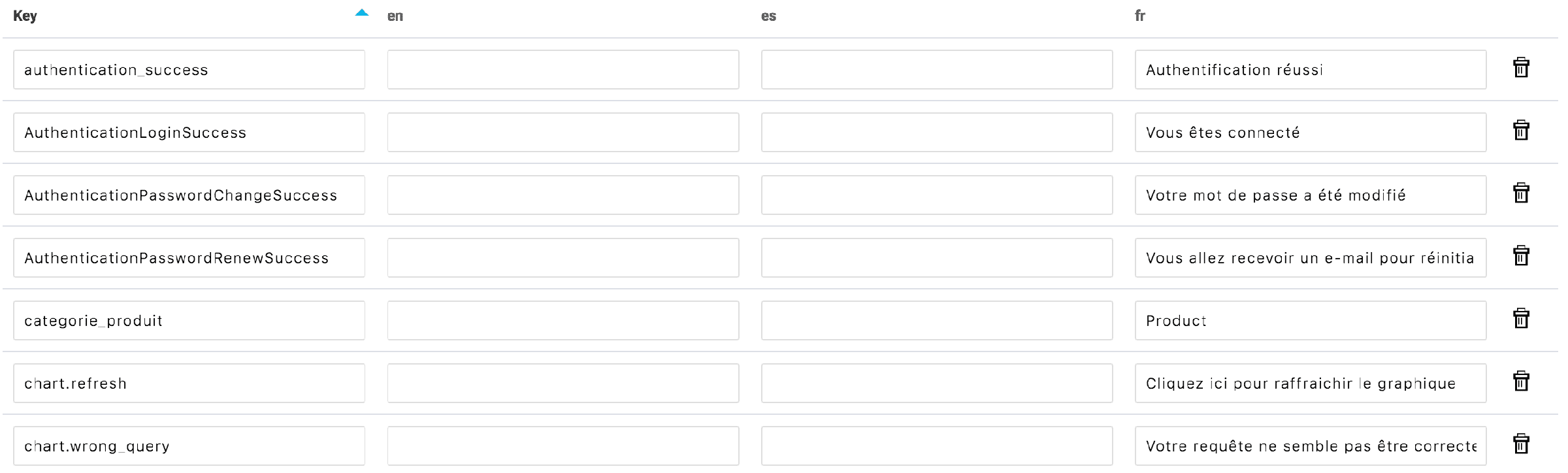
Figure 2: List of translations for an app
App Integration
In charts
Many predefined charts provide a simple translating system.
Translate an axis
site will be replaced by "Site" in all charts
Translate a value
To translate an axis value, you need to use a combination of axis name and value
Instead of "2", all the charts will display "New York" for an axis "site"
Go further
For training or technical assistance implementing our solutions, contact your sales representative or visit our Professional Services page to request a quote and have your project analysed by our experts.
Ask questions, give your feedback and interact directly with the team building the Data Platform on the dedicated Discord channel.
If you need support with your OVHcloud services, create a request in our Help Centre.
Join our community of users.