
Pricing and Management of OVHcloud NSX Edges
Learn about pricing options, configuration, and customization of NSX Edges for VMware on OVHcloud
Objective
This documentation aims to explain the configuration options for NSX Edges and the steps to manage them within a VMware on OVHcloud environment. It also outlines technical limitations and provides guidance on how to adapt these configurations to specific needs.
Requirements
- Use of VMware NSX 4.1.1 to access customization options.
- Get a basic understanding of VMware concepts and NSX Edge features.
General Overview
Default Configuration
When creating a VMware environment, OVHcloud automatically provides:
- 2 Medium NSX Edges:
- 4 vCPU.
- 8 GB RAM.
This default configuration meets most standard requirements for connectivity and network security.
Customization
You can adapt your infrastructure to meet your specific needs:
- NSX Edge Sizes:
- Medium: 4 vCPU, 8 GB RAM.
- Large: 8 vCPU, 32 GB RAM.
- XL: 16 vCPU, 64 GB RAM.
- Number of NSX Edges:
- Minimum: 2 (default configuration).
- Maximum: Up to 10 NSX Edges per cluster.
Limitations
- 1 NSX Edge cluster per vDC.
- 10 NSX Edges maximum per cluster (Broadcom/VMware limitation).
- NSX version 4.0.1 does not support:
- Ordering new vDCs under NSX 4.1.1.
- Modifying or adding NSX Edges.
OVHcloud Control Panel Access
- Direct link:
- Navigation path:
Hosted Private Cloud>Managed VMware vSphere> Select your vSphere service
Instructions
Steps to customize NSX Edges
From the Datacenters dashboard, access your datacenter then click on the NSX Edge Nodes tab.
-
Order new NSX Edges:
Click on
Add an Edge.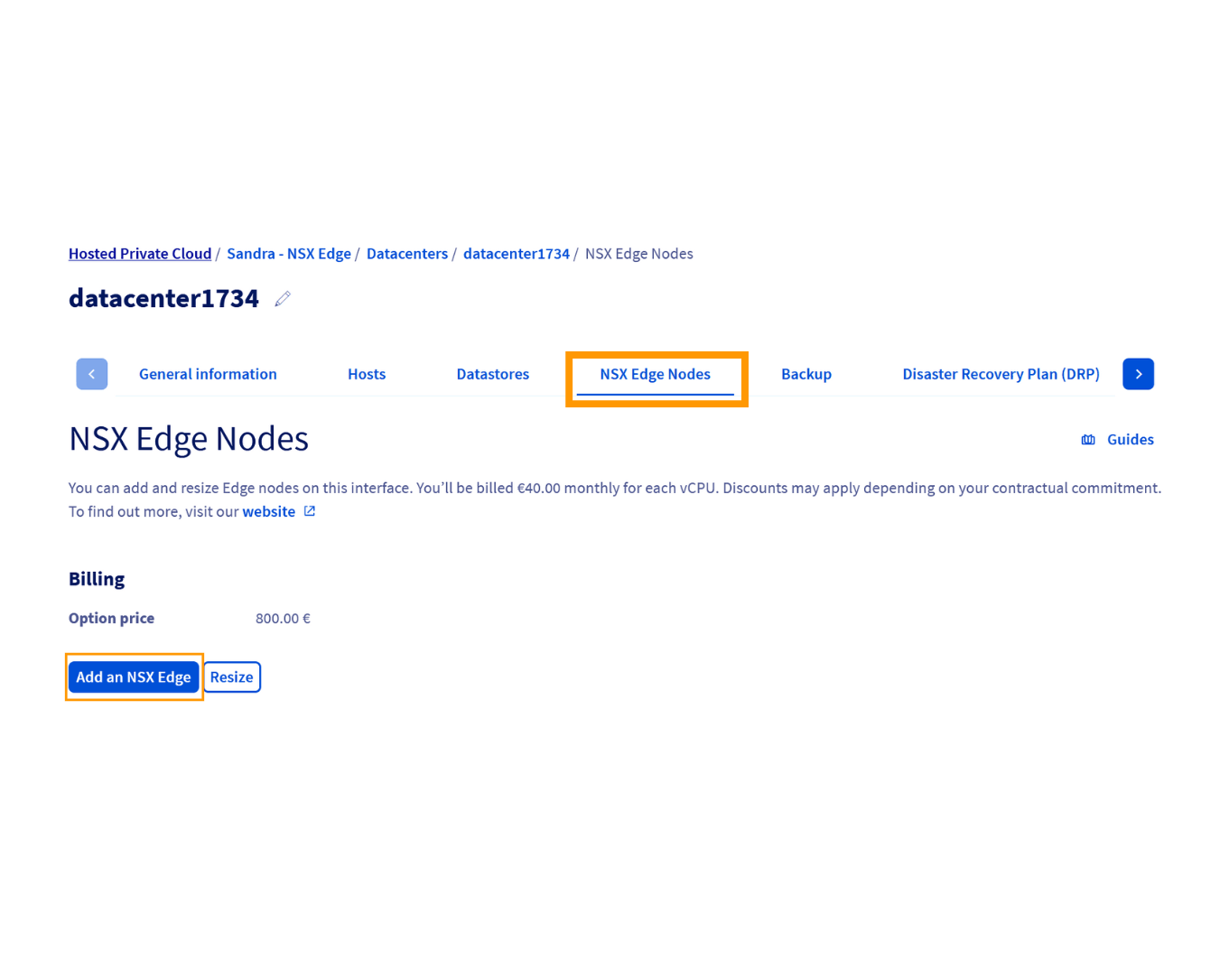
Then, select the desired size and click on
Order.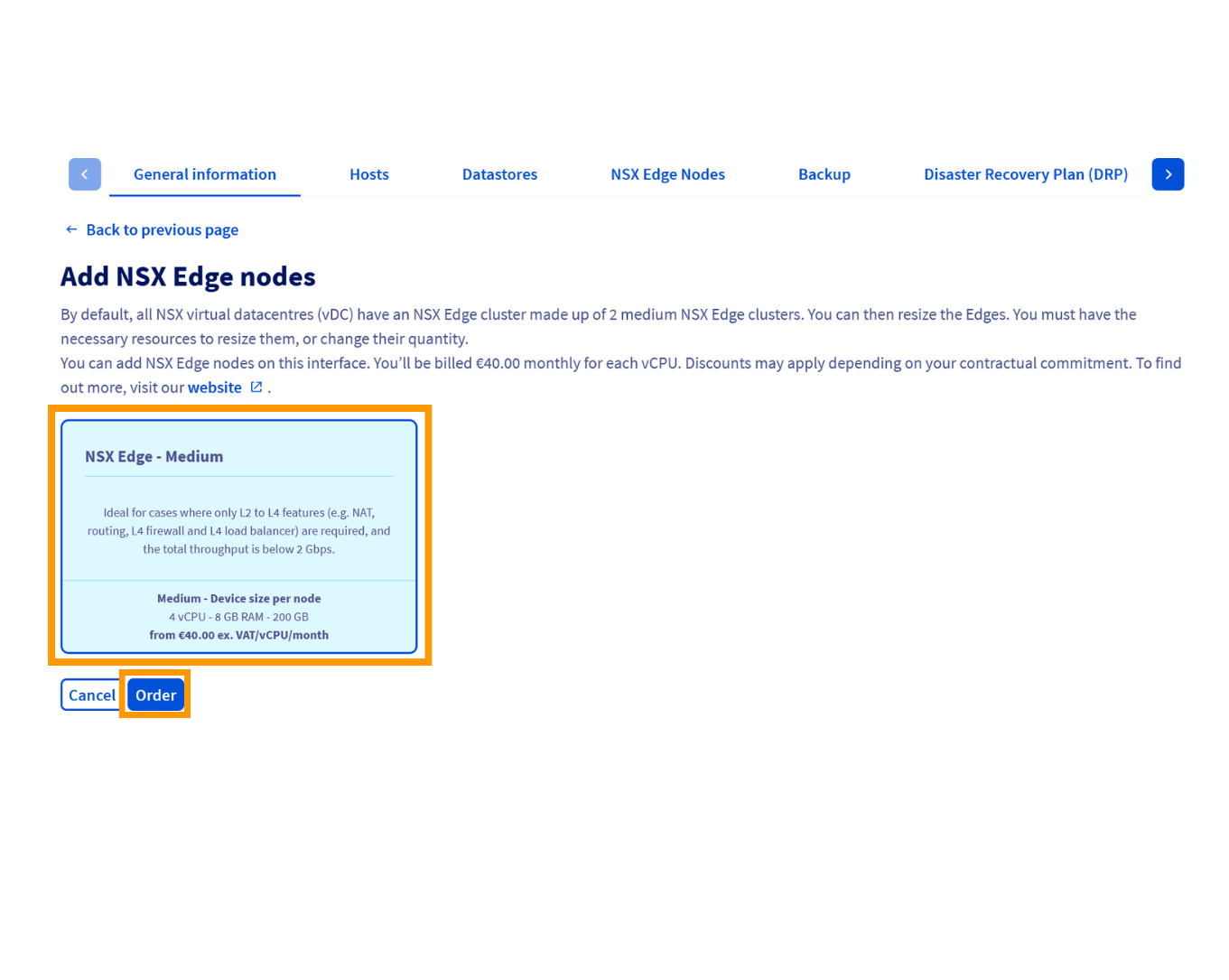 Info
InfoAll Edges must be the same size: when adding a new Edge, it will automatically match the size of existing Edges.
-
Modify the size of existing NSX Edges:
Click on
Resize.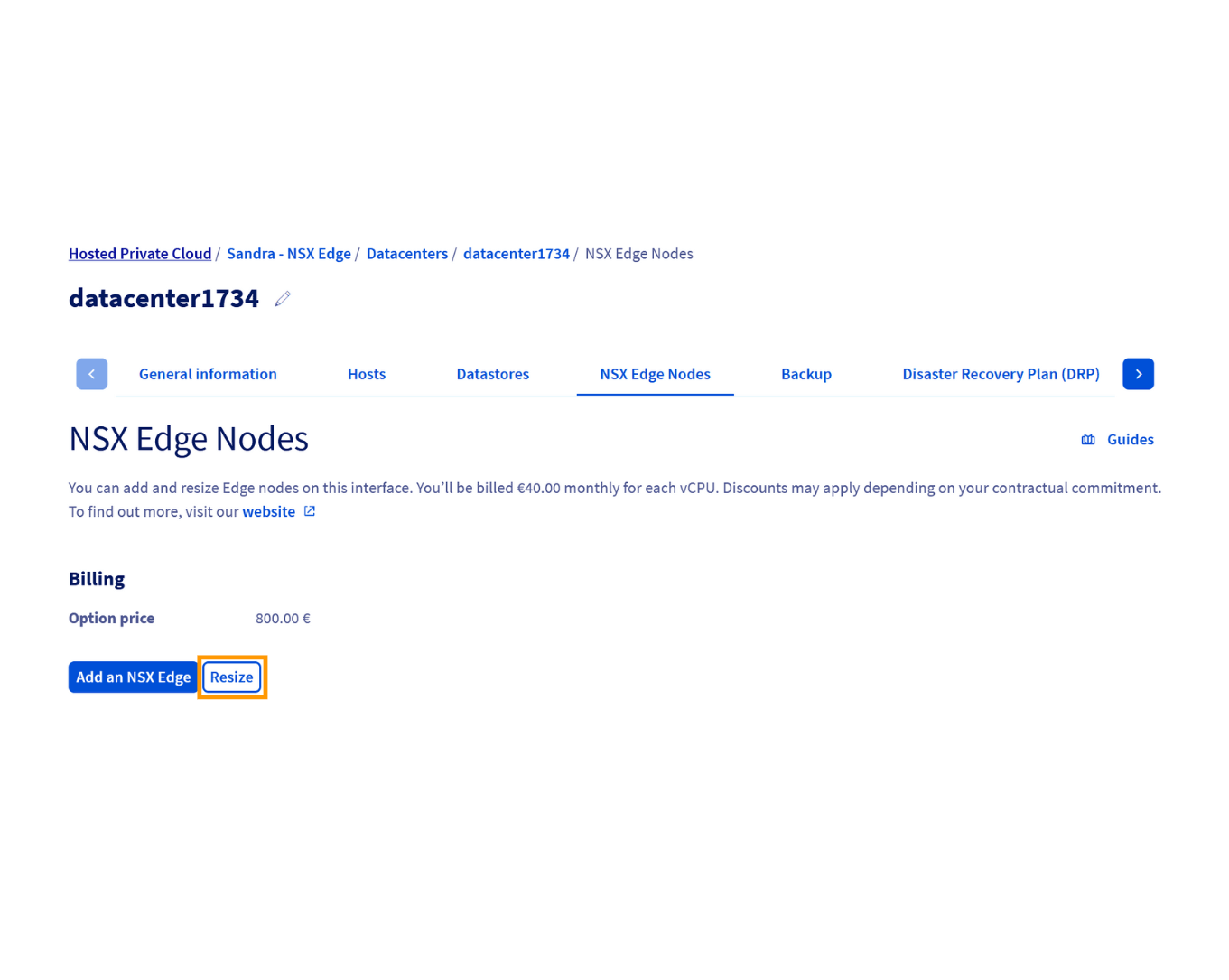
Select the Edge you want to modify.
Choose a new size (Medium, Large, or XL) and apply the changes by clicking on
Confirm.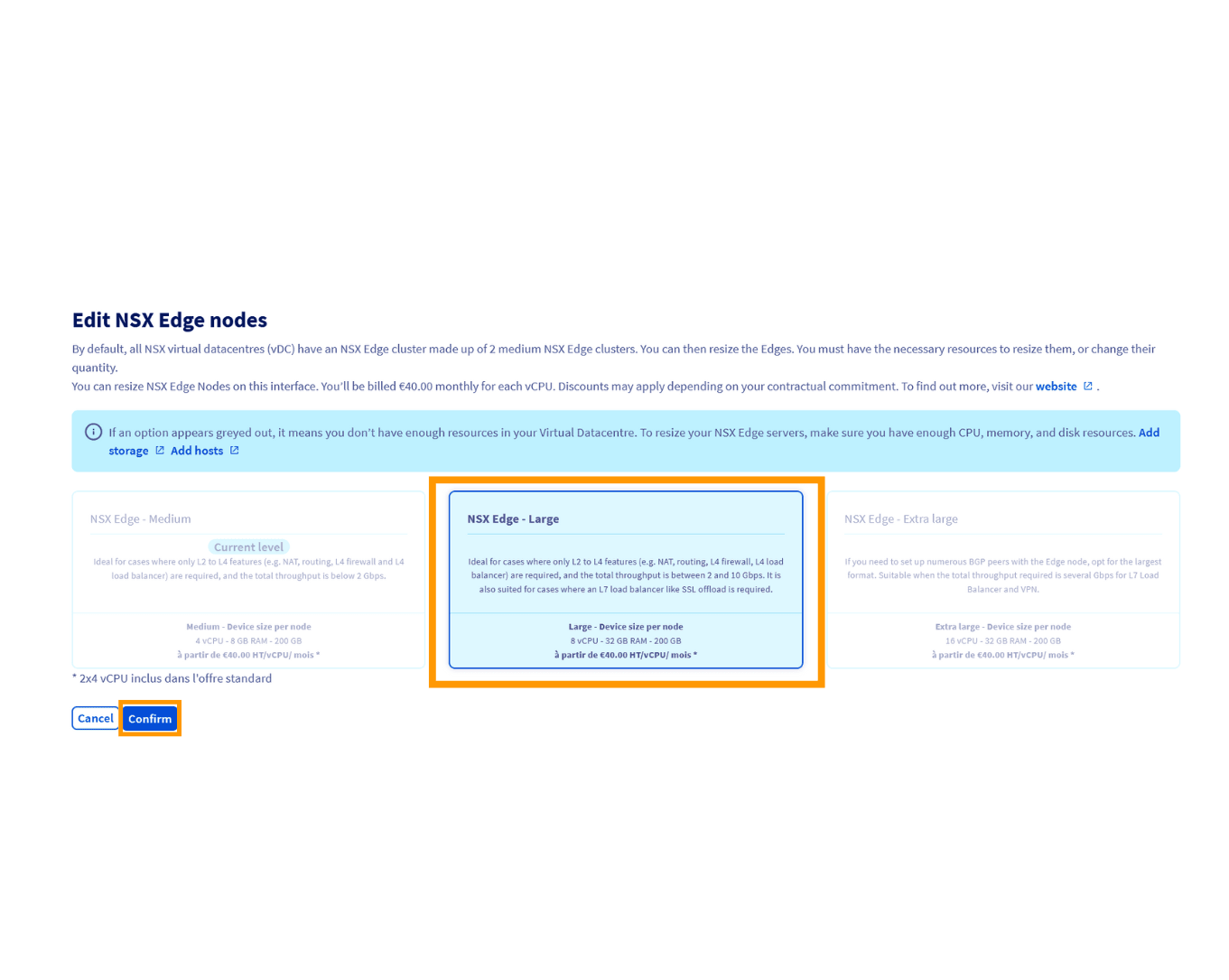
-
Remove unused NSX Edges:
Identify the Edge to be removed.
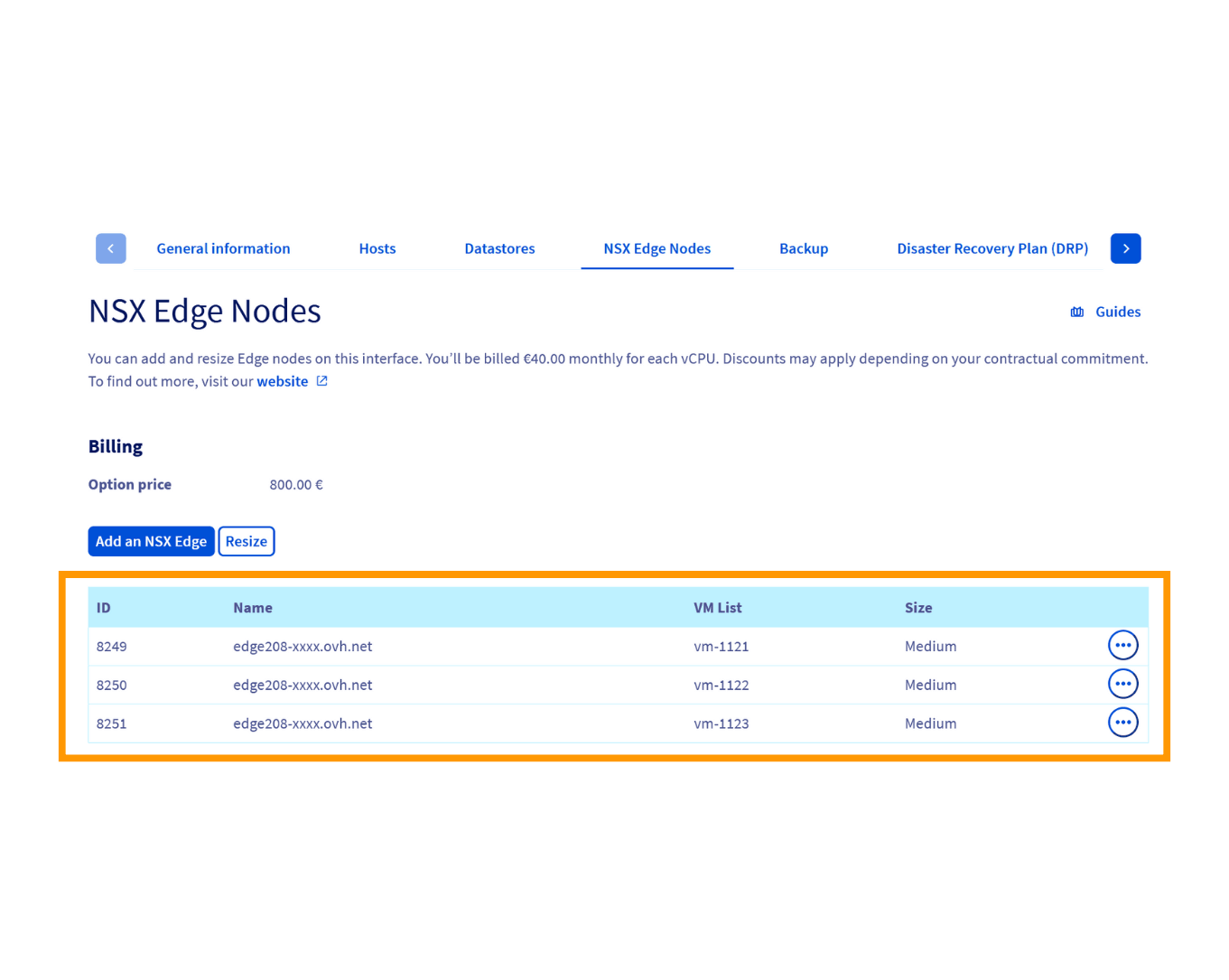
Click on
Deleteand confirm the action.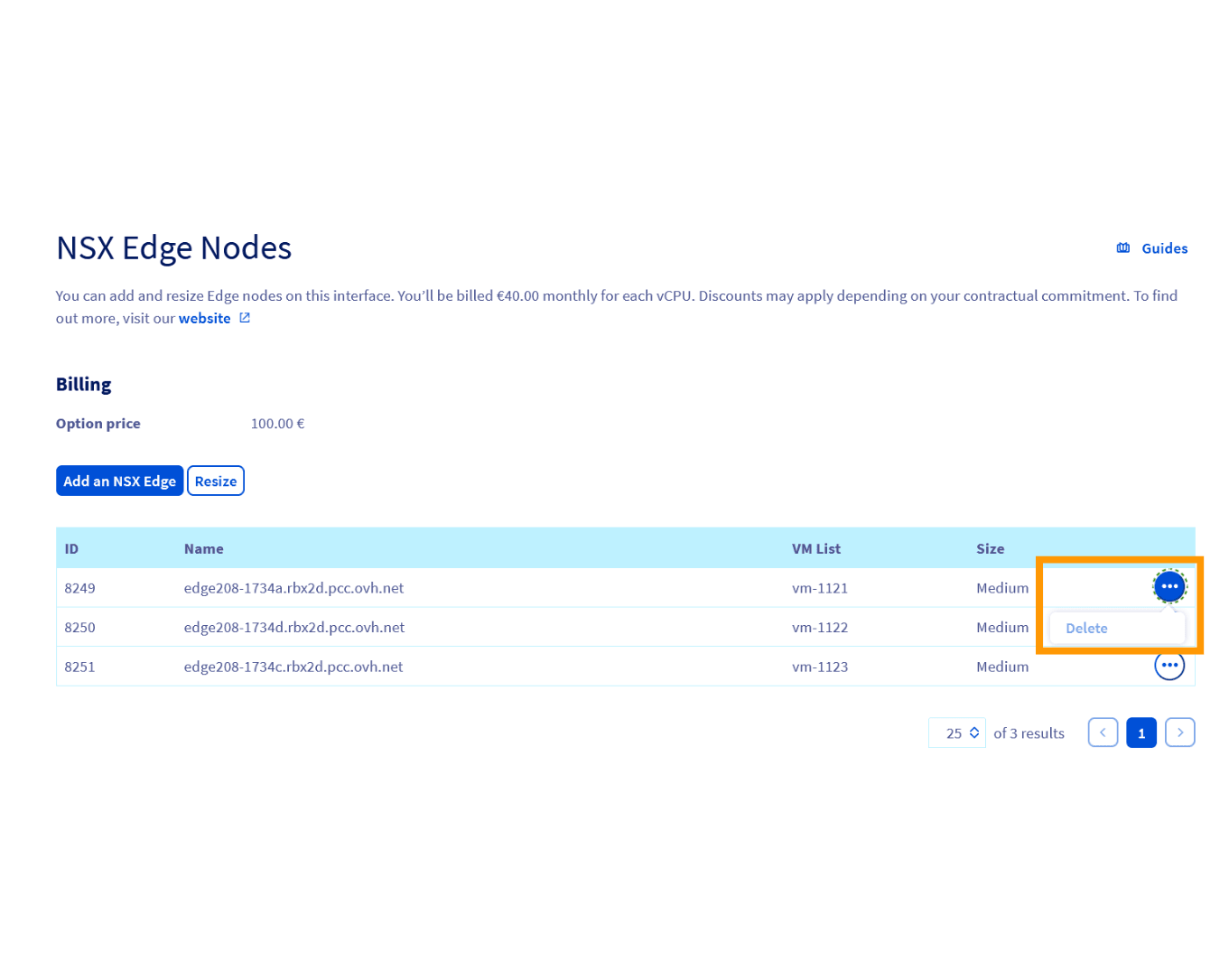 Info
InfoThe Edge must be in resilience mode before deletion to ensure no ongoing traffic is affected.
Go further
For detailed information on NSX Edge features, consult the VMware NSX technical documentation.
Pricing details for NSX Edges are not included in this documentation. To access up-to-date pricing or request a quote, visit the OVHcloud website or contact support via the Help Center.
For training or technical assistance implementing our solutions, contact your sales representative or visit our Professional Services page to request a quote and have your project analysed by our experts.
Join our community of users.