
Connect using Compass for Public Cloud Databases for MongoDB
Connect to your Public Cloud Databases for MongoDB using MongoDB Compass
Objective
Public Cloud Databases allow you to focus on building and deploying cloud applications while OVHcloud takes care of the database infrastructure and maintenance in operational conditions.
This guide explains how to connect to a MongoDB database instance with one of the world's most famous Open Source (SSPL) management tool for MongoDB: MongoDB Compass.
Requirements
- A Public Cloud project in your OVHcloud account
- A MongoDB database running on your OVHcloud Public Cloud Databases (this guide can help you to meet this requirement)
- Configure your MongoDB instance to accept incoming connections
- A MongoDB Compass stable version installed and public network connectivity (Internet). This guide was made in MongoDB Compass version 1.30.1.
Concept
A MongoDB instance can be managed through multiple ways. One of the easiest, yet powerful, is to use a Command Line Interface (CLI), as shown in our guide: Connect to MongoDB with CLI or by using programming languages, such as PHP or Python.
Another way is to interact directly using a management tool for MongoDB: MongoDB Compass.
In order to do so, we will need to install MongoDB Compass, then configure our Public Cloud Databases for MongoDB instances to accept incoming connections, and finally configure MongoDB.
Instructions
Installation
Please follow the official documentation to install MongoDB Compass.
We are now ready to learn how to connect to our MongoDB instance.
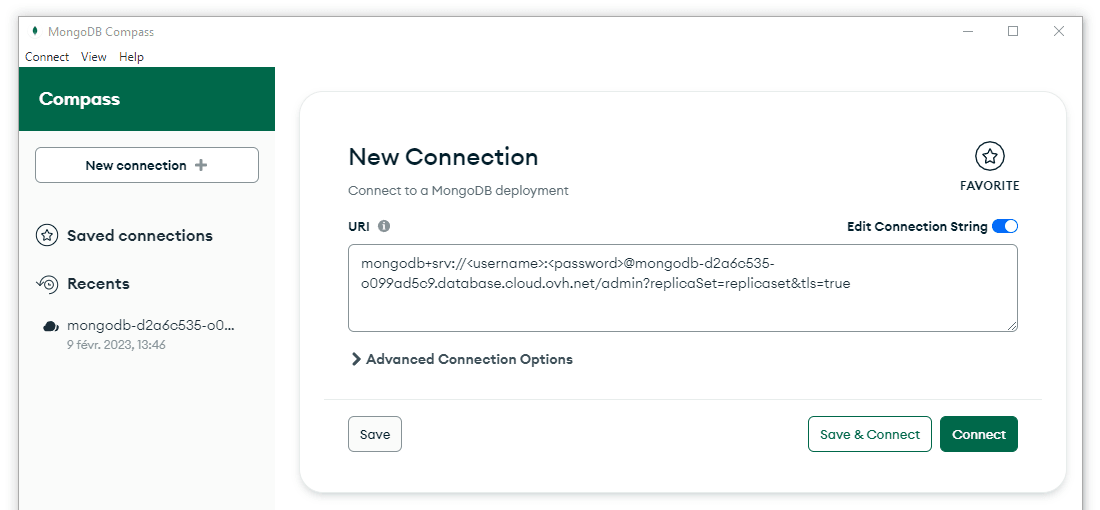
Connect with MongoDB Compass
In MongoDB Compass fill in the connection field with the Service URI:
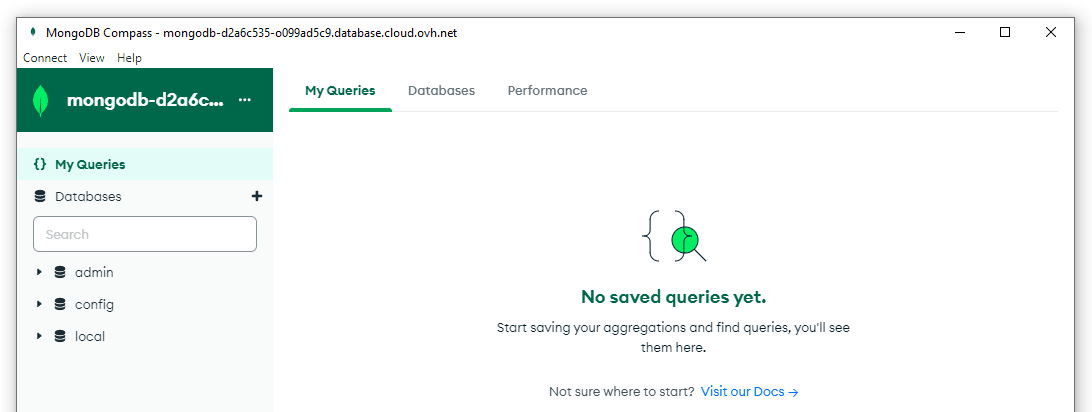
Now you are now interact with your Public Cloud Databases for MongoDB:
Insert and Query Data
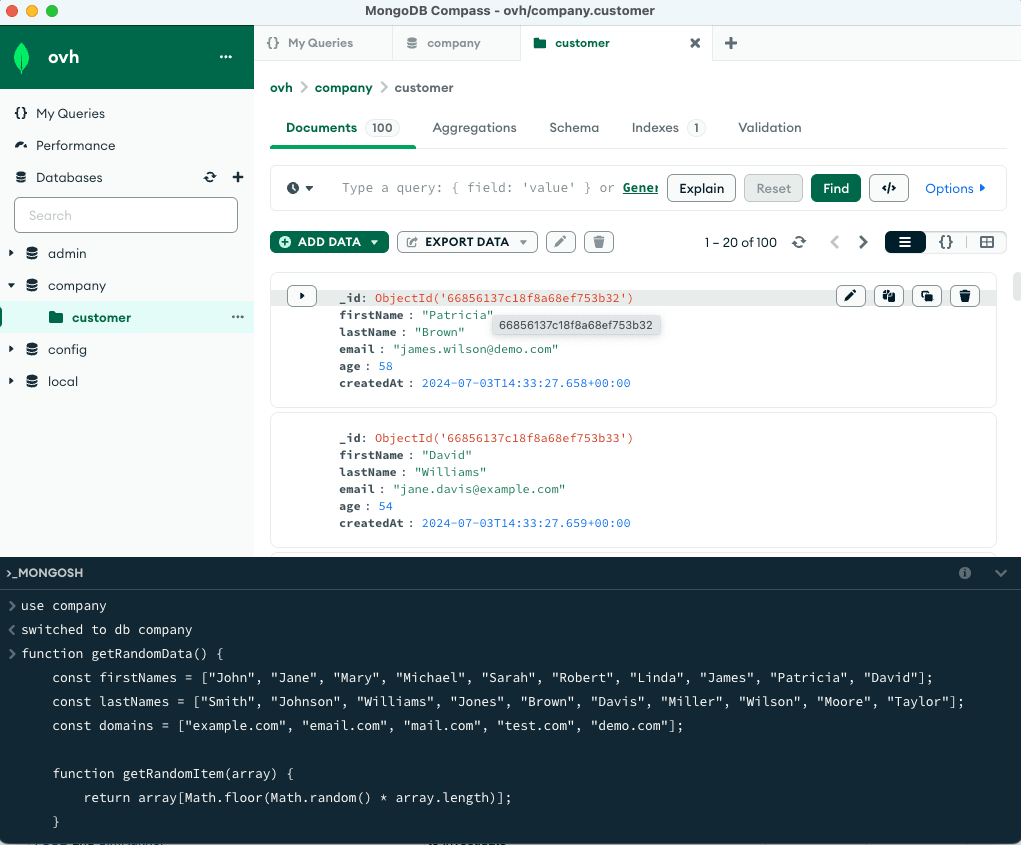
You can use the mongoshell, integrated in Compass, to create your first database and collection. Below is a script that creates the database company and collection customer and inserts 100 random documents.
Load Data into MongoDB
To load 100 documents into a collection called customer with random data, use the following mongosh script:
Query Data with the Aggregation Framework
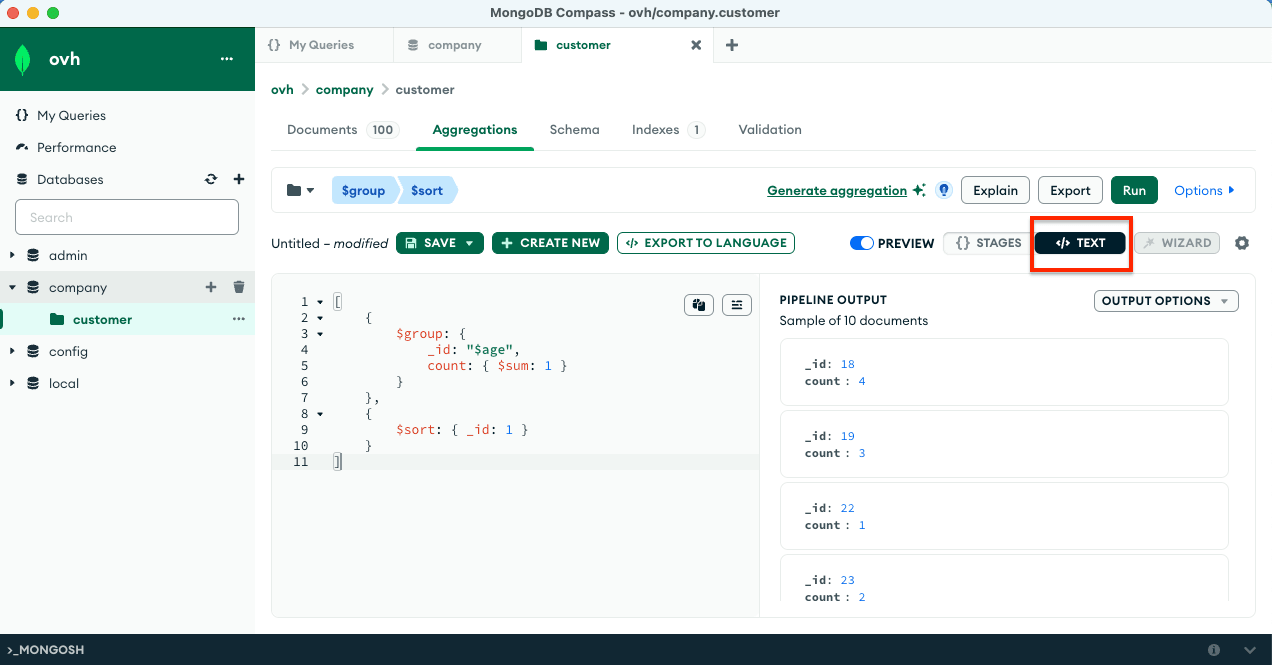
The MongoDB aggregation pipeline below uses the MongoDB Aggregation Framework to group customers by age and count each occurence. You can use the mongoshell to execute:
You can also use the UI with Compass to execute the aggregation pipeline.
Go further
Explore the documentation to view all the features and how to interact with your data.
Configuring vRack for Public Cloud
Visit the Github examples repository to find how to connect to your database with several languages.
Join our community of users.
We want your feedback!
We would love to help answer questions and appreciate any feedback you may have.
For training or technical assistance implementing our solutions, contact your sales representative or visit our Professional Services page to request a quote and have your project analysed by our experts. Are you on Discord? Connect to our channel at https://discord.gg/ovhcloud and interact directly with the team that builds our databases service!