
Add features to your application with extensions
Extensions are a list of packages, accessible through the extensions tab, which can provide your application with additional features
Objective
Extensions are a list of packages, accessible through the extensions tab, which can provide your application with additional features, such as a third-party chart software, translation services, or dynamic parameters.
Manage your extensions
The Extensions tab of the APP Manager lets you view and manage the different supported libraries:
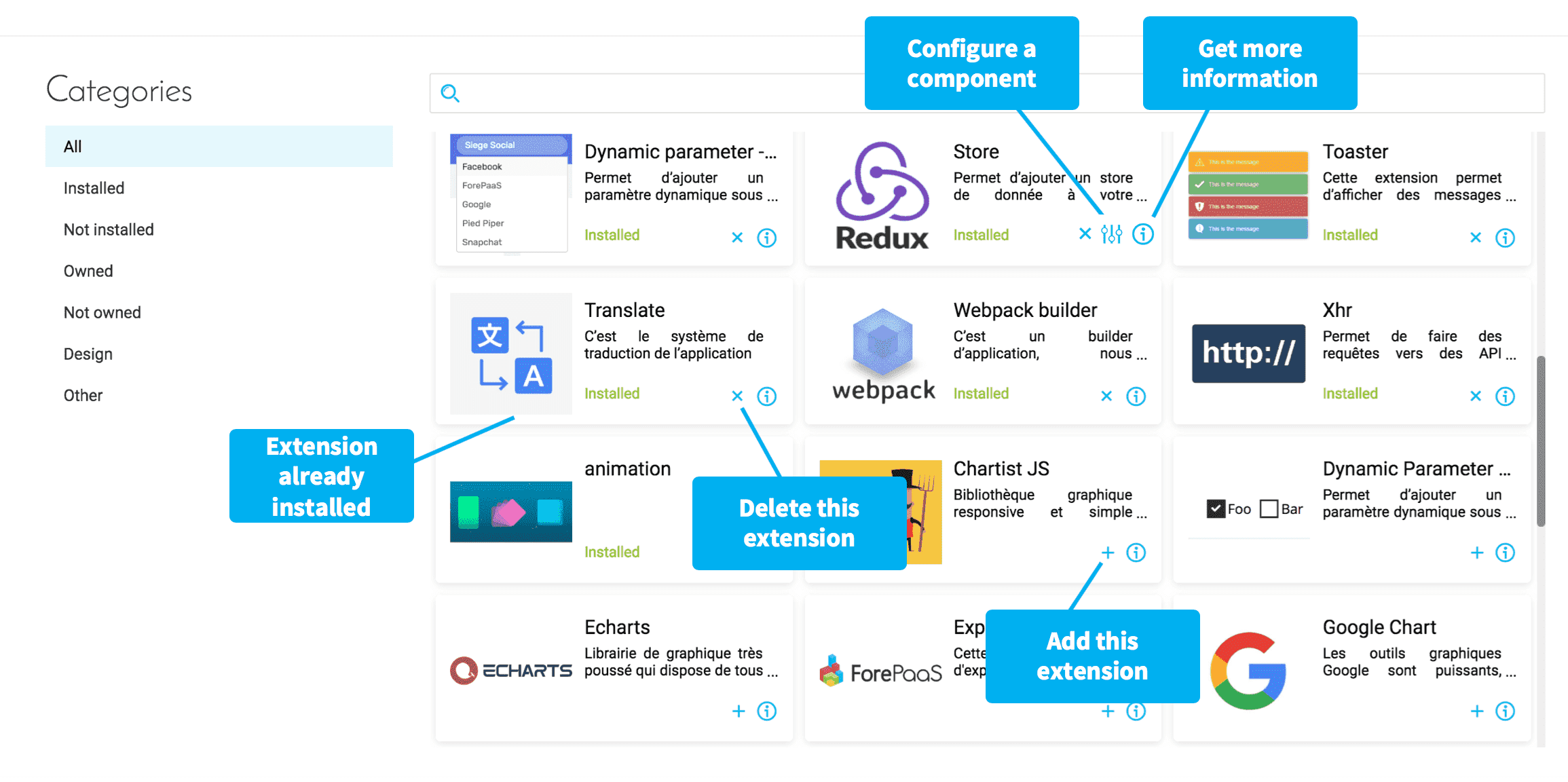
- Add extensions that you need for your Project
- Configure Global settings for the extension, where applicable
- Delete extensions that are already installed if they are not necessary, or if you need a new version of the library.
- Get more information concerning extensions linked to external libraries.
- Import an open-source or proprietary Project-specific or organization-specific extension
Adding an extension requires you to reload your app (on the Overview page) in order to be able to build it.
Customize the extensions
Each extension within the Data Platform marketplace has its own specific configuration in a JSON file that you can edit and customize.
Hands-on tutorial on configuring extensions
Available extensions
Four types of extensions are available: system extensions, platform utilities, dynamic parameters and charts libraries.
System extensions
These extensions are the core part of the Data Platform SDK to build applications. They should always be installed.
Platform utilities
These extensions manage other Platform services but they are not 100% required to create an application.
Dynamic parameters
These are all the possible dynamic parameters you can use to dynamically filter values in applications.
Find more information about dynamic parameters here:
Charts libraries
These extensions helps integrate chart libraries to render data visualization.
Find more information about chart libraries here:
Ready to move on? Discover the next tab of the APP component:
Go further
For training or technical assistance implementing our solutions, contact your sales representative or visit our Professional Services page to request a quote and have your project analysed by our experts.
Ask questions, give your feedback and interact directly with the team building the Data Platform on the dedicated Discord channel.
If you need support with your OVHcloud services, create a request in our Help Centre.
Join our community of users.