-
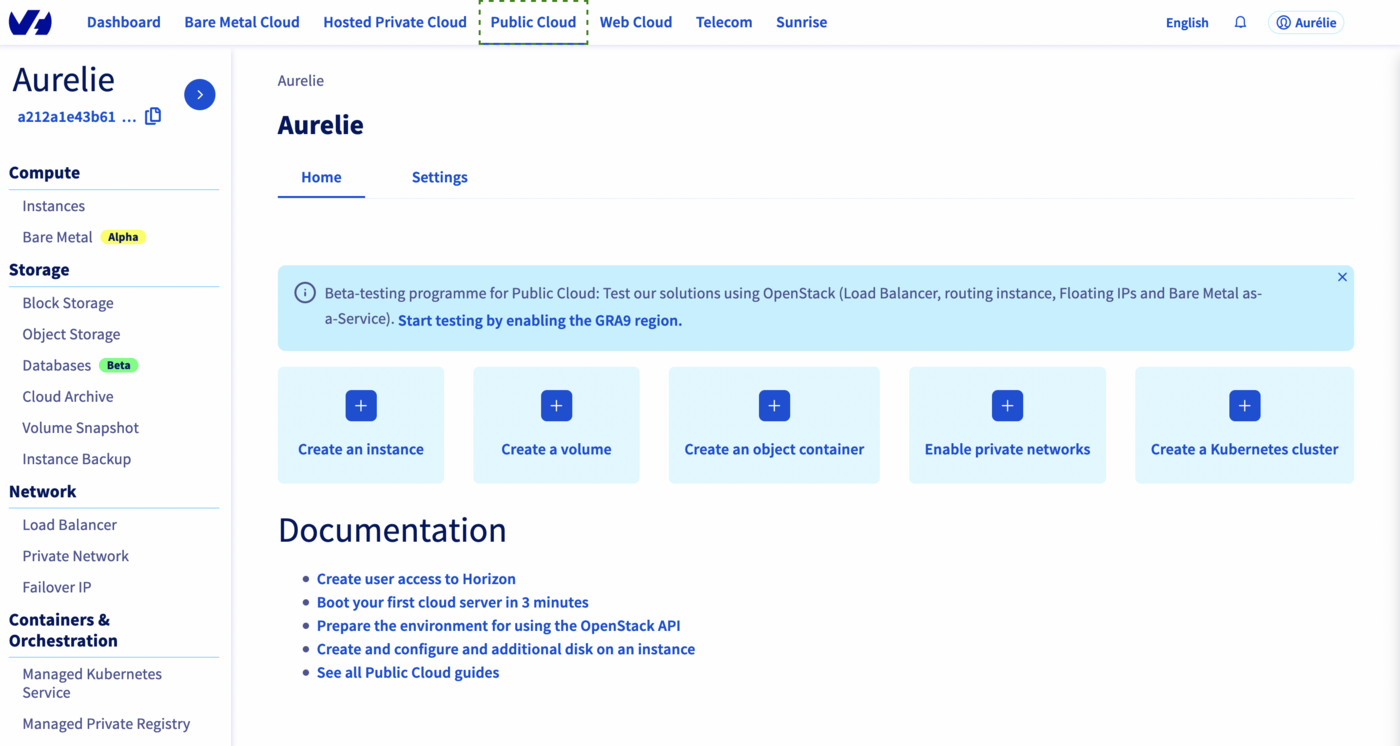
Dans le menu de gauche, dans la section Containers & Orchestration, sélectionnez Managed Private Registry.
-
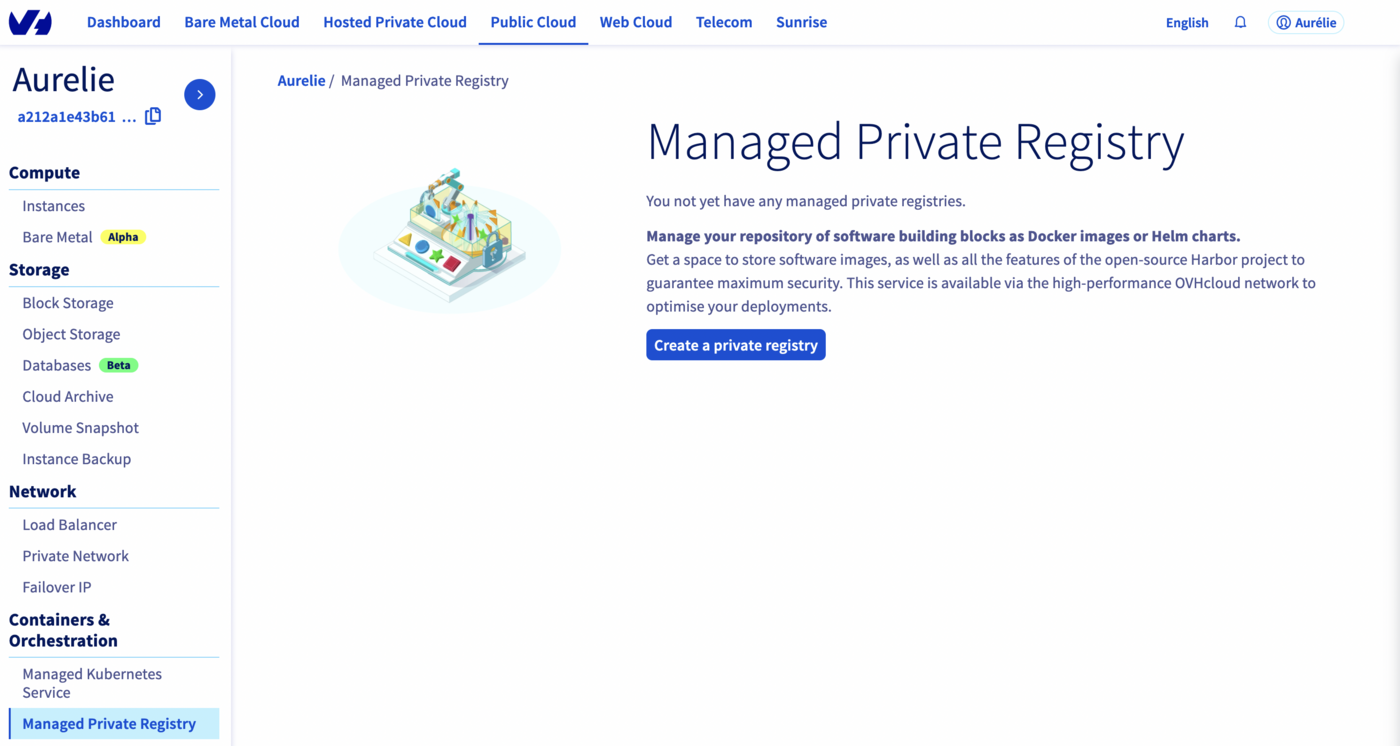
Cliquez sur Créer un registre privé.
-
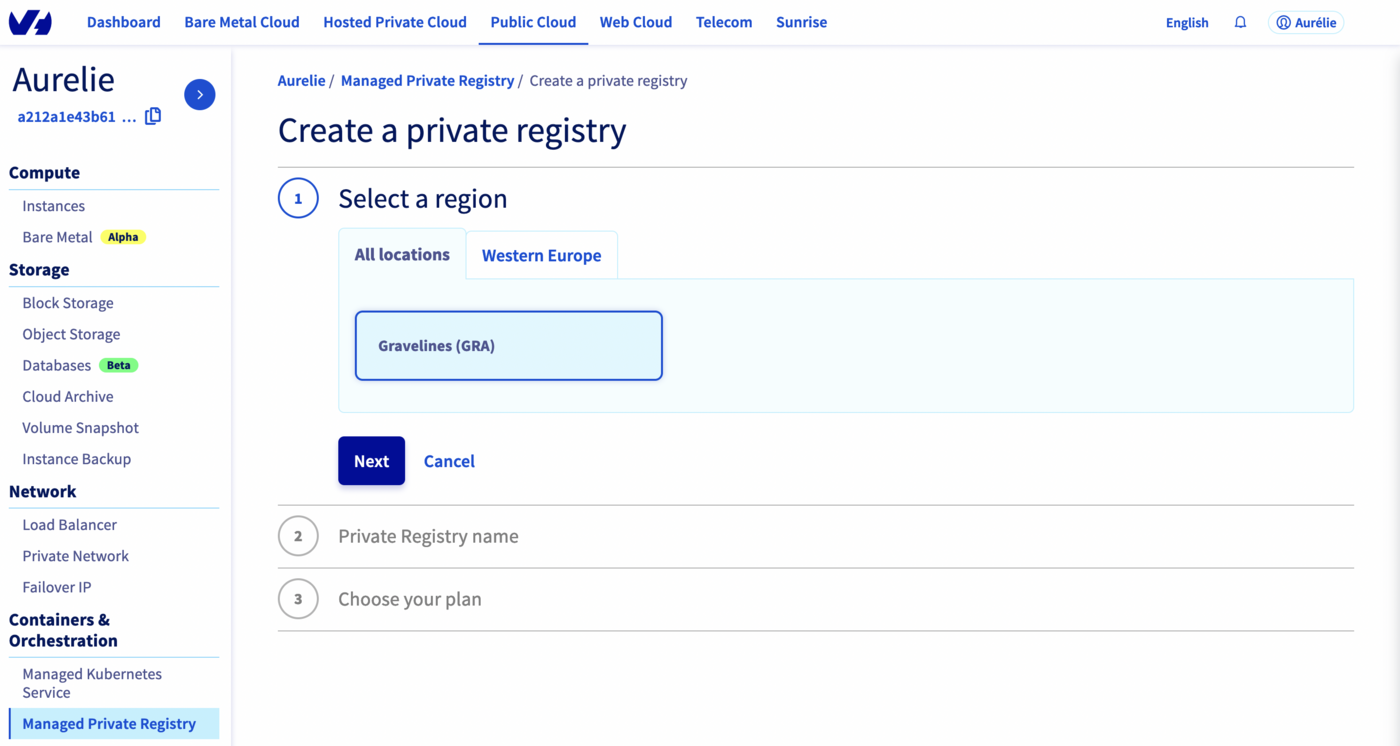
Choisissez une région, puis cliquez sur Suivant.
-
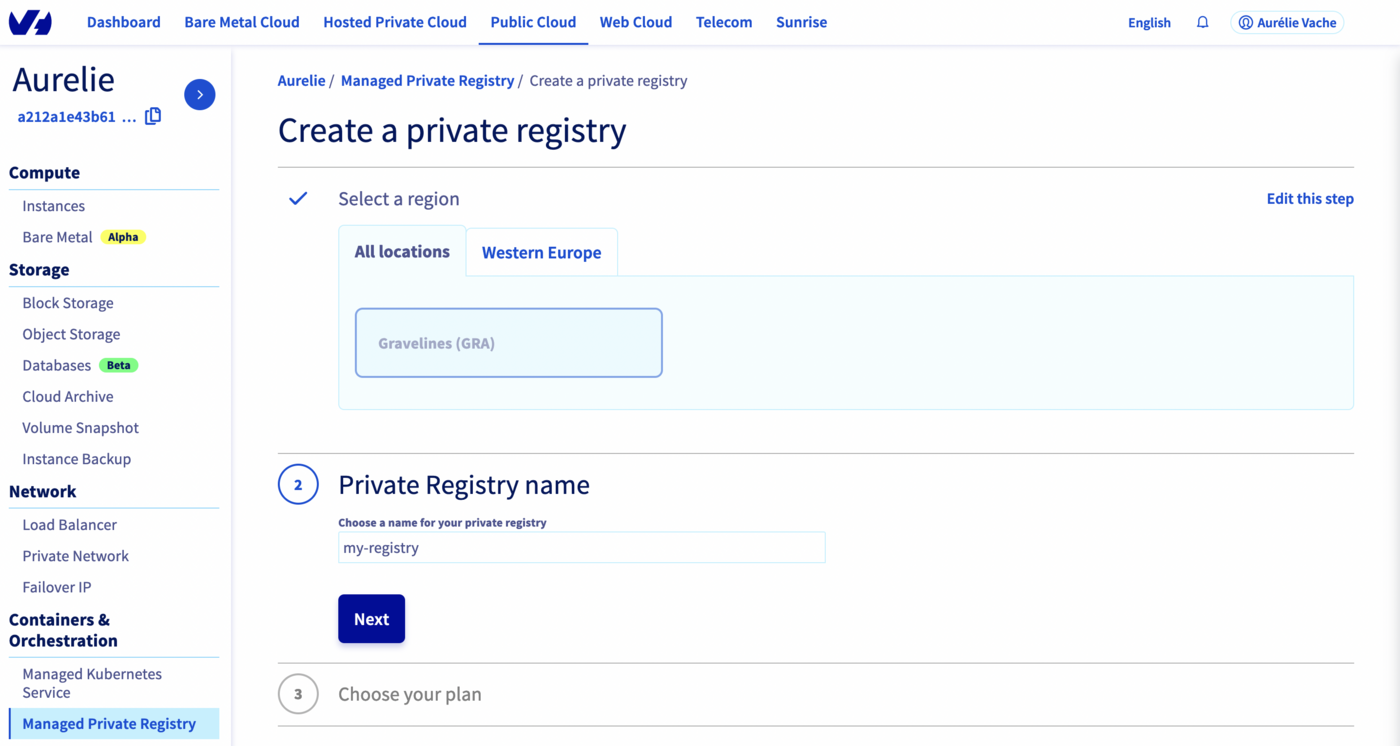
Saisissez un nom pour votre registre, puis cliquez sur Suivant.
-
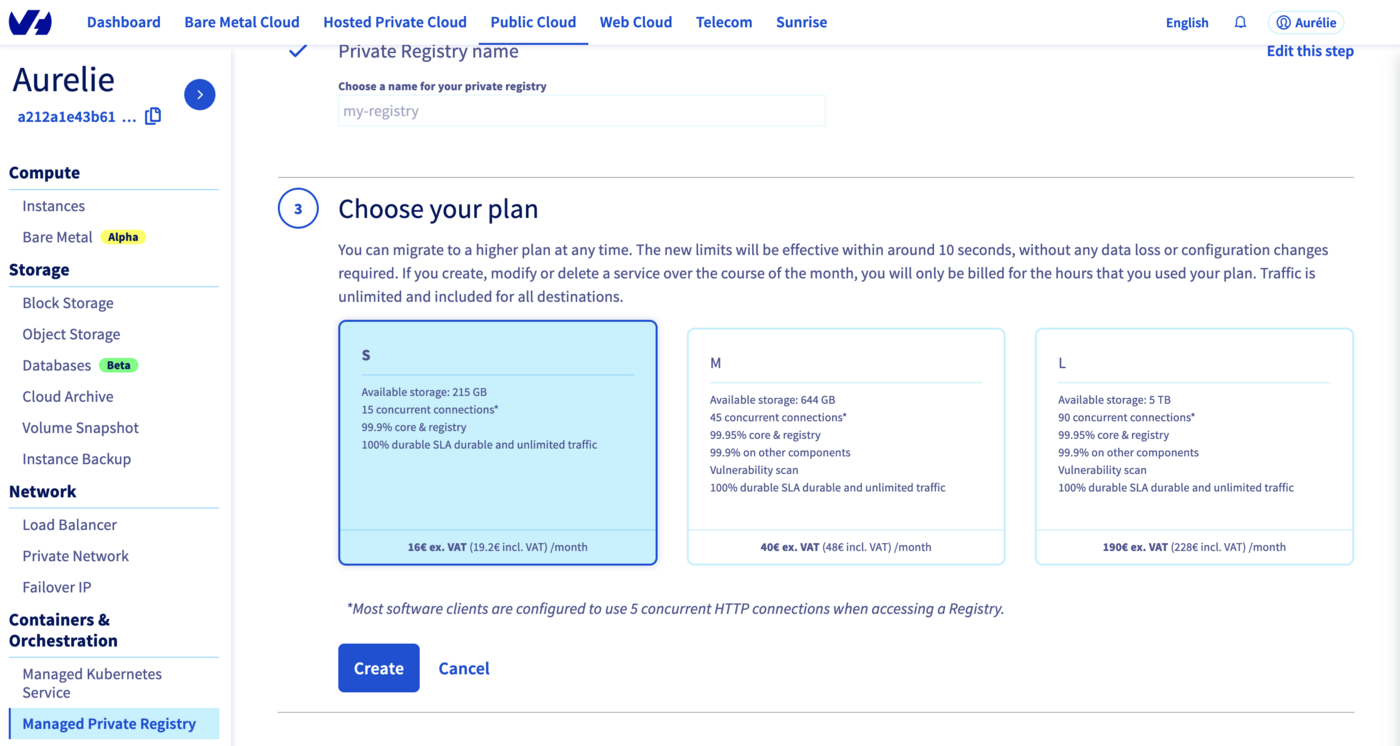
Choisissez un plan et cliquez sur Suivant.
Info
Les plans M et L incluent un scanner de vulnérabilités managé : Trivy.
-
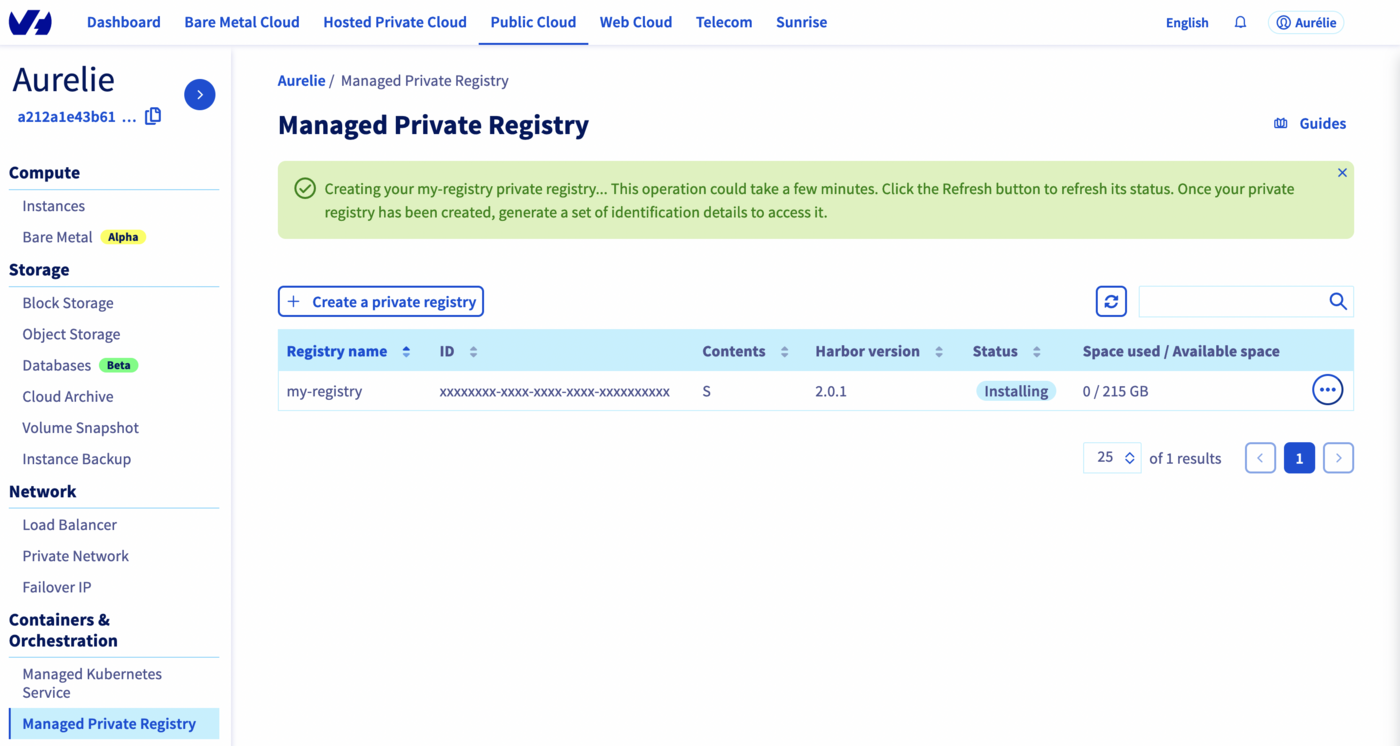
Votre registre privé est en cours de création.
-
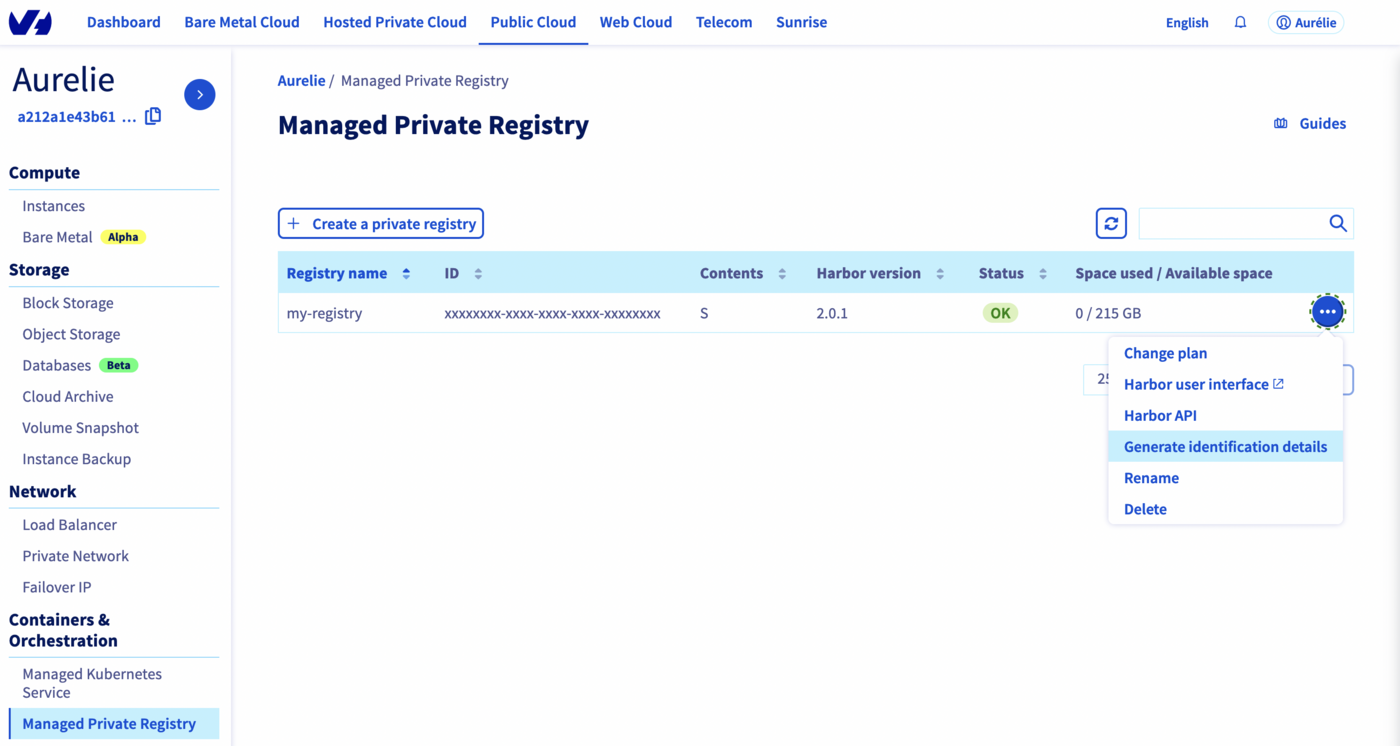
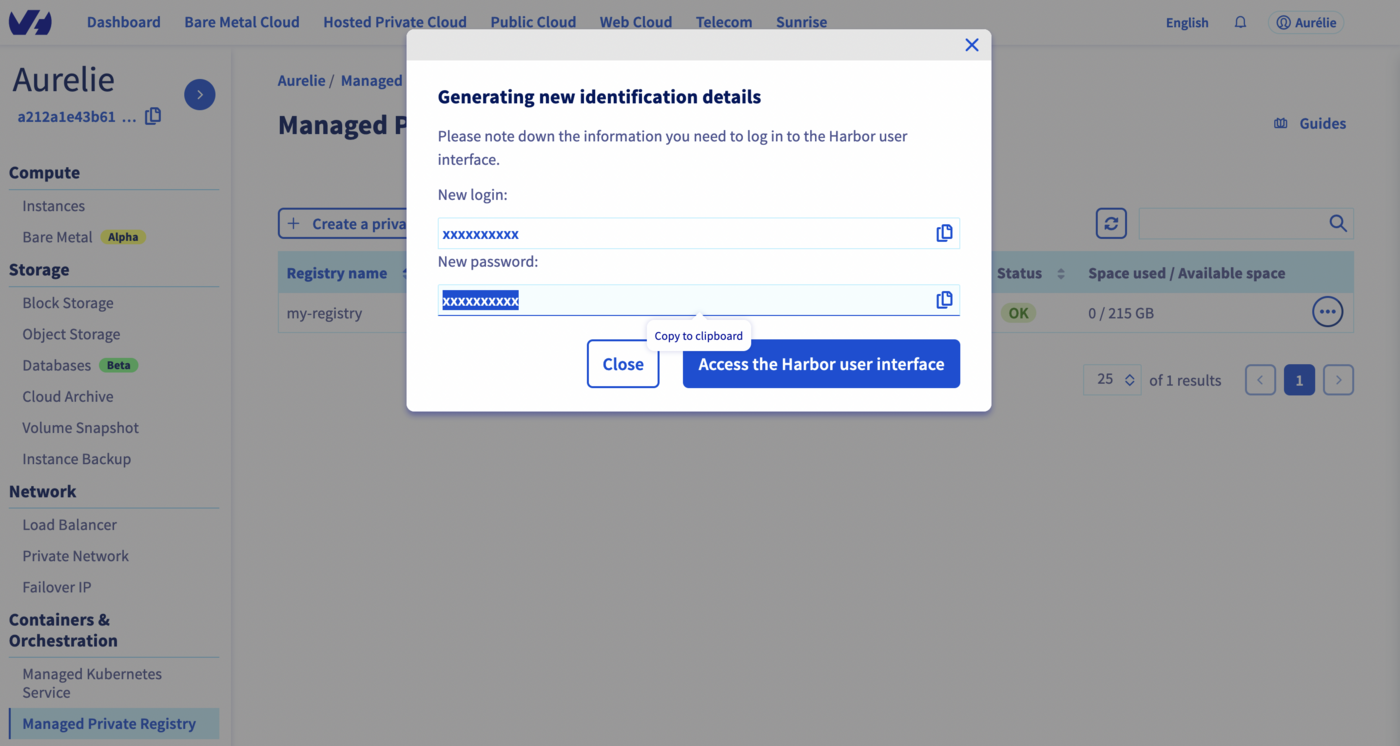
Lorsque le statut passe à OK, cliquez sur le bouton ... et sélectionnez Générer les informations d'identification.
-
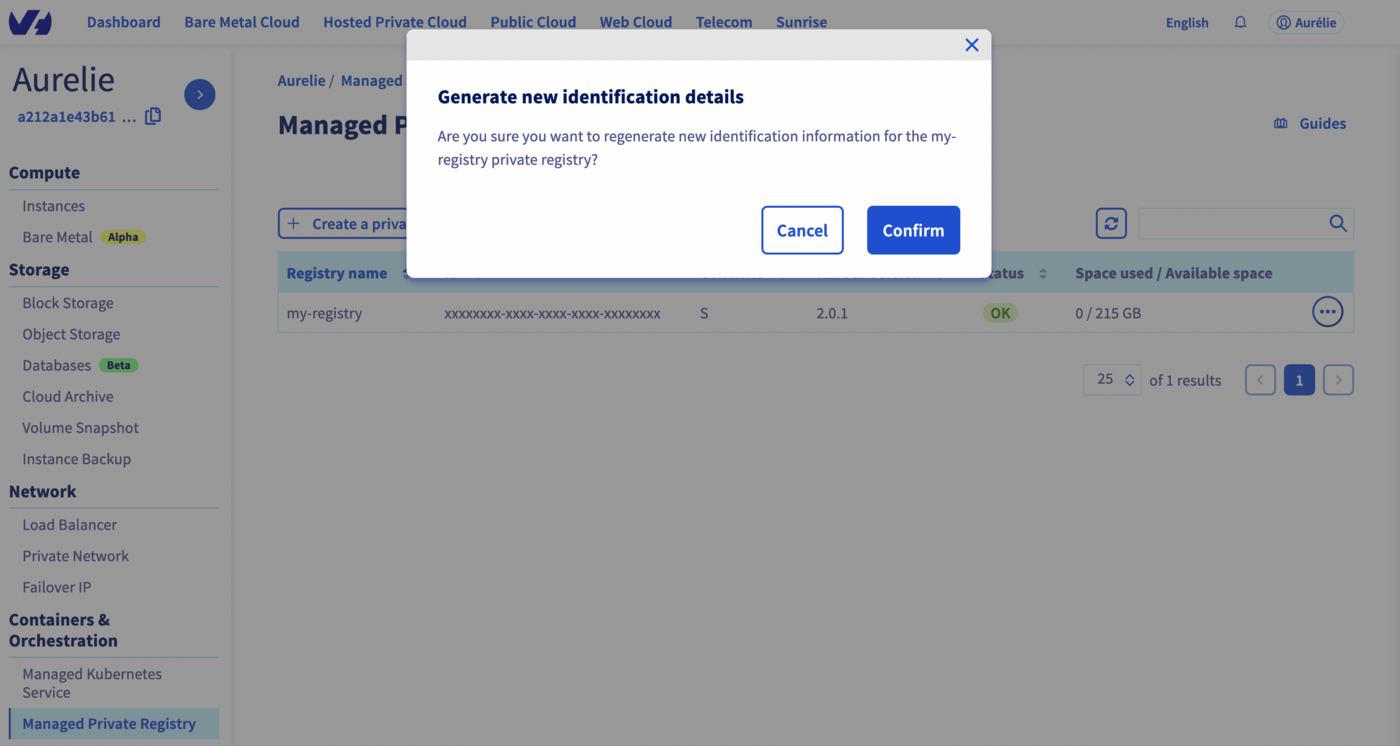
Cliquez sur Confirmer pour générer les identifiants.
-
Notez les identifiants affichés — ils vous seront nécessaires pour accéder à votre registre.
Prérequis
1. Listez les plans disponibles pour récupérer un identifiant de plan :
ovhcloud cloud reference managed-registry list-plans --cloud-project <project_id>
2. Créez le registre :
ovhcloud cloud managed-registry create \
  --cloud-project <project_id> \
  --name my-registry \
  --region GRA \
  --plan-id <plan_id>
Notez le champ id dans le résultat : il s'agit de l'identifiant de votre registre.
3. Créez un utilisateur :
ovhcloud cloud managed-registry users create <registry_id> \
  --cloud-project <project_id> \
  --login myuser \
  --email myuser@example.com
Conservez les identifiants affichés dans le résultat : le mot de passe ne sera plus affiché par la suite.
4. Récupérez l'URL du registre :
ovhcloud cloud managed-registry get <registry_id> --cloud-project <project_id>
Le champ url correspond à l'adresse de votre interface Harbor.
Terraform est un outil open source d'Infrastructure as Code (IaC). OVHcloud met à disposition un provider Terraform officiel pour gérer vos ressources par programmation.
Prérequis
Récupérer vos identifiants d'API
Le provider Terraform OVHcloud nécessite des identifiants d'API. Suivez le guide « Premiers pas avec les API OVHcloud » pour générer vos application_key, application_secret et consumer_key.
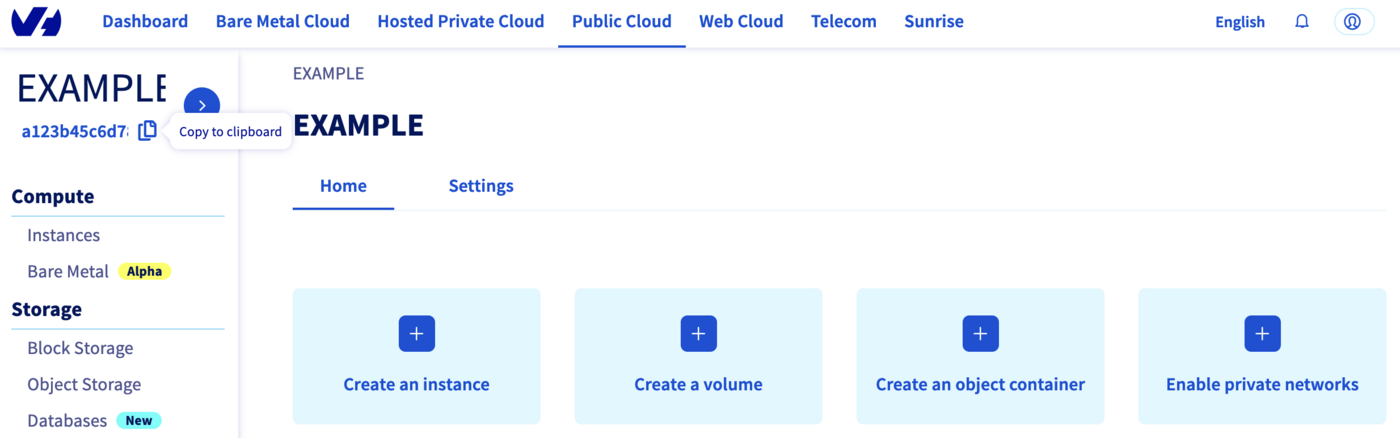
Récupérez l'identifiant de votre projet Public Cloud (service_name) à l'aide du bouton Copier dans le presse-papier, dans la vue d'ensemble de votre projet.
Définition des ressources
Créez un fichier provider.tf :
terraform {
  required_providers {
    ovh = {
      source = "ovh/ovh"
    }
  }
}

provider "ovh" {
  endpoint           = "ovh-eu"
  application_key    = "<your_access_key>"
  application_secret = "<your_application_secret>"
  consumer_key       = "<your_consumer_key>"
}
Tip
Utilisez des variables d'environnement (OVH_ENDPOINT, OVH_APPLICATION_KEY, OVH_APPLICATION_SECRET, OVH_CONSUMER_KEY) afin d'éviter de stocker des identifiants dans vos fichiers sources.
Créez un fichier variables.tf :
variable service_name {
  type    = string
  default = "<your_service_name>"
}
Créez un fichier ovh_private_registry.tf :
data "ovh_cloud_project_capabilities_containerregistry_filter" "capabilities" {
  service_name = var.service_name
  plan_name    = "SMALL"
  region       = "GRA"
}

resource "ovh_cloud_project_containerregistry" "myregistry" {
  service_name = data.ovh_cloud_project_capabilities_containerregistry_filter.capabilities.service_name
  plan_id      = data.ovh_cloud_project_capabilities_containerregistry_filter.capabilities.id
  region       = data.ovh_cloud_project_capabilities_containerregistry_filter.capabilities.region
  name         = "my-docker-private-registry"
}

resource "ovh_cloud_project_containerregistry_user" "myuser" {
  service_name = ovh_cloud_project_containerregistry.myregistry.service_name
  registry_id  = ovh_cloud_project_containerregistry.myregistry.id
  email        = "my.user@mycompany.com"
  login        = "myuser"
}
Créez un fichier output.tf :
output "registry-url" {
  value = ovh_cloud_project_containerregistry.myregistry.url
}

output "user" {
  value = ovh_cloud_project_containerregistry_user.myuser.user
}

output "password" {
  value     = ovh_cloud_project_containerregistry_user.myuser.password
  sensitive = true
}
Déploiement
Initialisez Terraform et appliquez le plan :
terraform init
terraform apply
Vérifiez le plan d'exécution et saisissez yes pour confirmer. La création du registre prend quelques minutes.
Une fois l'opération terminée, récupérez vos identifiants :
terraform output registry-url
terraform output user
terraform output password
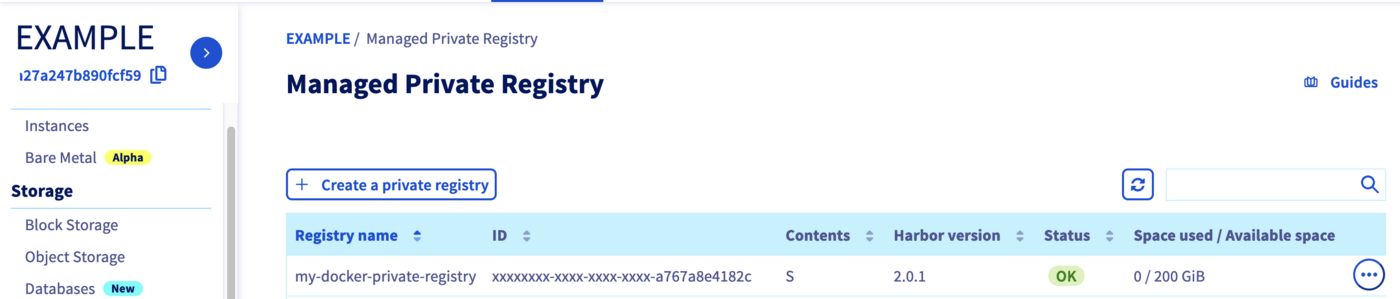
Accédez à la section Managed Private Registry pour vérifier que le registre a bien été créé.
Suppression
Pour supprimer toutes les ressources créées :
Pulumi est un outil d'Infrastructure as Code (IaC) qui vous permet de définir votre infrastructure à l'aide de langages de programmation généralistes. OVHcloud met à disposition un provider Pulumi officiel qui s'appuie sur le provider Terraform OVHcloud.
Prérequis
Récupérer vos identifiants d'API
Le provider Pulumi OVHcloud nécessite des identifiants d'API. Suivez le guide « Premiers pas avec les API OVHcloud » pour générer vos jetons, puis exportez-les comme variables d'environnement :
export OVH_ENDPOINT="ovh-eu"
export OVH_APPLICATION_KEY="xxx"
export OVH_APPLICATION_SECRET="xxx"
export OVH_CONSUMER_KEY="xxx"
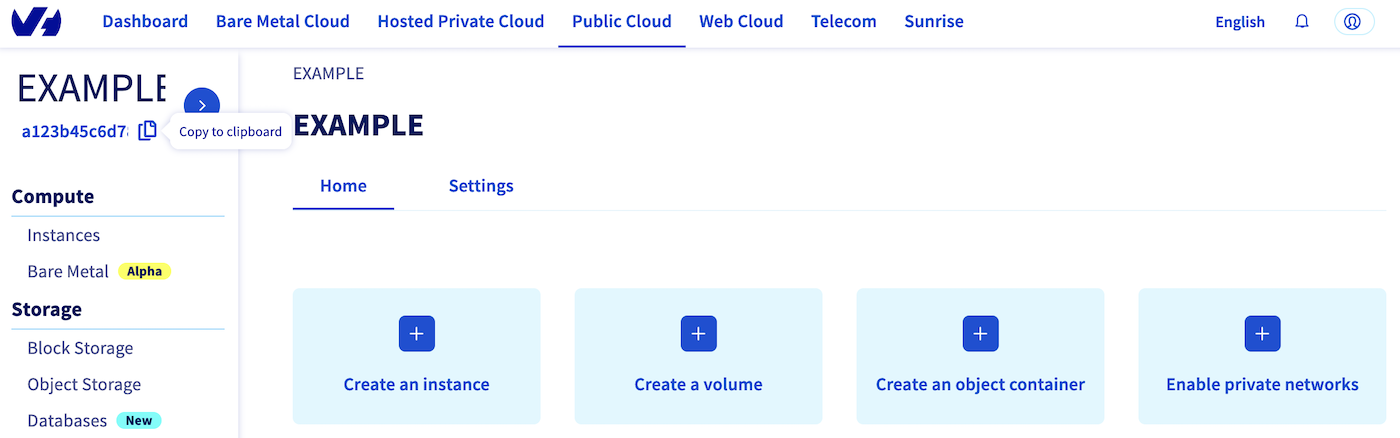
Récupérez l'identifiant de votre projet Public Cloud (serviceName) à l'aide du bouton Copier dans le presse-papier, dans la vue d'ensemble de votre projet.
Créer le projet
Créez et initialisez un projet Pulumi en Go :
mkdir ovh-registry-go && cd ovh-registry-go
pulumi new go -y
Installez les providers OVHcloud et Harbor :
go get github.com/ovh/pulumi-ovh/sdk/go/...
go get github.com/pulumiverse/pulumi-harbor/sdk/v3/go/...
Définissez votre serviceName :
pulumi config set serviceName <your-service-name>
Définir l'infrastructure
Remplacez le contenu du fichier main.go par :
package main

import (
	"github.com/ovh/pulumi-ovh/sdk/go/ovh/cloudproject"
	"github.com/pulumi/pulumi/sdk/v3/go/pulumi"
	"github.com/pulumi/pulumi/sdk/v3/go/pulumi/config"
	"github.com/pulumiverse/pulumi-harbor/sdk/v3/go/harbor"
)

func main() {
	pulumi.Run(func(ctx *pulumi.Context) error {
		serviceName := config.Require(ctx, "serviceName")

		regcap, err := cloudproject.GetCapabilitiesContainerFilter(ctx, &cloudproject.GetCapabilitiesContainerFilterArgs{
			ServiceName: serviceName,
			PlanName:    "SMALL",
			Region:      "GRA",
		}, nil)
		if err != nil {
			return err
		}

		myRegistry, err := cloudproject.NewContainerRegistry(ctx, "my-registry", &cloudproject.ContainerRegistryArgs{
			ServiceName: pulumi.String(regcap.ServiceName),
			PlanId:      pulumi.String(regcap.Id),
			Region:      pulumi.String(regcap.Region),
		})
		if err != nil {
			return err
		}

		myRegistryUser, err := cloudproject.NewContainerRegistryUser(ctx, "user", &cloudproject.ContainerRegistryUserArgs{
			ServiceName: pulumi.String(regcap.ServiceName),
			RegistryId:  myRegistry.ID(),
			Email:       pulumi.String("myuser@ovh.com"),
			Login:       pulumi.String("myuser"),
		})
		if err != nil {
			return err
		}

		ctx.Export("registryID", myRegistry.ID())
		ctx.Export("registryURL", myRegistry.Url)
		ctx.Export("registryUser", myRegistryUser.User)
		ctx.Export("registryPassword", myRegistryUser.Password)

		harborProvider, err := harbor.NewProvider(ctx, "harbor", &harbor.ProviderArgs{
			Username: myRegistryUser.User,
			Password: myRegistryUser.Password,
			Url:      myRegistry.Url,
		}, pulumi.DependsOn([]pulumi.Resource{myRegistry, myRegistryUser}))
		if err != nil {
			return err
		}

		project, err := harbor.NewProject(ctx, "project", &harbor.ProjectArgs{
			Name:   pulumi.String("my-new-project"),
			Public: pulumi.String("true"),
		}, pulumi.Provider(harborProvider))
		if err != nil {
			return err
		}

		ctx.Export("project", project.Name)

		return nil
	})
}
Exécutez go mod tidy pour installer les dépendances :
Déploiement
Vérifiez l'aperçu et confirmez avec yes. La création du registre prend quelques minutes.
Une fois l'opération terminée, récupérez vos identifiants :
pulumi stack output registryURL -s dev
pulumi stack output registryUser -s dev
pulumi stack output registryPassword --show-secrets -s dev
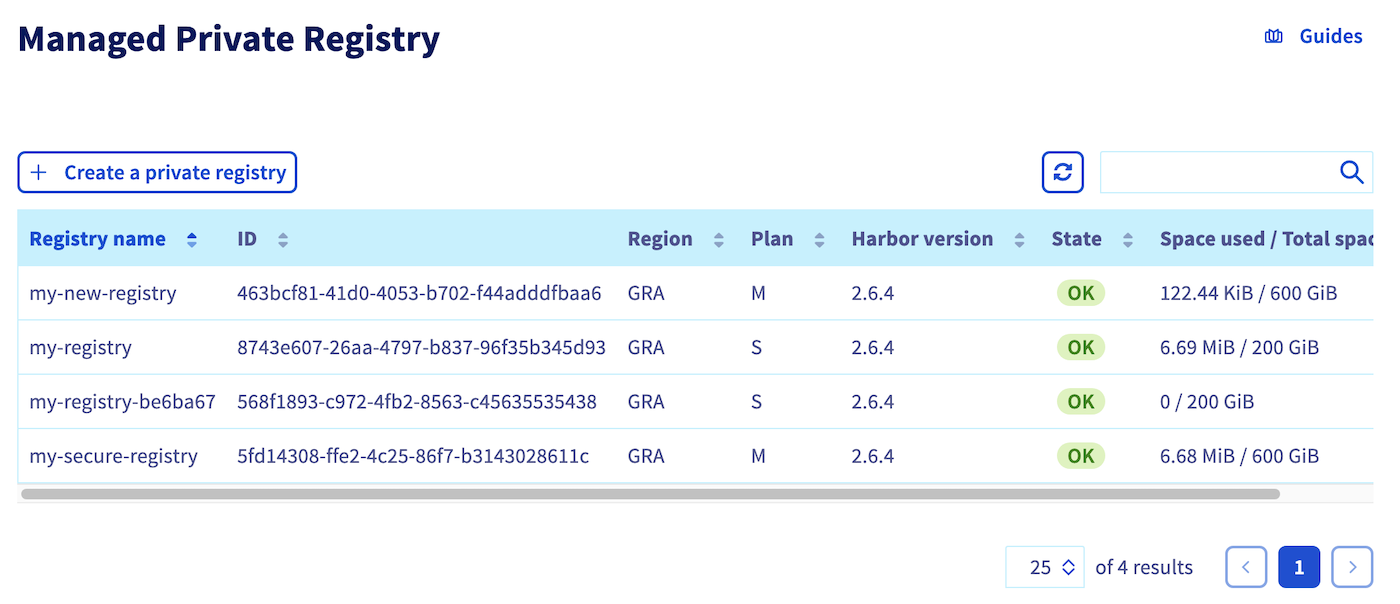
Accédez à la section Managed Private Registry pour vérifier que le registre a bien été créé.
Info
Si vous rencontrez l'erreur Provider is missing a required configuration key, assurez-vous que toutes les variables d'environnement OVH_* sont exportées avant d'exécuter pulumi up.
Suppression
Pour supprimer toutes les ressources créées :
