
Resetting an OVHcloud Managed Kubernetes cluster
Find out how to reset an OVHcloud Managed Kubernetes cluster
Objective
OVHcloud Managed Kubernetes service provides you Kubernetes clusters without the hassle of installing or operating them.
Through the OVHcloud Control Panel and the API, you can reset your OVHcloud Managed Kubernetes cluster.
During a reset, all data in the ETCD will be deleted (pods, deployments, services, secrets, CRDs, etc.). Similarly, load balancers and also all PVC (Persistent Volume Claim) with their PCI cinder volumes will be deleted. Nodes will be either deleted or reinstalled (depending on the option you set during the reset).
The whole cluster configuration is reset but some values can be defined (optional):
- workerNodesPolicy: reinstall|delete
- minor_version: for ex. 1.25
- updatePolicy: "ALWAYS_UPDATE" by default
- customization: API Server & kube proxy configuration
- privateNetworkId: private network openstack UUID
- privateNetworkConfiguration: true|false
- defaultVrackGateway: gateway IP
- kubeProxyMode: ipvs|iptables
Requirements
- an OVHcloud Managed Kubernetes cluster
OVHcloud Control Panel Access
- Direct link:
- Navigation path:
Public Cloud> Select your project >Managed Kubernetes Service
Instructions
Reset a Kubernetes cluster on the OVHcloud Control Panel
Step 1 - Ask for cluster reset on the OVHcloud Control Panel
Click on your Kubernetes cluster name to open its details page. Go to the Service tab of the administration UI, then click on Reset your cluster.
Step 2 - Choose the type of reset you want
You have two options on the reset menu, Delete and Reinstall.
-
Choosing Delete nodes means that the current cluster nodes are deleted, and the cluster is reinitialized to an empty state.
-
Choosing Keep and reinstall nodes means that the cluster is reinitialized without destroying the nodes.
In the reset dialog, select either Delete nodes or Keep and reinstall nodes depending on your needs. You can also choose the minor version of the cluster and the private network attached.
Click on the Confirm button to continue.
Step 3 - Wait for the resetting to end
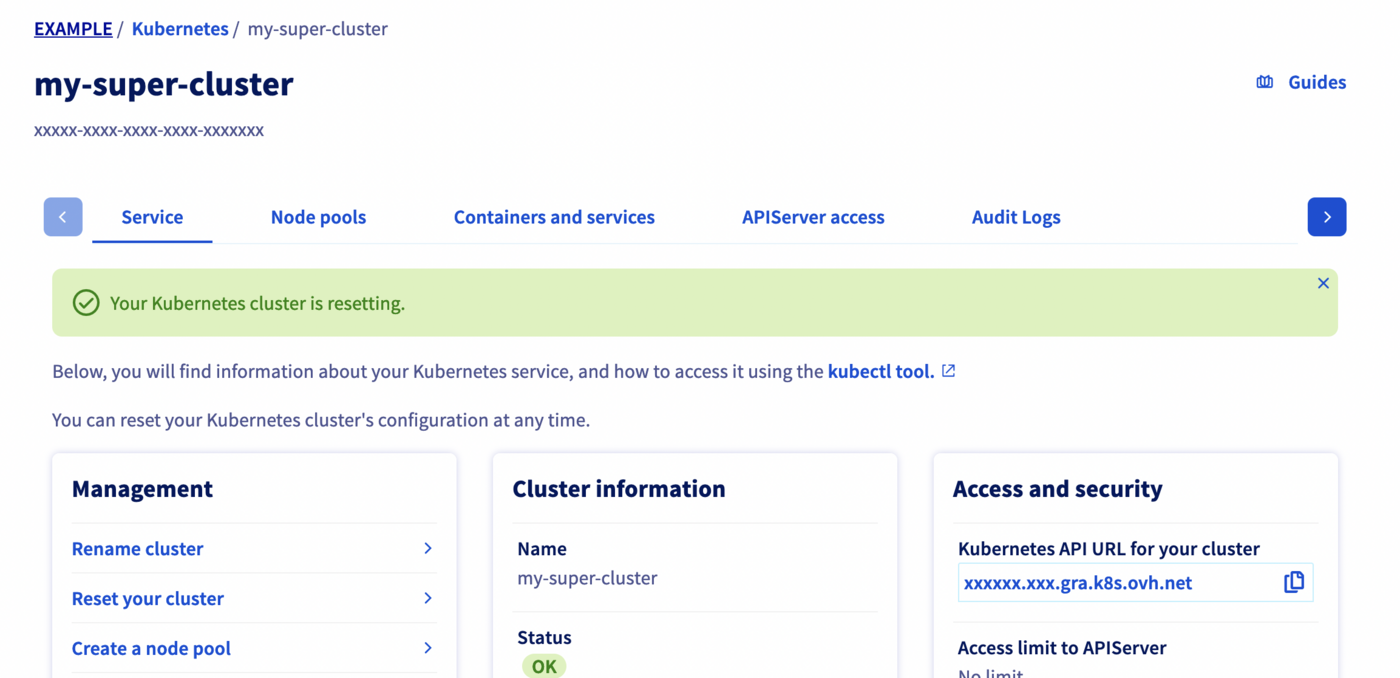
Depending on the chosen kind of reset, the process can take several minutes. During that time, a message on the manager warns you that the cluster is under resetting:
Reset a Kubernetes cluster through the API
The API Explorer
To simplify things, we are using the API Explorer which allows to explore, learn and interact with the API in an interactive way.
If you go to the Kubernetes section of the API Explorer, you will see the available endpoints, such as:
API endpoints
- Reset a Kubernetes cluster:
Input:
Result:
By default, if you don't specify it, the workerNodesPolicy option will be equivalent to delete. If you don't want your Nodes deleted but reinstalled instead, you have to specify "workerNodesPolicy": "reinstall".
You should receive a response with null content. This message will be improved in the future with the same information you have after a Kubernetes cluster creation.
- Check the Kubernetes cluster is resetting:
Result:
Go further
To have an overview of OVHcloud Managed Kubernetes service, you can go to the OVHcloud Managed Kubernetes page.
Otherwise to skip it and learn more about using your Kubernetes cluster the practical way, we invite you to look at our tutorials.
-
For training or technical assistance implementing our solutions, contact your sales representative or visit our Professional Services page to request a quote and have your project analysed by our experts.
-
Join our community of users.