---
title: "AI Endpoints - Intégration en Python avec LiteLLM (EN)"
description: "Apprenez à utiliser facilement OVHcloud AI Endpoints en Python avec LiteLLM"
url: https://docs.ovhcloud.com/fr/guides/public-cloud/ai-machine-learning/ai-endpoints-litellm-integration
lang: fr
lastUpdated: 2026-01-05
---
# AI Endpoints - Intégration en Python avec LiteLLM (EN)
:::info
AI Endpoints is covered by the [OVHcloud AI Endpoints Conditions](https://storage.gra.cloud.ovh.net/v1/AUTH_325716a587c64897acbef9a4a4726e38/contracts/48743bf-AI_Endpoints-ALL-1.1.pdf) and the [OVHcloud Public Cloud Special Conditions](https://storage.gra.cloud.ovh.net/v1/AUTH_325716a587c64897acbef9a4a4726e38/contracts/d2a208c-Conditions_particulieres_OVH_Stack-WE-9.0.pdf).
:::
🎉 **New Integration Available!** We're excited to announce a new integration for [AI Endpoints](https://www.ovhcloud.com/fr/public-cloud/ai-endpoints/) with [LiteLLM](https://litellm.ai). It will significantly simplify the use of our AI models in your Python applications, and continues our commitment to integrating AI Endpoints into as many open-source tools as possible to simplify its usage.
## Objective
OVHcloud [AI Endpoints](https://www.ovhcloud.com/fr/public-cloud/ai-endpoints/) allows developers to easily add AI features to their day to day developments.
In this guide, we will show how to use [LiteLLM](https://litellm.ai) to integrate OVHcloud [AI Endpoints](https://www.ovhcloud.com/fr/public-cloud/ai-endpoints/) directly into your Python applications.
With LiteLLM’s unified interface and OVHcloud’s scalable AI infrastructure, you can quickly experiment, switch between models, and streamline the development of your AI-powered applications.

## Definition
- [LiteLLM](https://litellm.ai): A Python library that simplifies using Large Language Model (LLM) by providing a unified interface for different AI providers. Instead of managing the specifics of each API, LiteLLM gives you access to over 100 different models using OpenAI format.
- [AI Endpoints](https://www.ovhcloud.com/fr/public-cloud/ai-endpoints/): A serverless platform by OVHcloud providing easy access to a variety of world-renowned AI models including Mistral, LLaMA, and more. This platform is designed to be simple, secure, and intuitive with data privacy as a top priority.
### Why is this integration important?
This new integration offers you several advantages:
- **Simplicity**: A unified interface for all your AI models
- **Flexibility**: Switch between models without rewriting your code
- **Compatibility**: OpenAI-compatible syntax for easy migration
- **Robustness**: Automatic error handling and retry mechanisms
- **Observability**: Built-in logging and monitoring capabilities
- **Models**: All of our models are available in LiteLLM!
## Requirements
Before getting started, make sure you have:
1. An OVHcloud account with access to AI Endpoints
2. Python 3.8 or higher installed
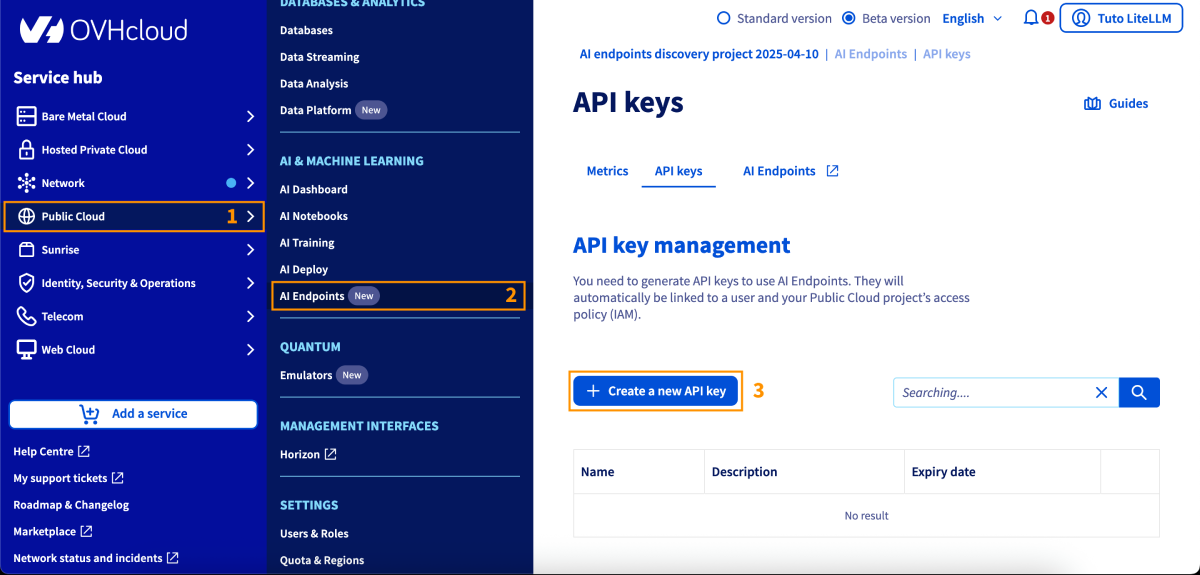
3. An API key generated from the OVHcloud Control Panel, in Public Cloud > `AI Endpoints` > API keys
## Instructions
### Installation
Install LiteLLM via pip:
```bash
pip install litellm
```
And that's all, you are ready to go! 🎉
### Basic Configuration
#### Environment Variables
The recommended method to configure your API key is using environment variables:
```python
import os
# Set your API key via environment variable
os.environ['OVHCLOUD_API_KEY'] = "your-api-key"
```
### Basic Usage
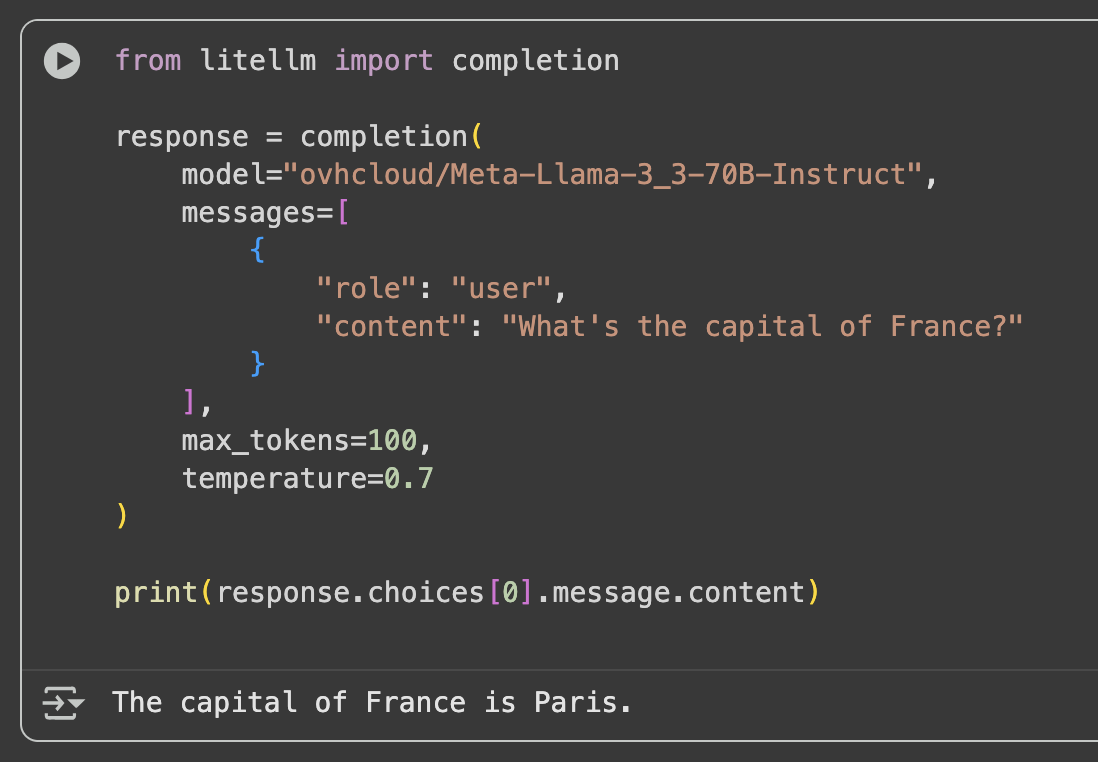
Here's a simple usage example:
```python
from litellm import completion
response = completion(
model="ovhcloud/Meta-Llama-3_3-70B-Instruct",
messages=[
{
"role": "user",
"content": "What's the capital of France?"
}
],
max_tokens=100,
temperature=0.7
)
print(response.choices[0].message.content)
```
### Advanced Features
#### Response Streaming
For applications requiring real-time responses, use streaming:
```python
from litellm import completion
response = completion(
model="ovhcloud/Meta-Llama-3_3-70B-Instruct",
messages=[
{
"role": "user",
"content": "Write me a short story about a robot learning to cook."
}
],
max_tokens=500,
temperature=0.8,
stream=True # Enable streaming
)
# Progressive display of the response
for chunk in response:
if chunk.choices[0].delta.content:
print(chunk.choices[0].delta.content, end='', flush=True)
```

#### Function Calling (or Tool Calling)
LiteLLM supports function calling with AI Endpoints compatible models:
```python
from litellm import completion
import json
def get_current_weather(location, unit="celsius"):
"""Simulated function to get the weather"""
if unit == "celsius":
return {"location": location, "temperature": "22", "unit": "celsius"}
else:
return {"location": location, "temperature": "72", "unit": "fahrenheit"}
# Define available tools
tools = [
{
"type": "function",
"function": {
"name": "get_current_weather",
"description": "Get the current weather in a given location",
"parameters": {
"type": "object",
"properties": {
"location": {
"type": "string",
"description": "The city and country, e.g. Paris, France"
},
"unit": {
"type": "string",
"enum": ["celsius", "fahrenheit"]
}
},
"required": ["location"]
}
}
}
]
# First call to get the tool usage decision
response = completion(
model="ovhcloud/Meta-Llama-3_3-70B-Instruct",
messages=[{"role": "user", "content": "What's the weather like in Paris?"}],
tools=tools,
tool_choice="auto"
)
# Process tool calls
if response.choices[0].message.tool_calls:
tool_call = response.choices[0].message.tool_calls[0]
function_args = json.loads(tool_call.function.arguments)
# Execute the function
result = get_current_weather(
location=function_args.get("location"),
unit=function_args.get("unit", "celsius")
)
print(f"Tool result: {result}")
```

#### Vision and Image Analysis
For models supporting vision capabilities:
```python
from base64 import b64encode
from mimetypes import guess_type
import litellm
def encode_image(file_path):
"""Encode an image to base64 for the API"""
mime_type, _ = guess_type(file_path)
if mime_type is None:
raise ValueError("Could not determine MIME type of the file")
with open(file_path, "rb") as image_file:
encoded_string = b64encode(image_file.read()).decode("utf-8")
data_url = f"data:{mime_type};base64,{encoded_string}"
return data_url
# Image analysis
response = litellm.completion(
model="ovhcloud/Mistral-Small-3.2-24B-Instruct-2506",
messages=[
{
"role": "user",
"content": [
{
"type": "text",
"text": "What do you see in this image?"
},
{
"type": "image_url",
"image_url": {
"url": encode_image("my_image.jpg"),
"format": "image/jpeg"
}
}
]
}
],
stream=False
)
print(response.choices[0].message.content)
```
| Reference Photo | Output |
| :-------------------------------------------------------------------------------------------------------------- | :----------------------------------------------------------------------------------------------------------------- |
|  |  |
#### Structured Output (JSON Schema)
To get responses in a structured format:
```python
from litellm import completion
response = completion(
model="ovhcloud/Meta-Llama-3_3-70B-Instruct",
messages=[
{
"role": "system",
"content": "You are a specialist in extracting structured data from unstructured text."
},
{
"role": "user",
"content": "Room 12 contains books, a desk, and a lamp."
}
],
response_format={
"type": "json_schema",
"json_schema": {
"title": "extracted_data",
"name": "data_extraction",
"schema": {
"type": "object",
"properties": {
"room": {"type": "string"},
"items": {
"type": "array",
"items": {"type": "string"}
}
},
"required": ["room", "items"],
"additionalProperties": False
},
"strict": False
}
}
)
print(response.choices[0].message.content)
```

#### Embeddings
To generate embeddings with compatible models:
```python
from litellm import embedding
response = embedding(
model="ovhcloud/BGE-M3",
input=["sample text to embed", "another sample text to embed"]
)
print(response.data)
```

### Using LiteLLM Proxy Server
#### Proxy Server Configuration
For production deployments, you can use the LiteLLM proxy server:
1\. Install LiteLLM proxy:
```bash
pip install 'litellm[proxy]'
```
2\. Create a `config.yaml` file:
```yaml
model_list:
- model_name: my-llama
litellm_params:
model: ovhcloud/Meta-Llama-3_3-70B-Instruct
api_key: your-ovh-api-key
- model_name: my-mistral
litellm_params:
model: ovhcloud/Mistral-Small-3.2-24B-Instruct-2506
api_key: your-ovh-api-key
- model_name: my-embedding
litellm_params:
model: ovhcloud/BGE-M3
api_key: your-ovh-api-key
```
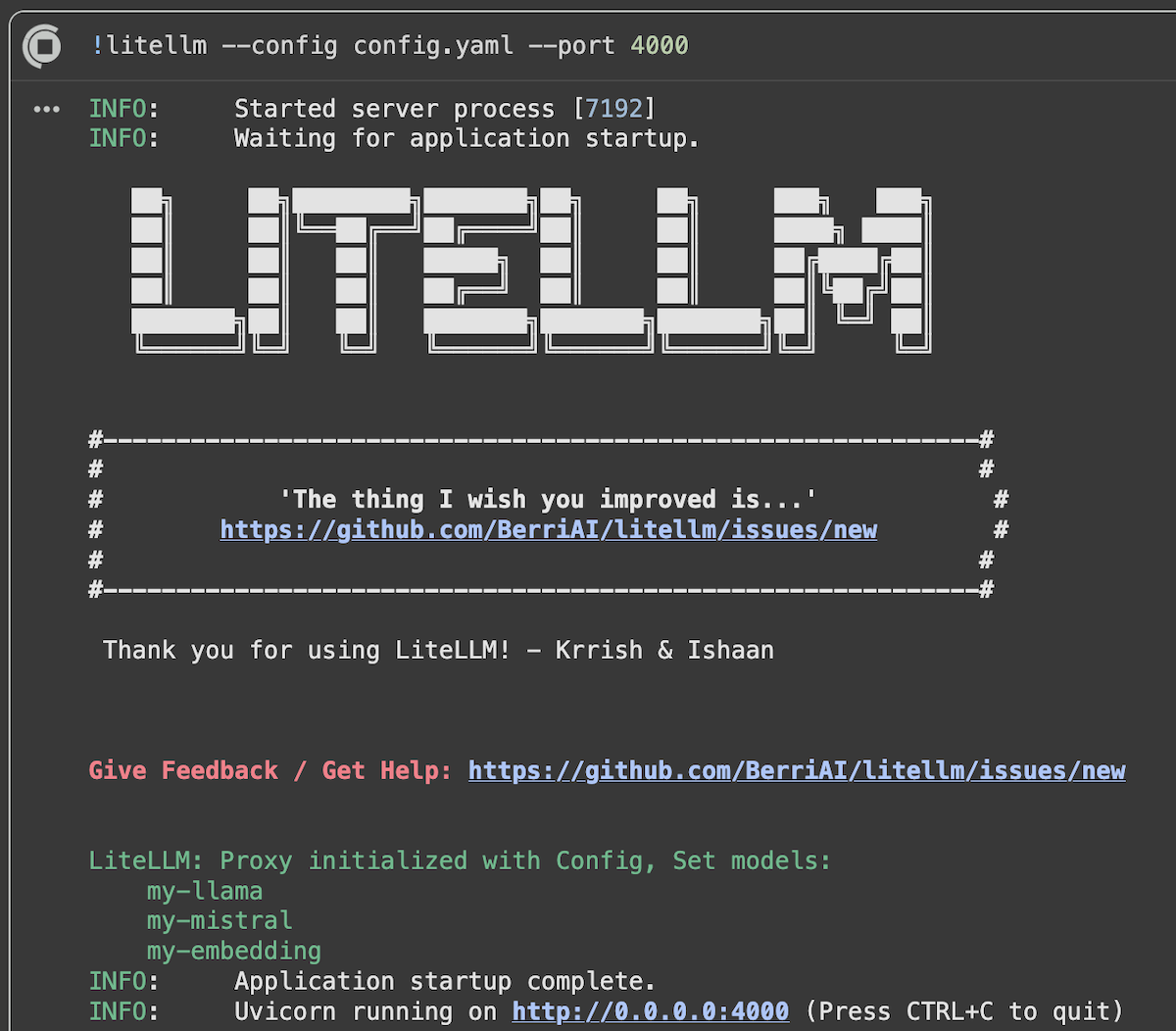
3\. Start the proxy server:
```bash
litellm --config /path/to/config.yaml --port 4000
```
The proxy server is live with our models!
#### Using the Proxy
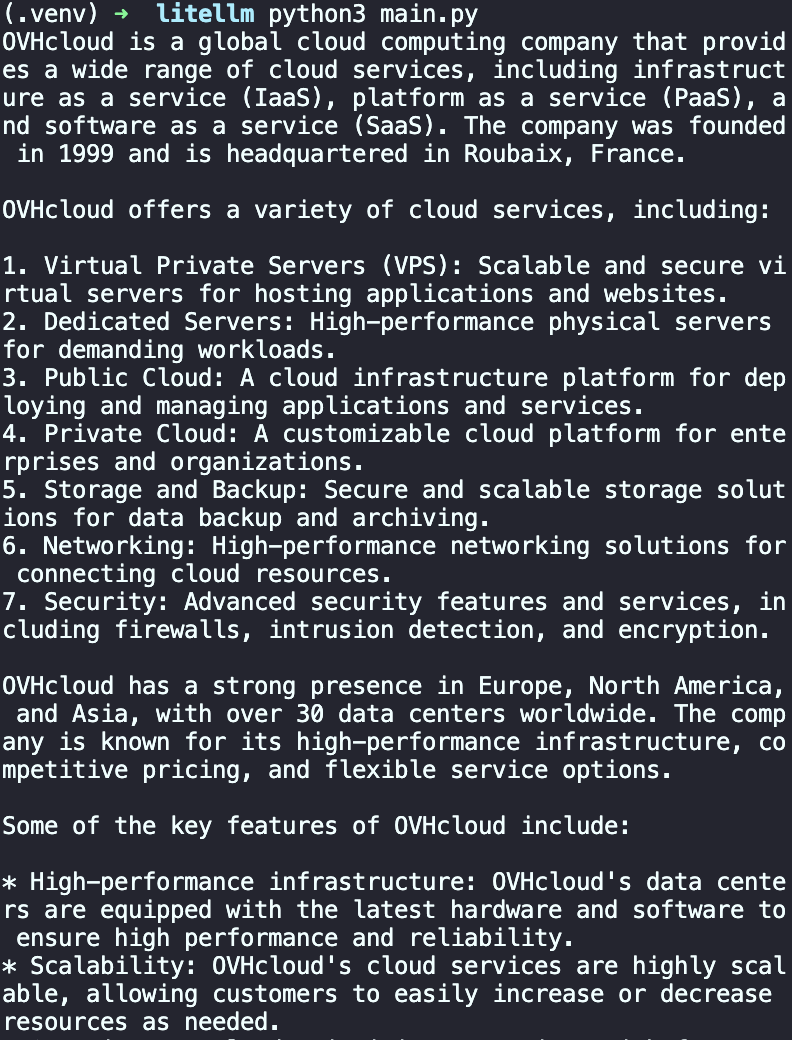
Once the proxy is running, use it like a standard OpenAI API:
```python
import openai
client = openai.OpenAI(
api_key="sk-1234", # LiteLLM proxy key
base_url="http://localhost:4000" # Proxy URL
)
response = client.chat.completions.create(
model="my-llama",
messages=[
{
"role": "user",
"content": "What is OVHcloud?"
}
]
)
print(response.choices[0].message.content)
```
### Available Models
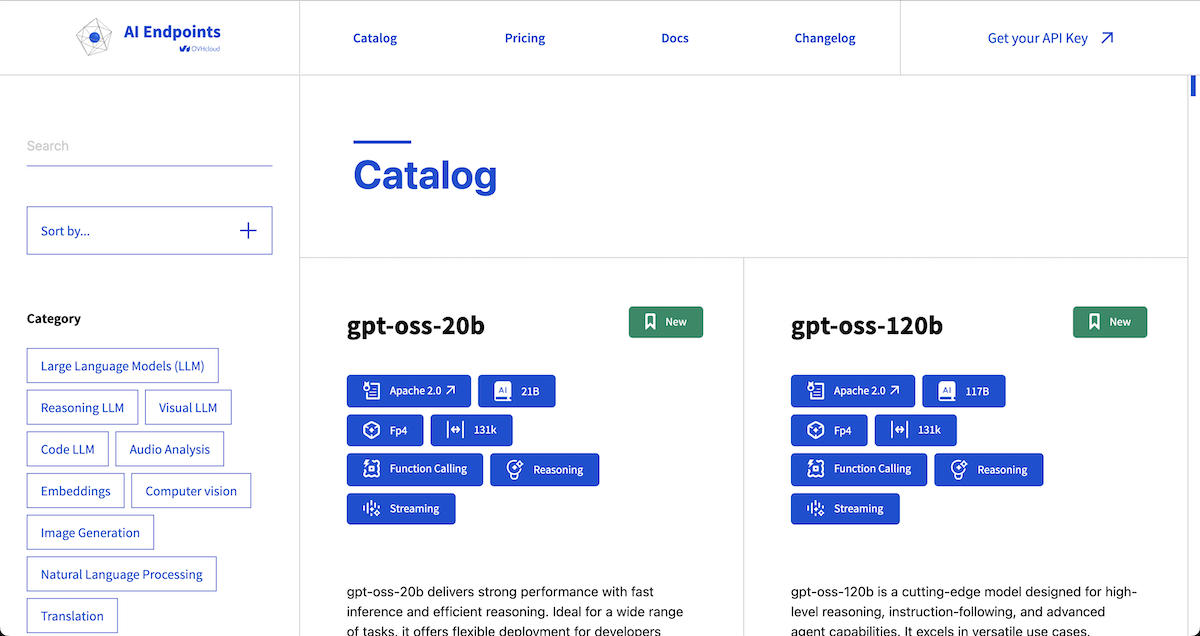
OVHcloud AI Endpoints offers a wide range of models accessible via LiteLLM. For the complete and up-to-date list, visit our [model catalog](https://www.ovhcloud.com/fr/public-cloud/ai-endpoints/catalog/).
#### Popular Models
- **Llama 3.3 70B Instruct**: `ovhcloud/Meta-Llama-3_3-70B-Instruct`
- **Mistral Small**: `ovhcloud/Mistral-Small-3.2-24B-Instruct-2506`
- **GPT-OSS-120B**: `ovhcloud/gpt-oss-120b`
- **BGE-M3** (Embeddings): `ovhcloud/BGE-M3`
### Best Practices
#### 1. API Key Management
- Always use environment variables for API keys.
- Never commit keys to source code.
- Implement regular key rotation. You can set an expiry date to your key in the OVHcloud Control Panel.
#### 2. Performance Optimization
- Use streaming for long responses.
- Cache frequent responses.
- Adjust `max_tokens` parameters according to your needs.
### Conclusion
In this article, we explored how to integrate OVHcloud AI Endpoints with LiteLLM to seamlessly use a wide range of AI models in your Python applications. Thanks to LiteLLM’s unified interface, switching between models and providers becomes straightforward, while OVHcloud AI Endpoints ensures secure, scalable, and production-ready AI infrastructure.
## Go further
You can find more informations about LiteLLM on their [official documentation](https://docs.litellm.ai). You can also navigate in the [AI Endpoints catalog](https://www.ovhcloud.com/fr/public-cloud/ai-endpoints/catalog/) to explore the models that are available through LiteLLM.
To take your use of LiteLLM even further and get the most out of **OVHcloud AI Endpoints**, you can easily implement intelligent request routing. LiteLLM allows you to manage the **routing** and **load balancing** of incoming requests. Refer to this [tutorial](https://github.com/ovh/public-cloud-examples/blob/main/ai/ai-endpoints/litellm-router-loadbalancing/tutorial_litellm_routing_ai_endpoints.ipynb).
Browse the full [AI Endpoints documentation](/fr/guides/public-cloud/ai-machine-learning/overview.md) to further understand the main concepts and get started.
If you need training or technical assistance to implement our solutions, contact your sales representative or click on [this link](https://www.ovhcloud.com/fr/professional-services/) to get a quote and ask our Professional Services experts for a custom analysis of your project.
## Feedback
Please feel free to send us your questions, feedback, and suggestions regarding AI Endpoints and its features:
- In the #ai-endpoints channel of the OVHcloud [Discord server](https://discord.gg/ovhcloud), where you can engage with the community and OVHcloud team members.