---
title: "SMS - Check the validity of mobile numbers with HLR Lookup"
description: "Find out how to use HLR Lookup to check the validity of your recipients' mobile numbers before sending SMS messages from your OVHcloud Control Panel"
url: https://docs.ovhcloud.com/en/guides/web-cloud/messaging/sms/sms-hlr
lang: en
lastUpdated: 2026-06-15
---
# SMS - Check the validity of mobile numbers with HLR Lookup
:::info
OVHcloud SMS offers are only available in the following countries: France, the United Kingdom, Ireland, Spain, Italy and Poland.
:::
:::warning
HLR Lookup is available in France only.
:::
## Objective
Before sending an SMS message, a [Home Location Register (HLR) Lookup](https://www.ovhcloud.com/fr/sms/home-location-register/) request lets you check whether the recipient's mobile number is still valid and active. The result also indicates the operator the number is attached to.
By checking your numbers with HLR Lookup, you improve the deliverability of your SMS campaigns and avoid sending failures.

HLR Lookup also lets you clean your number lists by identifying inactive or unassigned numbers, to keep your customer file up to date.

:::info
HLR Lookup is an action that is independent of sending SMS messages. It is up to you to carry it out before each campaign or when cleaning your contact lists.
:::
**This guide explains how to use HLR Lookup from your OVHcloud Control Panel.**
## Requirements
- An [OVHcloud SMS account](https://www.ovhcloud.com/en-gb/sms/) with SMS credits.
## Instructions
***
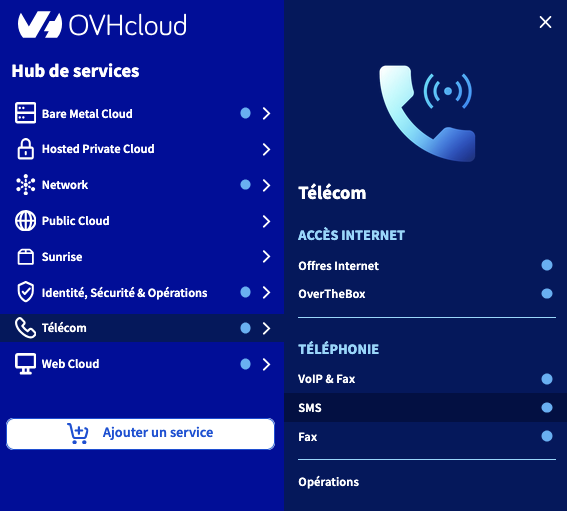
### Accessing the OVHcloud Control Panel
- **Direct link:** SMS
- **To access your services:** Telecom > SMS > Select your SMS account
***
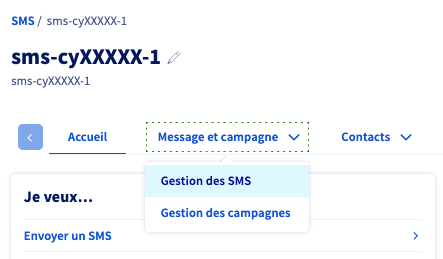
Select the `Message and campaign
` > `SMS management
` tab.
Click `HLR
`.

### New HLR request
Enter the number you want to test, then click `Send lookup
`.
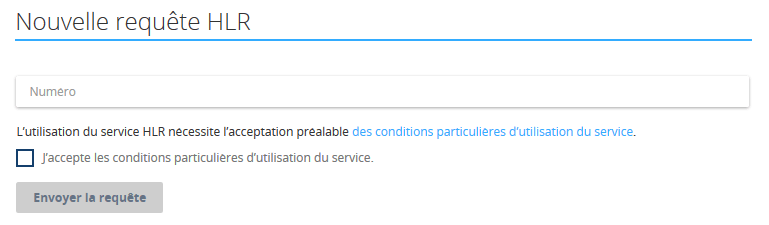
Each request is charged 0.1 SMS credit. See the [SMS pricing](https://www.ovhcloud.com/en-gb/sms/prices/) for more details.
### Viewing past requests
The results of your requests appear in the table at the bottom of the page.

### The different statuses
HLR reports indicate:
- the date of the HLR request;
- the cost of the HLR request;
- the status of the HLR request;
- the recipient's number;
- the recipient's operator;
- the recipient's active/inactive status;
- the recipient's reachability;
- the recipient's ported status;
- the recipient's roaming status.
### Importing the recipients file
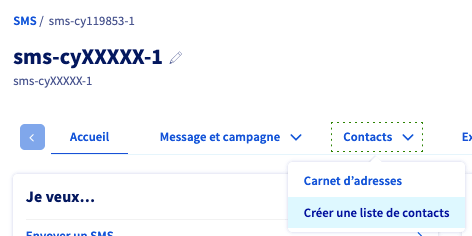
Go to `Contacts
` > `Create a contact list
` and add your file in `.csv`
or `.txt`
format.
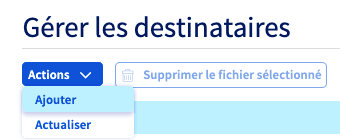
Refer to the "[SMS recipient list](/en/guides/web-cloud/messaging/sms/liste-de-destinataire-sms.md)" guide for more details.
### Cleaning the file
Once your address book is uploaded to the Control Panel, select it and proceed with the cleaning.
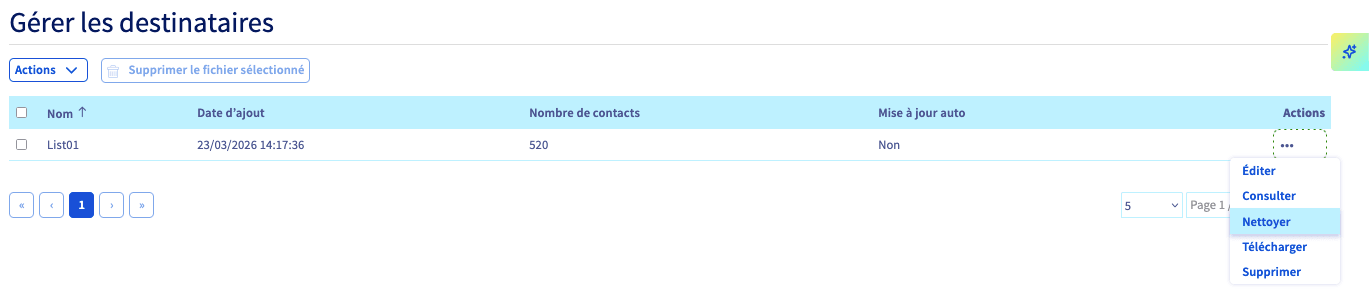
Two options are available:
- Freemium: deduplication and syntax checks (free).
- Premium: deduplication and verification of contact validity via an HLR request (this action is charged 0.1 SMS credit per contact).
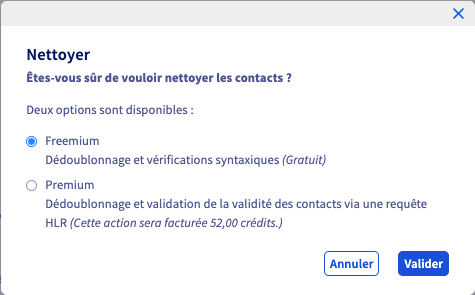
Cleaning the database deduplicates your contacts and removes those that are invalid.
The cleaned file replaces the old one, which is saved and remains accessible. You will receive a report by email at the end of the operation.
## Go further
Talk to our [community of users](https://community.ovhcloud.com/).